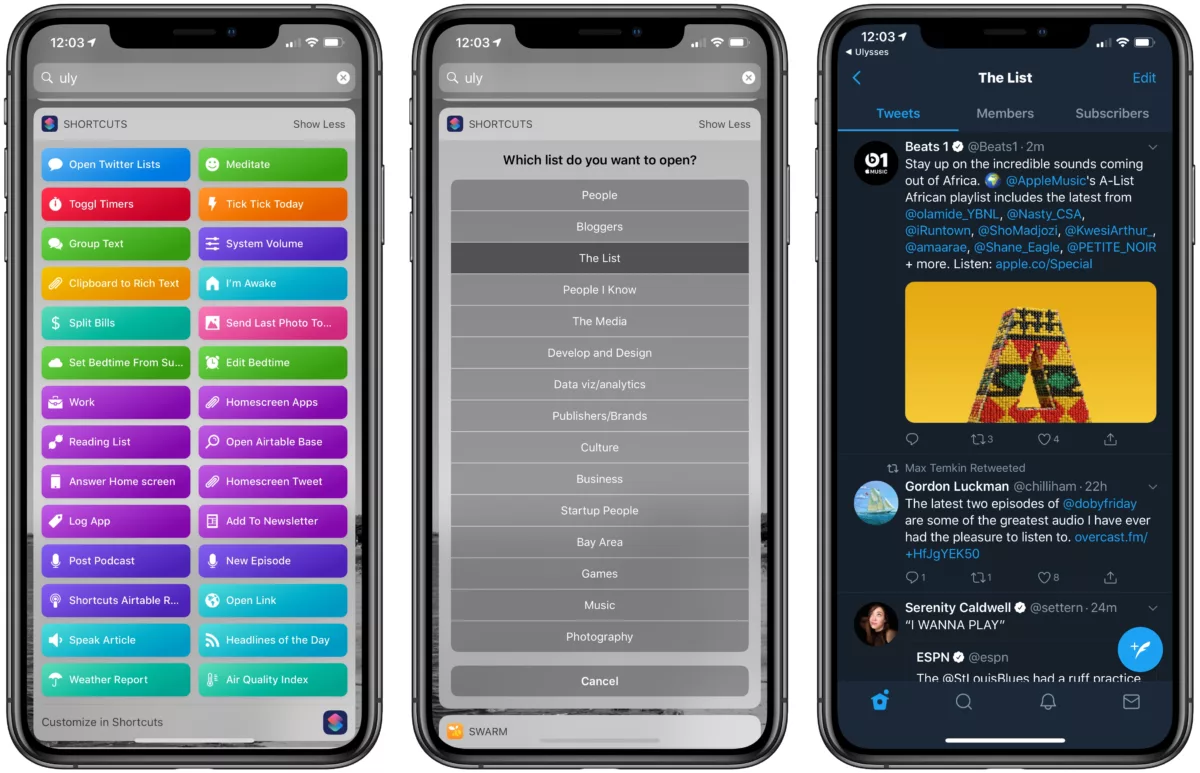

One of my long-favorite shortcuts that I use all the time is the one that I’ve built to open the Twitter app and into my lists that I’ve curated over the years.
When I run the shortcut, I can choose from the titles of my lists, and then Shortcuts builds the deep link into Twitter, then opens into that List for me.
A few months ago I was on Automators and talked through the step-by-step process of how the shortcut works.
Soon after though, I realize that I was having trouble once I opened the list – Twitter was displaying in the earth that “tweets could not be loaded.”
This was seemingly a bug on their end, but after some help from an Internet friend who works at Twitter we were able to diagnose that the deep links were in fact case sensitive. Opening a link with a capitalized name of my List would take me to the lists area but not display tweets, but once the title was all lowercase it would work.
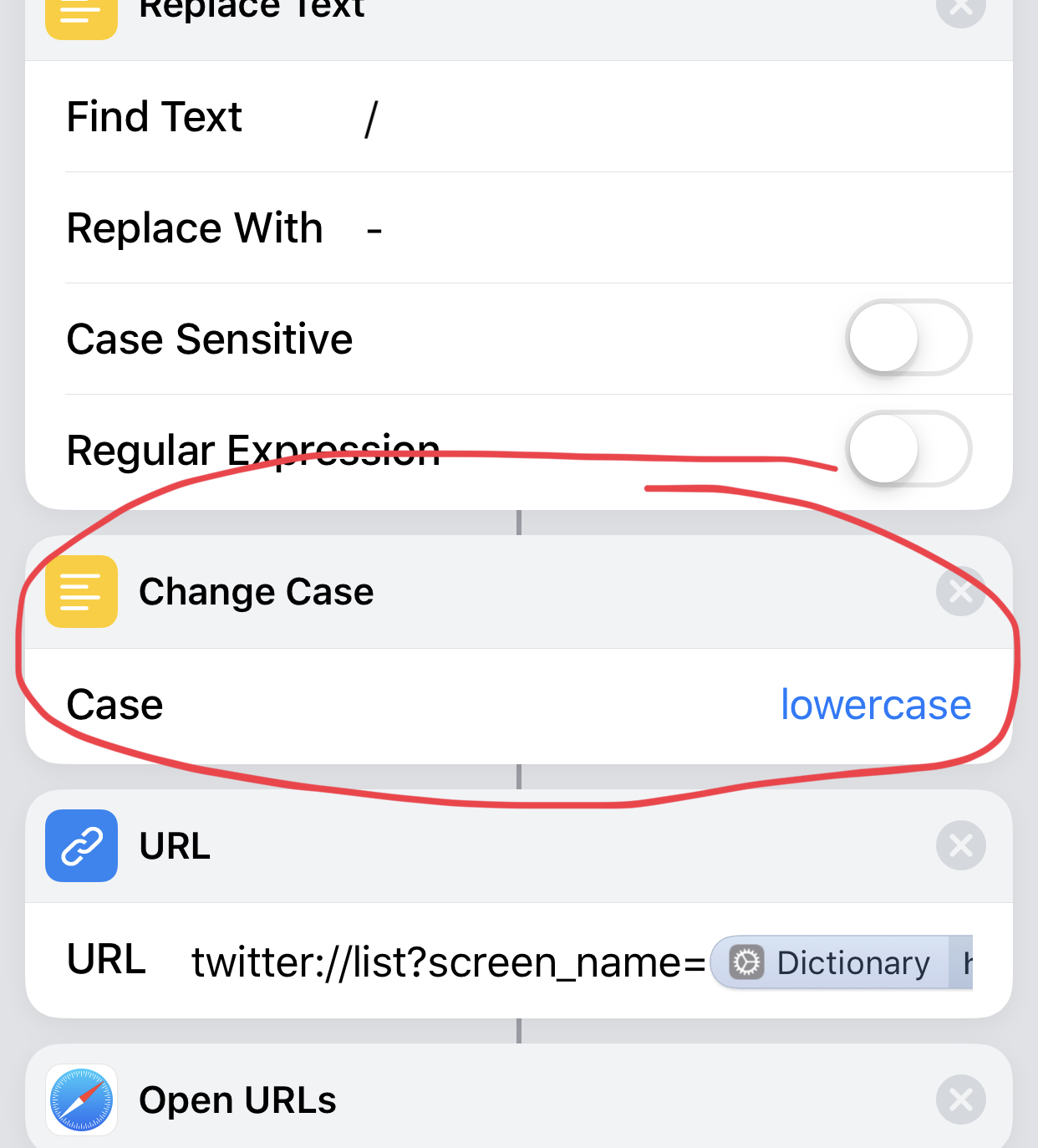
Turns outTM, it was me making the error all along – adding one Change Case action set to Lowercase fixed it, and now my Open Twitter Lists shortcut works as designed again.
If you want to hear the whole breakdown I suggest you listen to the episode of Automators and also subscribe to their show – I’m a big fan.
I also recommend creating lists if you’re coming to the Twitter app from Tweetbot and want to capture some of the same experience for keeping up with a small group of people. Lists have always been my secret weapon for Twitter and, until recently, were buried deep with in the app.

Now, with my shortcut in the widget, it’s easy to jump right into a series of smaller, curated timelines and not as easily get distracted by the rest of Twitter.
Here’s to hoping this helps me get in and out, still get some enjoyment out of Twitter, while also finally reducing the stats in Screen Time.
Add the shortcut here, and go into the Notification Center and to the left to add the Shortcuts widget in your Today View – that way you can run the shortcut without ever opening the Shortcuts app.