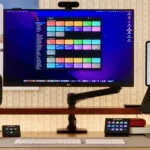
Open the Kindle app
Opens the Kindle app on iOS and Mac to the default library view, letting you browse your collection and select a book or PDF to read.

Opens the Kindle app on iOS and Mac to the default library view, letting you browse your collection and select a book or PDF to read.

Takes the file from input and emails it to your Send To Kindle email address.

Sets a reminder 4 hours from the current time that your Kindle is done charging.


Opens Amazon to the Digital Content page of “Manage Your Content and Devices” to show your Kindle books.
Views the Docs category in the Content section of Amazon’s “Manage Your Content and Devices” for Kindle.
Views the Docs category in the Content section of Amazon’s “Manage Your Content and Devices” for Kindle.

Opens Kindle Unlimited to let you manage your digital content, to deliver, remove, or return your book.


Presents a menu for various times of the day, then changes the device settings to make the screen easier to read depending on that time.

Searches the Passwords database for “AppleID” for when you need to authorize something.

Enhance your experience with bonus shortcuts, folder bundles, and exclusive perks.