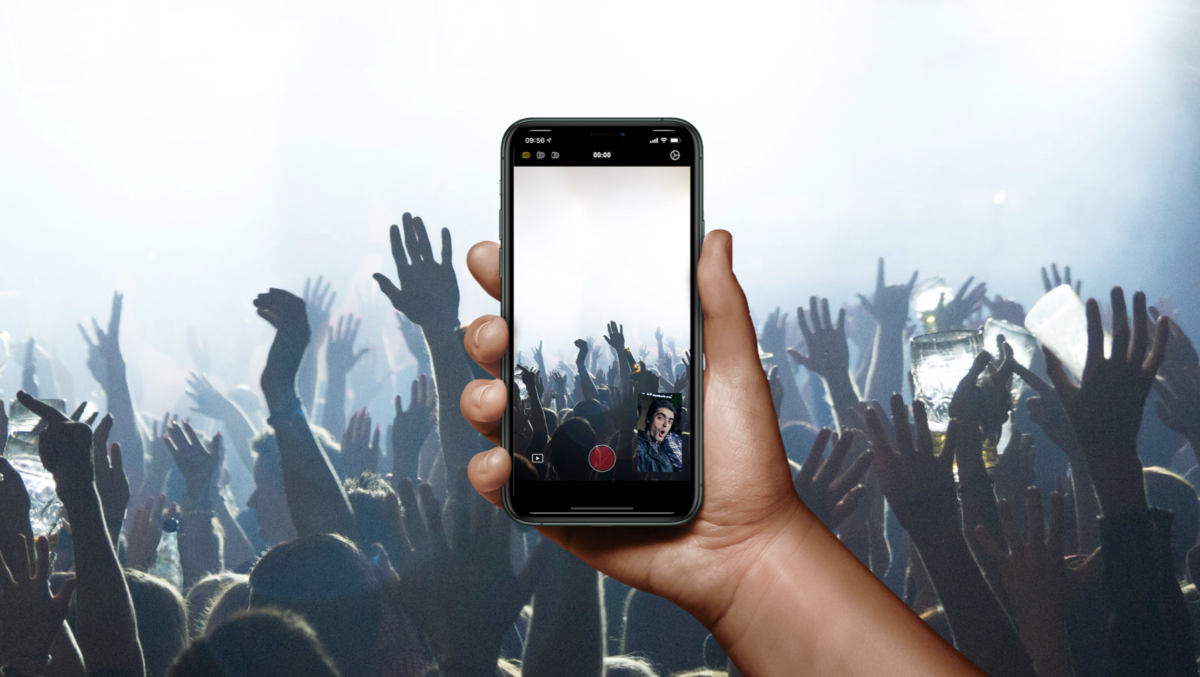
Today, as first noticed by 9to5Mac, developer Marcel Schmitz launched a brand new app called DuetCam for $2.99 that takes advantage of iOS 13’s ability to record video with both the front-facing camera and one of the back cameras at the same time.
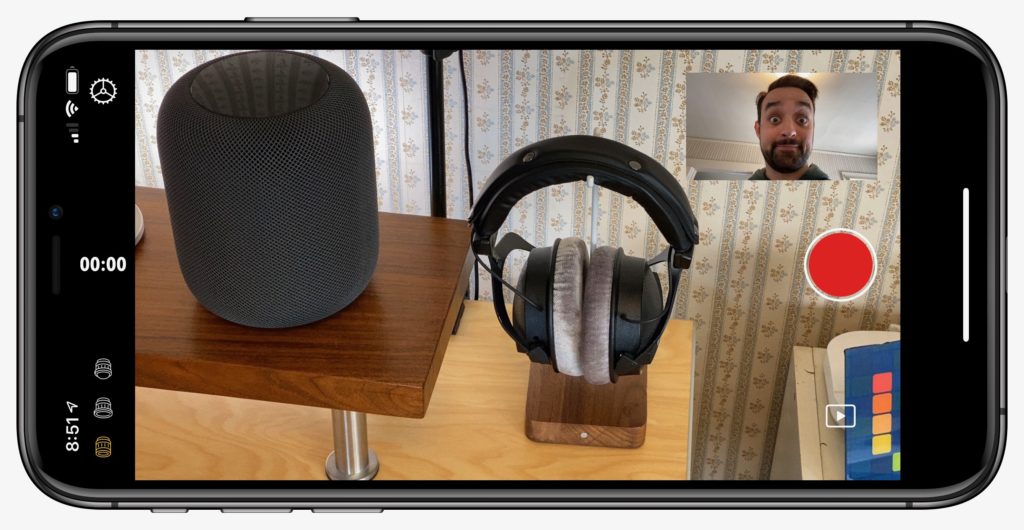
Schmitz’ app basically lets you film what’s in front of you while also recording yourself in a smaller picture-in-picture box, creating an immersive experience where you can talk to the camera while showing what you’re looking at.
DuetCam uses multi-camera APIs that are new to iOS 13 and were demoed on-stage at Apple’s iPhone event using the Filmic Pro app. While that app will have more advanced features for controlling the scenes, it also doesn’t currently have a release date – which is disappointing if you picked up an iPhone 11 Pro specifically to use this feature.
Thankfully, Schmitz moved fast, putting together a simple-enough but perfectly functional camera app in just under two weeks:
There you have it folks, an idea I had 2 weeks ago turned into reality. Back in the game of building apps. ??? #iOSdev #indiedev #shotwithduetcam https://t.co/CmXnOcJjYE
— ᗰᗩᖇᑕEᒪ Pro Max @ ?? (@schmitzoide) October 2, 2019
DuetCam lets you swap between the three rear-facing lenses as well, so you can record in Ultrawide, Wide, or Telephoto (if your device supports it). Additionally, the self-facing camera records into a small box in the bottom right.
DuetCam works in landscape or vertical too, so you can take all kinds of dual-camera videos depending on the perspective you want. There’s also a small video preview icon the bottom left, which pulls up your Photos library filter by videos and lets you preview your shots in the app, plus AirPlay them as necessary.
The only things I noticed that could be improved were that taking a screenshot in the app isn’t recognized as being landscape, so while the camera orientation rotates, maybe the overall app experience isn’t really converted properly. Also, I’m not sure if it takes advantage of the wide selfie lens, which would be nice too.
Overall, DuetCam is an impressive debut – it really shows how independent app developers who move fast can give the people what they want, especially while larger companies are moving too slow. I look forward to seeing where DuetCam goes and what other features Schmitz could add to further the core experience over time.
I’ll be sure to record a YouTube video using the new app and I’ll update this post with the link when I do.
Get DuetCam on the App Store for $2.99, check out DuetCam.com follow @schmitzoide on Twitter.