
Make a Google Image Search
Takes a query as input and opens Google results under the Image tab in Safari.

Takes a query as input and opens Google results under the Image tab in Safari.
Opens the Google app and starts listening for a dictated search query.

Opens the Google app to the Lens feature and looks for text to translate on-screen.


Asks you to type out your query, then for YouTube videos on the subject.

Opens the conversation in Messages for your primary group chat, so you can text them all the details.
Presents a menu of various time periods for setting Do Not Disturb, then adjusts your device according to the choice – includes a few colloquial phrases like “a bit” and “a while” that can be customized to your preferences, plus options for turning it on until lunch or after work.
Opens into the Sleep section of the Apple Health where the Sleep Schedule information can be changed.
Records audio using the phone’s mics, then saves the file and asks you if you want to share it.

Opens the Amazon preview page for Comixology Unlimited so you can read about the experience, see what’s available in the collection, and manage your account.

Opens the deep link into the “Always Allowed Apps” section of Screen Time so you can make sure specific apps are available, well, always.
Enhance your experience with bonus shortcuts, folder bundles, and exclusive perks.
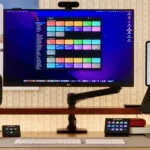
Discover endless possibilities by combining the building blocks for Shortcuts.