Use this page as the canonical evergreen developer field guide: start with the foundations, then follow the links for the entities, queries, system surfaces, migration, and testing work that matches your app. Annual WWDC and platform-release changes stay in the separate updates section below.
What are App Intents?
An App Intent represents an action a person can take in your app. Developers define the intent, its parameters, and the results so Apple’s system experiences can discover and run it consistently. For a fundamentals-first walkthrough, read the App Intents field guide and Apple’s App Intents documentation.
How do App Intents connect apps to Siri, Apple Intelligence, Shortcuts, and Spotlight?
App Intents provide structured app capabilities that can be suggested, searched, invoked, and composed across Apple’s system surfaces. Apple describes app intents as the actions an app makes available to Apple Intelligence and Siri, the Shortcuts app, and other system experiences. App Shortcuts make important actions easier to discover, while App Entities and queries help the system work with the content inside an app. Read why App Intents are the foundation for Siri and Apple Intelligence.
What should developers learn next?
App Actions, parameters, and App Entities
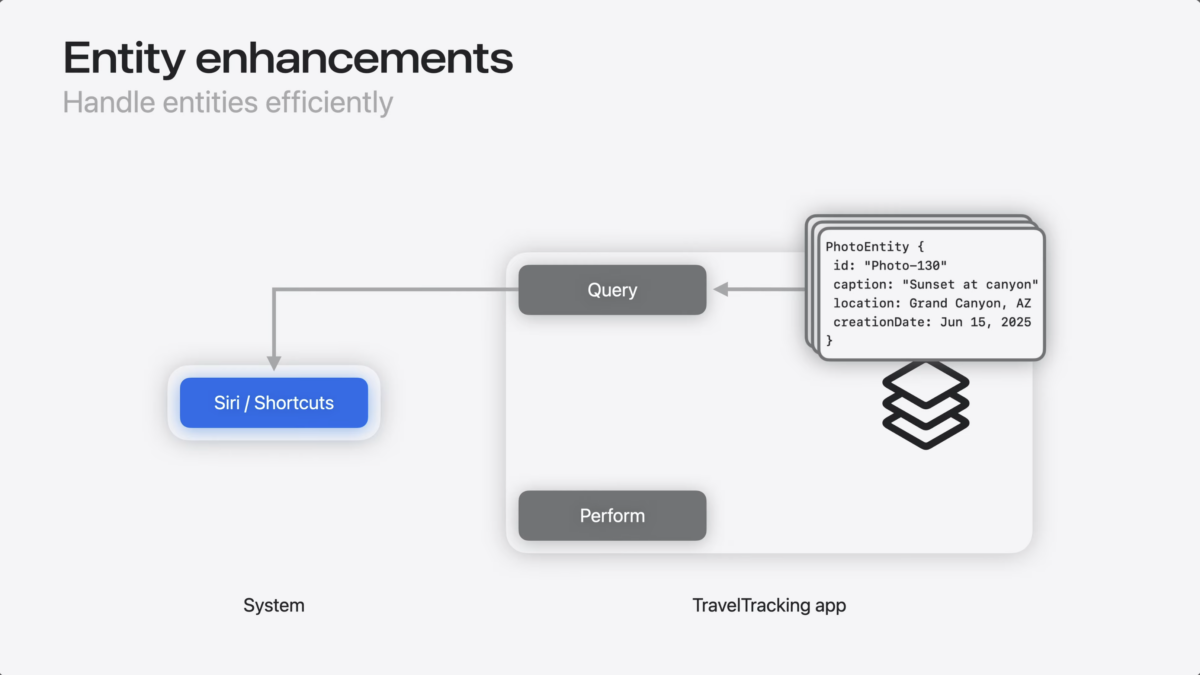
App Actions describe what people can do, parameters carry the details needed to perform the action, and App Entities represent the app content that the system can show or manipulate. Apple’s AppEntity documentation covers the interface for making an app-specific concept discoverable; start with Entity Enhancements for a practical look at helping Siri AI understand app content.
Queries, stable IDs, and relevant content
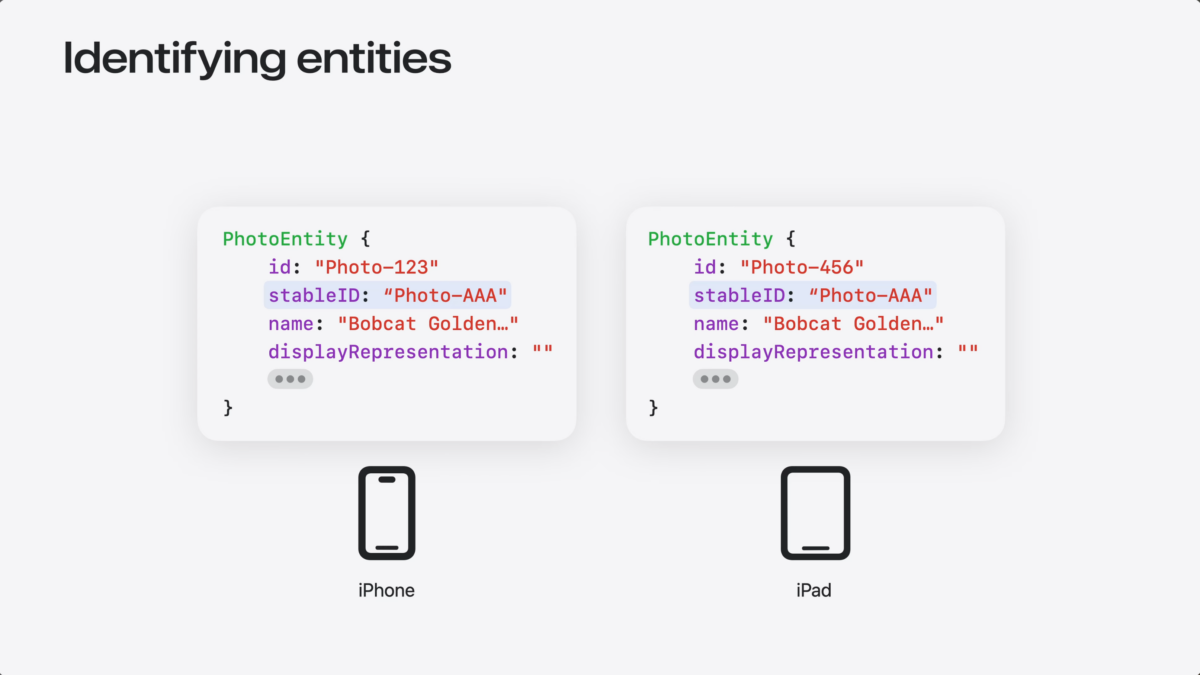
Queries help an app return the right entities, while stable identifiers help the system keep referring to the same content across devices and experiences. Apple’s EntityQuery documentation explains identifier-based retrieval and related query types. Read about stable IDs across devices and registering relevant content.
How do I define App Shortcuts for system discovery?
App Shortcuts give people memorable entry points into an app’s capabilities and help surface them through Siri, Spotlight, and Shortcuts. For the implementation contract, see Apple’s AppShortcutsProvider documentation; for practical context, read Adopting App Shortcuts.
How do widgets, controls, and other visual surfaces use App Intents?
App Intents can connect app capabilities to visual system surfaces, including widgets and controls, so an action can be discovered and completed outside the main app. Apple’s Controls documentation describes using WidgetKit and App Intents together; see how App Intents power Apple-platform experiences.
How do I integrate an app with Visual Intelligence?
Visual Intelligence can match captured surroundings or onscreen objects with content from apps that support the integration. Apple’s Visual Intelligence documentation explains that the Visual Intelligence framework provides captured information while App Intents receives that information and returns matching app content. Read how to integrate your app with Visual Intelligence.
How do I migrate from custom intents to App Intents?
If your app already uses custom intents, use the migration path as a focused compatibility review: compare the existing intent names, parameters, entities, and user-facing behavior with the App Intents model before changing the implementation. Start with Matthew’s migration notes, then follow Apple’s current App Intents documentation for the supported contract.
How should I test, debug, and measure App Intents?
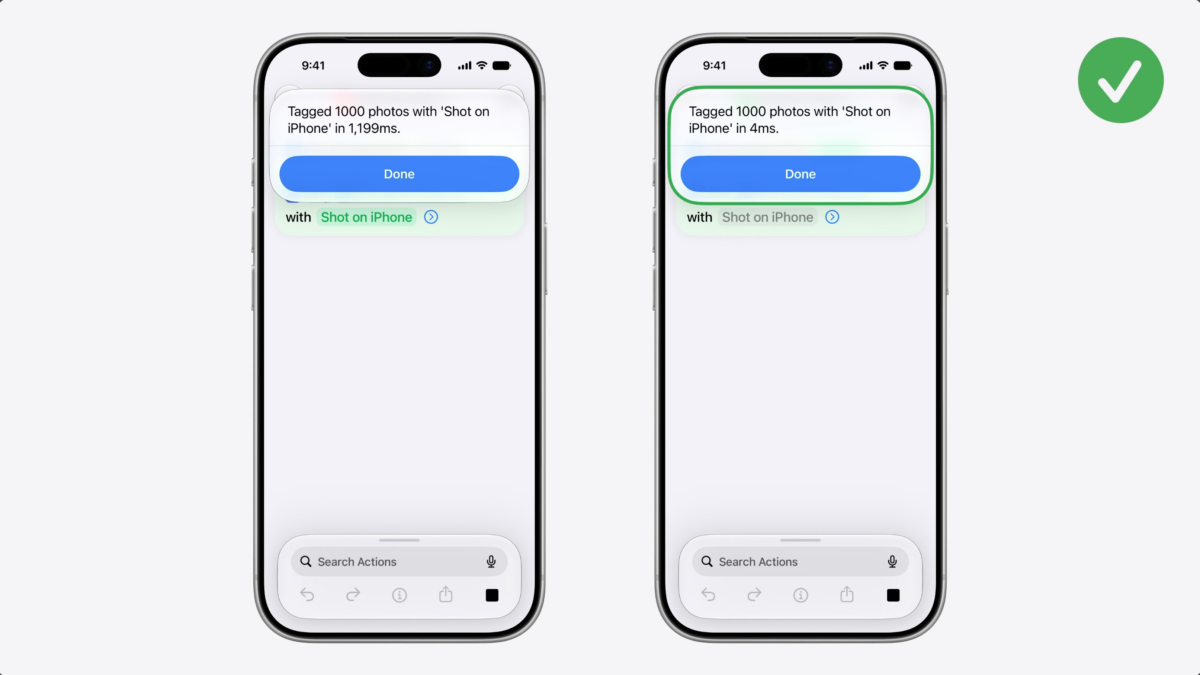
Test intents from the surfaces where people will use them, verify parameters and entity results, and check behavior under execution limits. Apple’s App Intents Testing documentation describes testing intents, entities, enums, and query logic out of process; the LongRunningIntent guide covers work that needs more time than a standard App Intent.
What’s new in each Apple platform release?
Annual and versioned coverage: Apple’s App Intents APIs continue to expand with new discovery, Siri AI, entity, query, and execution capabilities. Keep release-specific guidance in the latest App Intents framework update and the session playlist; use the evergreen sections above for concepts that should remain useful between WWDC releases.
Related guides and source documentation
Apple’s App Intents documentation
Shortcuts Catalog for the broader Shortcuts ecosystem
App Intents consulting for implementation planning and integration help