
Sign up for Comixology Unlimited
Opens to the Subscribe page for Comixology Unlimited so you can start your free trial and agree to sign up after 30 days.

Opens to the Subscribe page for Comixology Unlimited so you can start your free trial and agree to sign up after 30 days.

Opens the Amazon website to the Comixology account management page, where find links to your library or the Kindle app and connect your Amazon or Comixology accounts as needed.

Asks you for a search query, then forms it for the Amazon search results URL with a filter for Comics applied.

Opens your Amazon profile to the Digital Content management page for Comixology Unlimited where you can do things like delete comics or add them to collections.
Given a preset dictionary of your comic titles and unique IDs, asks you to pick which comic to open on the web.

Opens the Amazon storefront for Comixology, their comics store and subscription service.

Opens the YouTube app on a selected Apple TV, then shows the Remote so you can select a video.

Opens the URL to the Create button for Lists on X where you can add an Image, Name, Description, and whether the list should be Private before adding the list.

Asks you for a query, then finds up to 25 results from the App Store and asks you which one to open. Change the “Results” parameter to iPad or Mac to specify for those platforms.

Opens the Luma Help Center where you can search or browse through common issues.

Waits a few seconds (to close the shortcut), takes a screenshot, waits for you to return to Shortcuts, then asks you to enter the title before adding it to Reminders.

Enhance your experience with bonus shortcuts, folder bundles, and exclusive perks.
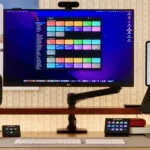

Discover endless possibilities by combining the building blocks for Shortcuts.