





Browse the TV Store
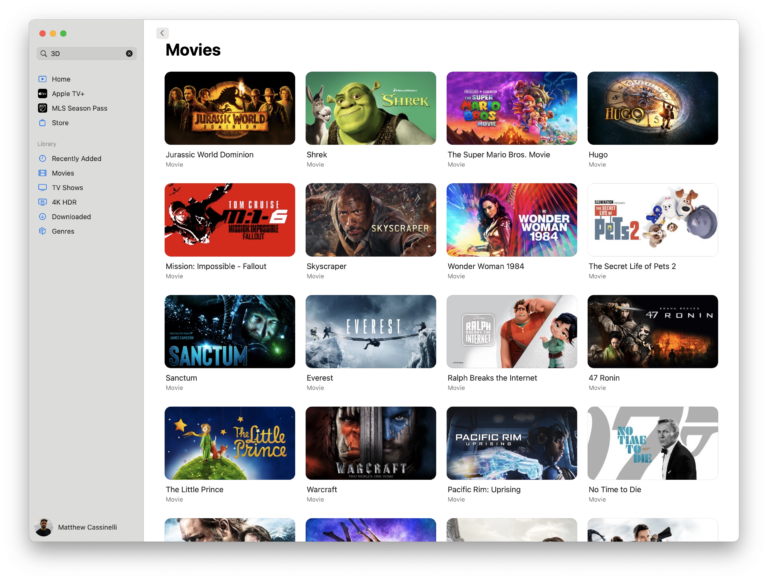
Presents a menu for opening into the TV app to the Store section, either directly usnig a deep link, using the iTunes actions in Shortcuts, or Apple’s RSS feeds for top movie and TV content – plus categories for dedicated “rooms” in the TV app for special content.

Open Apple TV+
Opens the TV app to the Apple TV+ tab to show content from your subscription.

Watch The Office
Opens the deep link into the TV app to The Office episodes. If you’re watching the series, prompts you to resume the latest or next episode.

Watch Lord of the Rings
Presents a menu of the six Lord of the Rings movies, with corresponding deep links into the TV app for each.

Open into the TV app
Presents a menu of sections in the TV app and opens the deep link into the app on iPhone, iPad, and Mac – options include Home, Search, Store, Sports, Apple TV+, and Library. When run from Apple Watch, opens the Apple TV app.

Log time awake
Asks you for wake up time, when you fell asleep again, and logs the time in Health before presenting the total length back to you.


Show News from The News Desk
Opens the URL for the News magazine from the Flipboard News Desk into the app.

Open Waveform on X
Deep links into the @WVFRM profile so you can see recent posts and follow the show.

Quote of the Day
Write down good lines from a podcast and save a link back to that episode.

Play my Replay 2016
Plays the preselected Replay 2016 playlist on Shuffle. My top tracks of the year—not even joking—were Burn The Witch, Can’t Keep Checking My Phone, Daydreaming, Better Strange, and Bored to Death. Uncanny.

Automators Membership
Enhance your experience with bonus shortcuts, folder bundles, and exclusive perks.


Action Directory
Discover endless possibilities by combining the building blocks for Shortcuts.