
Create travel plan
Creates a spreadsheet using the Travel Planner template in Numbers.
Creates a spreadsheet using the Travel Planner template in Numbers.
Presents templates from the Personal Life category in Numbers, including a calendar, schedule, running log, home improvement project, team organization, baby record, travel planner, party plan, meal plan, or recipe.

Creates a daily schedule in the Numbers app using a template.

Presents a list of Education templates from the Numbers app, including an attendance spreadsheet, grade book, GPA sheet, probability calculator, correlation project, or academic calendar.

Adds a template from the Basic category in Numbers, including blank, dark mode, table and chart, pivot table, charting basics, checklist, checklist total, and categories.

Opens a specific spreadsheet in the Numbers app. Works well for your current in-progress document.

Opens the Wallet app to the pass for an event ticket of your choice.

Opens the deep link into the Accessibility settings for Switch Control, which allows you to use your iPhone by sequentially highlighting items on the screen that can be activated through an adaptive accesssory. Other options include settings for Switches, Recipe, Scanning Style, Auto Scanning Time, Pause on First Item, Loops, Move Repeat, Long Press, Tap Behavior, Focused Item After Tap, and keyboard, switch stabilization, point scanning, audio, and menu items controls.


Opens the Wallet app to the rewards card for your local coffee shop.

Accepts a list of TV shows or movies, scrapes the results from Apple’s Marketing Toolbox, and lets you pick where to send the media – with options to open into the TV app, add to your Watchlist, send to Reminders, or copy the links.

Use this shortcut to sort your shortcuts set to show up on the Apple Watch. Use this view to rename them, change the colors, sort the order, or drag and drop shortcuts out to remove them.
Enhance your experience with bonus shortcuts, folder bundles, and exclusive perks.
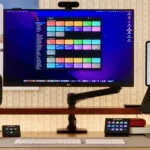

Discover endless possibilities by combining the building blocks for Shortcuts.