Notes on “Design great actions for Shortcuts, Siri, and Suggestions” ?

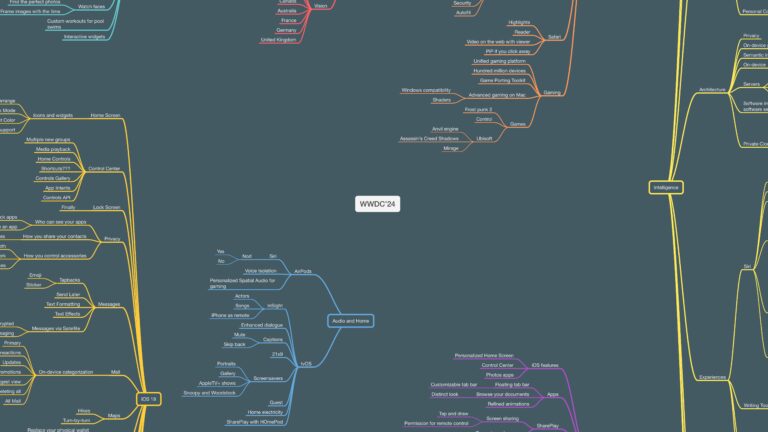
After taking notes on how to design great actions, I wanted to share my mind map ahead of future blog posts on how to build great shortcuts with members.

Hey members,

I wanted to share this mind map of notes I created while watching Apple’s Developer session from WWDC ’21 on how to Design great actions for Shortcuts, Siri, and Suggestions.

Hey members,

I wanted to share this mind map of notes I created while watching Apple’s Developer session from WWDC ’21 on how to Design great actions for Shortcuts, Siri, and Suggestions.

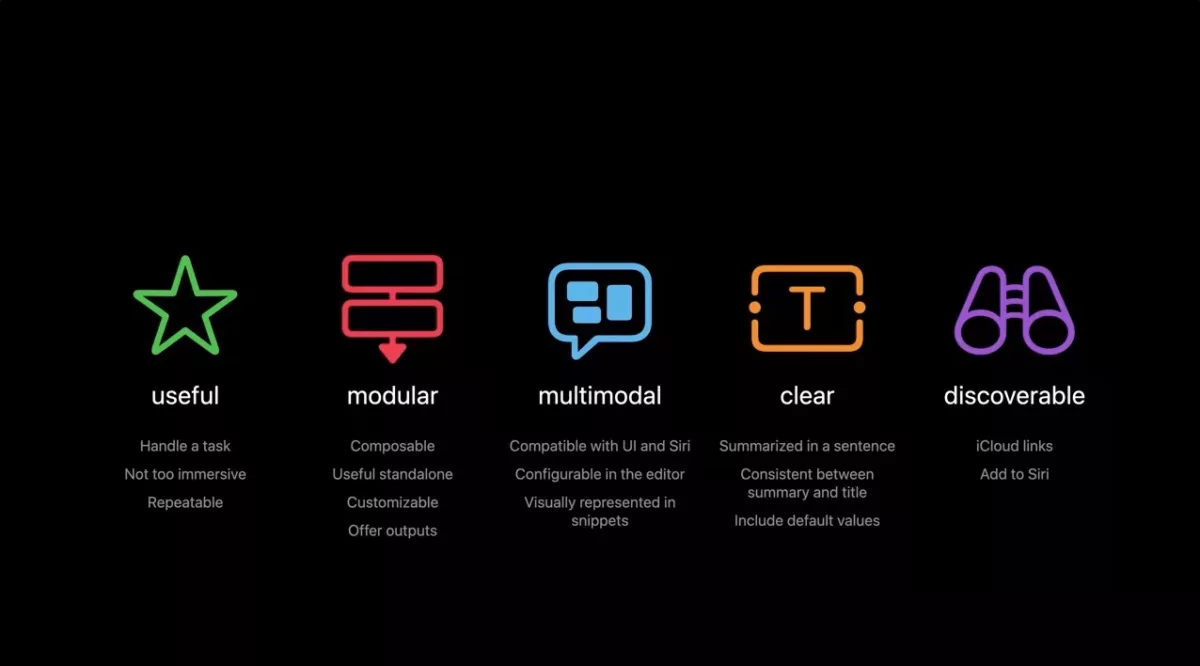
The session is focused on how developers can build out a set of actions for their app, but it actually provides a lot of insight into how “Shortcuts authors” (as we are called in the session) can build their shortcuts thoughtfully – here’s the last slide:
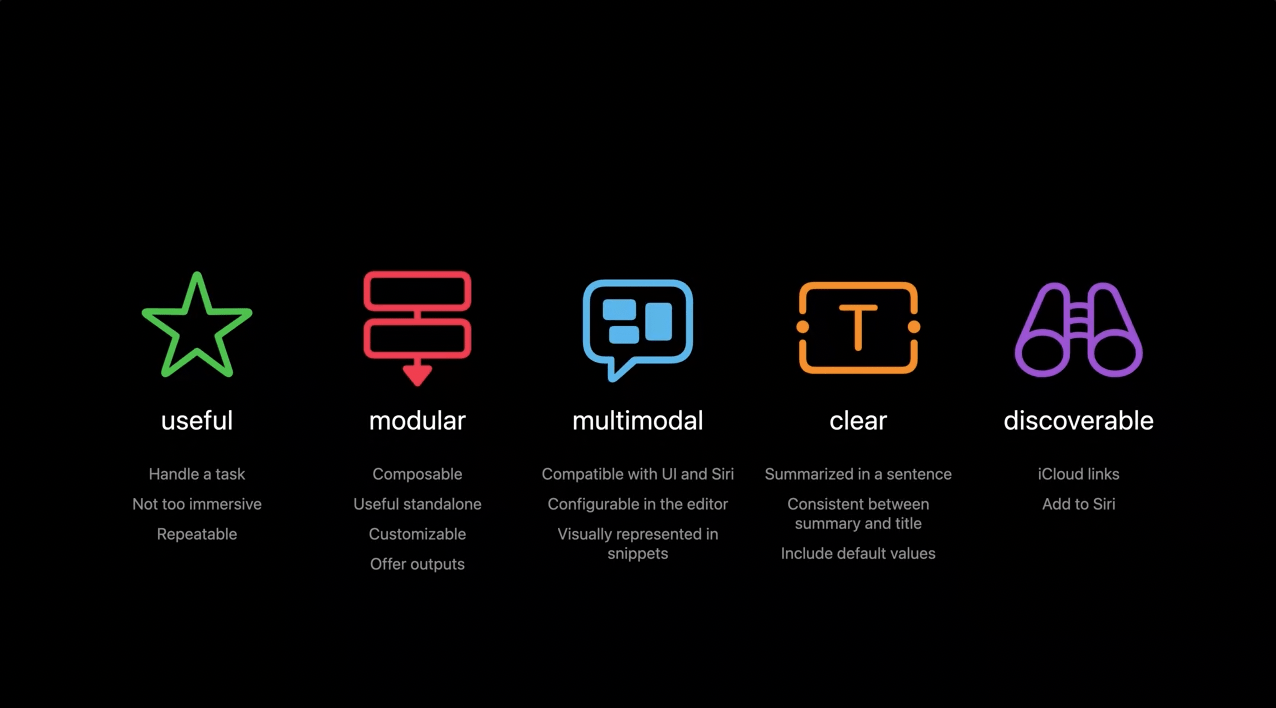
I noticed at least 10 individual topics I’d like to cover for members in future posts, but I wanted to share my full mind map ahead of time in case you wanted to watch the session and read along yourself:
Posts You Might Like

New shortcut: Activate Claude Code (Subscribers Only)
If you're using Claude Code, here's a shortcut to set up your environment immediately from your preset list of directories.
Stephen Robles on New iPhone Shortcuts Actions in iOS 17.4 »
Stephen Robles has a quick 10-minute video on using the new Get Orientation and Get Physical Activity actions from iOS 17.4.
Shortcuts Live: Working with Safari Tabs in iOS 16 Public Beta 2
Tune into the latest episode of Shortcuts Live, where I streamed for a little over an hour covering the new Find Tab action that I discovered in iOS 16 public beta 2.
New shortcut: Send Quick Notes to Cursor (Subscribers Only)
If you're using Cursor, getting your Quick Notes into the app is too manual – this shortcut automates your on-the-go notes when you're back at your Mac.