Categories
Apps Membership Offsite Video

New video: Membership discounts on great Shortcuts apps!

From yours truly on YouTube:

I’m excited to share a new addition to my membership program – discounts on great apps with Shortcuts support.

Sign up for the membership program.

Current apps:

  • Together Board
  • Plinky
  • Paku
  • Progress
  • Tasks
  • MindNode
  • Cuevello
  • One Sec
  • Auralog
  • Pop Out Timer
  • Email Me
  • Monologue

See the full Shortcuts Catalog.
Browse the Shortcuts Library.
Check out the Action Directory.

Check out the launch announcement post and watch the video on YouTube.

Categories
Apps Membership

New Member Discount: Get Monologue For Three Months Free

Hello members (and future members)! I am excited to announce a new Partner addition to my MembershipMonologue (part of Every)!

Built from developer Naveen Naidu and designed by Lucas Fischer, Monologue for iPhone & Apple as well as Mac lets you dictate freely with great access points and a retro design – plus capture using Shortcuts. Here’s how it’s described on the App Store:

Monologue is voice dictation that writes the way you talk-so your messages, emails, and notes come out clear, polished, and sounding like you.

Write what you meant to say

Most dictation apps get the words down. Monologue gets the intent right-matching your tone (casual, professional, or anything in between) and cleaning up the “uhs,” filler, and awkward phrasing automatically.

Monologue is offering 3 months free off the annual subscription of $144/year, saving you $43.20 while giving you smart dictation for a full year – here’s the summary:

Turn speech into clean text anywhere — dictation, voice notes, and bot-free meeting notes for Mac, iPhone, iPad, and Apple Watch. 100+ languages, works offline, agent-ready. Members get 30% off Monologue Pro’s annual plan for the first year.

My thanks to Naveen for participating – Monologue has been active on my Mac since the day I bought it in February, so I highly recommend it.

Learn more about the Membership, learn about Monologue,get Monologue on the App Store, or sign up for a membership below:

Check out the members-only Discounts page for Monologue’s redemption link.

Interested in becoming a partner? Register your app or service here.
Categories
Apps Membership

New Member Discount: Get Email Me For Three Months Free

Hello members (and future members)! I am excited to announce a new Partner addition to my MembershipEmail Me!

Built from developer Manuel Escrig , Email Me for iPhone is a self-explanatory app for the common pattern of emailing yourself. Here’s how it’s described on the site:

The fastest capture a thought by voice or text.

Record a voice memo, let AI transcribe it, and send it straight to your inbox.

Note to self, evolved.

Manuel is offering 3 months free on top of the annual subscription of $12.99/year, saving you ~$3.25 while giving you Email Me for those three months, plus another year. Here’s how he describes the Shortcuts support:

Email Me Note, Email Note to Recipient, Quick Note, Email Me Reminder Text, Email Me Last Image, Create Text Note and Create Audio Note.

Background sending: Sending actions don’t need to open the app. Trigger them from Siri, an Automation, the Lock Screen or a locked device. Notes are queued and sent silently, with spoken confirmation.

Siri support: Use phrases such as “Email Me Note,” “Quick Note,” or “Send a note with Email Me to [recipient].”

Control Center, Lock Screen and Action Button: On iOS 18 or later, add one-tap controls for text notes, audio notes, clipboard notes, the last photo, document scanning and the camera.

Automations: Actions can be combined with other apps or triggered by time, location, Focus mode or NFC tags. For example: “When I leave work, email me my clipboard.”

Share Sheet: Send text, photos and files from other apps directly through the iOS Share Sheet and Actions menu.

My thanks to Manuel for participating!

Learn more about the Membership, learn about Email Me,get Email Me on the App Store, or sign up for a membership below:

Check out the members-only Discounts page for Email Me’s redemption link to the App Store.

Interested in becoming a partner? Register your app or service here.
Categories
Apps Membership

New Discount: Get Auralog For 50% Off The First Year

Hello members (and future members)! I am excited to announce a new Partner addition to my MembershipAuralog!

Built from developer Adrian Eves, Auralog for iPhone lets you track migraines, log triggers, and see what conditions put you at risk for another migraine – plus, I helped Adrian with his Shortcuts integration. Here’s how it’s described on the App Store:

The effortless way to beat migraines. Zero effort logging. Maximum insight. Each migraine you track keeps the next one at bay. The smartest migraine app ever built.

Auralog helps you take control of your migraine and headache history without extra hassle – even in the middle of an attack.

Adrian is offering 50% off the annual subscription of $19.99/year, saving you $9.99 while giving you Auralog for a full year. My thanks to Adrian for participating – please test the Shortcuts support and send us feedback!

Learn more about the Membership, learn about Auralog,get Auralog on the App Store, or sign up for a membership below:

Check out the members-only Discounts page for Auralog’s redemption link to the App Store.

Interested in becoming a partner? Register your app or service here.

Categories
Apps Membership

New Member Discount: Get One Sec For Three Months Free

Hello members (and future members)! I am excited to announce a new Partner addition to my MembershipOne Sec!

Built from developer Frederik Riedel, One Sec for iPhone & iPad(as well as Android and Web) lets you delay opening apps with a Screen Time blocker to help reduce your bad habits – using Shortcuts’ Open App automation. Here’s how it’s described on the App Store:

Willpower is not enough against social media algorithms!

That’s why I made one sec:

one sec adds friction to distracting apps to make them less appealing…long-term!

This principle works really well: we have gained scientific evidence in numerous research studies with the Max-Planck Institute, with the German and Danish government, and in dozens more scientific collaborations.

One Sec is offering three months free off with a monthly subscription, saving you $11.99 while giving you One Sec to try out for three months – here’s the summary:

Cut your screen time in half: one sec is the screen time app that truly works – scientifically. It helps you interrupt or block social media, apps, and websites using Shortcuts Automations.

My thanks to Frederik for participating – hope One Sec helps you with your Screen Time habits!

Learn more about the Membership, learn about One Sec,get One Sec on the App Store, or sign up for a membership below:

Check out the members-only Discounts page for One Sec’s redemption link to the App Store.

Interested in becoming a partner? Register your app or service here.

Categories
Apps Membership

New Member Discount: Get Cuevello 50% Off One-Time

Hello members (and future members)! I am excited to announce a new Partner addition to my Membership Cuevello !

Built from developer Matthias Hühne, Cuevello for iPhone & iPad(and its Mac server) lets you remotely use your Mac apps on iPhone, iPad, or another Mac. Here’s how it’s described on the website:

Stream a monitor, app window, or selected Mac app to iOS with high-resolution video and optional Mac or app audio, then view, zoom, type, click, scroll, and run workflows when the Mac itself is somewhere else.

Cuevello is offering 50% off its one-time Pro Unlock: $4.49 instead of $8.99. The offer is available for six months, and the purchase has no renewal or recurring subscription – here’s the summary:

Cuevello integrates with Apple Shortcuts through App Intents. Saved Cuevello workflows appear as actions in the Shortcuts app and can run compatible Mac automations in the background. Workflows can combine menu commands, app actions, keyboard input, URLs, clipboard or prepared text, screenshots, and waits. Cuevello can also remotely launch existing macOS Shortcuts, allowing users to incorporate scripts, backups, Focus setups, and other Apple automations. Interactive steps may open Cuevello when user input or screen access is required.

My thanks to Matthias for participating – let me know how you’re using Cuevello!

Learn more about the Membership, learn about Cuevello,get Cuevello on the App Store, or sign up for a membership below:

Check out the members-only Discounts page for Cuevello’s redemption link to the App Store.

Interested in becoming a partner? Register your app or service here.
Categories
Apps Membership

New Member Discount: Get MindNode For 30% Off The First Year

Hello members (and future members)! I am excited to announce a new Partner addition to my MembershipMindNode!

Built from developer Markus Müller-Simhofer, MindNode for iPhone, iPad, Mac, & Apple Watchlets you visualize your thoughts as you brainstorm in a mind mapping environment – and contains a set of Shortcuts actions that I actually helped the team with in my client work. Here’s how it’s described on the App Store:

Your brain doesn’t think in straight lines. MindNode doesn’t force it to. Capture scattered thoughts, connect them in a mind map, and turn them into a clear outline, plan, or project structure.

MindNode is offering 3 months free off the annual subscription of $24.99/year, saving you ~$6.25 while giving you MindNode Premium for a full year – here’s the summary:

MindNode’s Shortcuts integration lets you capture ideas, create documents, and automate repetitive actions across your Apple devices. Build MindNode into your everyday workflows and turn quick thoughts into structured mind maps without interrupting your flow.

My thanks to Marcus & team for participating – I’ve used MindNode for years and years, and I was super thrilled to help with their Shortcuts support as well. I hope you enjoy it!

Learn more about the Membership, learn about MindNode,get MindNode on the App Store, or sign up for a membership below:

Check out the members-only Discounts page for MindNode’s redemption link to the App Store.

Interested in becoming a partner? Register your app or service here.
Categories
Apps Membership

New Member Discount: Get Tasks For 50% Off The Lifetime Purchase

Hello members (and future members)! I am excited to announce a new Partner addition to my MembershipTasks!

Built from developer Mustafa Yusuf, Tasks for iPhone, iPad, Mac, Apple Watch & Visionlets you track your to-dos in a great kanban interface – plus it has a huge set of Shortcuts actions. Here’s how it’s described on the App Store:

Start with a simple list, then grow into custom Kanban workflows, powerful automation, and effortless collaboration across your Apple devices.

Tasks is a flexible task manager built for Apple devices. Start with a simple to-do list, then add structure only when you ed it-with projects, subtasks, tags, priorities, custom statuses, Kanban boards, collaboration, and powerful automations.

Your work is rarely just “to do” or “done.” A task might be in progress, waiting, under review, or following a workflow unique to your team. Tasks lets you shape every project around the way you actually work, without overwhelming you upfront.

Tasks is offering 50% off the lifetime purchase of $99.99, saving you $49.99 while giving you Tasks forever – here’s the summary:

Unlock every premium feature in Tasks forever with a single purchase. No subscriptions, no recurring fees – just one payment and you’re set for life. (Includes Family Sharing!)

My special thanks to Mustafa for participating and being so generous with his offer – now go get your Tasks done!

Learn more about the Membership, learn about Tasks,get Tasks on the App Store, or sign up for a membership below:

Check out the members-only Discounts page for One Sec’s redemption link to the App Store.

Interested in becoming a partner? Register your app or service here.
Categories
Apps Membership

New Member Discount: Get Progress For 50% Off The First Year

Hello members (and future members)! I am excited to announce a new Partner addition to my MembershipProgress!

Built from developer Stephen Hayes, Progresslets you track any goal with a great visualization. Here’s how it’s described on his website:

Progress is an app for iOS & macOS designed to help keep track of progress towards goals. Perfect for tracking almost anything – distance, money, time, weight, and more! Stay on target with history charts showing your recent trends!

Progress is offering 50% off the annual subscription of $7.99/year, saving you $3.99 while giving you Progress for a full year – here’s the summary:

Track any goal effortlessly across iPhone, iPad, and Mac with Progress. Powerful Siri Shortcuts support lets you log updates instantly or automate your routine, with seamless syncing that keeps your progress up to date everywhere.

My thanks to Stephen for participating – let us know what kinds of goals you are tracking with Progress!

Learn more about the Membership, learn about Progress,get Progress on the App Store, or sign up for a membership below:

Check out the members-only Discounts page for Progress’ redemption link to the App Store.

Interested in becoming a partner? Register your app or service here.
Categories
Apps Membership

New Member Discount: Get Paku Pro For 50% Off The First Year

Hello members (and future members)! I am excited to announce a new Partner addition to my MembershipPaku!

Built from developer Kyle Bashour, Paku for iPhone is a fantastic air quality monitor and AQI map with a wonderfully elegant design. Here’s how it’s described on the App Store:

Wildfire smoke season is here. See what’s actually in your air, block by block, and get an alert the moment the sensor down the street crosses your threshold.

See the air you’re actually breathing.

Most apps give you one AQI number for your whole city. Paku shows you live readings from thousands of PurpleAir sensors, including the one down the street, so you know when it’s safe to open the windows, go for a run, or send the kids outside.

Paku is offering 50% off the annual subscription of $13.99/year, saving you $6.99 while giving you Paku Pro for a full year – here’s the summary:

Keep a closer eye on air quality this wildfire season with Paku Pro. Set up alerts as AQI changes, monitor with Live Activities, and unlock all of Paku’s widgets.

My thanks to Kyle for participating – make sure to put the Paku widget on your Home Screen!

Learn more about the Membership, learn about Paku,get Paku on the App Store, or sign up for a membership below:

Check out the members-only Discounts page for Paku’s redemption link to the App Store.

Interested in becoming a partner? Register your app or service here.
Categories
Apps Membership

New Member Discount: Get Plinky Pro For 50% Off The First Year

Hello members (and future members)! I am excited to announce a new Partner addition to my Membership BenefitsPlinky!

Built from developer Joe Fabisevich, Plinky for iPhone, iPad, and Mac lets you track links on all platforms, with a robust set of Shortcuts actions available to use. Here’s how it’s described on the App Store:

Save from any app or browser, then organize with tags, folders, reminders, widgets, and Shortcuts across your iPhone, iPad, and Mac. Plinky is the easiest way to save links from any device, so you can enjoy them later.

Plinky is offering 50% off the annual subscription of $39.99, saving you $19.99 while letting you add Plinky to your workflow for a full year.

My thanks to Joe for participating – I’m looking forward to seeing what you build with Plinky in Shortcuts!

Learn more about the Membership, learn about Plinky,get Plinky on the App Store, or sign up for a membership below:

Check out the members-only Discounts page for Plinky’s redemption link to the App Store.

Interested in becoming a partner? Register your app or service here.
Categories
Apps Membership

New Member Discount: Get Together Board For 50% Off The First Year

Hello members (and future members)! I am excited to announce a new Partner addition to my Membership BenefitsTogether Board!

Built from developer Cory Bohon, Together Board for iPhone lets you set up a shared widget with a partner or friend and collaborate on what appears on each others’ Home Screens – plus it works great with Siri & Shortcuts. Here’s how it’s described on their website:

A warm little pin board you share with the people you love. Photos, sticky notes, polls, and countdowns — pinned to one cozy cork board that syncs to everyone’s devices. No accounts, no feeds, no noise.

Together Board is offering 50% off the annual subscription of $9.99, saving you $4.99 while giving you—and your partner, if you have Family Sharing enabled—a full year of Together Board to use.

My thanks to Cory & Together Board for participating – I’d love to see how you’re using it!

Learn more about the Membership, learn about Together Board, get Together Board on the App Store, or sign up for a membership below:

Check out the members-only Discounts page for the Together Board redemption link to the App Store.

Interested in becoming a partner? Register your app or service here.

Categories
Announcements Apps Membership

New Member Benefit: App Discounts!

Hello members (and future members)!

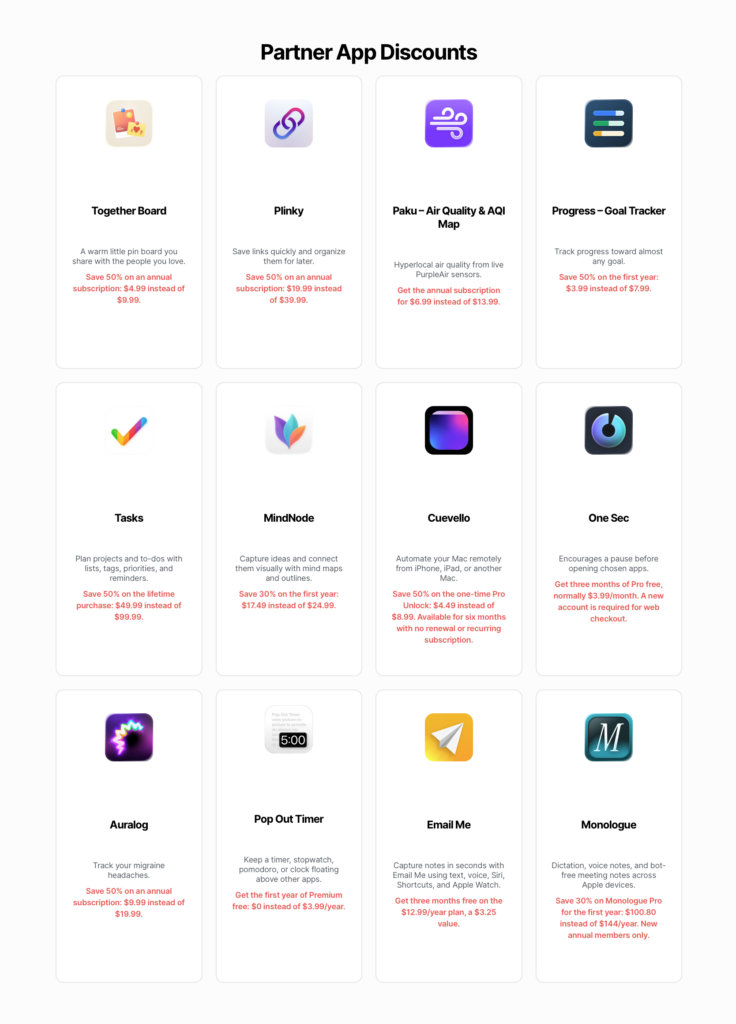
I am excited to announce a new addition to my Membership benefits – discounts from select partner apps & services!

Shortcuts apps with Discounts

Here’s the launch set of partner apps offering discounts:

  • Together Board
  • Plinky
  • Paku
  • Progress – Goal Tracker
  • Tasks
  • MindNode
  • Cuevello
  • One Sec
  • Auralog
  • Pop Out Timer
  • Email Me
  • Monologue

These lovely developers are offering a range of discounts on their subscriptions, from 3 months off to 50% off their annual subscriptions to 50% lifetime access – all of which you can access from any tier of my membership program.

Become a member today

Once you’re a member, check out the Discounts page for special App Store links to redeem your subscriptions.

Membership tiers are now $15 for 3 months and $50 for a full year – already the perks are worth two full quarters and almost as much as the entire annual subscription.

We’ll be adding new apps regularly, so bookmark the Discounts page and check back in occasionally to see what’s new.

Learn more about the Membership or sign up for a membership today below:

Check out the members-only Discounts page to get 50% off your annual subscriptions to Together Board and Plinky.

Interested in becoming a partner? Register your app or service here.
Categories
Announcements Membership Shortcuts

Fill out my Membership App Discounts Partner Interest Form

Hello folks!

I am preparing new membership benefits from partner apps & services – from discounts to free passes – and looking for a set of beginning partners for the initial 3-month trial.

Fill out the form below if you’re interested:

Categories
Custom Shortcuts Membership Shortcuts

New shortcut: Activate Claude Code (Subscribers Only)

Hello dear subscribers,

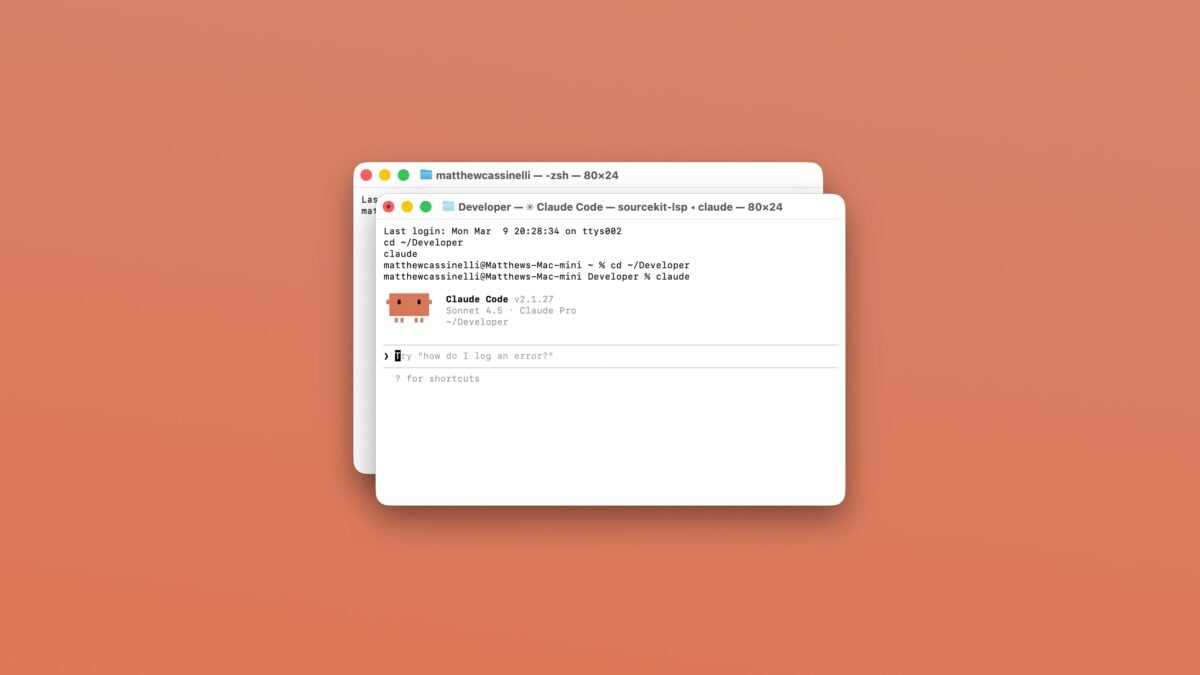
Here’s a new addition to the Shortcuts Library to try out if you’re playing around with Claude CodeActivate Claude Code, a simple launcher that automatically fills in the directory and launches Claude in the Terminal.

Content for subscribers only

Already have an account? Sign in

Categories
Custom Shortcuts Membership Shortcuts

New shortcut: Send Quick Notes to Cursor (Subscribers Only)

Hello my dear subscribers,

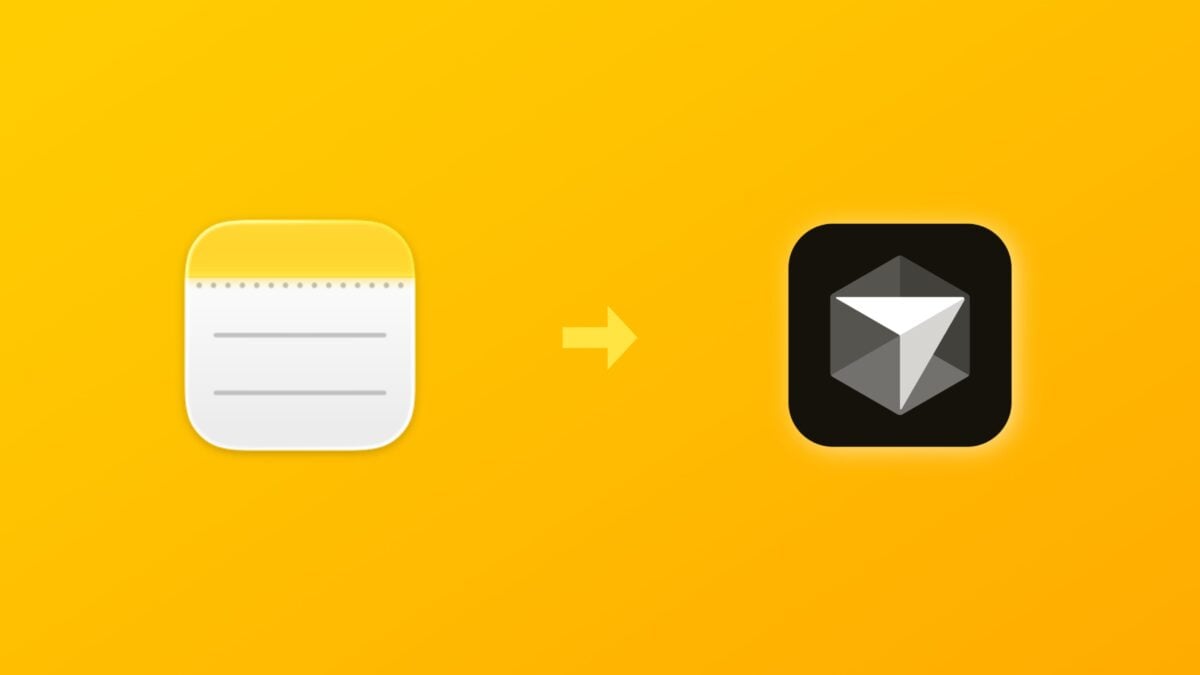
Here’s a new shortcut I’ve added to the Shortcuts Library – my Send Quick Notes to Cursor shortcut, a tool designed to take anything you captured on-the-go in the Notes app and quickly open it in Cursor for Mac:

Content for subscribers only

Already have an account? Sign in

Categories
Membership Tips & Tricks

Technique: Open URLs into Mac apps using Shell Scripting

In my latest addition to the Shortcuts Library, I updated my shortcuts for the TV app with expanded functionality, including many new functions, redesigned menus, and, critically, support for macOS.

I accomplished Mac support using Shell Scripting, a technique which I’m sharing for members:

Opening deep links into Mac apps

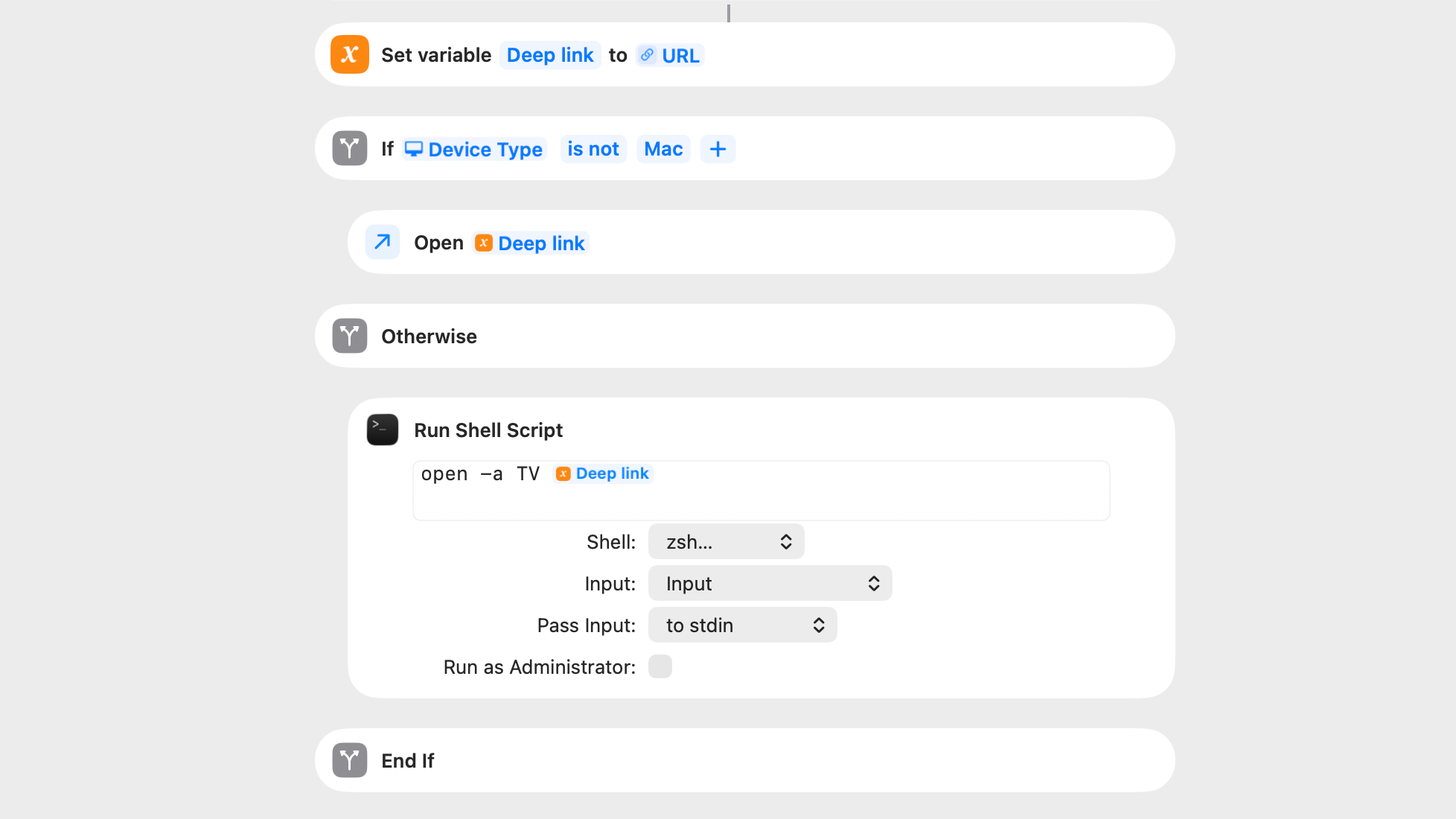
In order to open a URL into an existing application, the best method within Shortcuts is using the Run Shell Script action, which allows you to execute command-line utilities using shell scripts, similar to the Terminal.

In order to open any app using a shell script, the following command can be used – here’s an example for the TV app:

open -a TV

In order to open a URL within that app, one only needs to add the URL afterwards, like so:

open -a TV https://tv.apple.com/watch-now

In my shortcuts, I’ve used the Deep Link variable to pass in the appropriate URL for the TV app into the shell script on-demand – only if run from Mac.

This works great with my TV app shortcuts, which utilizes preset versions of the URLs from the tv.apple.com website (as well as web scraping from the Apple TV Marketing Toolbox).

On desktop, these links will activate and open the TV app for Mac – on mobile, they’ll go straight into the TV app for iPhone and iPad.

Add to Dock and Open URLs

I’ve also used this method to open links from web services like Reddit into desktop versions of the app, which I’ve created for a handful of social media apps with the “Add to Dock” feature added to macOS in recent years.

I can also see this technique being useful for native versions of web apps like Notion or Airtable – I’ll have to explore more there soon.


Check out my TV app shortcuts in the Shortcuts Library and look for more techniques coming soon to the Membership Extras section.

Categories
Membership

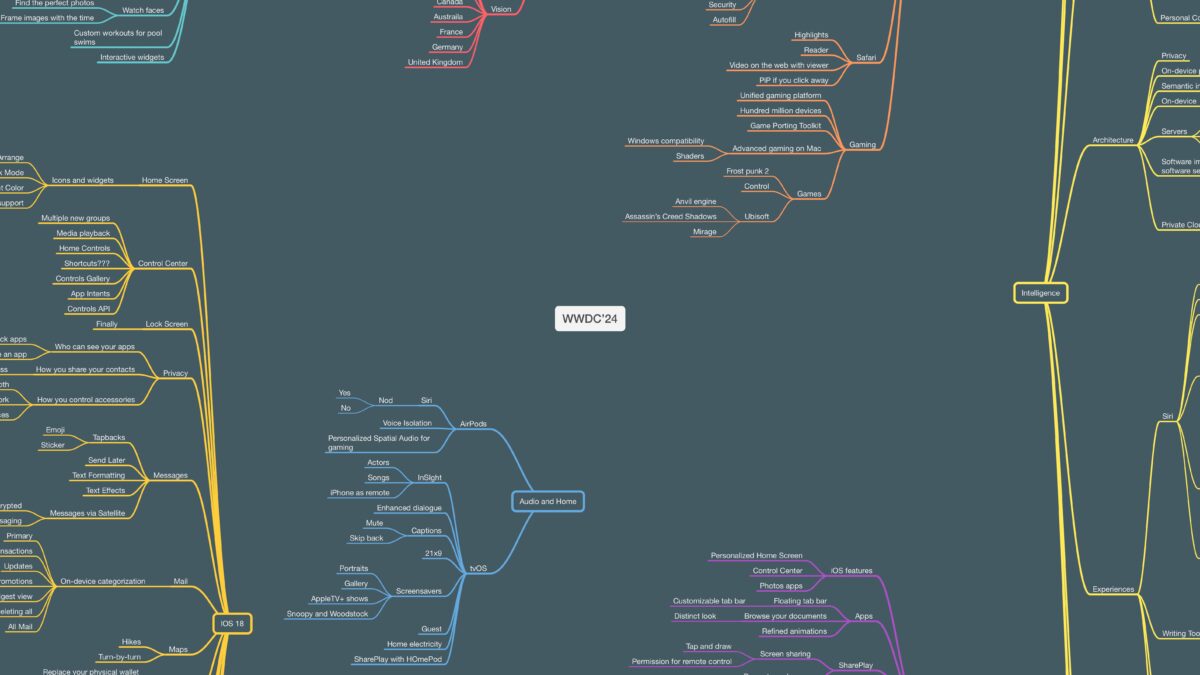
My Mind Map of the WWDC’24 Keynote

Hey members, here’s my mind map of notes that I took during the keynote for WWDC’24 while attending the WWDC.Community watch party.

Please note that this is not a complete breakdown of what was in the keynote – I wanted to share exactly what I captured, as an example of how I use mind-mapping software like MindNode to ingest and organize information in real-time.

Hey members, here’s my mind map of notes that I took during the keynote for WWDC’24 while attending the WWDC.Community Watch Party.

Please note that this is not a complete breakdown of what was in the keynote – I wanted to share exactly what I captured, as an example of how I use mind-mapping software like MindNode to ingest and organize information in real-time.

Often times I’ll start with these main bullets, bring them into my notes, and eventually write individual stories or build shortcuts for each feature.

I didn’t use any of my MindNode shortcuts in the moment, but since then I’ve made a mind map link back to the doc in my to-do list and will export the mind map once I rewatch the keynote and complete everything.

Check out the mind map.

Categories
Livestreams Membership

Apple Vision Pro Testing: Streaming from Mac

Last week, in a special livestream for members, I tested using the Apple Vision Pro developer strap to capture my perspective in real-time and share what it’s like to use spatial computing:

Last week, in a special livestream for members, I tested using the Apple Vision Pro developer strap to capture my perspective in real-time and share what it’s like to use spatial computing:

In this video, I’m testing how to capture, record, and stream using the Apple Vision Pro and Ecamm Live.

This method requires the Apple Developer strap, a USB-C cable (preferably extra long), and QuickTime for Mac, plus Ecamm Live and an Apple Vision Pro.

Become a member to get access to access to the video, plus:

  • New shortcuts on an ongoing basis
  • Extra ways to browse the catalog when you’re signed in
  • Prerelease notes & workflows I’m putting together

Categories
Membership Video

Apple Vision Pro Unboxing: Member Video

Hey members! I have a special new video for you – my unboxing experience with the Apple Vision Pro, available now privately through YouTube.

Hey members! I have a special new video for you – my unboxing experience with the Apple Vision Pro, available now privately through YouTube.

Coming in at a little under an hour, I tried to capture a simple walkthrough and first-run experience with the device – complete with small observations, initial confusions, and the inevitable screen recording issues.

I’ve included chapter markers so you can jump through and watch the most interesting bits, and will clip out my favorite moments as well – for example, the first good screen recording starts at 35:22 in.

Admittedly, this may not be a thriller to watch from start to finish; but, I am experimenting with deeper access videos like this, as well as testing different filming techniques or editing processes – this is shot in a 4:3 aspect ratio, for example. Plus, since I don’t have to optimize for a massive audience or “the algorithm,” I can be a little more relaxed and natural, like the way I settle into things during livestreams.

I loved this initial test of a members-only video, and I hope you enjoy it too – let me know if you’d like to see other videos like this in the future!

Become a member to get access to access to the video, plus:

  • New shortcuts on an ongoing basis
  • Extra ways to browse the catalog when you’re signed in
  • Prerelease notes & workflows I’m putting together