New in the Shortcuts Library: Ecobee shortcuts

Shortcuts for interacting with your Ecobee thermostat. Use these to activate your comfort setting, control your fan, or reset anything you've changed.

I’ve just added a new folder to the Shortcuts Library — my set of Ecobee shortcuts for interacting with your Ecobee smart thermostat so you can control your heating and air conditioning.

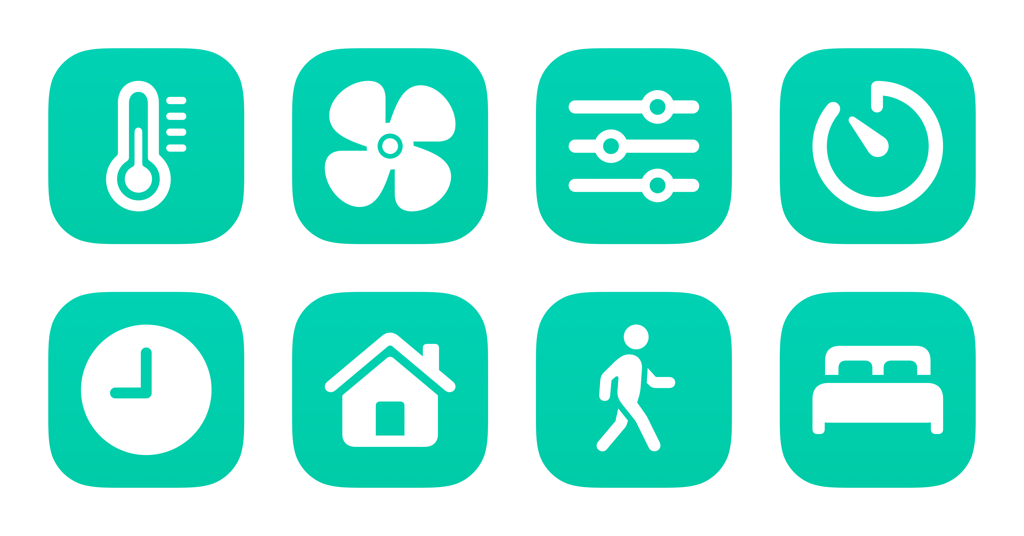
Use these to activate your comfort settings, control your fan, and reset anything you’ve changed:

  • Show my Ecobee: Opens the Ecobee app directly to your specified device, where you can change the settings or control the thermostat.
  • Set a fan timer: Asks you to choose from a set of times, until the next schedule activity, or until its changed, plus a fan speed, then sets it with your Ecobee.
  • Change the comfort setting: Prompts you to choose from your Home, Away, or Sleep setting and sets your Ecobee to your choice until the next schedule activity.
  • Resume the thermostat schedule: Sets your Ecobee back to its pre-programmed schedule after you’ve manually changed the settings. Works well to stop the fan or put things back after running a shortcut.
  • Set fan for 15 minutes: Tells your Ecobee to activate the fan on low for 15 minutes. Works well for quick meals like toast or the air fryer.
  • Run the fan for 30 minutes: Sets your Ecobee to the fan mode to Low for 30 minutes. Works well for cooking larger meals.
  • Run the fan for 45 minutes: Tells your Ecobee to set the fan on low for 45 minutes. Works well for baking with the oven.
  • Set the thermostat to Home: Tells your Ecobee to activate the Home comfort setting for your everyday temperature range.
  • Set the thermostat to Away: Sets your Ecobee to your pre-programmed Away setting so your place isn’t unnecessarily air conditioned while you’re not home.
  • Set the thermostat to Sleep: Sets your Ecobee comfort setting to Sleep. Works well for cooling down the house before an early bedtime.

I use these primarily while cooking so I can air out my apartment with the fan, or when on an abnormal sleep schedule and want to activate the scene early or late.

Check out the folder of Ecobee shortcuts on the Shortcuts Library.

Featured Shortcuts

shortcut-show-my-ecobee-icon
Show my Ecobee
Opens the Ecobee app directly to your specified device, where you can change the settings or control the thermostat.
shortcut-set-a-fan-timer-icon
Set a fan timer
Asks you to choose from a set of times, until the next schedule activity, or until its changed, plus a fan speed, then sets it with your Ecobee.
shortcut-set-fan-for-15-minutes-icon
Set fan for 15 minutes
Tells your Ecobee to activate the fan on low for 15 minutes. Works well for quick meals like toast or the air fryer.
shortcut-run-the-fan-for-30-minutes-icon
Run the fan for 30 minutes
Sets your Ecobee to the fan mode to Low for 30 minutes. Works well for cooking larger meals.
shortcut-run-the-fan-for-45-minutes-icon
Run the fan for 45 minutes
Tells your Ecobee to set the fan on low for 45 minutes. Works well for baking with the oven.
shortcut-change-the-comfort-setting-icon
Change the comfort setting
Prompts you to choose from your Home, Away, or Sleep setting and sets your Ecobee to your choice until the next schedule activity.
shortcut-set-the-thermostat-to-home-icon
Set the thermostat to Home
Tells your Ecobee to activate the Home comfort setting for your everyday temperature range.
shortcut-set-the-thermostat-to-away-icon
Set the thermostat to Away
Sets your Ecobee to your pre-programmed Away setting so your place isn’t unnecessarily air conditioned while you’re not home.
shortcut-set-the-thermostat-to-home-icon-1
Set the thermostat to Home
Tells your Ecobee to activate the Home comfort setting for your everyday temperature range.
shortcut-set-the-thermostat-to-sleep-icon
Set the thermostat to Sleep
Sets your Ecobee comfort setting to Sleep. Works well for cooling down the house before an early bedtime.
shortcut-resume-the-thermostat-schedule-icon
Resume the thermostat schedule
Sets your Ecobee back to its pre-programmed schedule after you’ve manually changed the settings. Works well to stop the fan or put things back after running a shortcut.

Posts You Might Like

New in the Shortcuts Library: Apple Music Replay shortcuts
Apple has released Replay 2024, so I built a set of shortcuts for playing the annual playlists. Plus, shortcuts to control Listening History.
New shortcuts for the Phone app in the Shortcuts Library
Built for iPhone users, these Phone app shortcuts make it easy to access your voicemail, make calls, or copy your phone number to share with others.
New in the Shortcuts Library: One Thing Menu Bar shortcuts
My collection of shortcuts for One Thing for Mac, a Menu Bar applet that lets you display any text — automate your music, tasks, and current status.
Updated in the Shortcuts Library: Apple Developer shortcuts
Updated in the Shortcuts Library: my Apple Developer shortcuts used for diving into sessions (and takings screenshots).