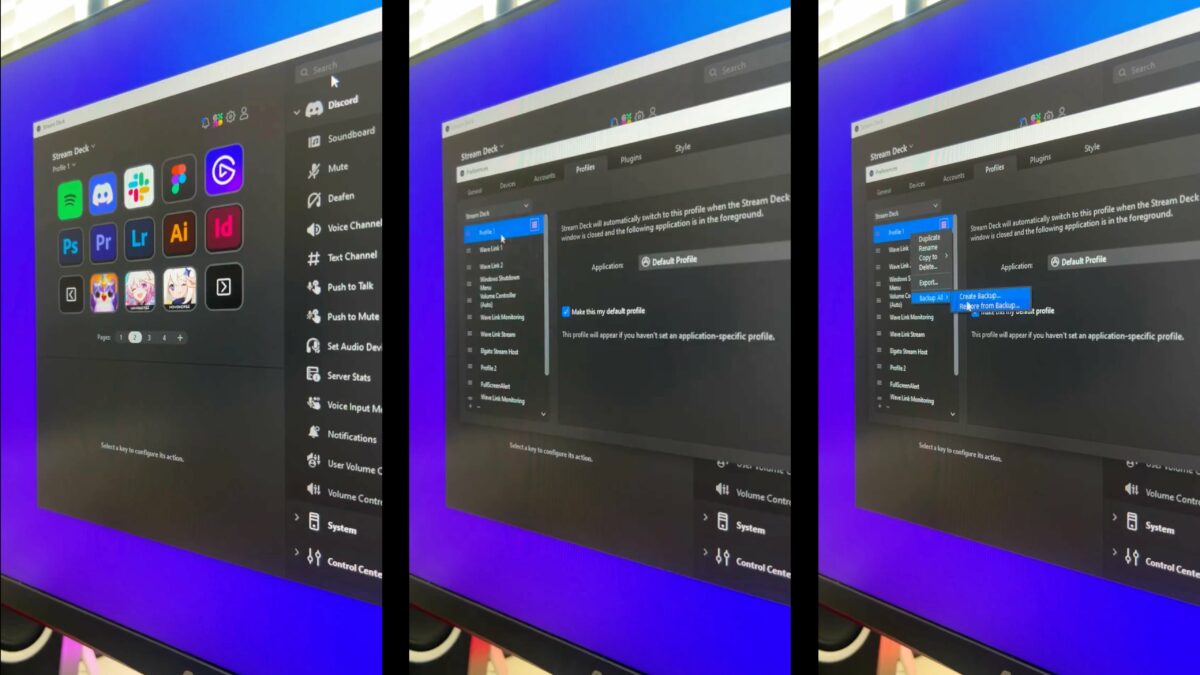
From @elgato:
This is your friendly reminder to back up your Stream Deck profiles. ?
Here’s how: [Video]
Even if you’re not using the new Action Sharing, backing up your Stream Deck profiles is just good practice – I will back up my entire setup regularly, plus individual profiles as I finish or update them.
I’ve also long used my shortcut “Open Stream Deck Backups” to quickly access the folder on macOS as well, since I found myself not remembering the location of the default destination where these are saved.
View the post, get my Stream Deck shortcut, check out the folder of Stream Deck shortcuts in my Shortcuts Catalog, and get the Stream Deck from Elgato.
P.S. You can use my Elgato Partner code ZZ-CASSINELLI for 5% off at checkout.


One reply on “Back Up Your Stream Deck Profiles (And Access Them With This Shortcut) »”
[…] Back Up Your Stream Deck Profiles (And Access Them With This Shortcut) » […]