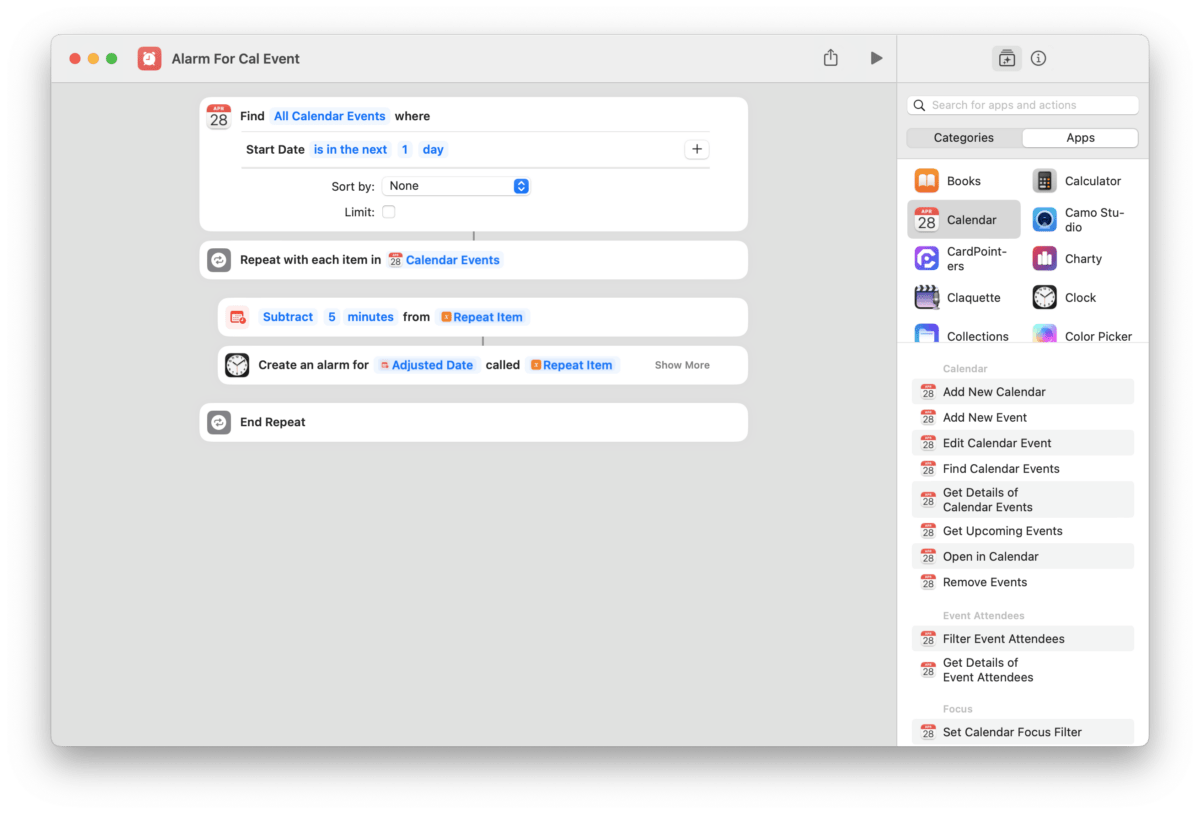
Twitter user @LoriTira shared this shortcut for set Clock alarms for today’s Calendar events:
You can use the apple shortcut app to build a shortcut to do that or use this one already coded:https://t.co/BgLUqJioSO
You could than create an automation in the shortcut app to execute it as often as you need.
— LoriTira (@LoriTira) April 27, 2023
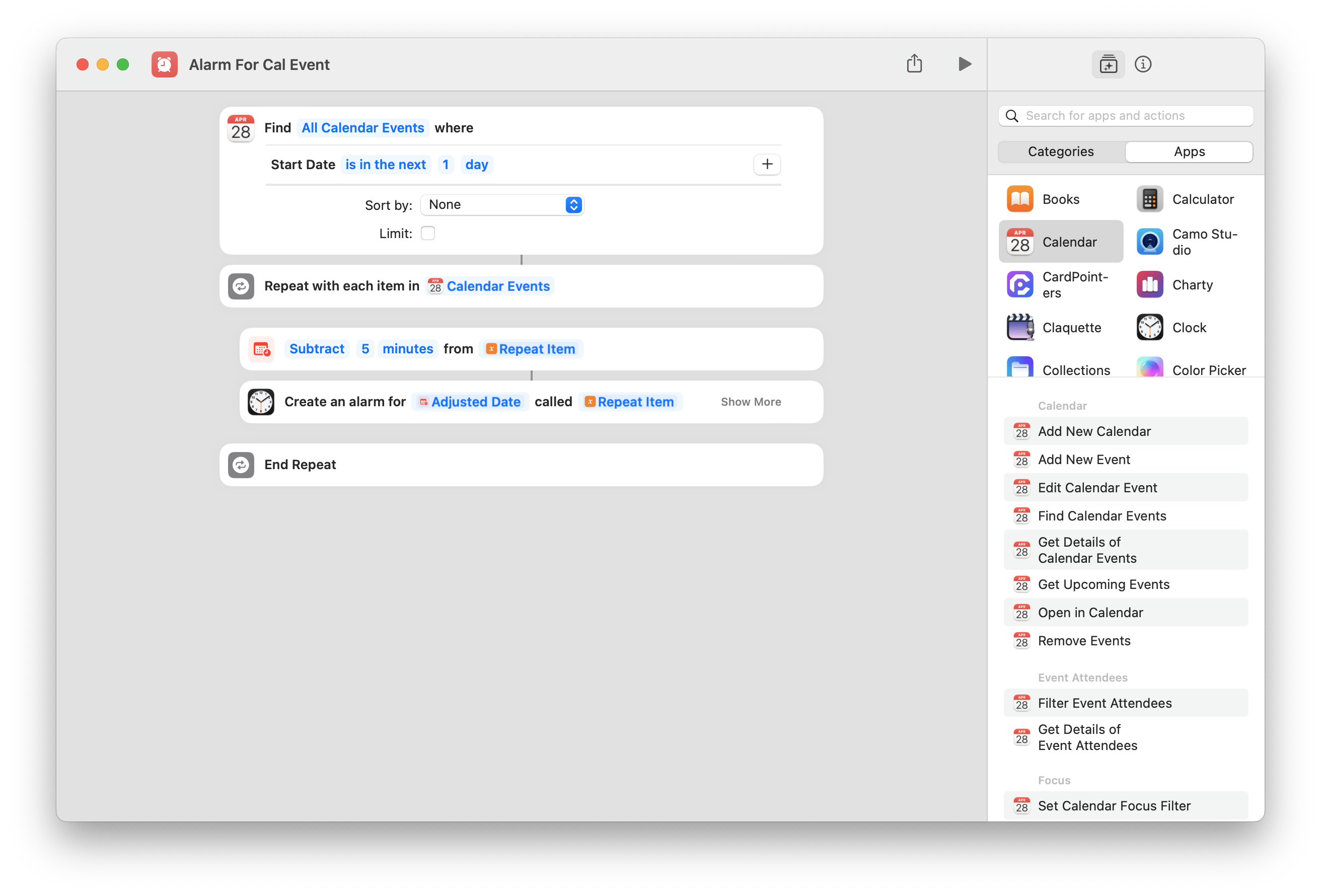
The shortcut looks at all the upcoming events for the next day and repeats through the list, subtracting 5 minutes from the start time and setting your alarm so you have time to get ready before the meeting starts.
As someone who doesn’t often have meetings and doesn’t need to check their calendar every day, I could see this being useful as a daily Automation to alert me to the occasional call I might’ve missed on my schedule.
Get the shortcut from LoriTira’s tweet.
P.S. Add additional Filters to add more criteria, like specifying only a certain set of Calendars or “Is Not All Day” events.