Shortcuts for Mac: Scripting your desktop with Apple’s Mac-only actions

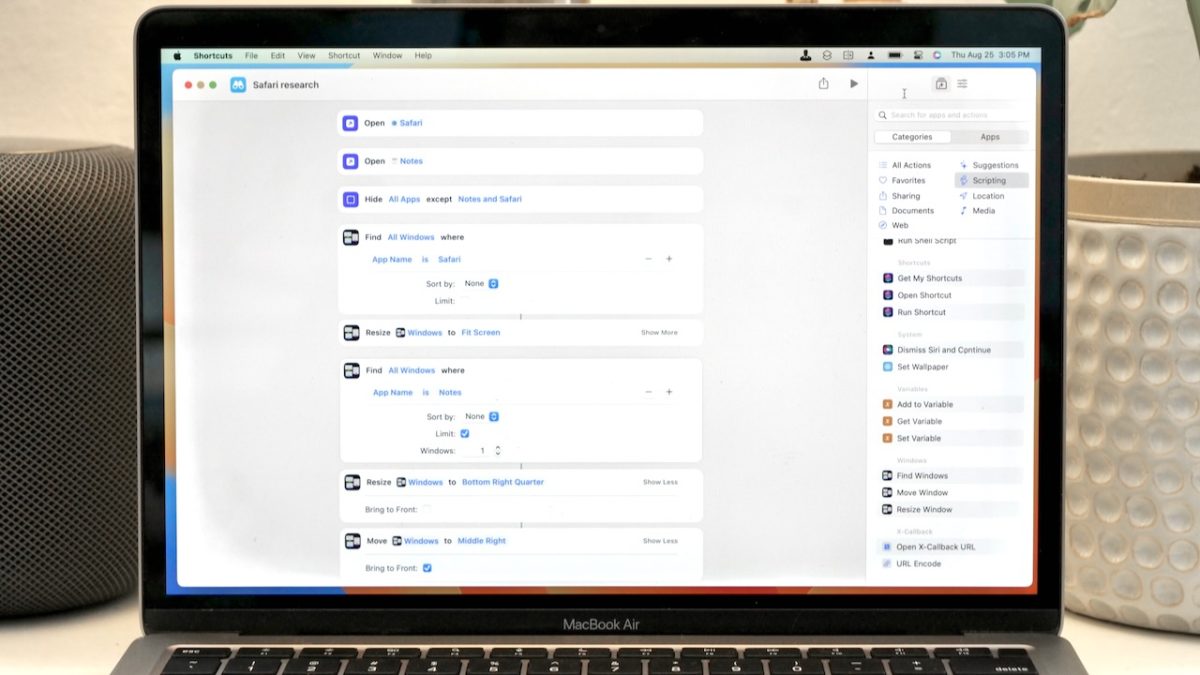
Shortcuts for Mac includes Scripting actions for Apps, Windows, and the Script Editor — here's how to take advantage of these Mac-only actions.

Yours truly for iMore:

When Apple brought Shortcuts to the Mac in macOS Monterey, the initial set of actions available that take advantage of Mac features were ported over from Automator.

These actions were previously available (in a similar form) in Automator for users building workflows to automate their tasks — with Shortcuts for Mac, those same functions were recreated as native actions, largely located in the Scripting category.

This piece explains how to best automate your Mac with Shortcuts actions for your controlling your apps, changing window arrangements, and adding advanced functionality using the Script Editor app actions:
Read the full story on iMore.

Posts You Might Like

Guest spot — iPad Pros: Shortcuts 7 with Matthew Cassinelli
For my annual guest spot on iPad Pros, I talked about... you guessed it! Shortcuts.
View Your Order History, Shopping Cart, and Amazon Categories With These Shortcuts
If you're an Amazon shopper, there's many parts of the site you might not have seen yet – use these shortcuts to quickly browse for items.
iOS Today #611: Setting up Focus Modes on your iPhone
My guest spot on iOS Today on TWiT where we talked about how to personalize your custom Focus modes in iOS 15 or iOS 16, from silencing specific notifications to switching screens based on location.
The MacStories Review of iOS 12 (and Shortcuts)
Don't miss Federico's coverage of iOS and the Shortcuts app – his is the story to read to stay up-to-date on what's new & improved.