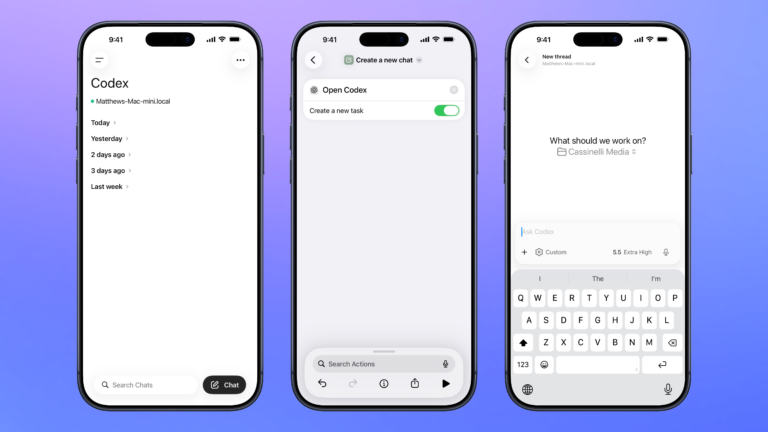


Open Codex for Mac
Open the Codex app for Mac, organized to your preferred window settings, or launches the app over SSH when run from mobile.

Control Codex remotely
Open the Codex experience in the ChatGPT app so you can remotely manage threads running on your Mac, plus search, organize, or create a new chat.

Rename files with numbers prepended
Takes a list of files and adds an index before each title as the new filename.

Show Amazon home
Opens the Amazon homepage, which redirects to the main page of the app when opened on mobile.

Let’s go on a hike
Searches for hiking locations nearby, then gets driving directions to the spot you’ve chosen.

Play my Replay 2020
Plays the preselected Replay 2020 playlist on Shuffle. Apparently during lockdown, I listened to Lockdown and Make It Better by Anderson .Paak a lot – for some reason.



Automators Membership
Enhance your experience with bonus shortcuts, folder bundles, and exclusive perks.


Action Directory
Discover endless possibilities by combining the building blocks for Shortcuts.