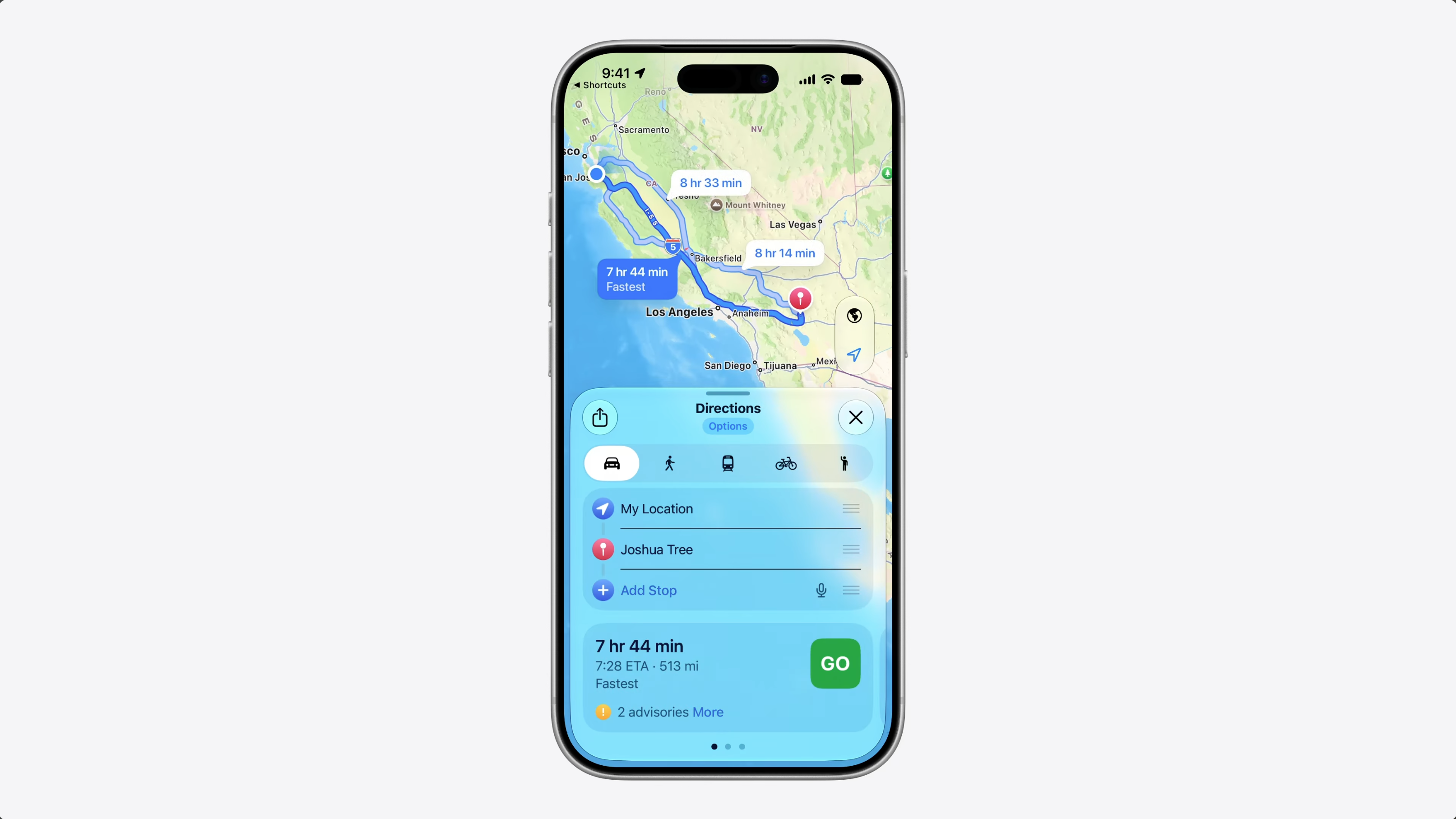
These updates help developers represent unique data as known values, tell Siri what data is relevant, improve performance with large collections, and make sure data inside Siri conversations stays in sync across devices.
Now, what happens when the same entity needs to work on multiple devices?
With our 2027 releases, Siri can continue conversations across devices – and your entities can be part of those conversations.
If your app runs on multiple devices, people might start a conversation on one device and continue on another. But there’s a challenge.
If I ask Siri on my iPhone to add a photo to an album…
…then switch to my other device and ask Siri to tag that photo – Siri might not be able to find that photo.
To understand why, let’s think about how entities are identified.
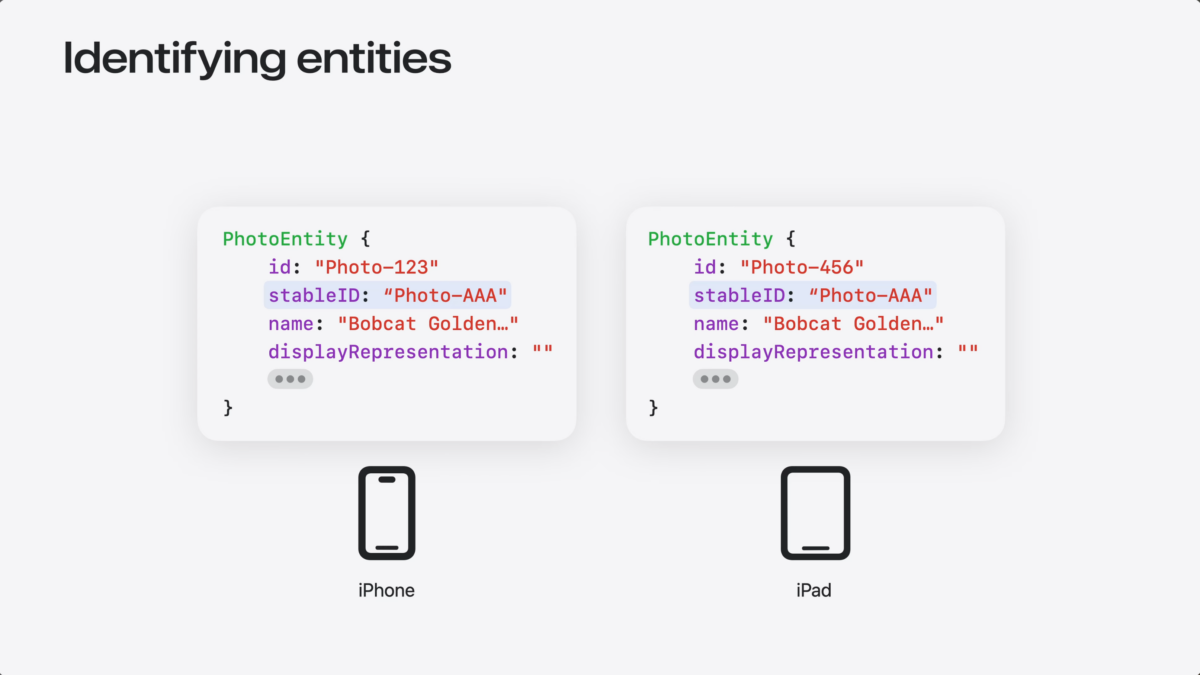
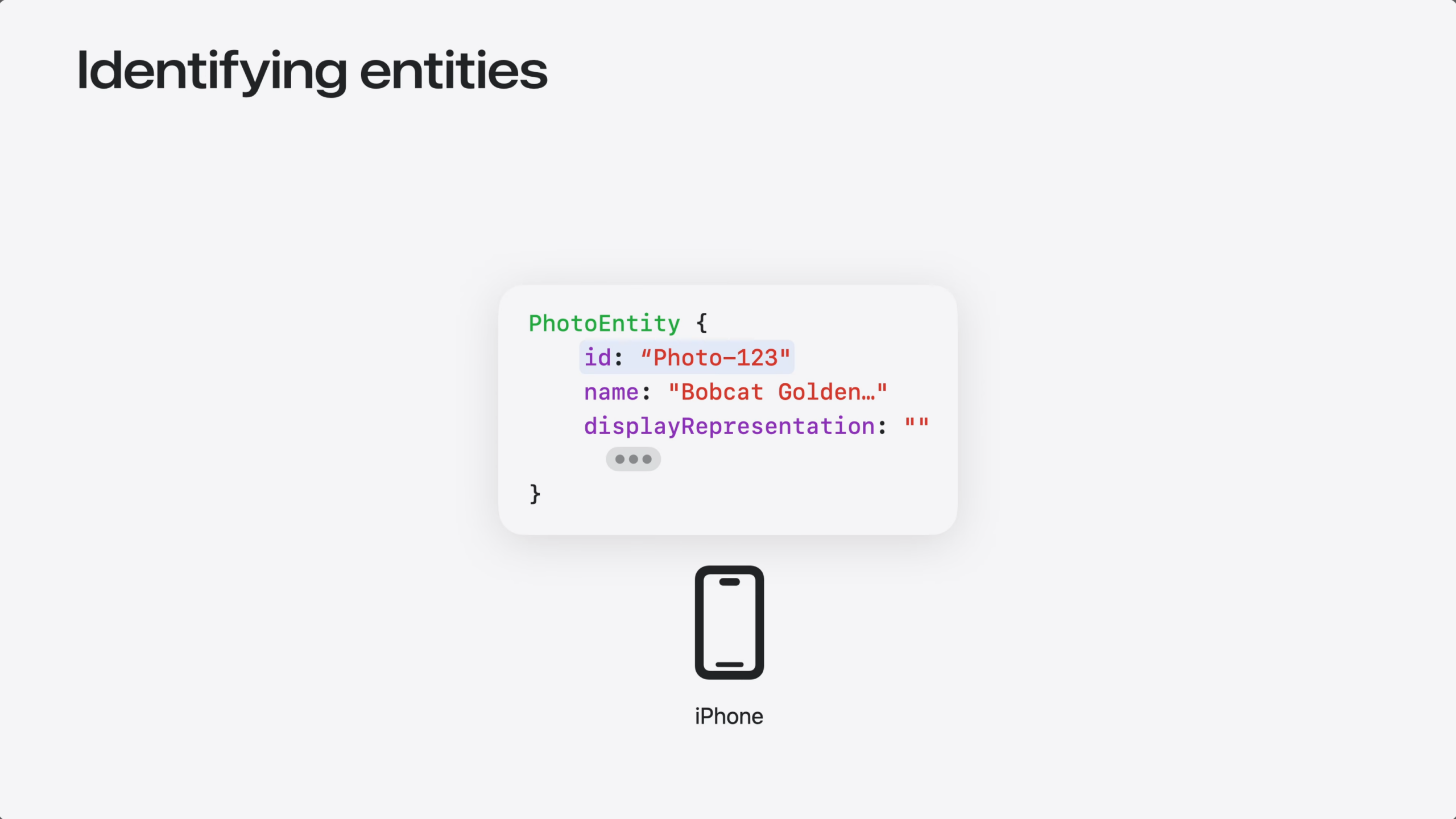
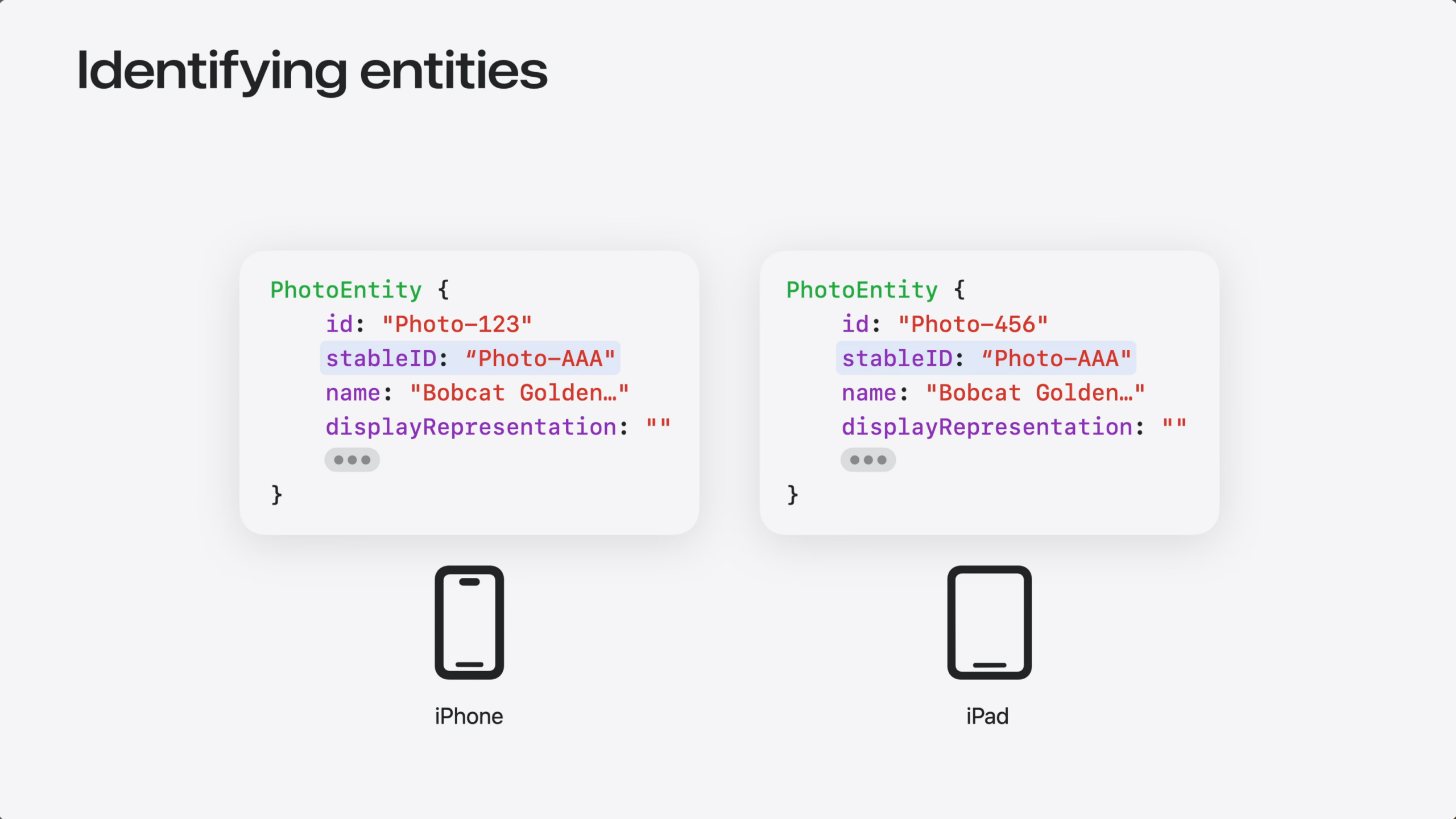
Every entity needs an ID – that’s how the system finds it. Your entity’s ID might be generated locally on each device. Local IDs work great eon the device they were created on.
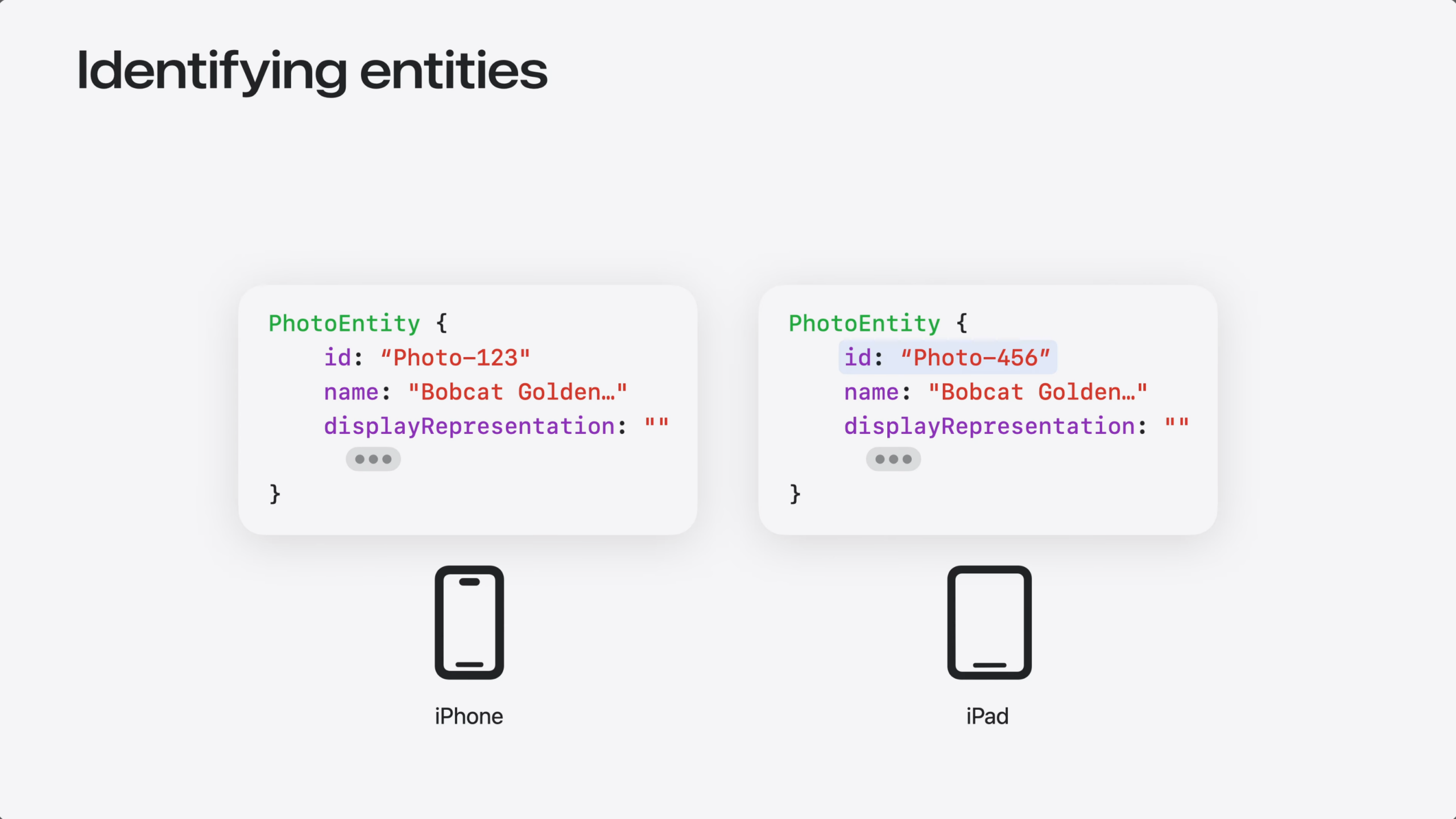
But each device generates its own local IDs. So the same entity can end up with a different ID on each device.
For Siri to reference your entities across devices, it needs a stableID that’s the same everywhere. That could come from your server, or from CloudKit record IDs.
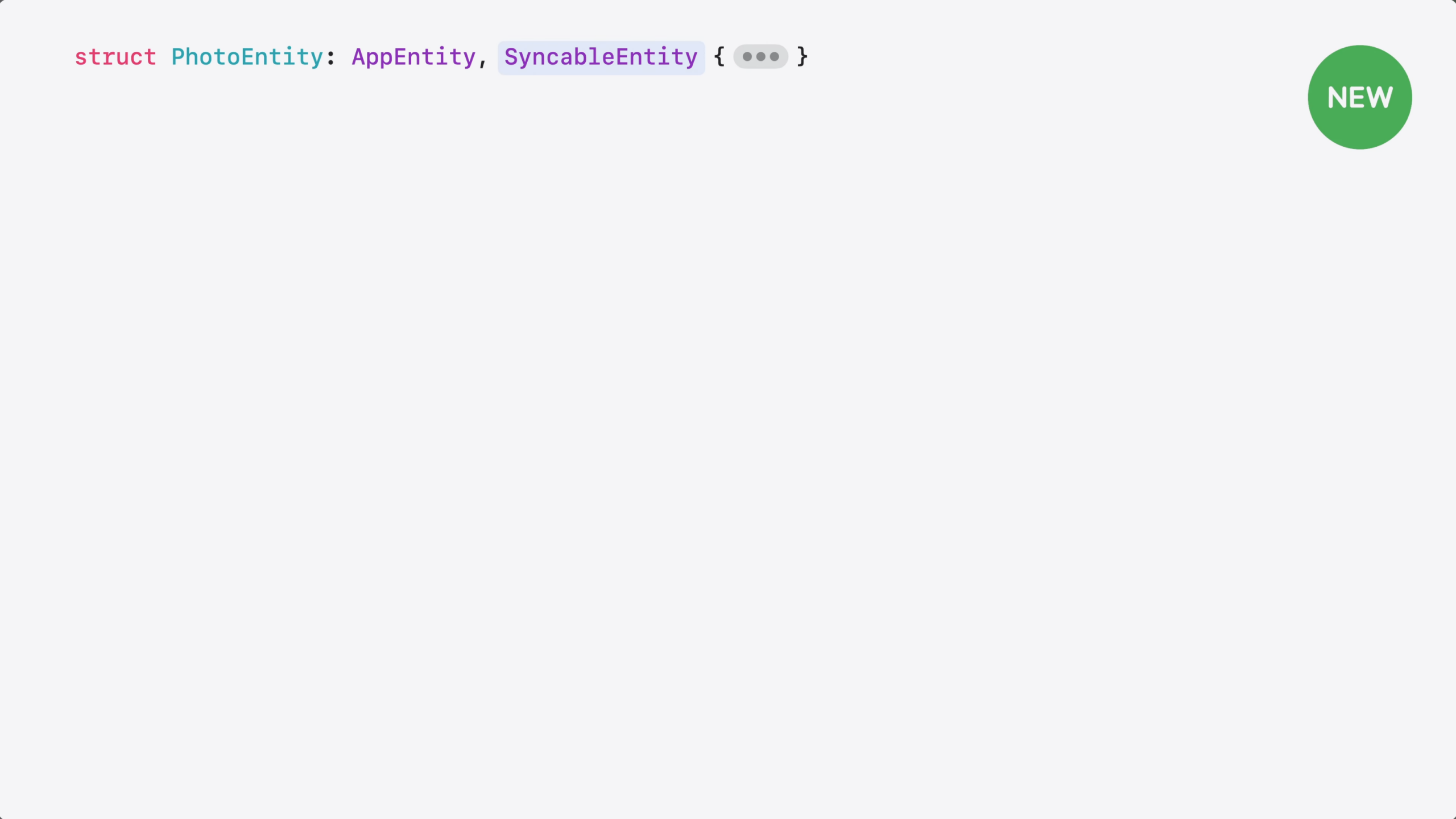
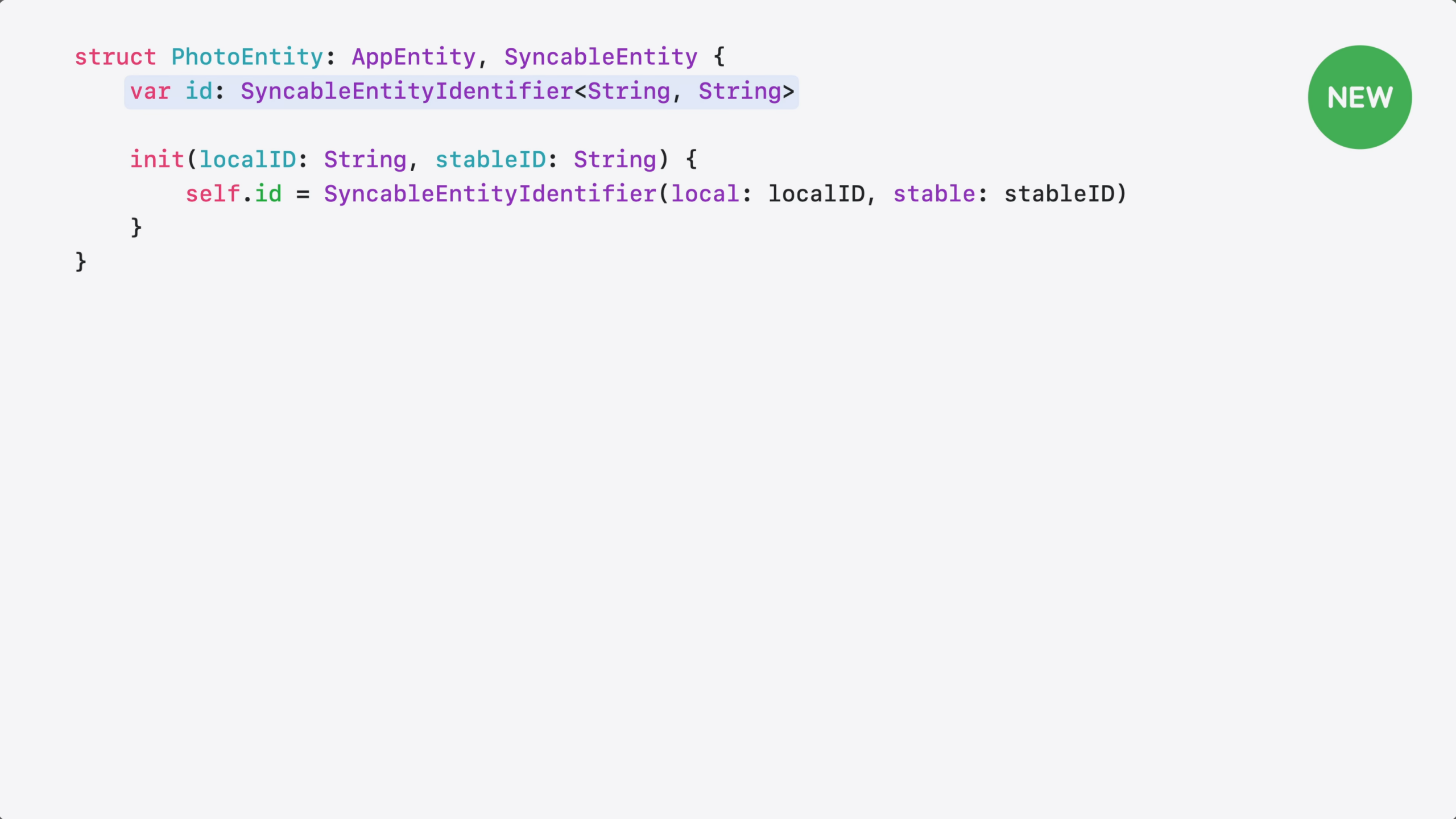
Then, you need a way to tell the system your entity’s ID is stable. That’s what SyncableEntity does – it declares to the system that your entity’s ID is stable and can be used across devices. Here’s how to adopt it.
I start by adding the SyncableEntity protocol to my entity.
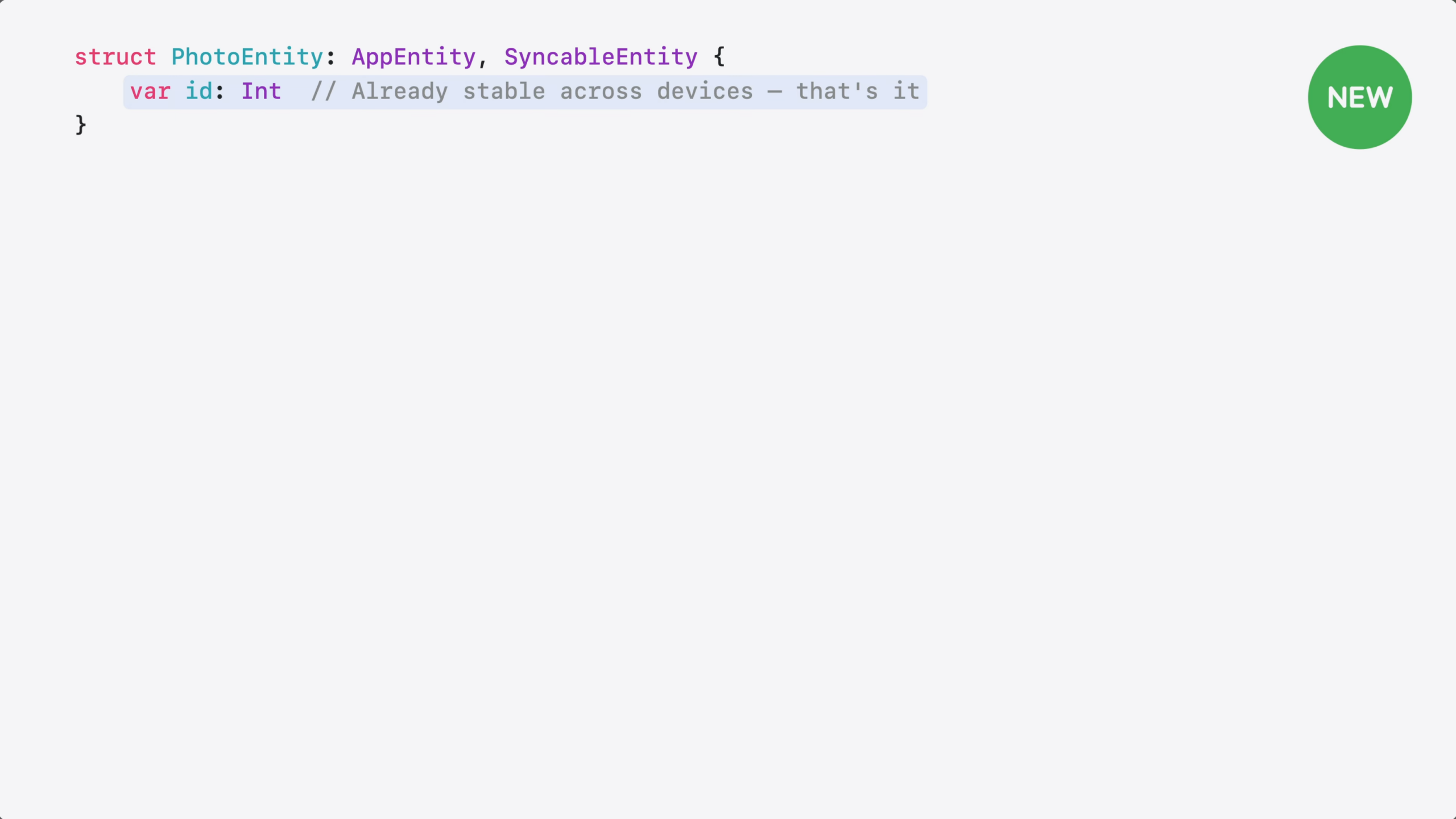
Then, I need to provide the stable ID.
If your entity already uses an ID that’s the same across all devices, like a server-assigned UUID or a CloudKit record ID – no more changes needed.
c
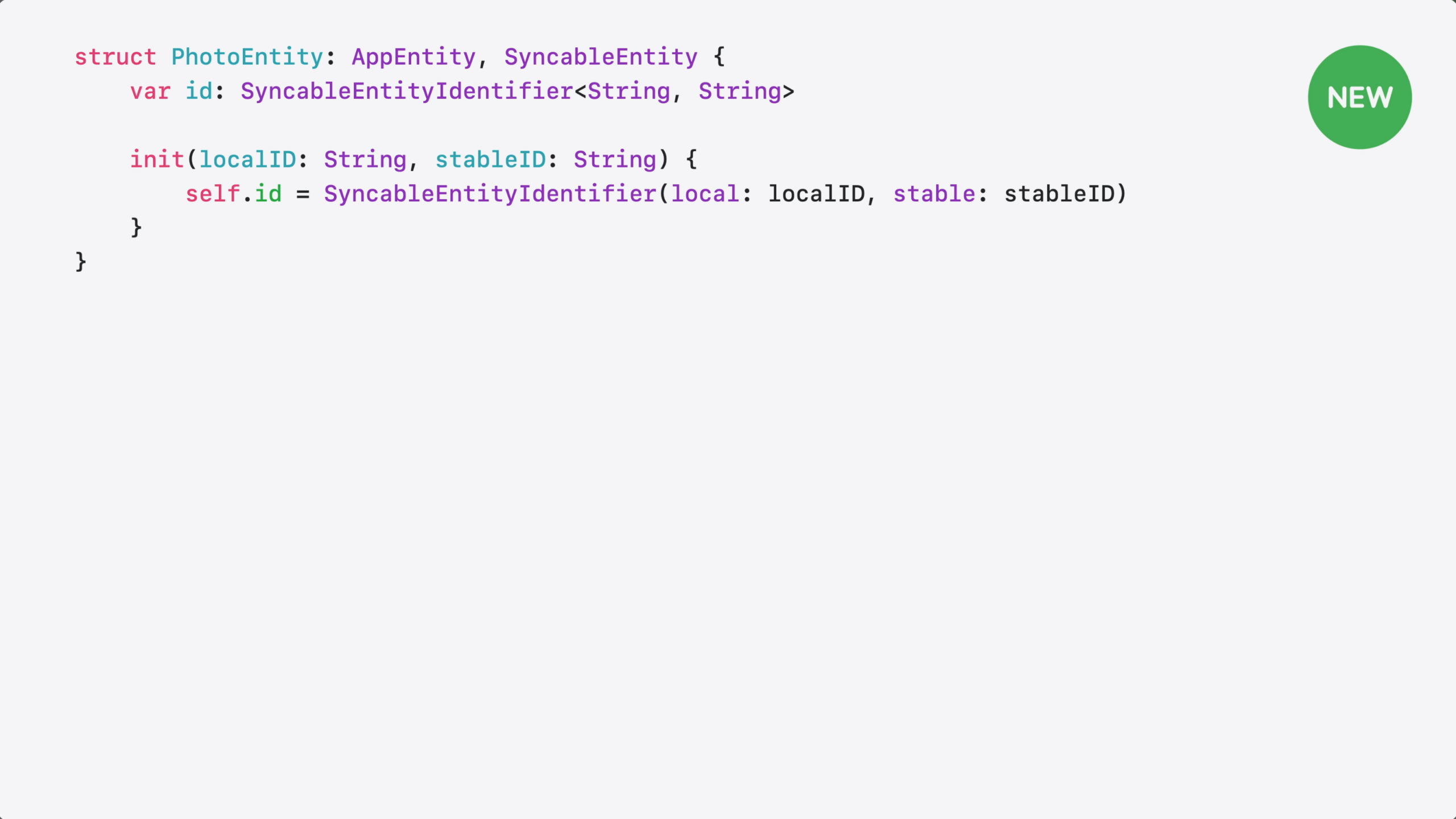
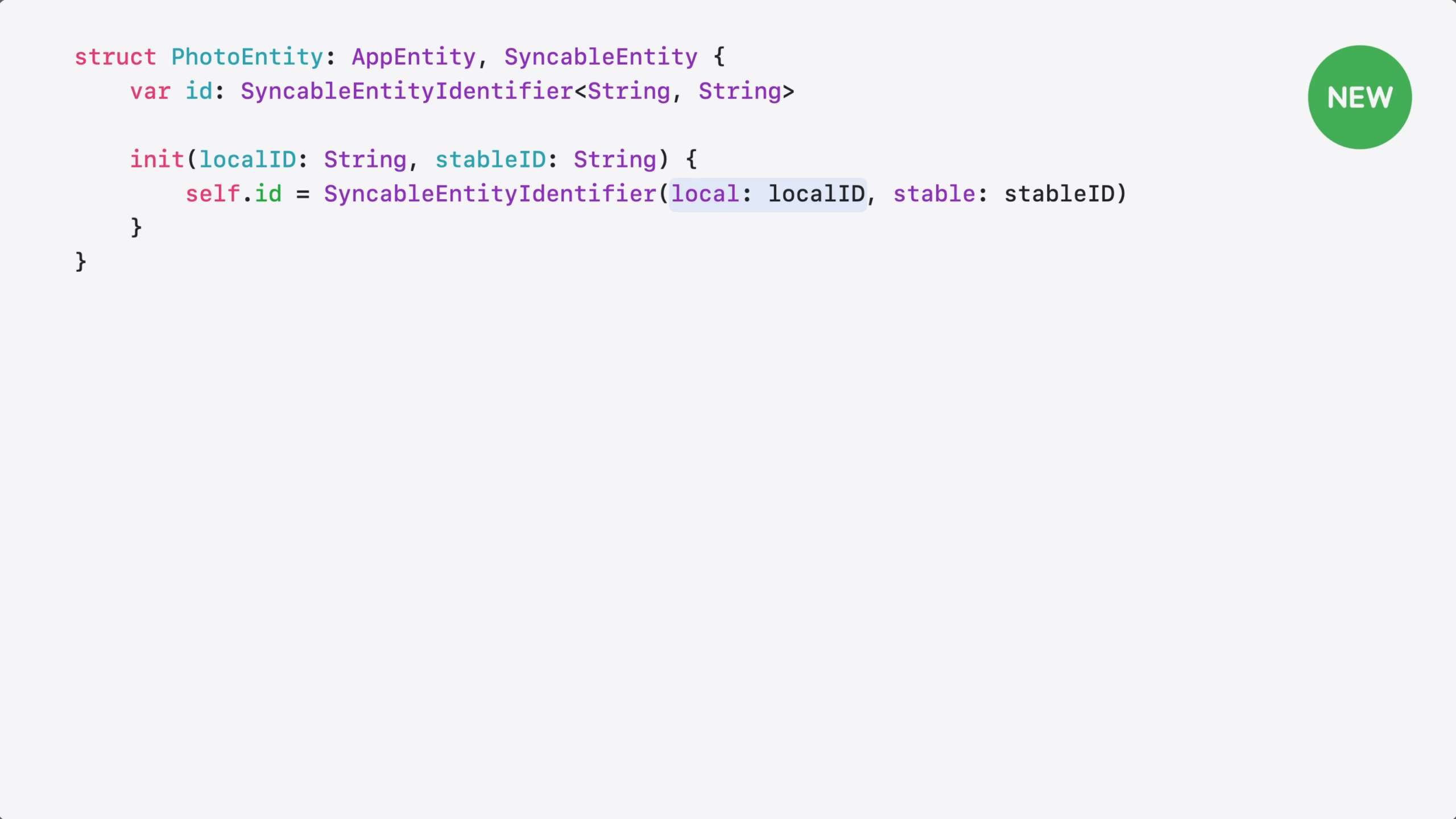
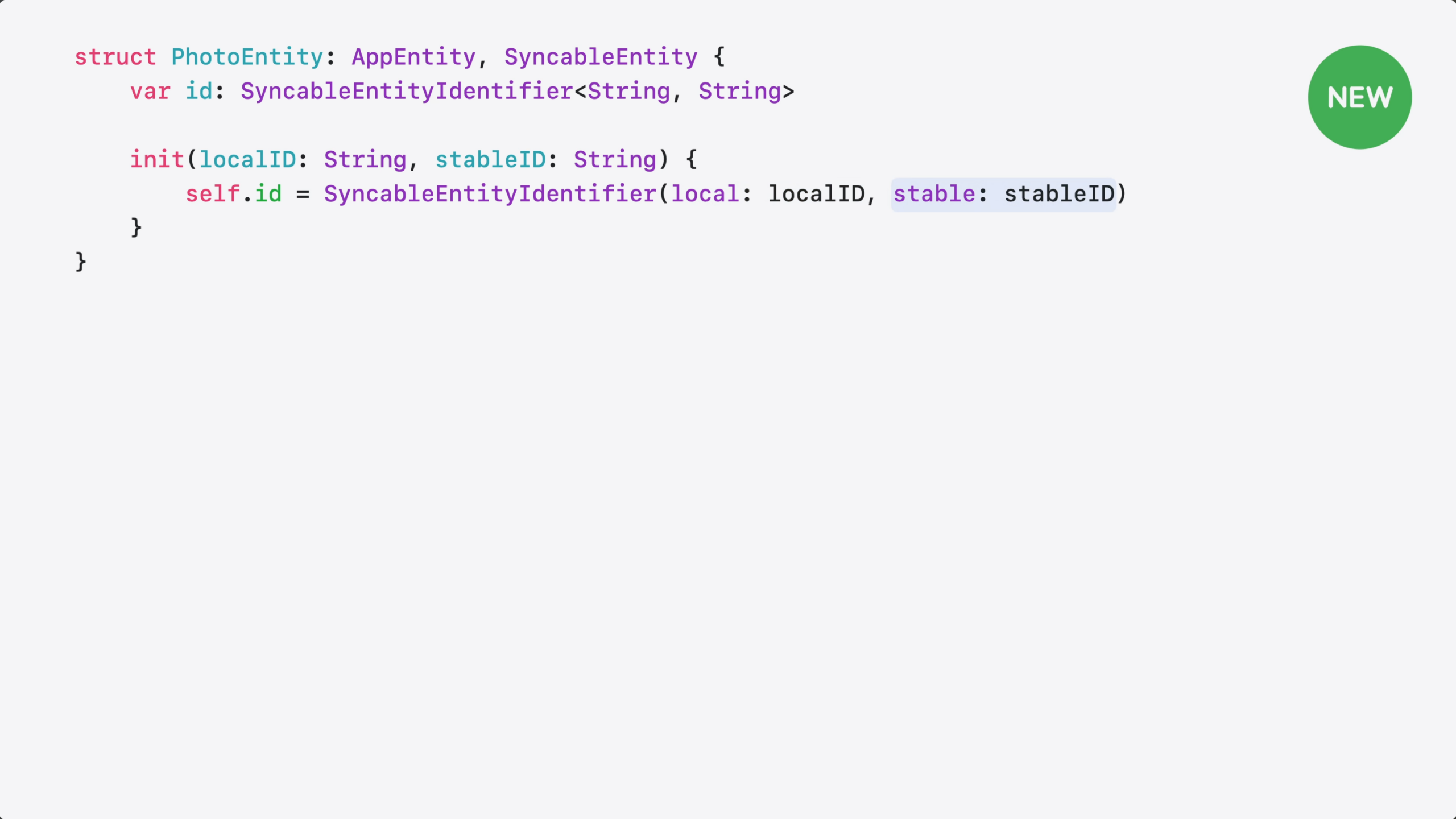
But, if you use local identifiers, like CoreData row IDs, you need both: a local ID and a stable one.
a pairs them into a single ID.
On-device, your code uses the local ID…
…and across devices, the system uses the stable one.
In the WWDC 26 session “Discover new capabilities in the App Intents framework,” App Intents Engineer Moe Mehrabi talks about improvements to App Intents when working with large collections of data, by wrapping them in an EntityCollection of IDs rather than the full payload of every entity:
[…] Your entities are shared and the system knows when they’re relevant. Now, let’s make them more efficient.
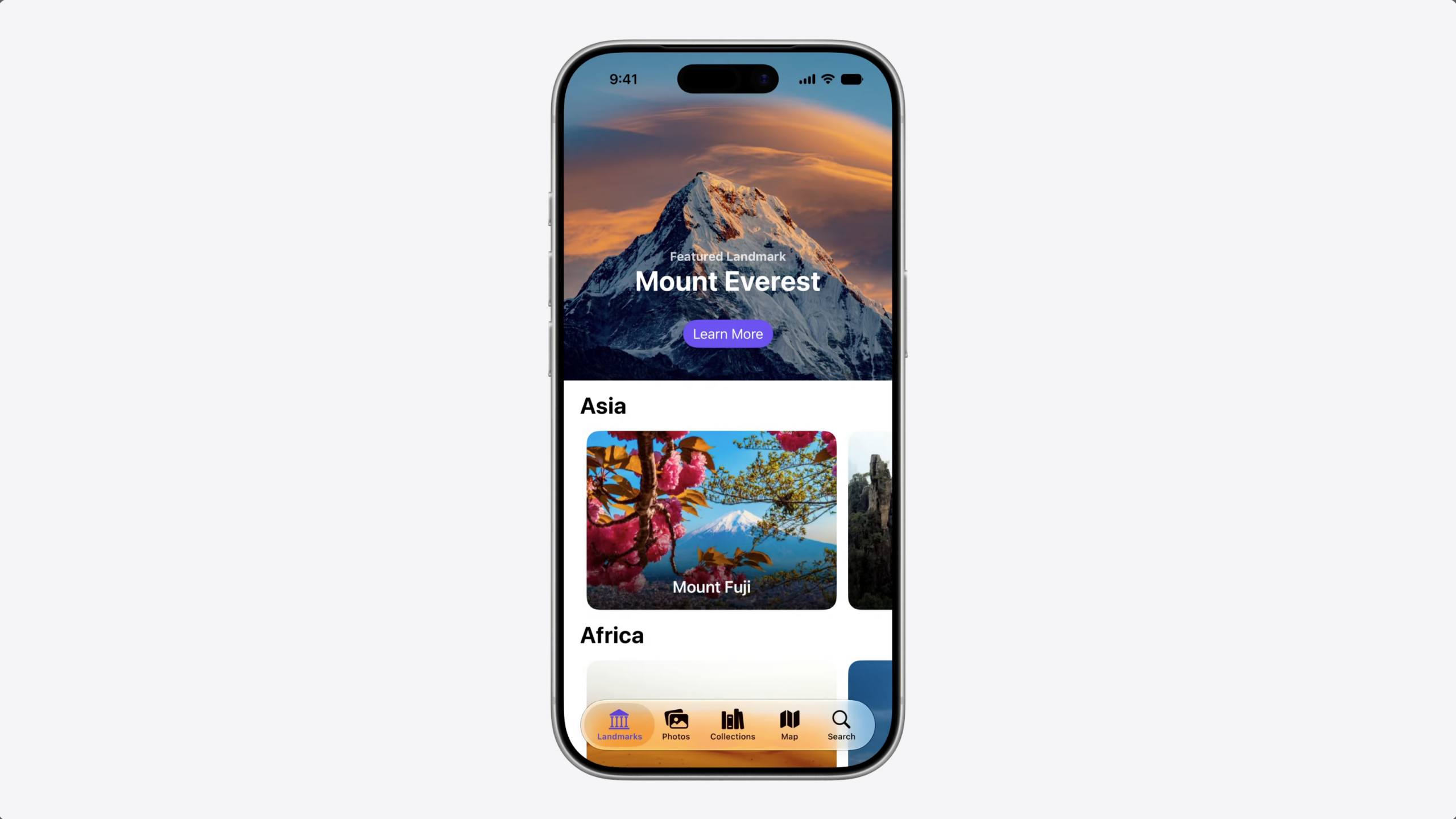
Back in the travel tracking app – the app has landmark photos, but I also wanted to let people save their own travel photos.
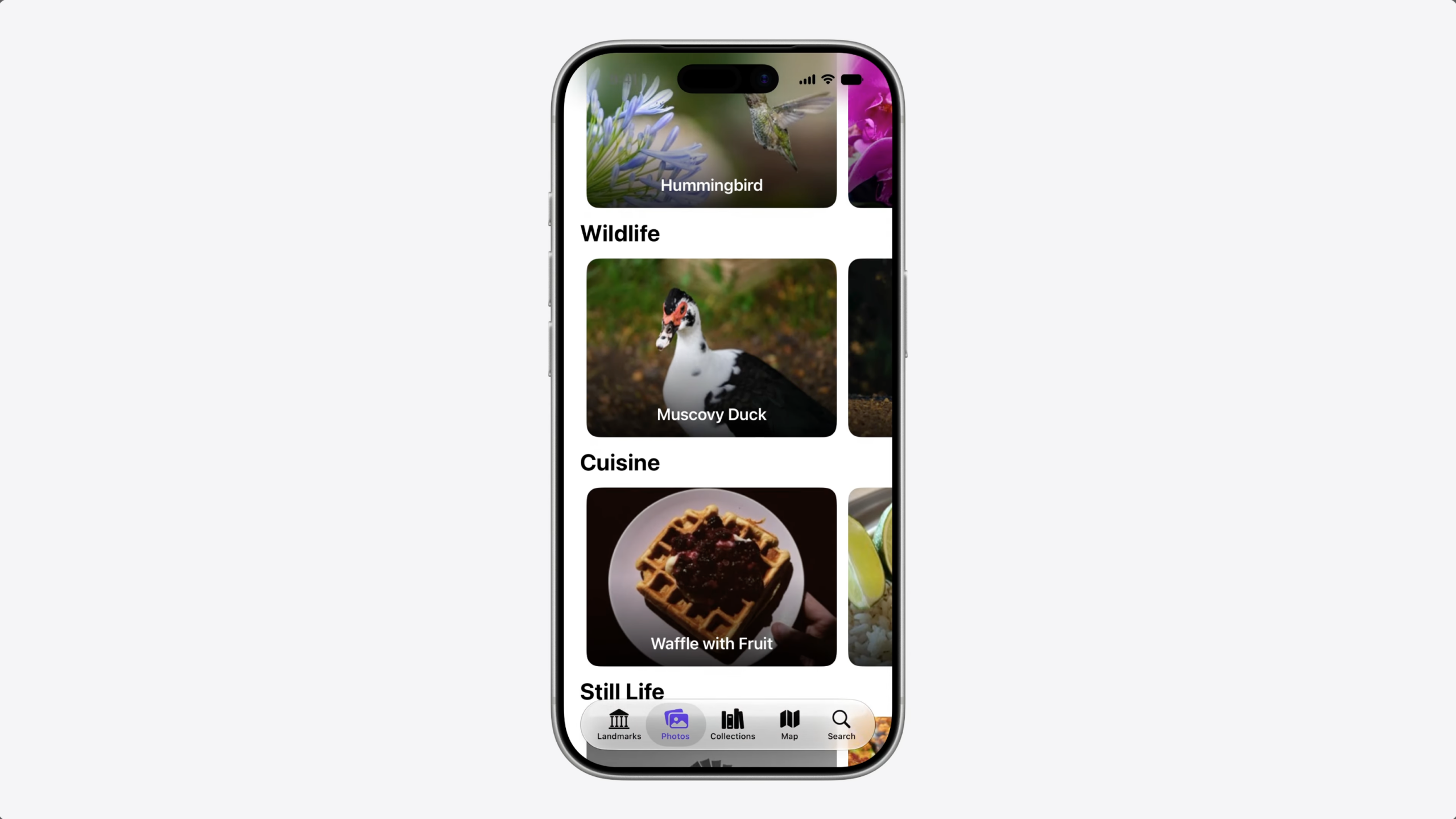
So I added a photo album view. And to make the photos available to the system, I defined a PhotoEntity with an app schema for photos.
This gives the system the context it needs to work with my photos across Siri, Shortcuts, and Spotlight.
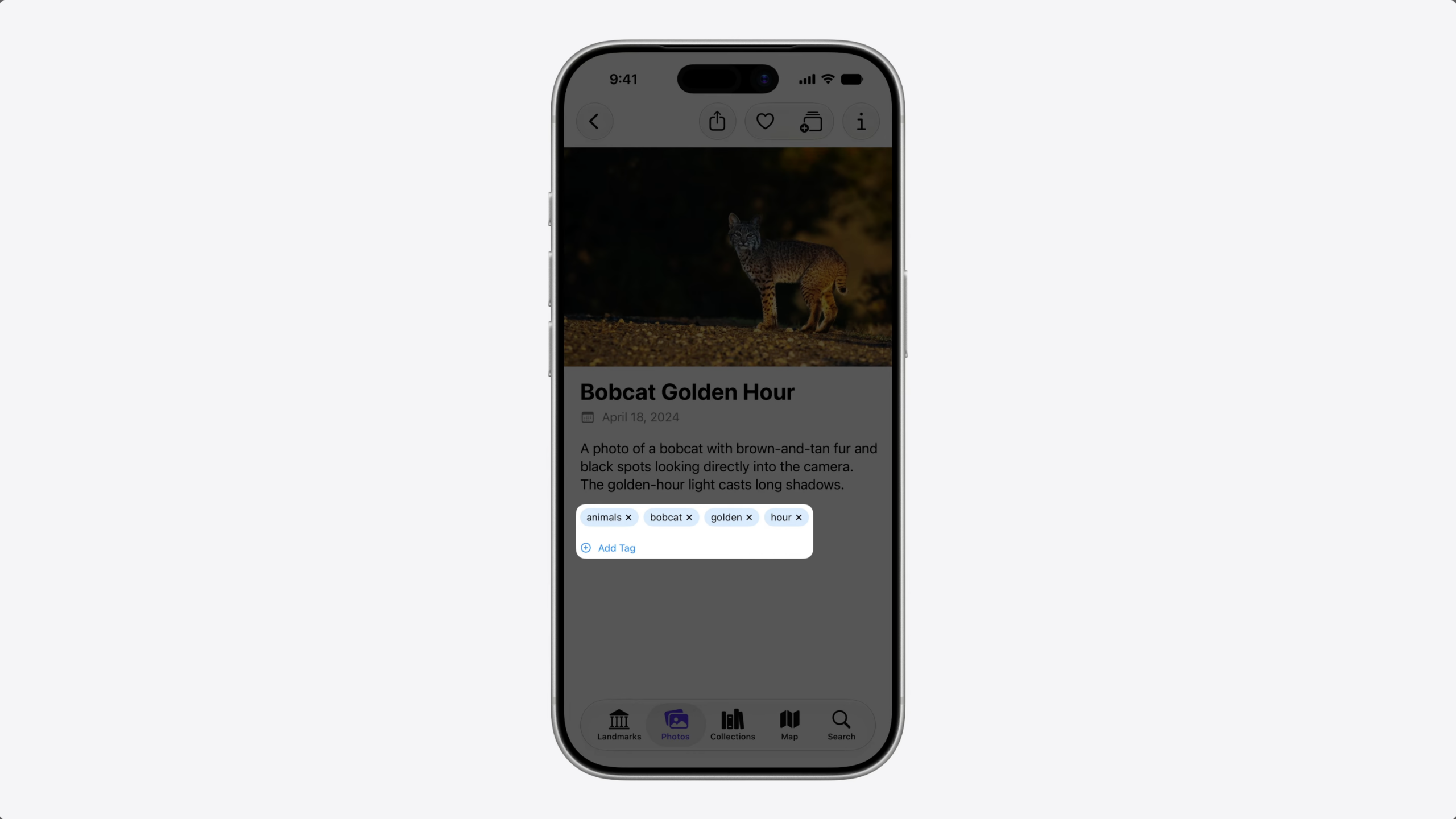
I also created an intent to tag my photos by keyword, so people could organize and find them easily.
As the photo library grew, I noticed something – tagging a lot of photos at once was slower than expected.
Let’s walk through the code to understand why.
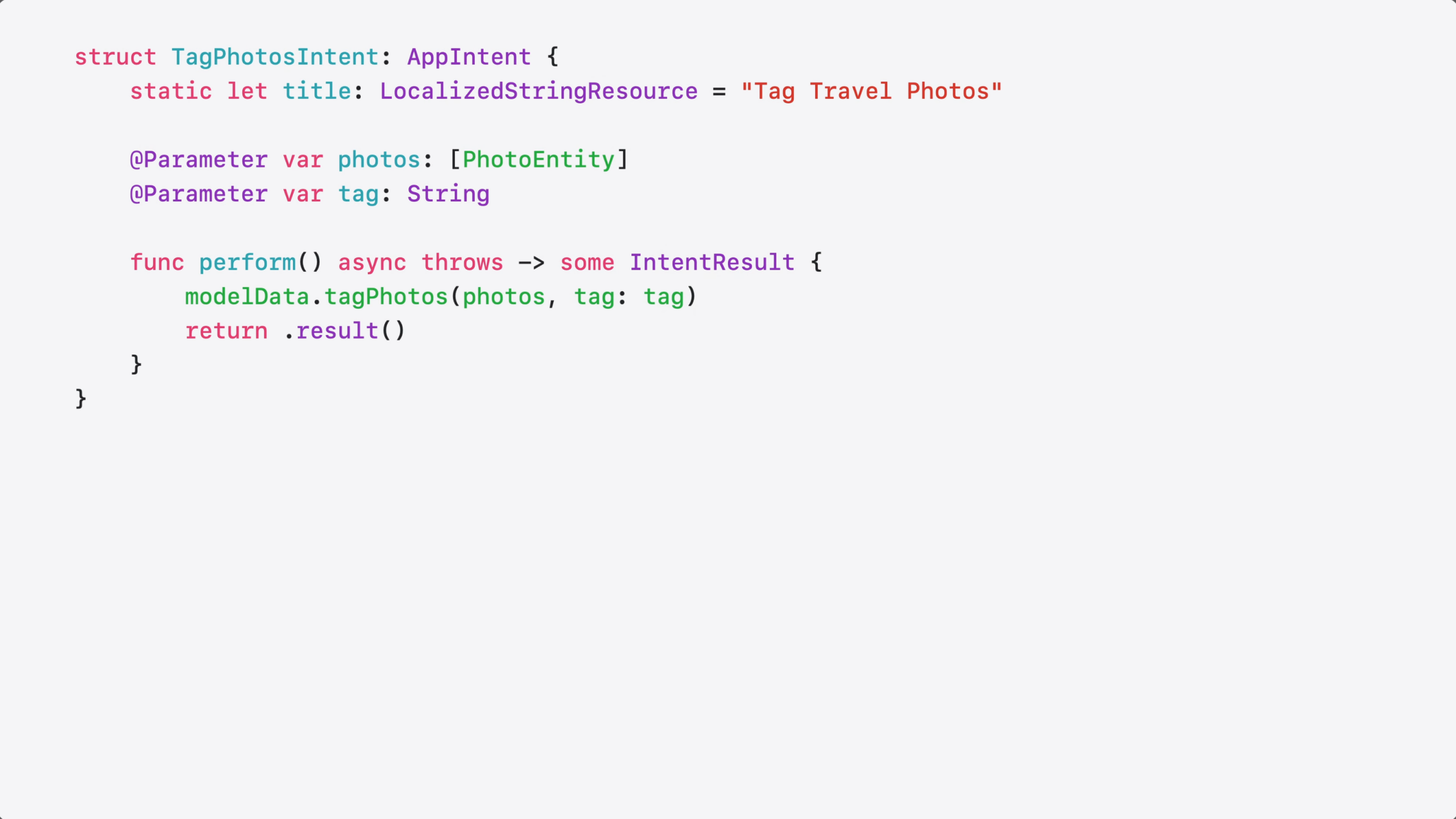
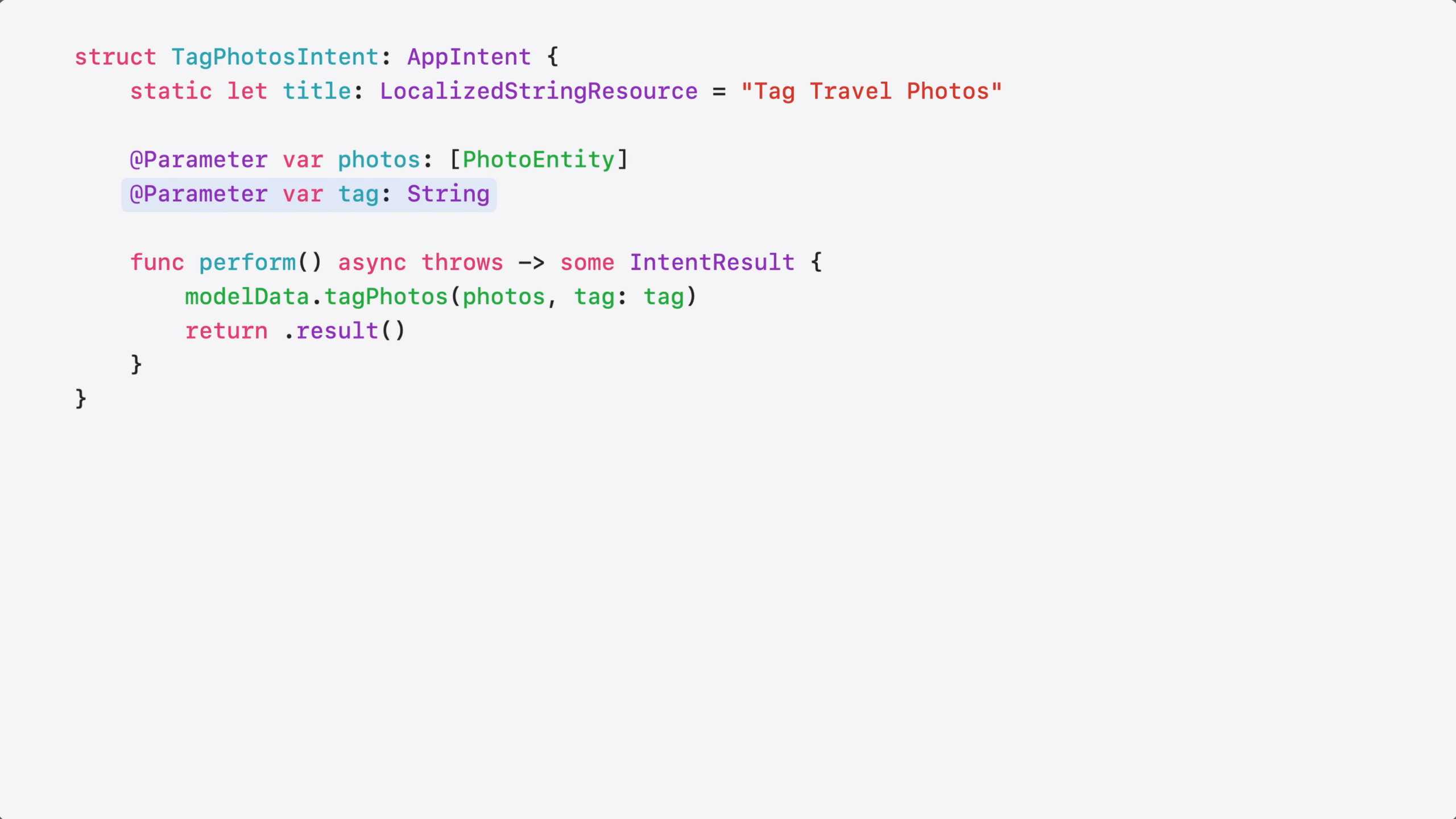
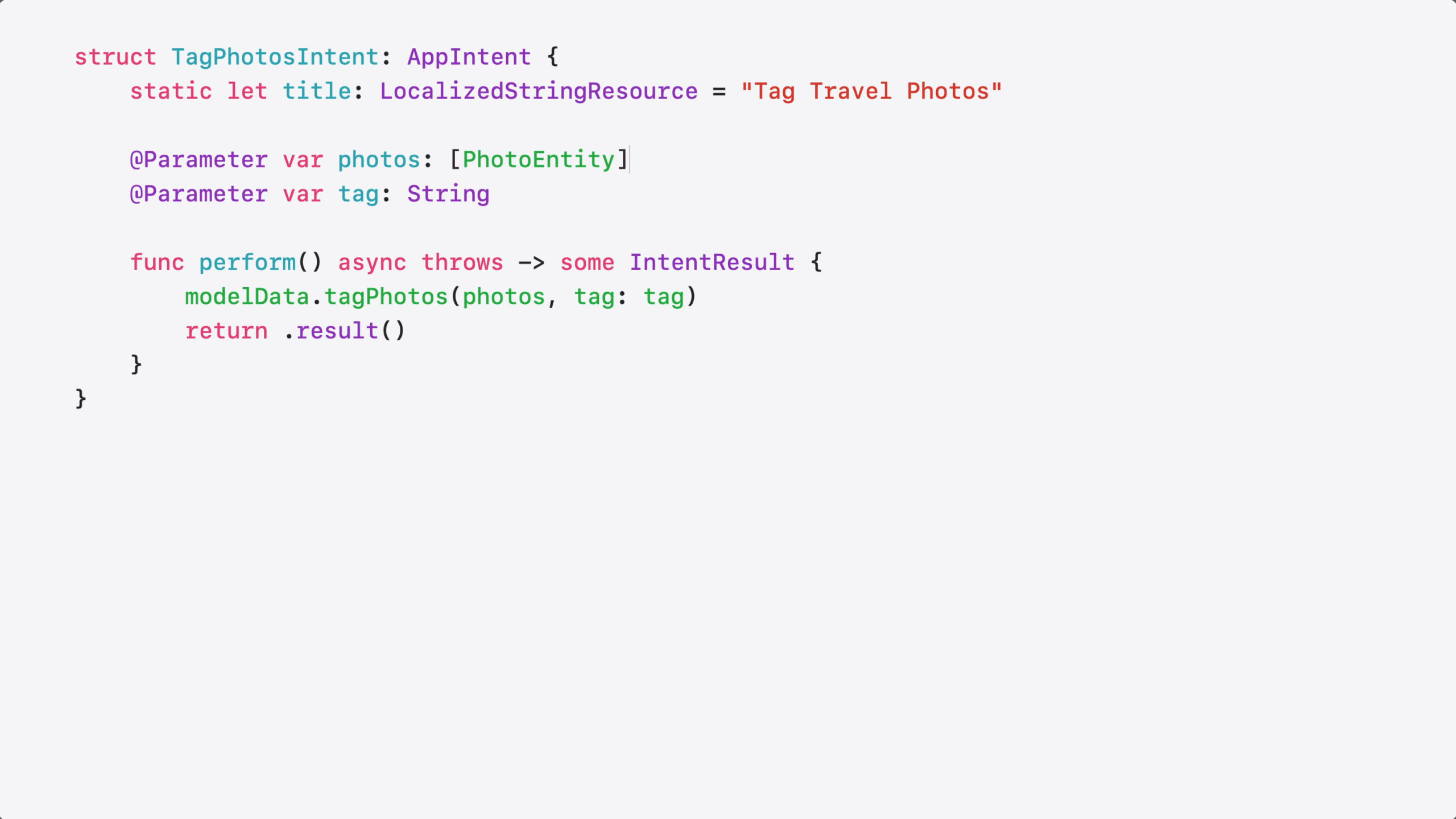
The intent is very simple – it just adds a keyword to my photos.
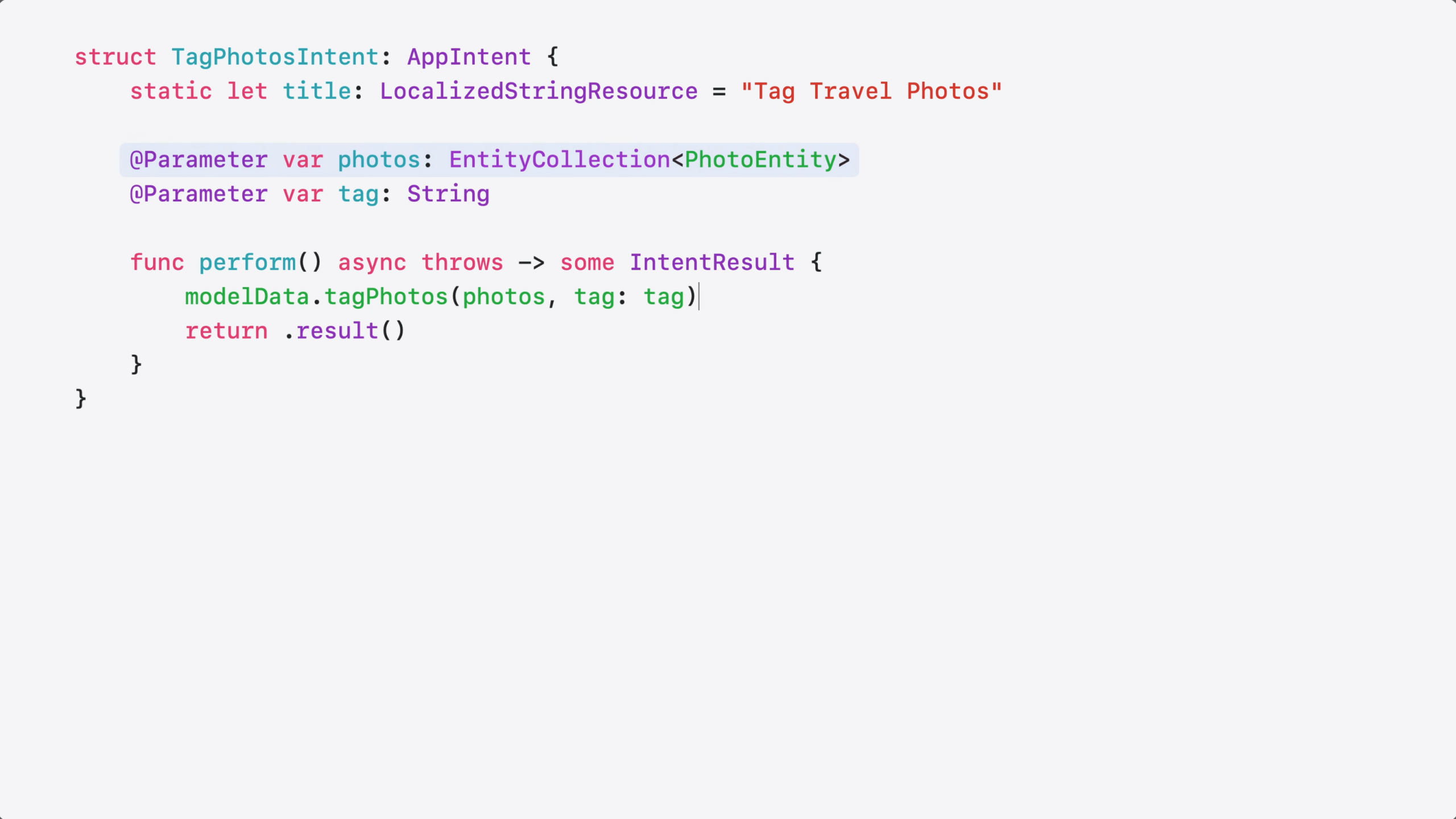
It takes a list of photo entities and a tag as a @Parameter…
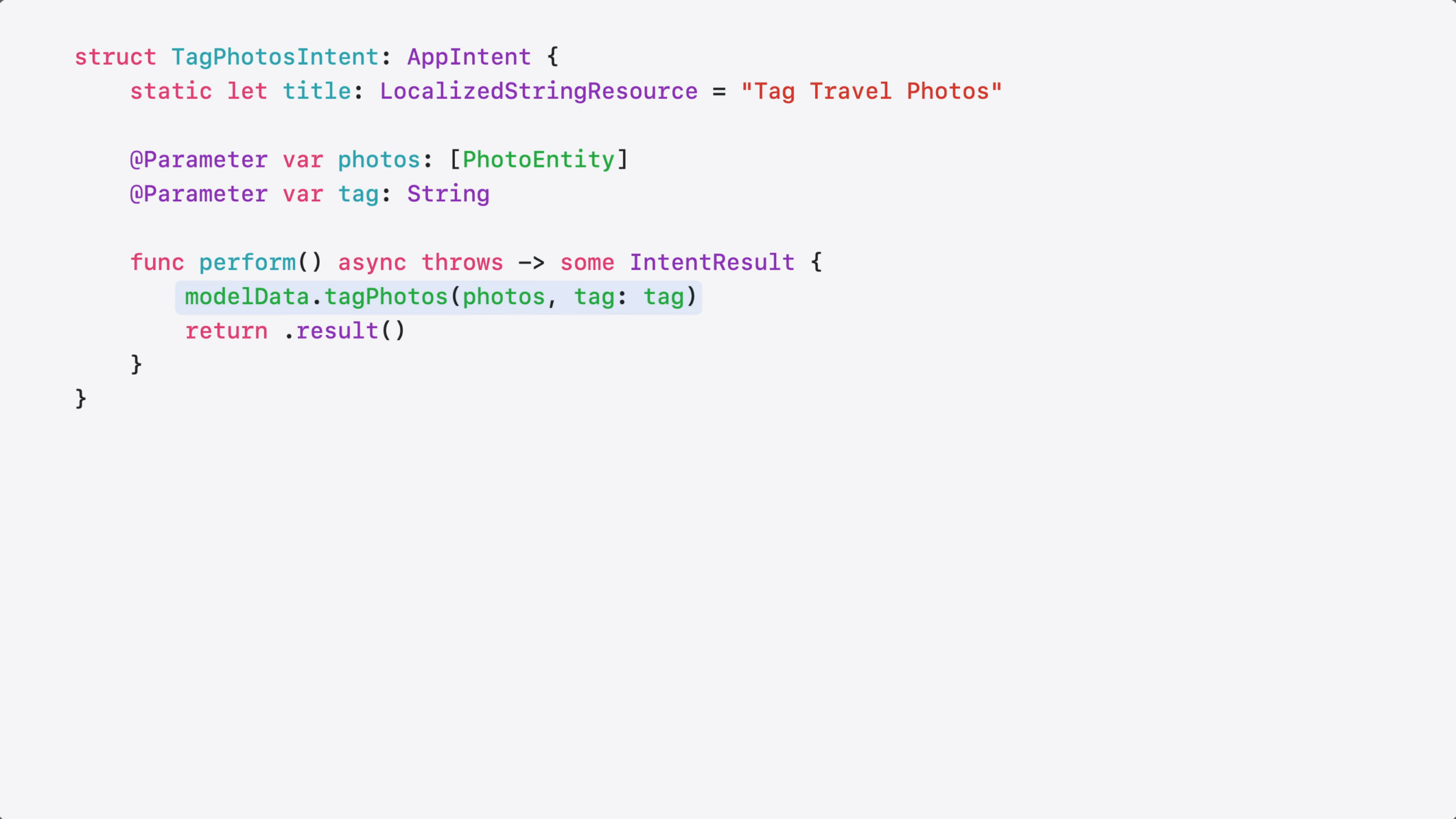
…and the Perform method just applies the tag to each photo item.
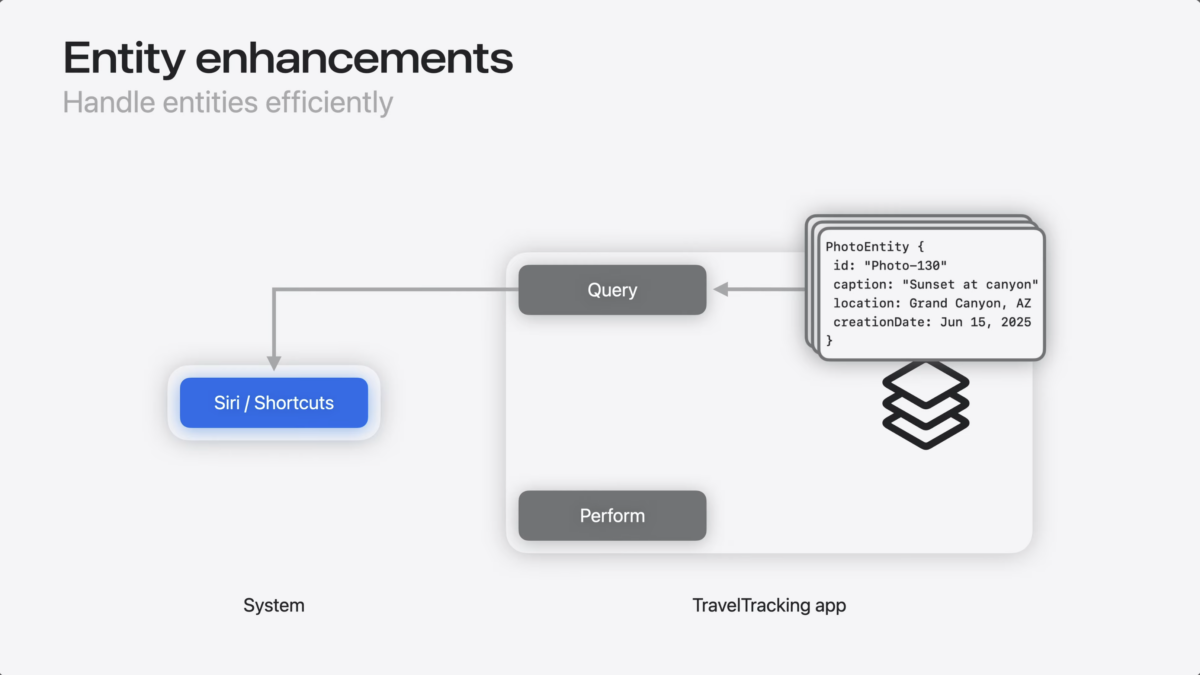
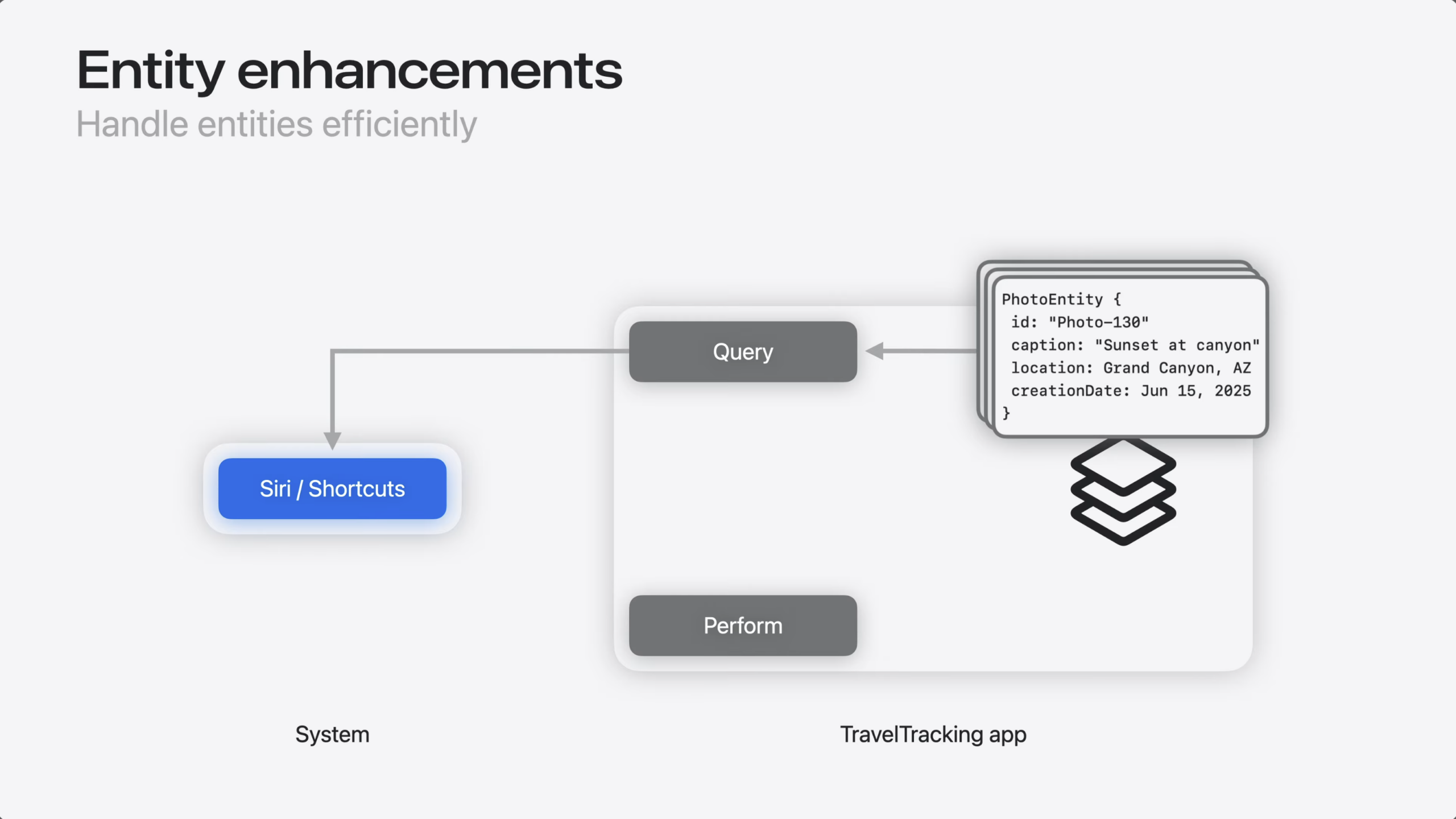
So, why was that actually a problem? Well, it has to do with how App Intents resolves parameters.
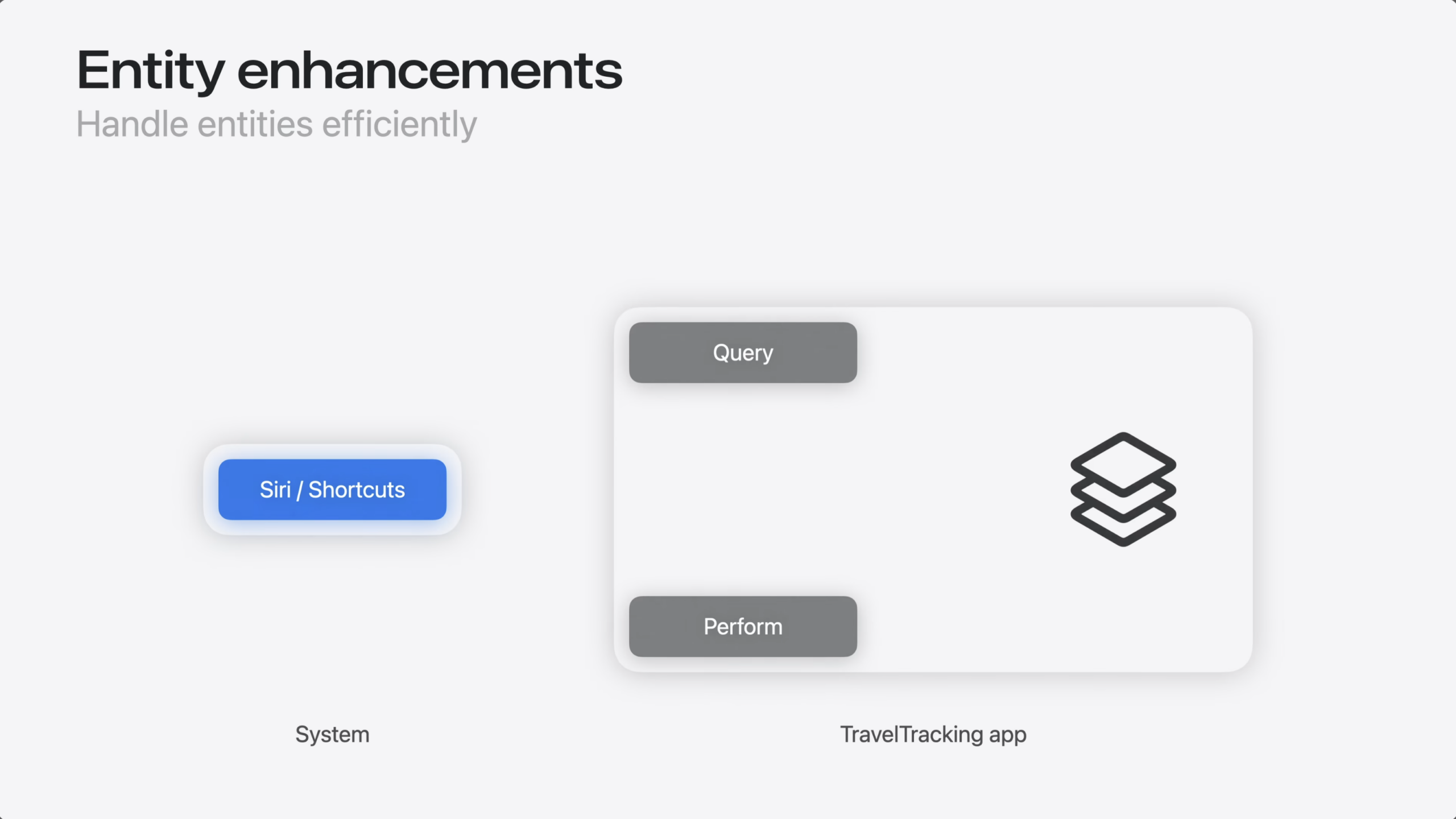
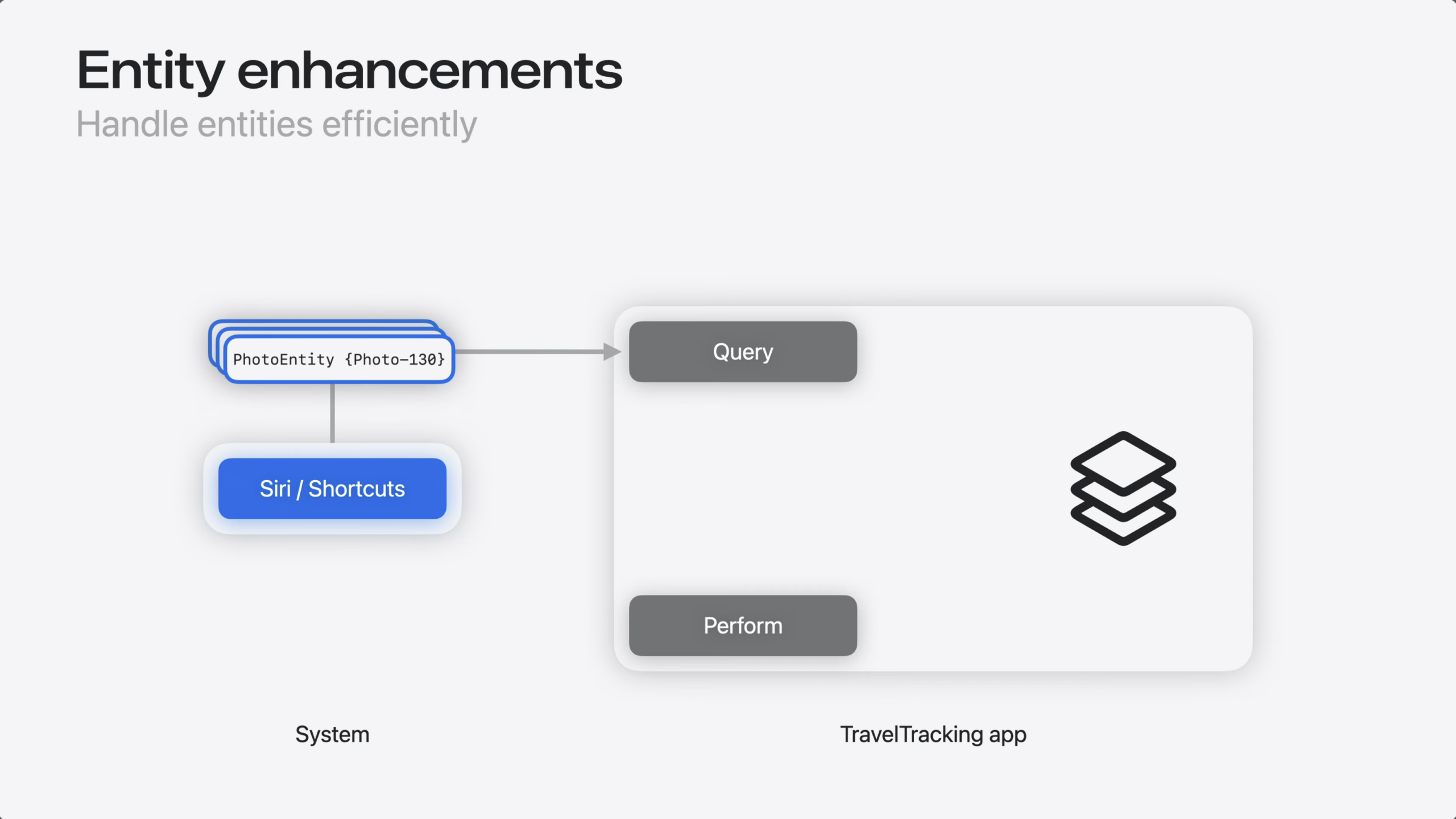
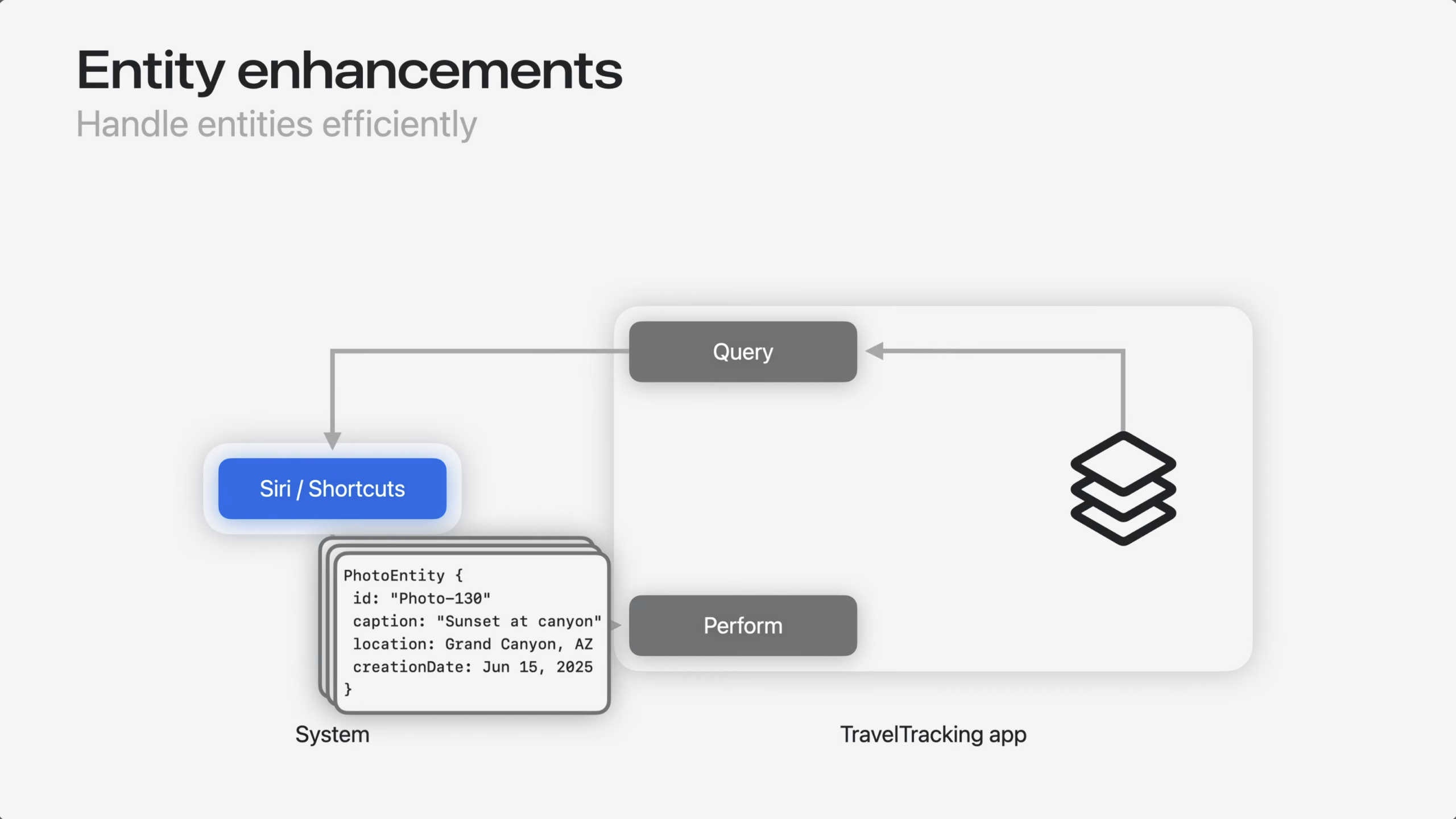
Before an intent runs, the system resolves every entity.
That means calling the entity query to populate all of its properties, so the intent has everything it may need.
For most intents, that’s exactly what you want. But in my case, this meant resolving hundreds or thousands of photo entities…
…even though my code only needs the entity ID to update my data model.
So, how do I fix this?
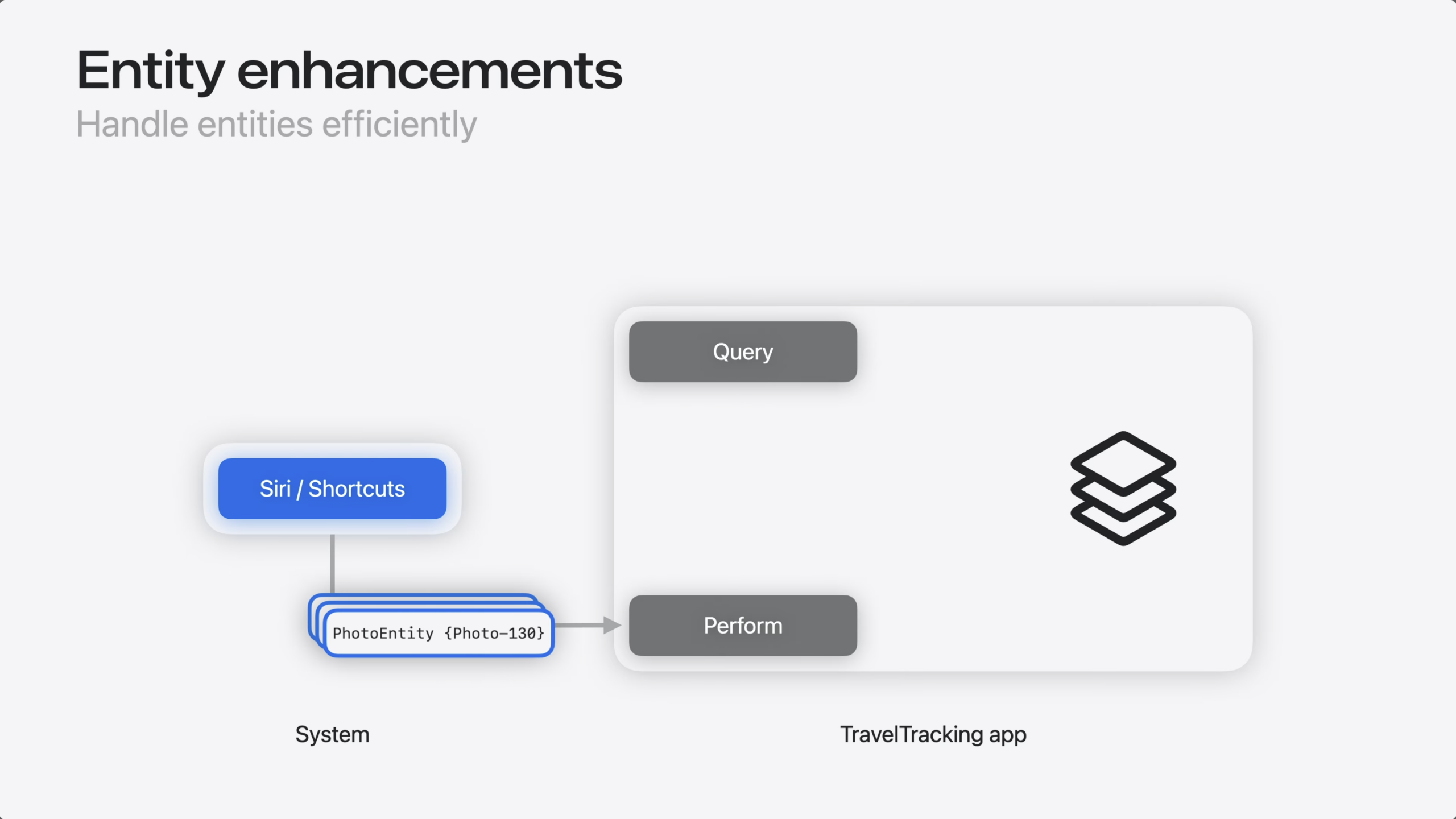
Entity Collection fixes this. It’s a new type that stores an array of entity identifiers instead of fully-resolved entities.
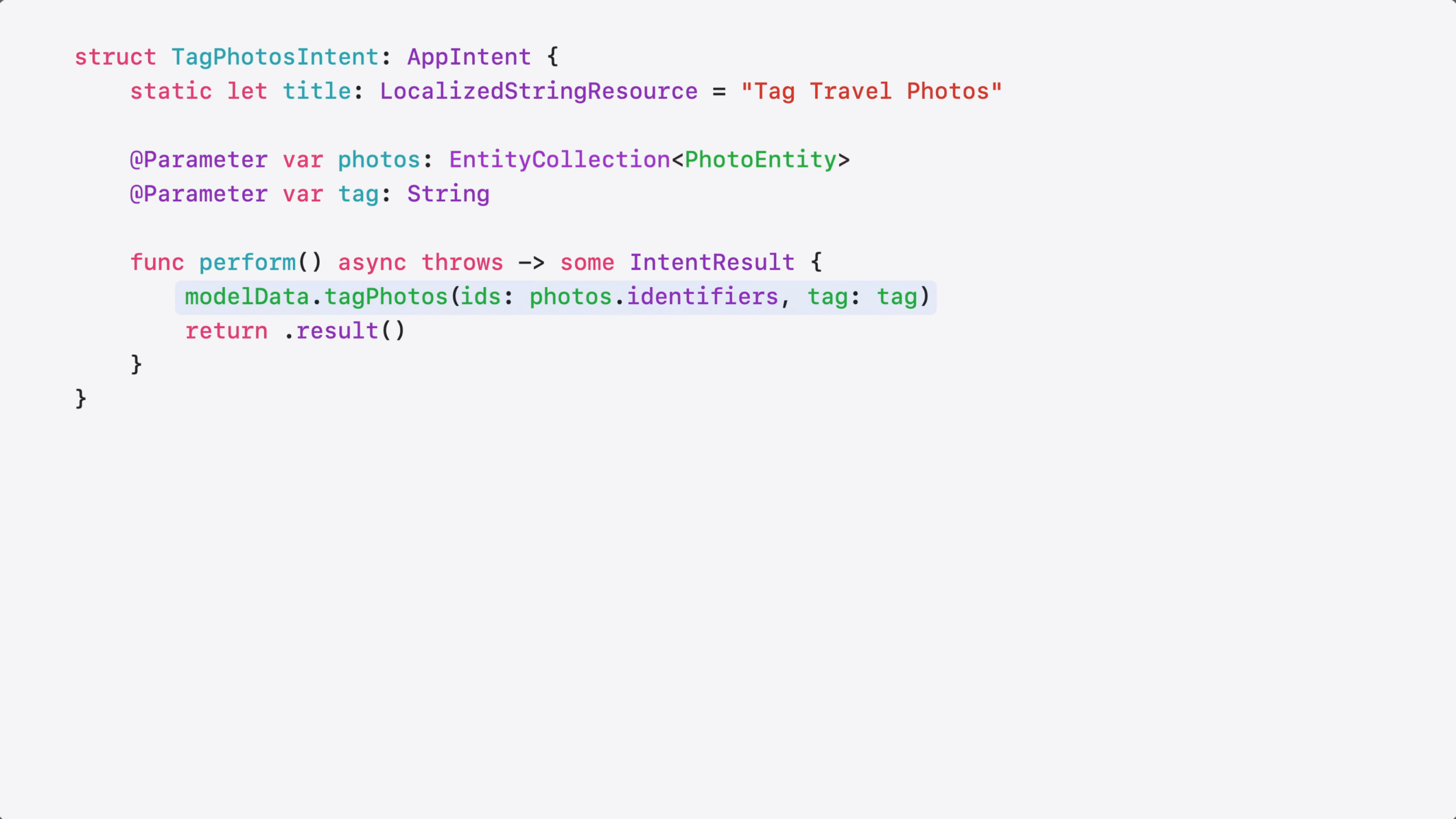
When you use EntityCollection as your parameter type, the system passes just the identifiers to the intent’s perform method – without resolving the full entities.
Here’s the updated code.
I changed my @Parameter type to EntityCollection…
…and passed the identifiers directly to my tagging method. That’s all it took!
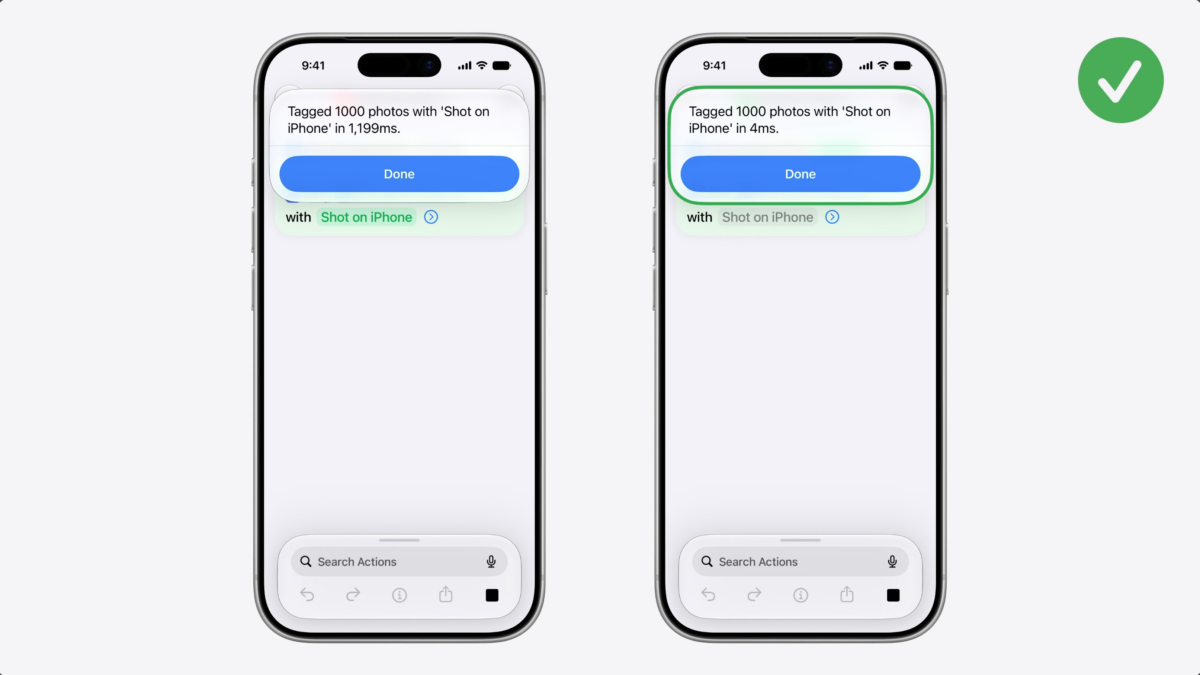
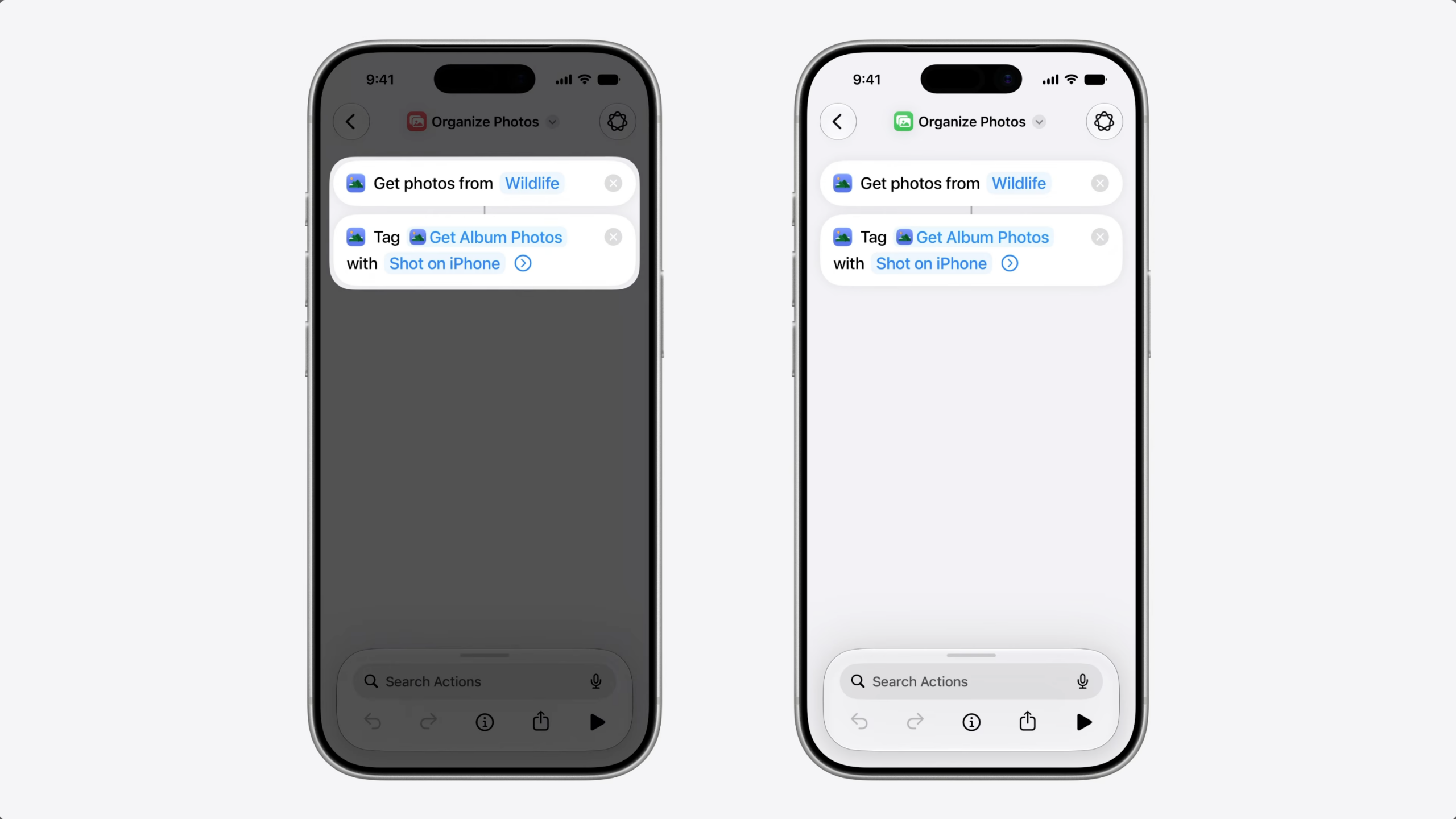
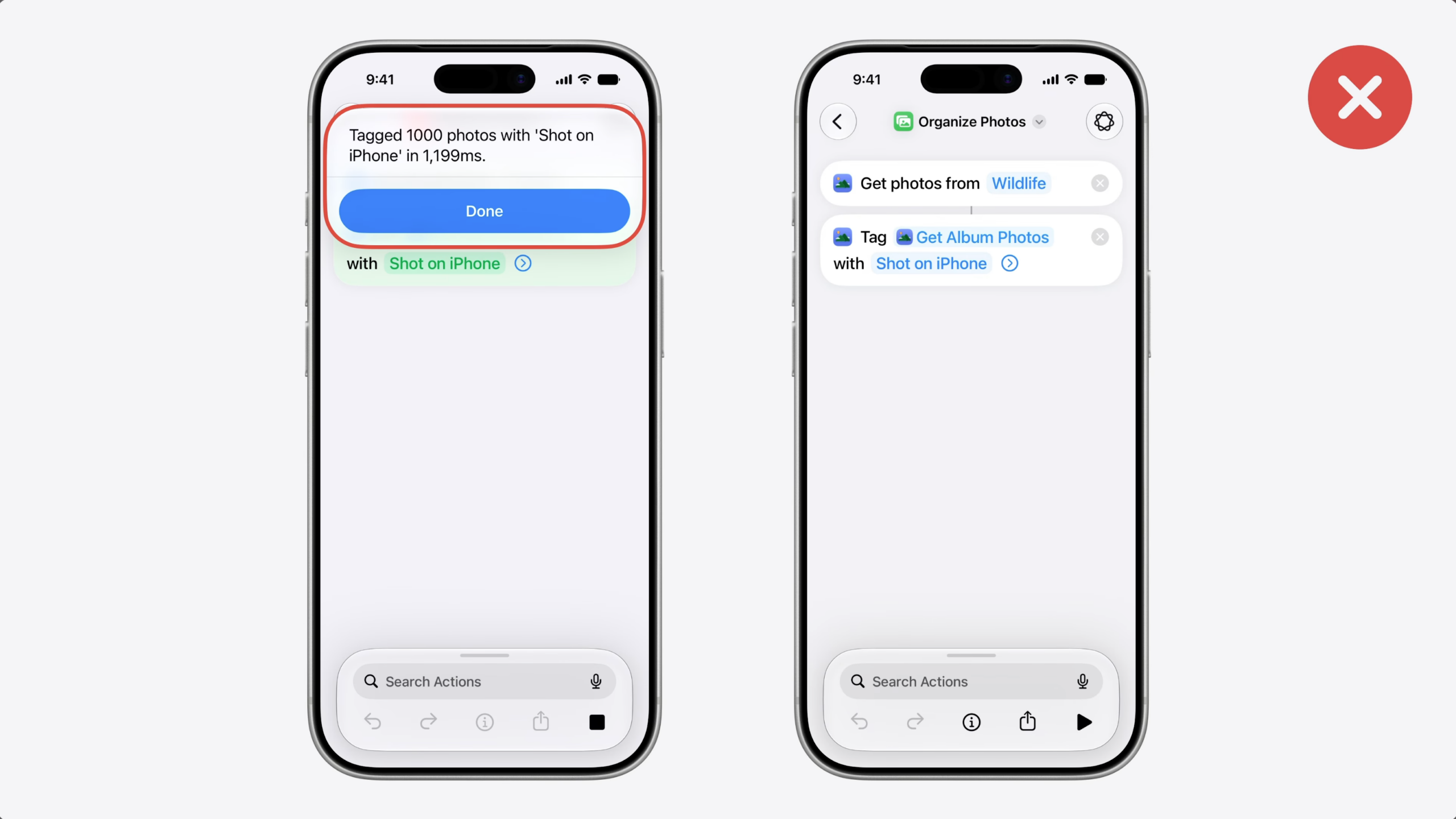
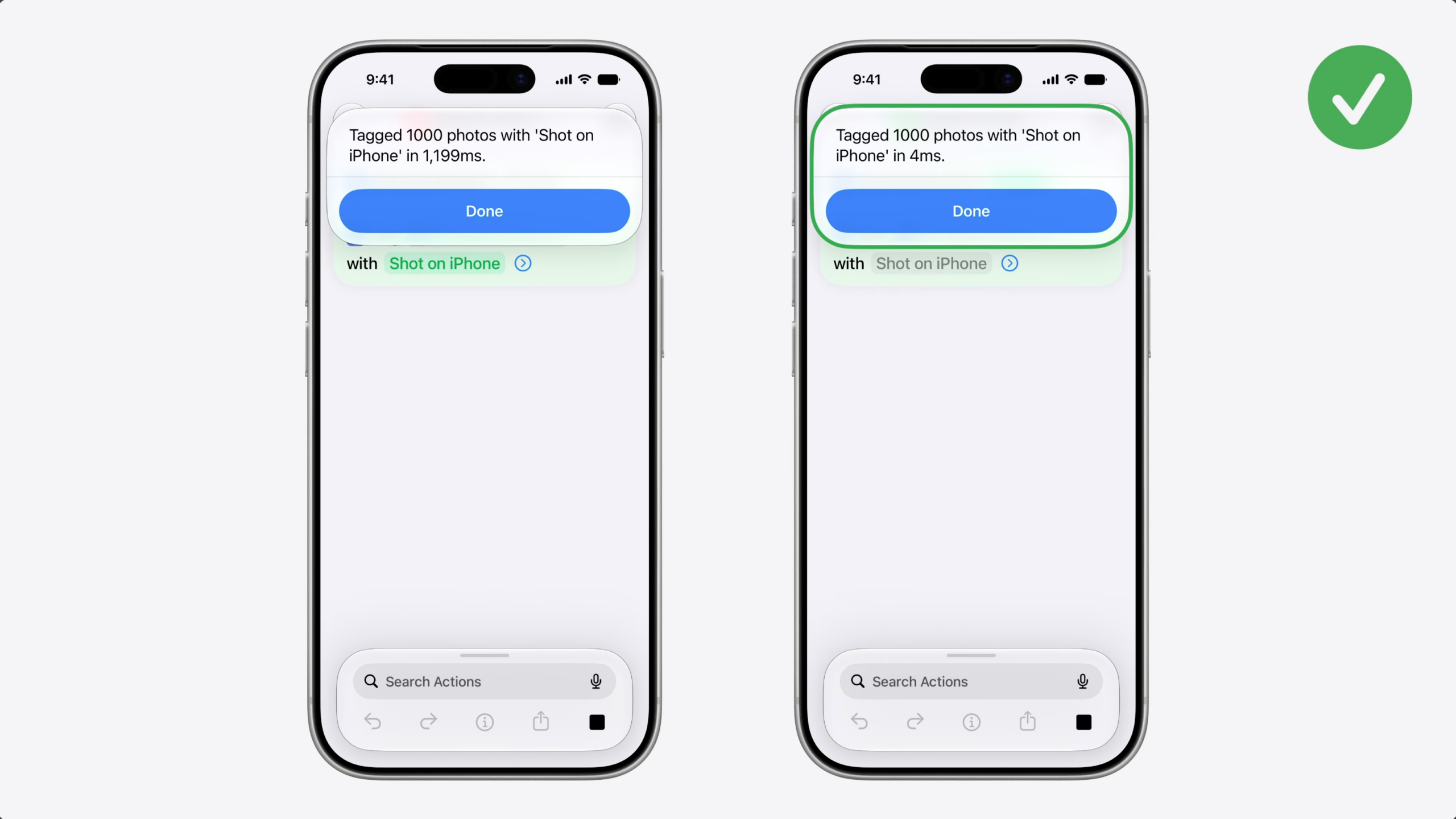
To confirm the fix worked, I built a shortcut to find and tag 1000 photos.
First, with a regular array of photos entities (1,199ms).
Then, with EntityCollection, which was almost instant (4ms).
The code change was small, but the performance difference is significant.
If your Siri AI actions are slow, try EntityCollection. Don’t let your App Intents be the bottleneck.
Now, let’s talk about helping the system suggest entities when they are relevant.
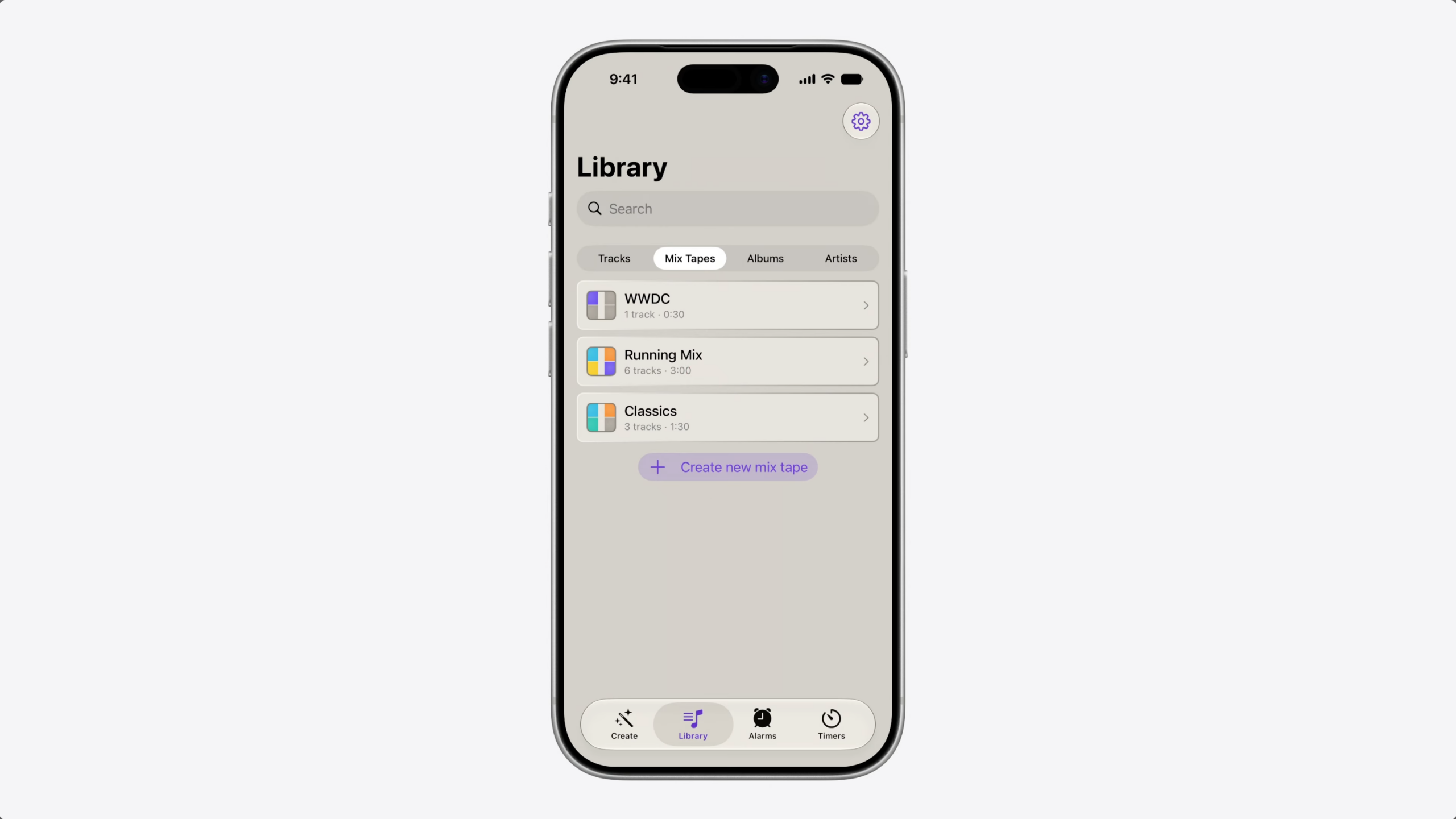
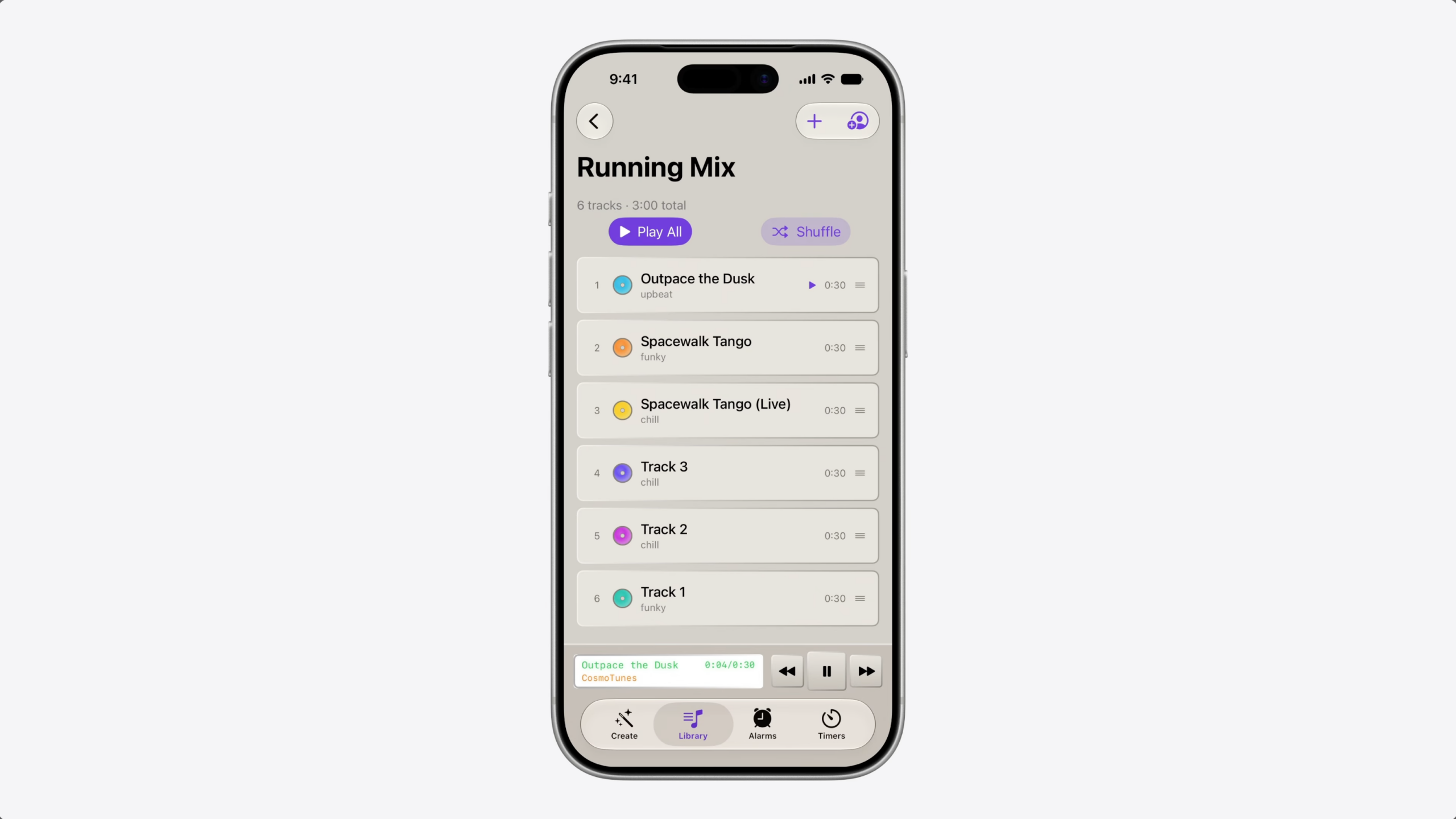
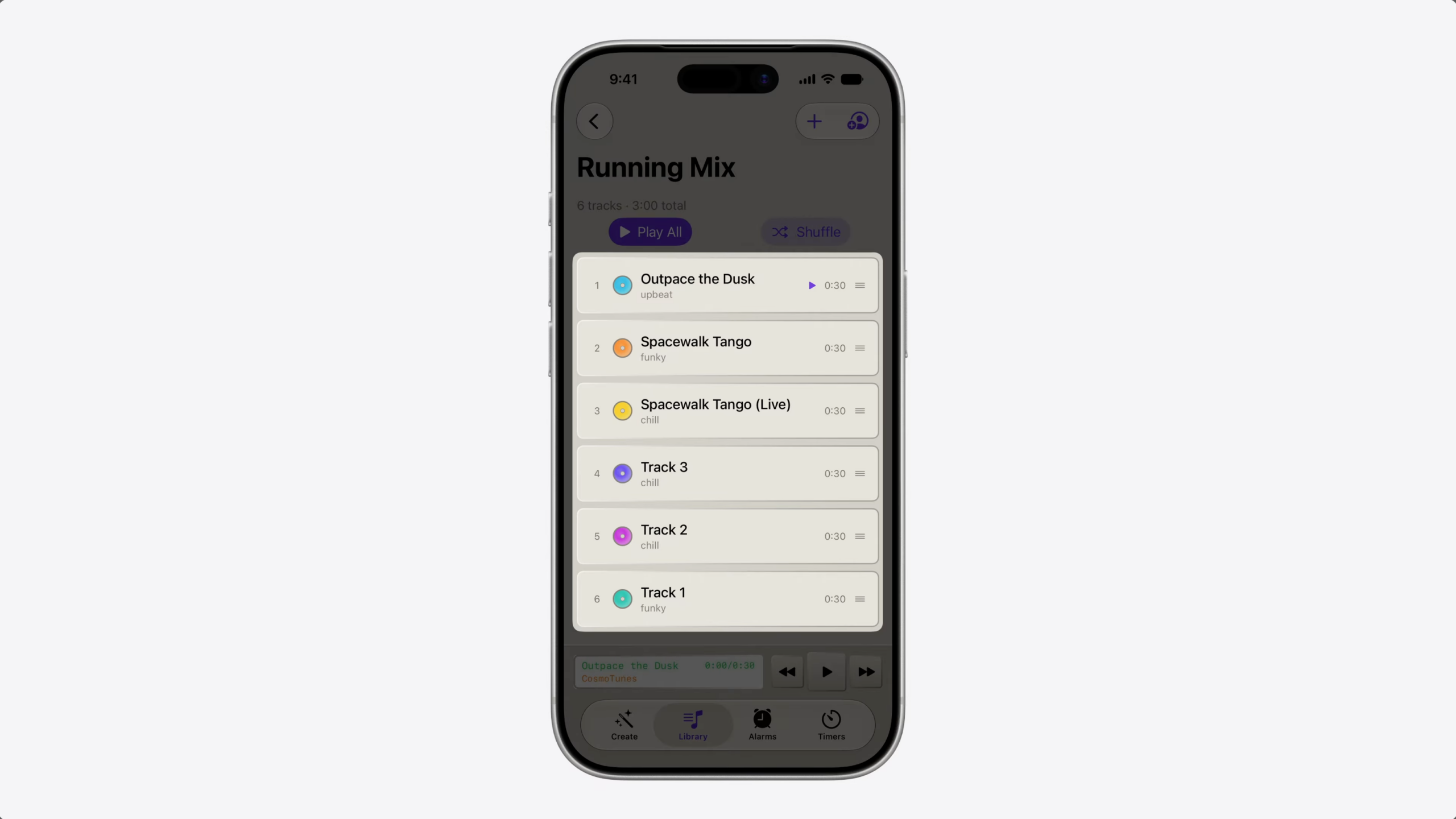
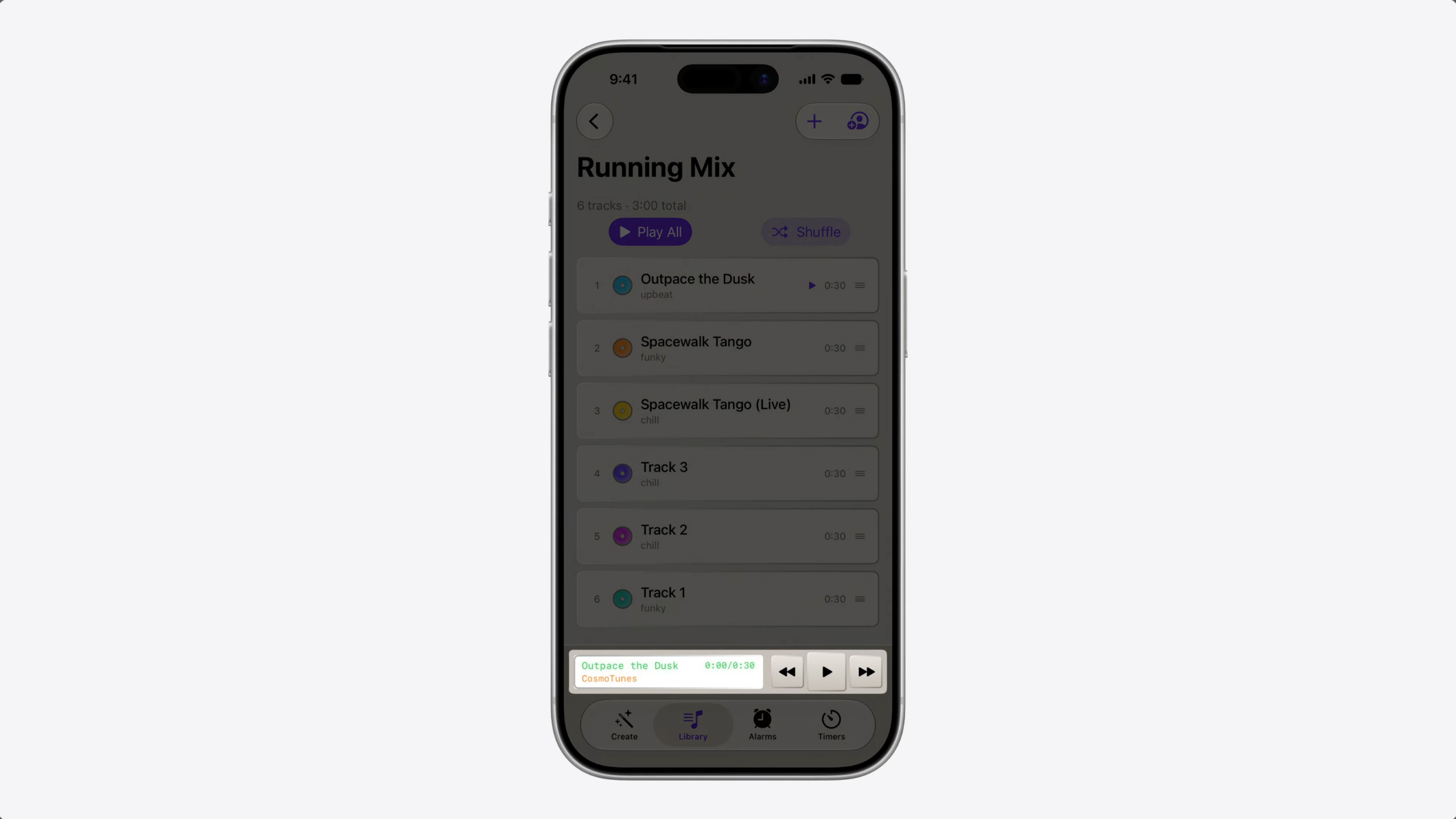
Suppose you’re building a music app like CosmoTunes, the sample app from the video “Explore advanced App Intents features for Siri and Apple Intelligence.”
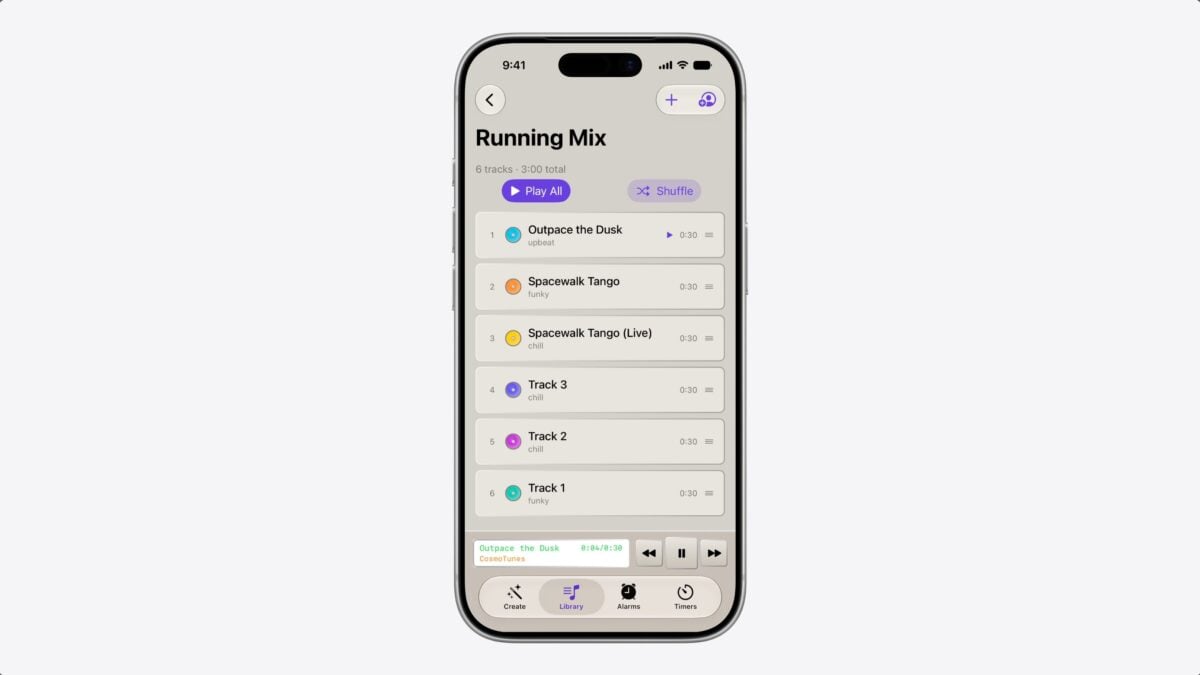
Your app has a brand new, high-tempo playlist that’s perfect for running.
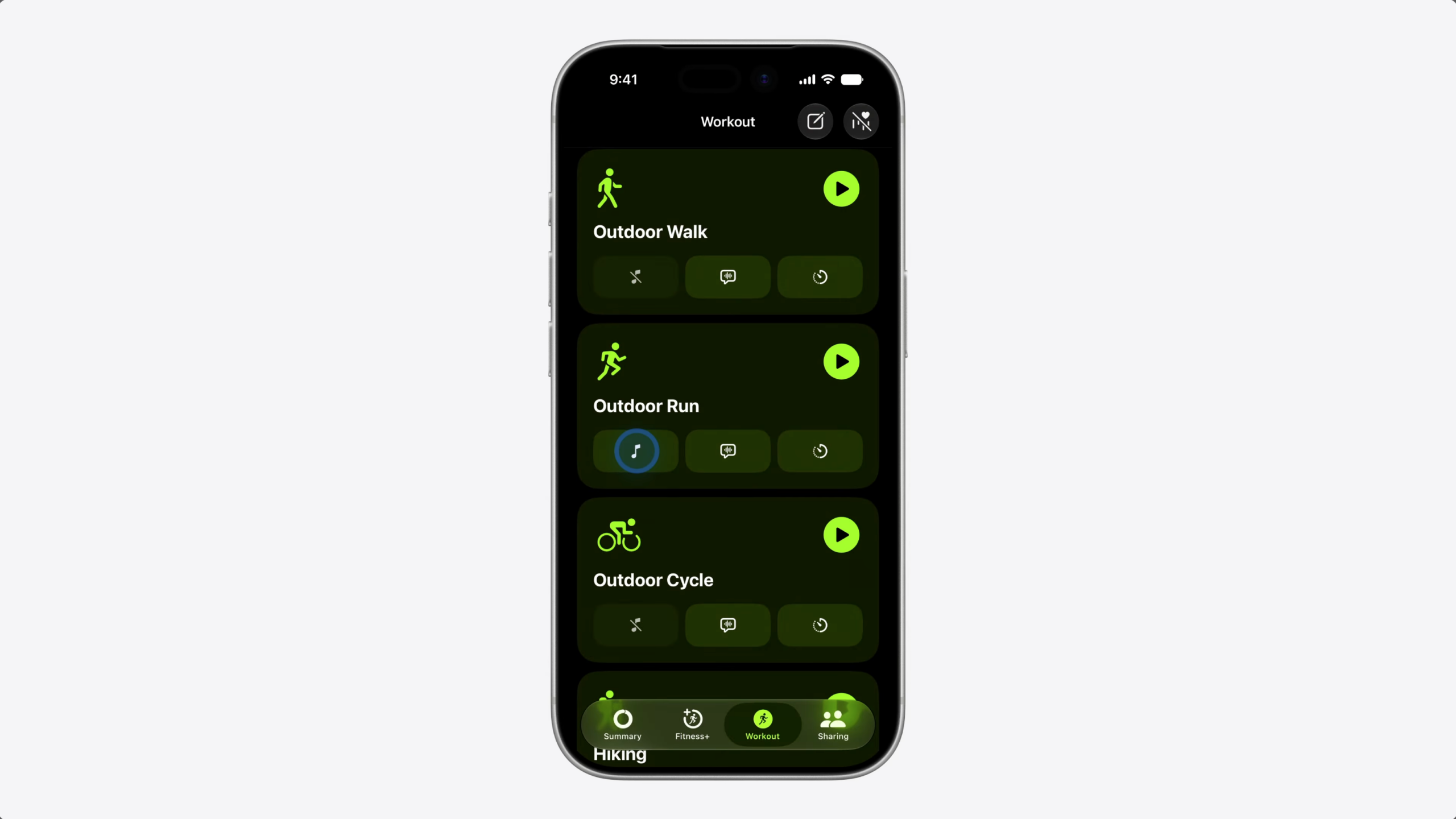
When someone sets up a workout in the Fitness app…
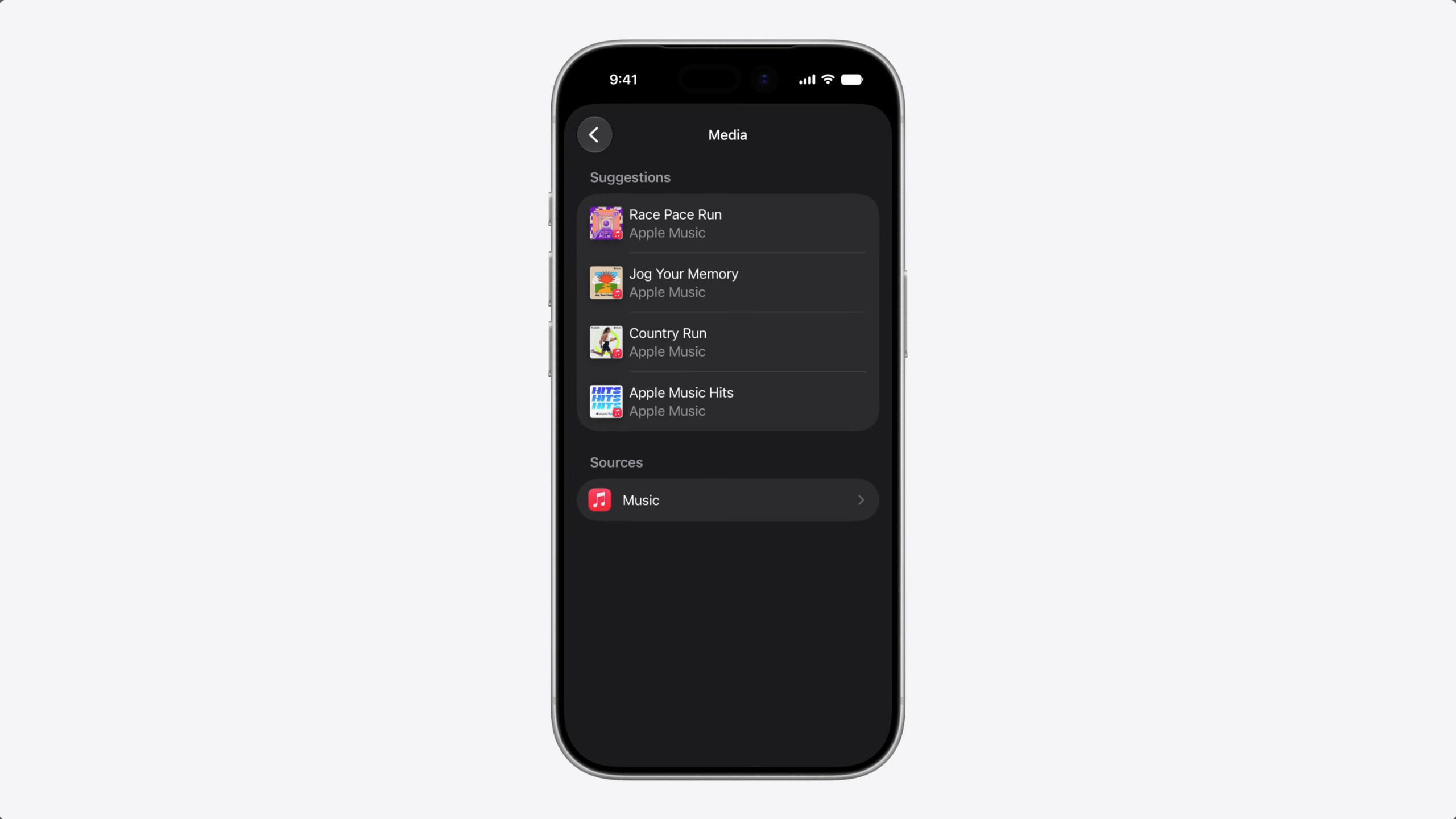
…they get a list of suggested playlists. How do you get your playlist into those Suggestions?
Today, we have two ways to make your content available to the system.
The first is to index your context in Spotlight. This makes it available to people searching for your content in the Spotlight UI, including Semantic Search. This is also the primary way Siri is able to retrieve your content.
The second approach is interaction donation. When people take actions in your app, you donate those interactions to the system through the IntentDonationManager API. Over time, the system learns patterns and can suggest similar actions in the future. Siri also uses these interactions to delivery a more personalized experience.
But, what about that new playlist? Nobody’s searched for it in Spotlight because they don’t know it exists.
And since nobody’s played it, there’s no interaction either.
You need a way to tell the system this playlist is relevant, so it can surface it at the right moment.
Introducing RelevantEntities. With RelevantEntities, you can suggest entities to the system and provide context about when and why they’re relevant.
Here’s how this works.
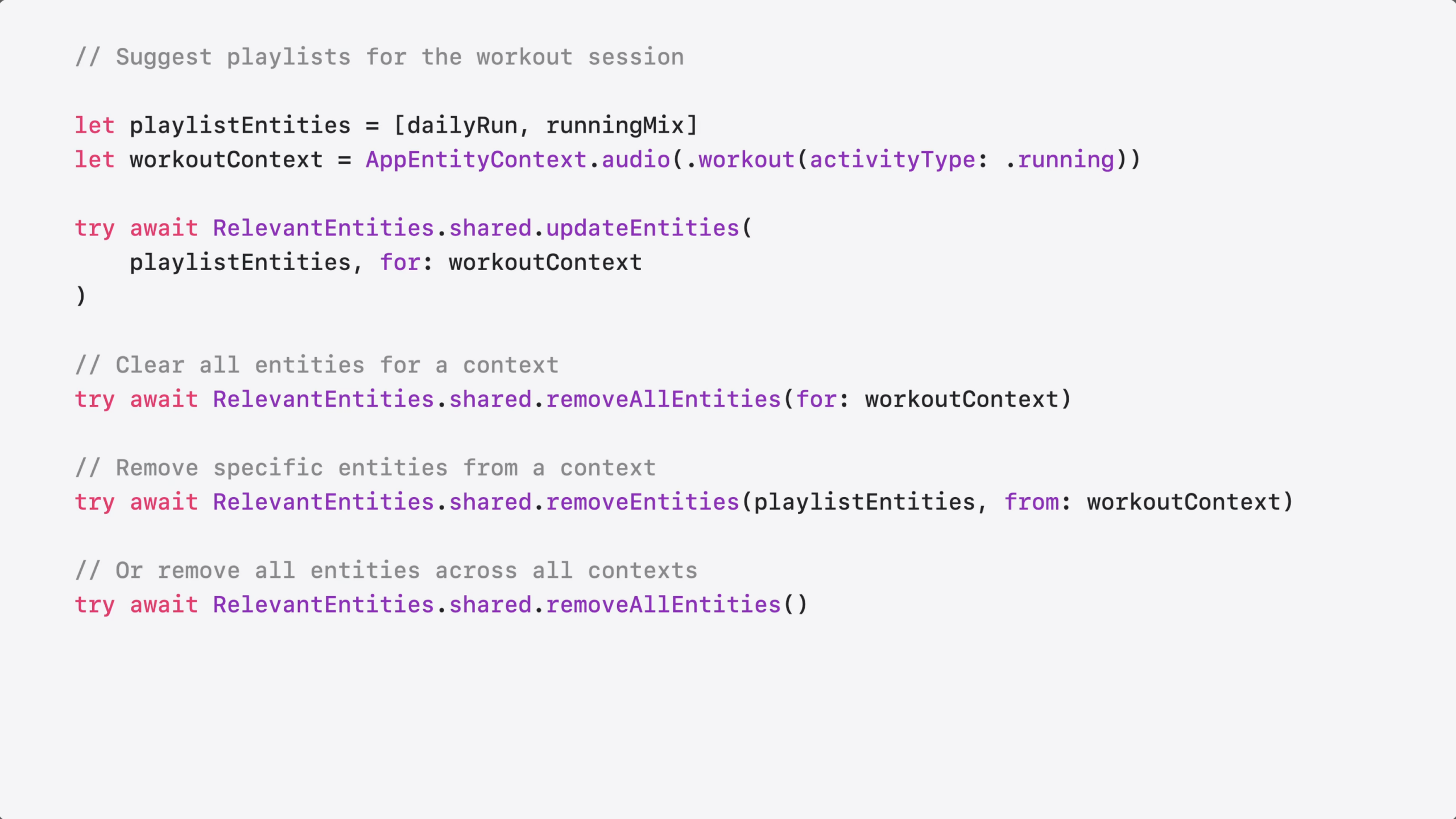
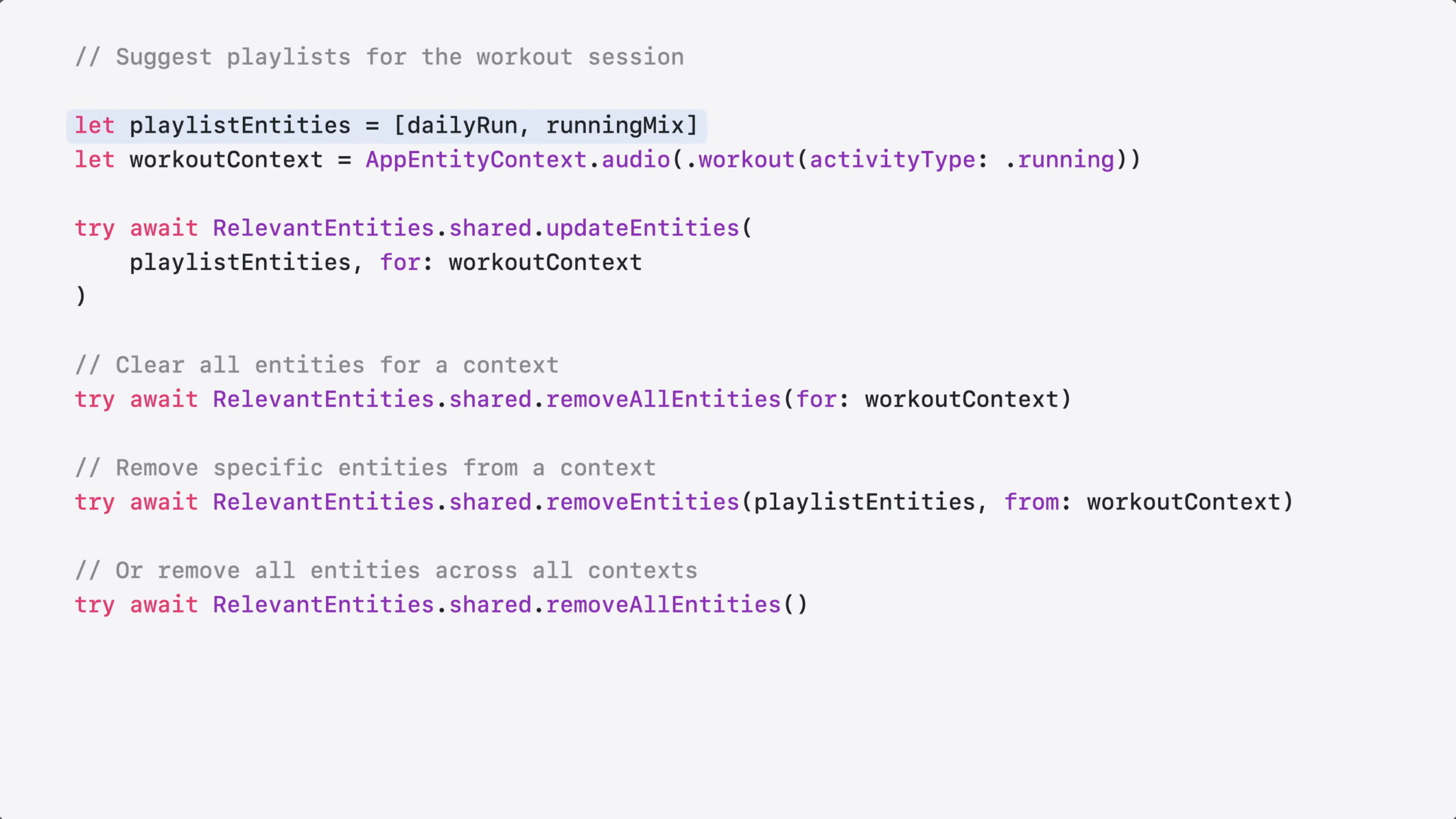
You start by identifying the relevant entities – in this case, your running playlist.
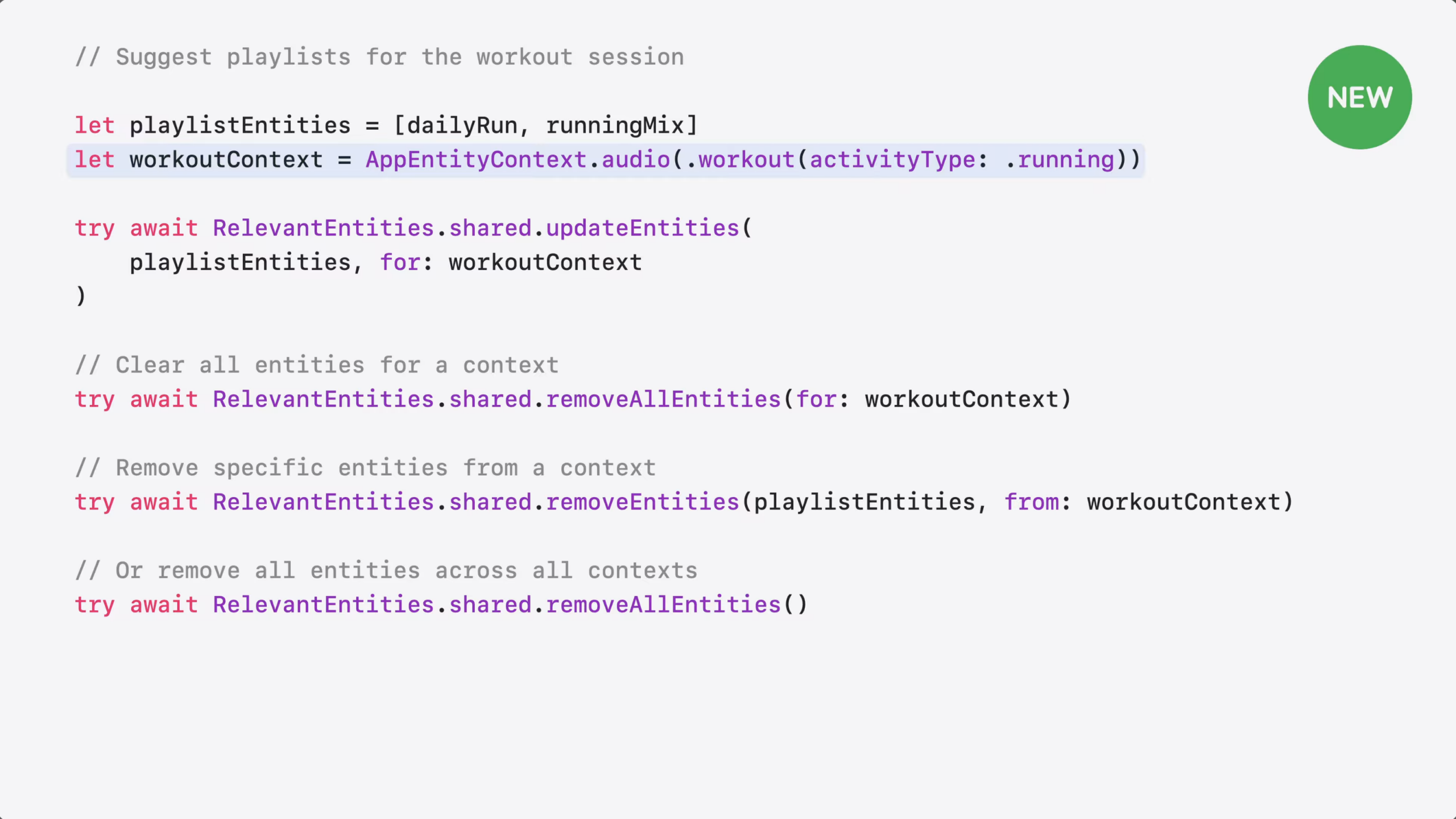
Next, you create a context to tell the system these playlists are relevant when someone starts a run.
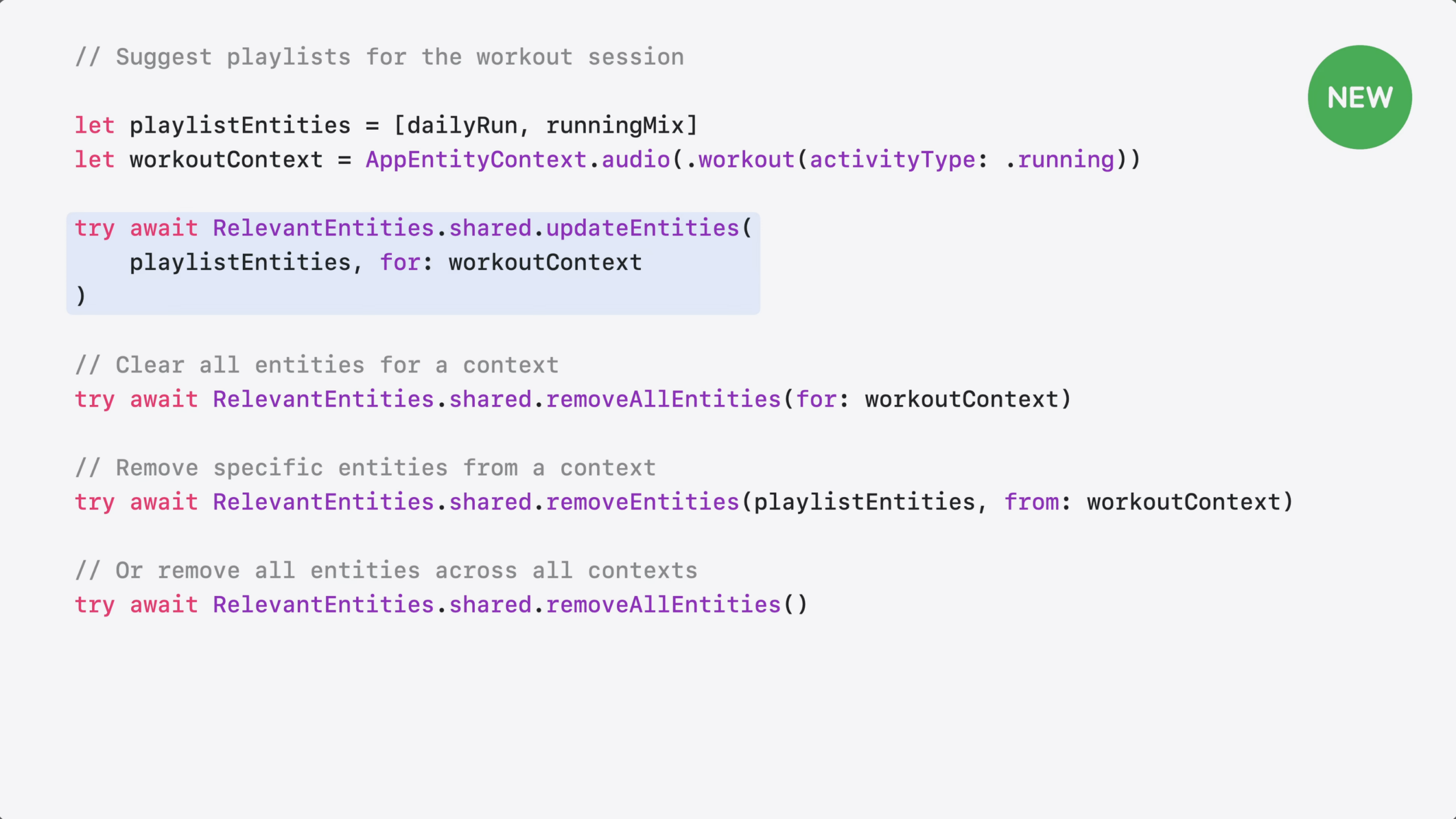
Then, you call updateEntities to register them. The system surfaces these playlists as suggestions in the right context – even if they were never played before.
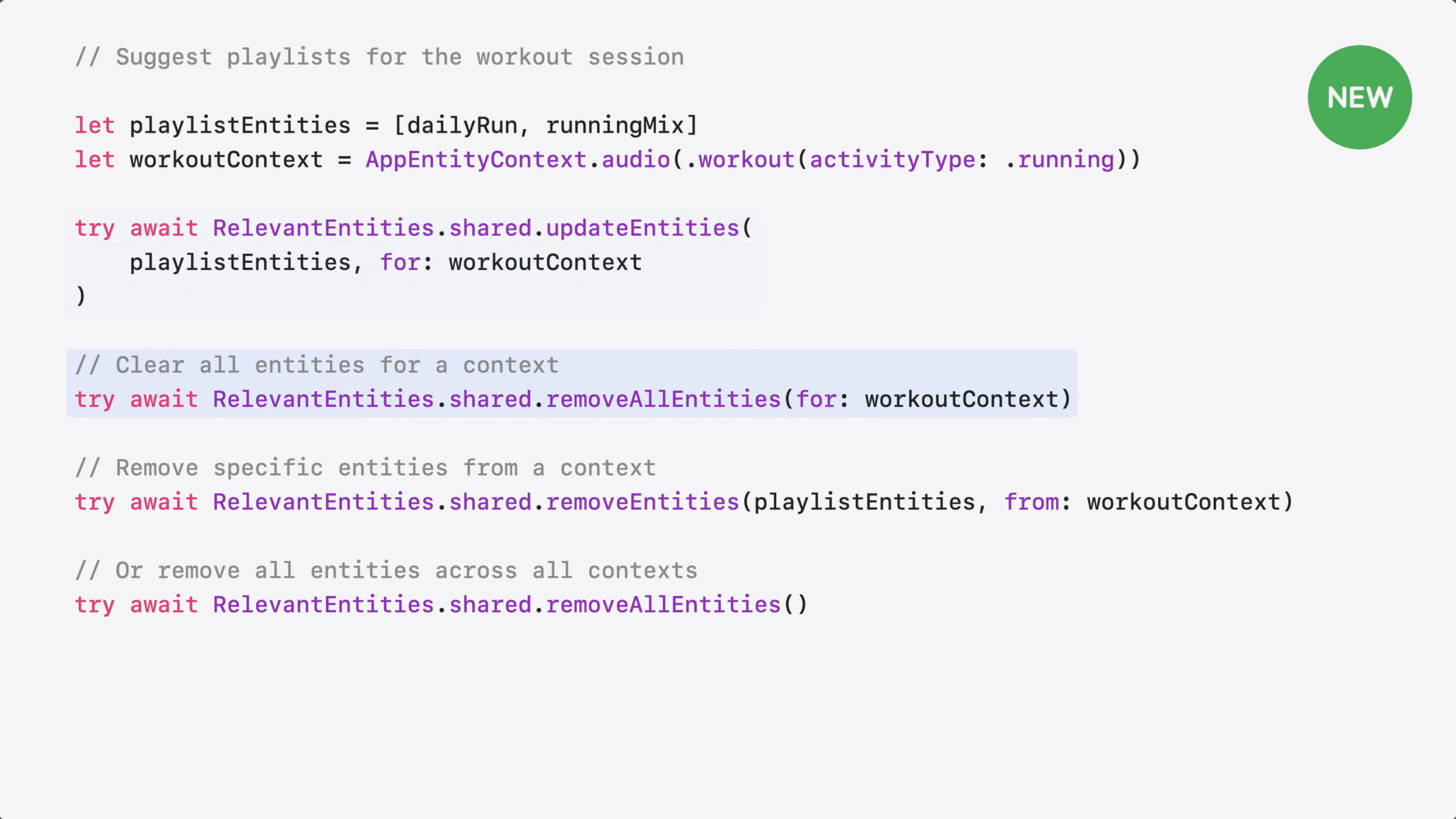
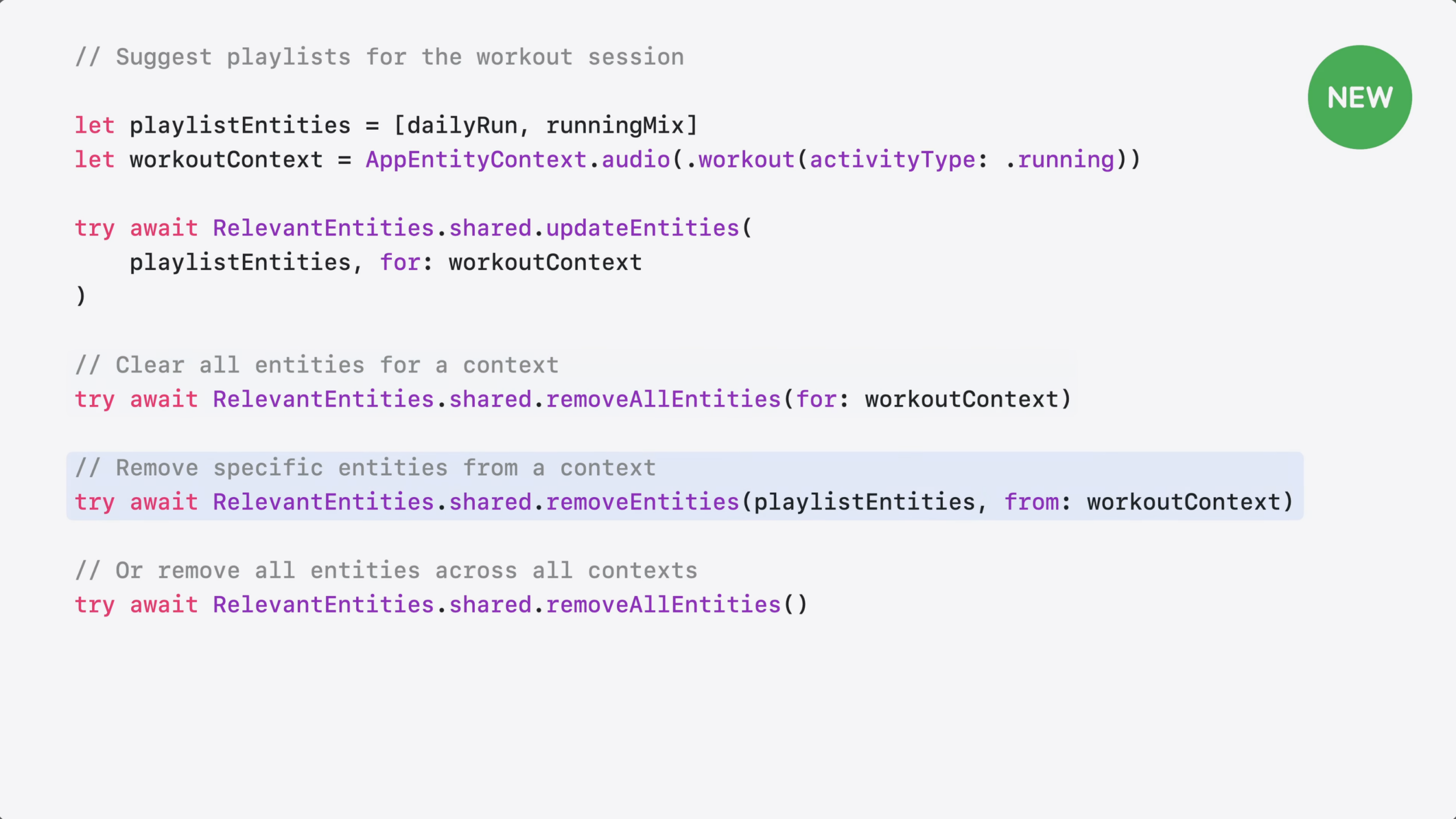
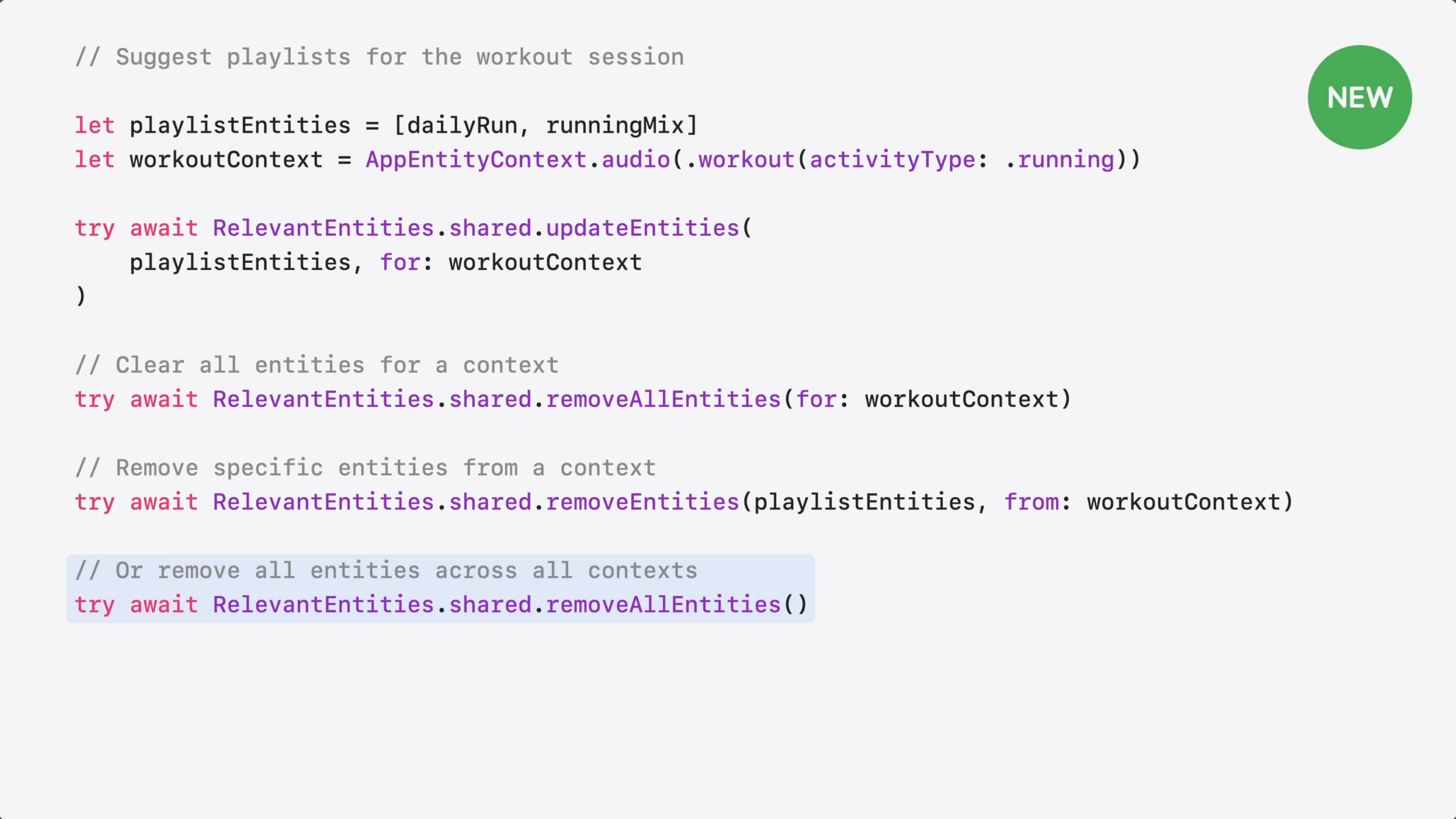
Entities stay registered until you remove them. You can removeAllEntities for a specific context…
…Remove specific entities from a context, or…
Clear all entities across all contexts.
Now you have more options for helping people discover your content. How do you choose between them?
Use Spotlight when you want your content to be searchable and retrievable by Siri.
Use interaction donation to teach Siri and the system how people use your app – so it can identify patterns and suggest actions people may want to repeat.
And use RelevantEntities to hint to the system which content is relevant in specific situations – so the system can suggest it at the right moment.
For more on this topic, check out our new documentation on Spotlight and Interaction Donation.
This means developers now have three ways to tell Siri AI & the system what’s important: Spotlight indexing, interaction donations, ANDRelevantEntities; that’s also not OR – it’s all three.
I’m curious how this overlaps with ValueRepresentation too – can we recommend relevant entities of all types in other apps? The Fitness + Music app example seems to suggest so, but it’s just ambiguous enough given playlists are already a known type. If anyone can test it in their apps or knows the answer, I’ll update this post.
In the WWDC 26 session “Discover new capabilities in the App Intents framework,” App Intents Engineer Moe Mehrabi talks about ValueRepresentation, a way for apps to mark up their structured types that don’t fit into existing file types in such a way that other apps on the system—and, more importantly, Siri AI—can understand them:
Your entities—your app’s content, like a landmark or playlist—live inside your app. But the people using your app don’t. They move between apps all the time.
Let’s go through a pair of examples using Mail and Maps with my travel tracking app.
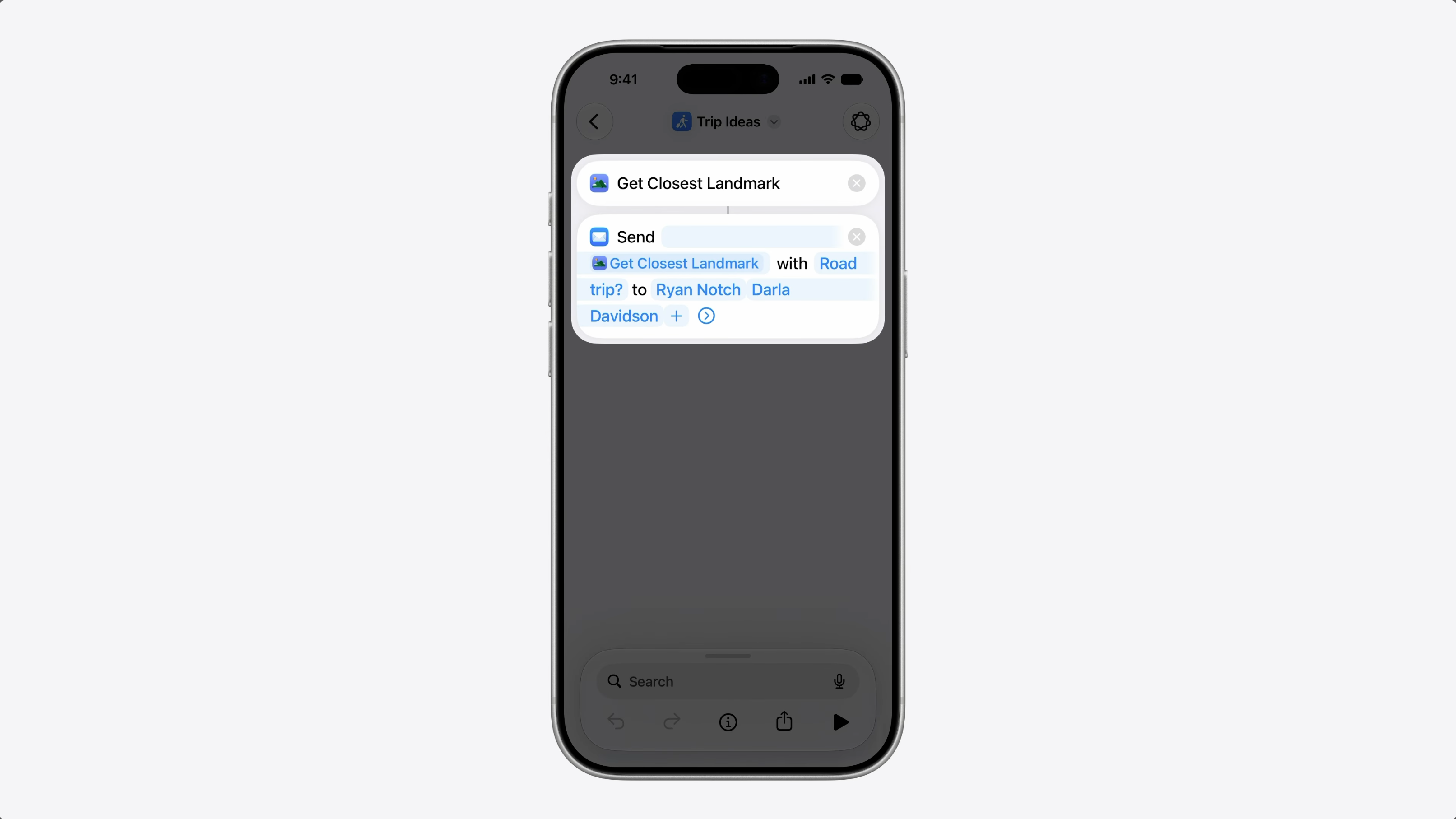
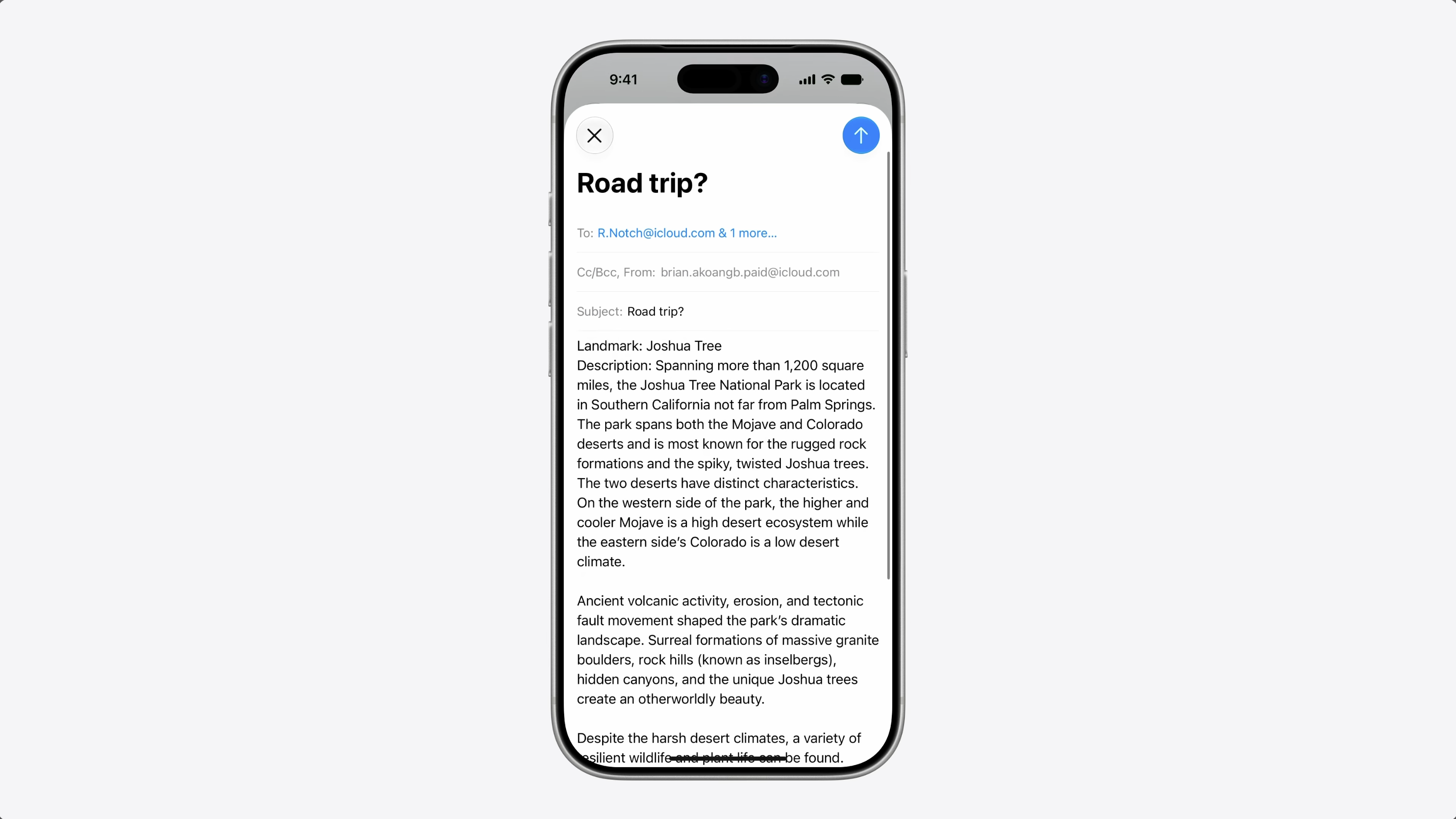
I built a shortcut to share trip ideas with friends. It finds a nearby landmark and its it along with a message. My entity conforms to Transferable from the CoreTransferable framework.
So the shortcut can share it in a format mail can use. And that works great.
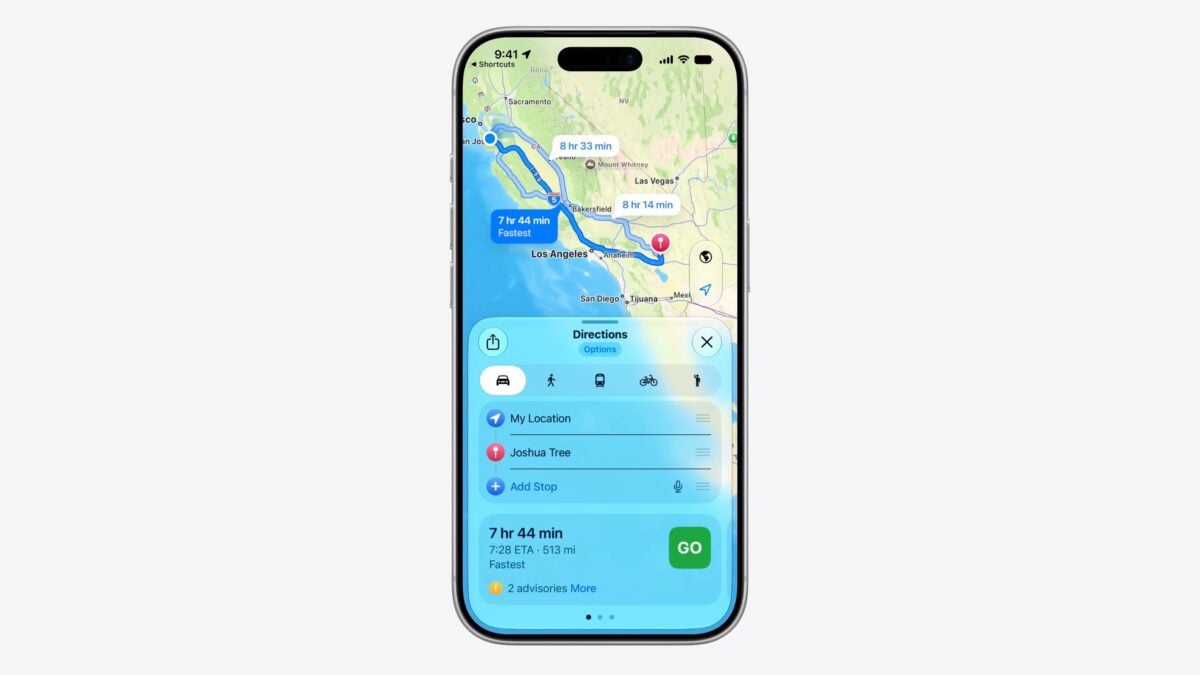
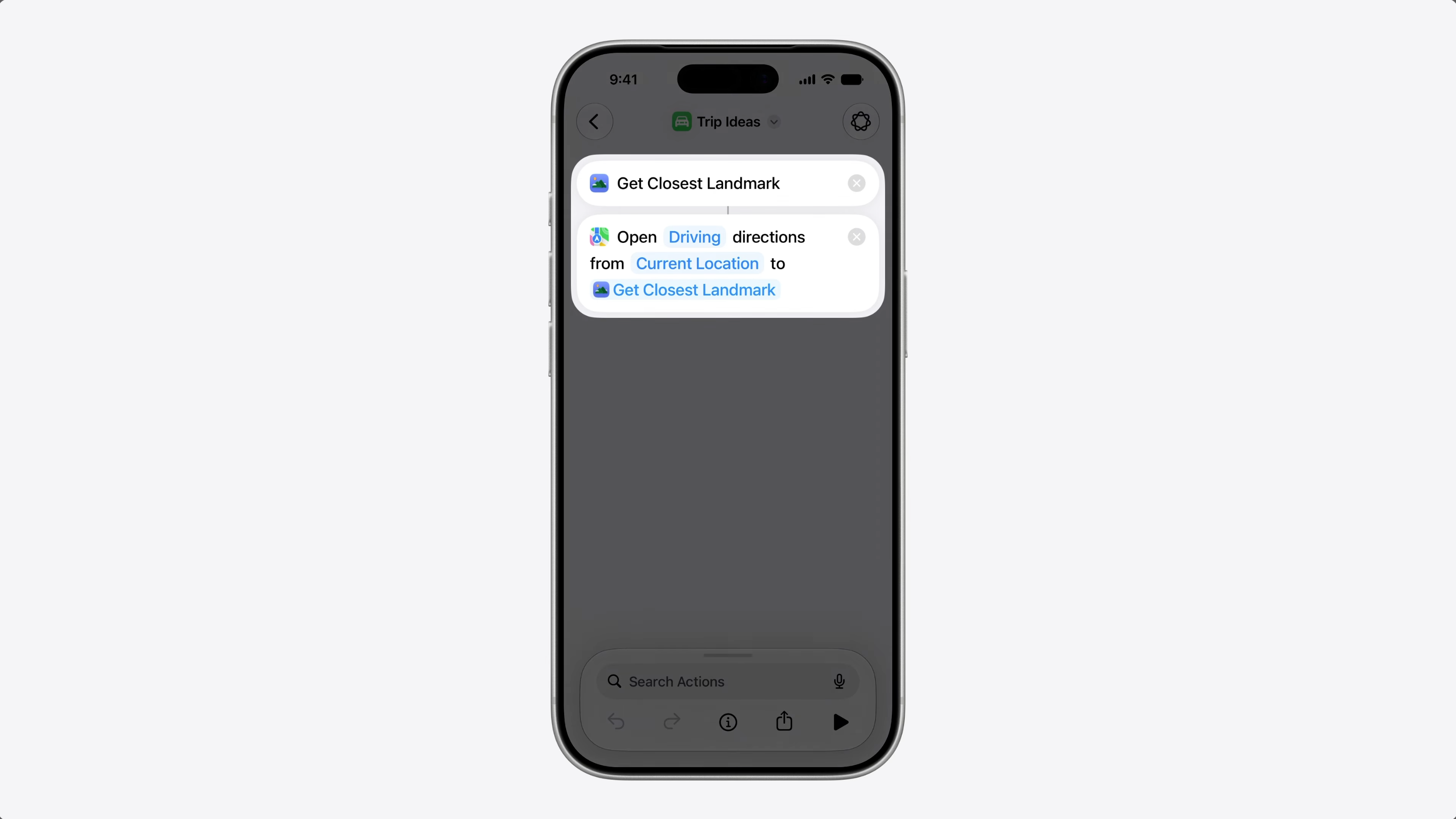
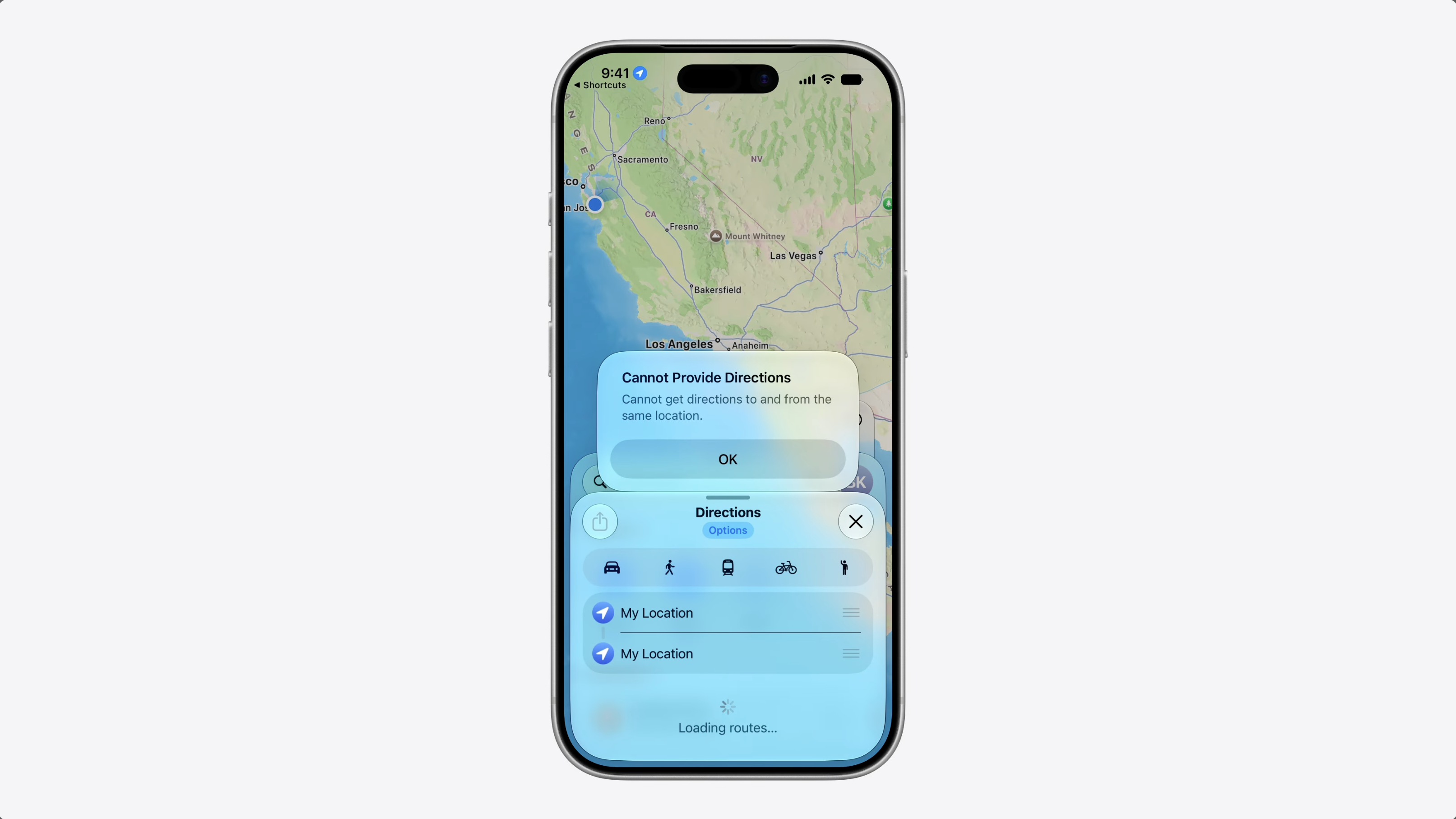
But what if, instead of sending it to a friend, I want to get directions to that landmark? Well, that won’t work.
Maps needs some structured information, a coordinate, an address, or something it can navigate to. But that kind of data doesn’t have an associated format that can be put in a file or data.
The existing file and data representations work great for known formats like PDFs or images – but not for structured types that don’t have any [format].
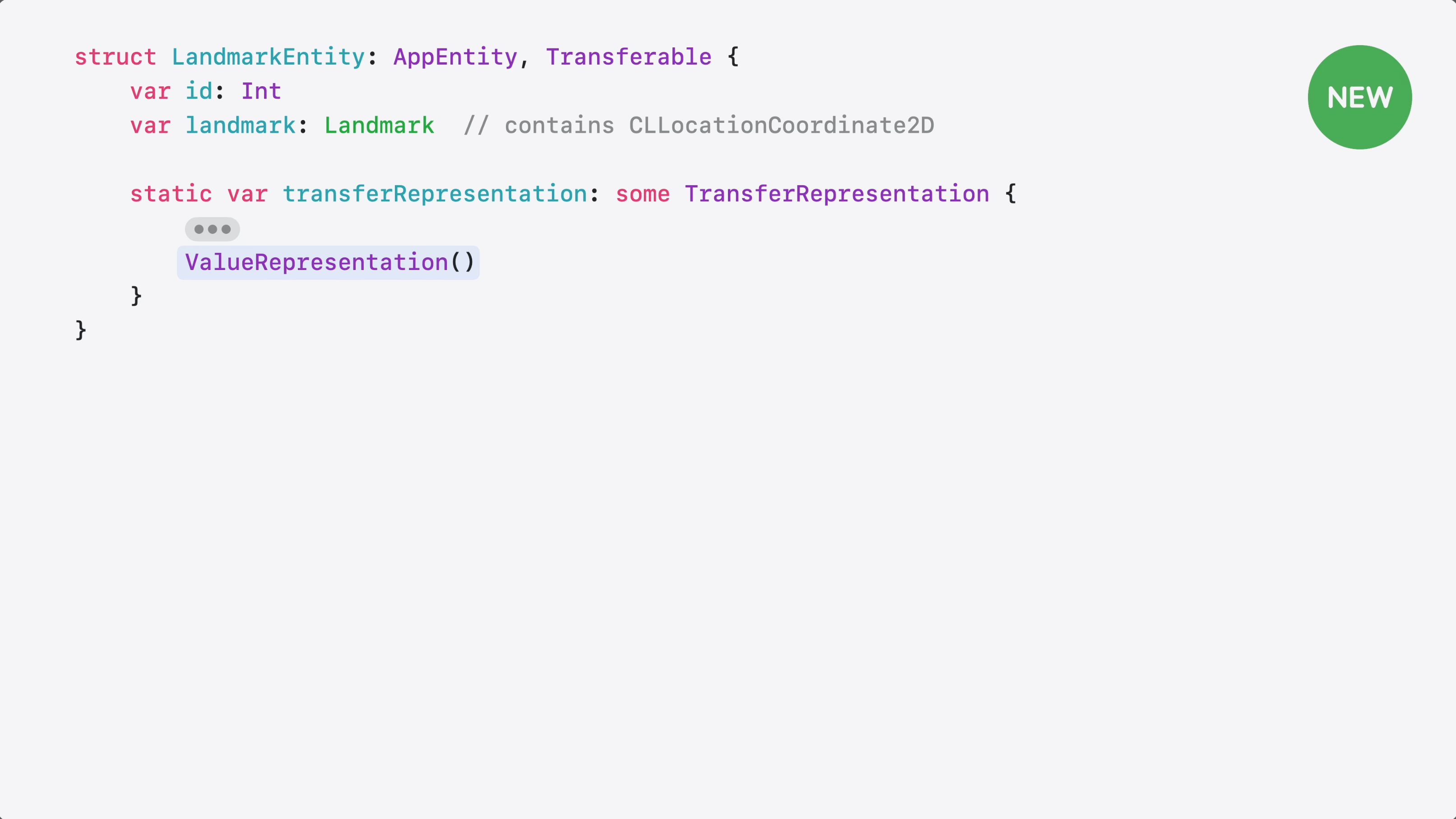
This is where ValueRepresentation comes in. It’s a new representation that lets you share a structured type that the system already understands.
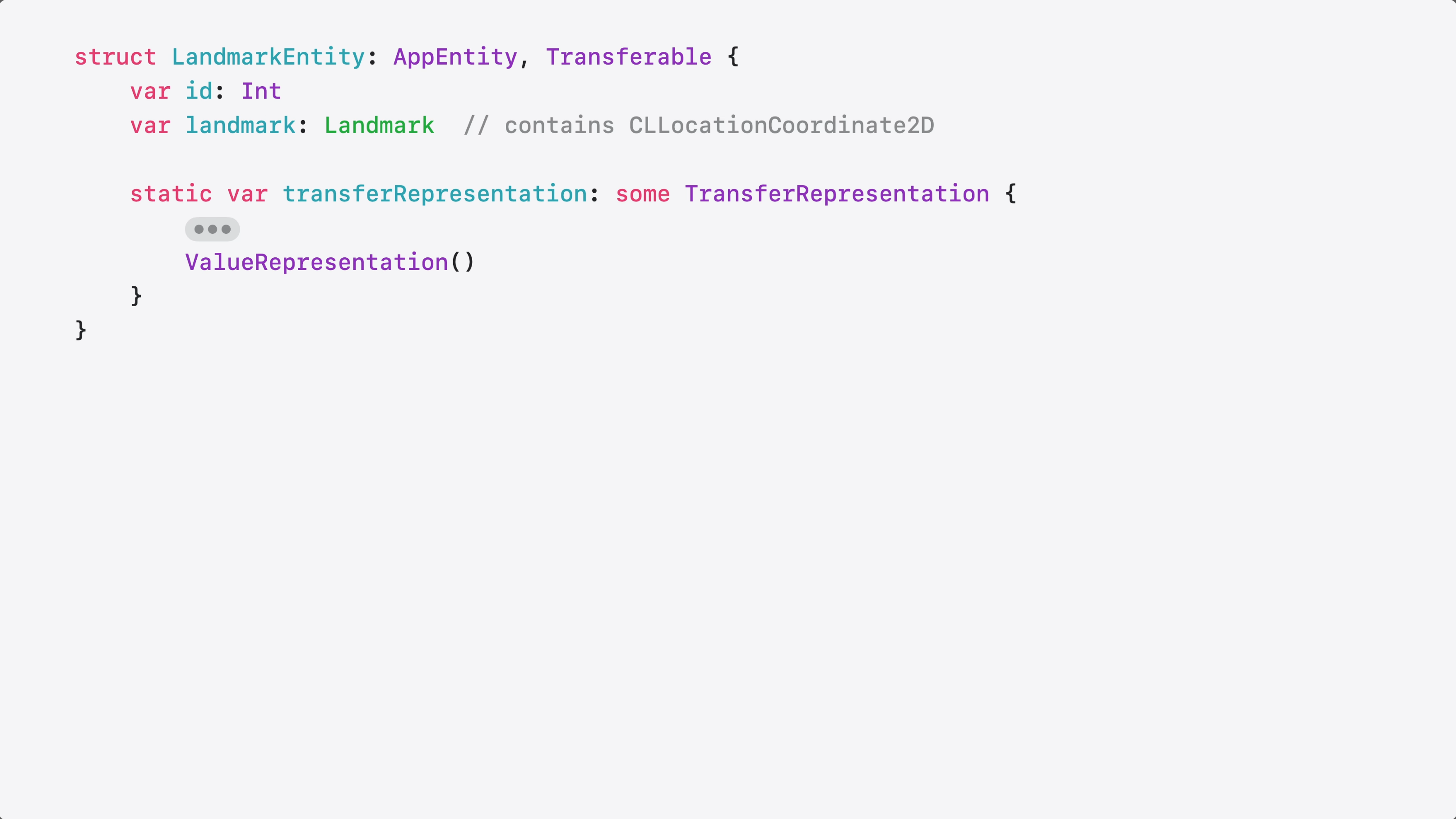
Here’s my Landmark entity. It represents a place in a travel tracking app.
It already conforms to Transferable, so I just need to add a ValueRepresentation alongside any existing representations.
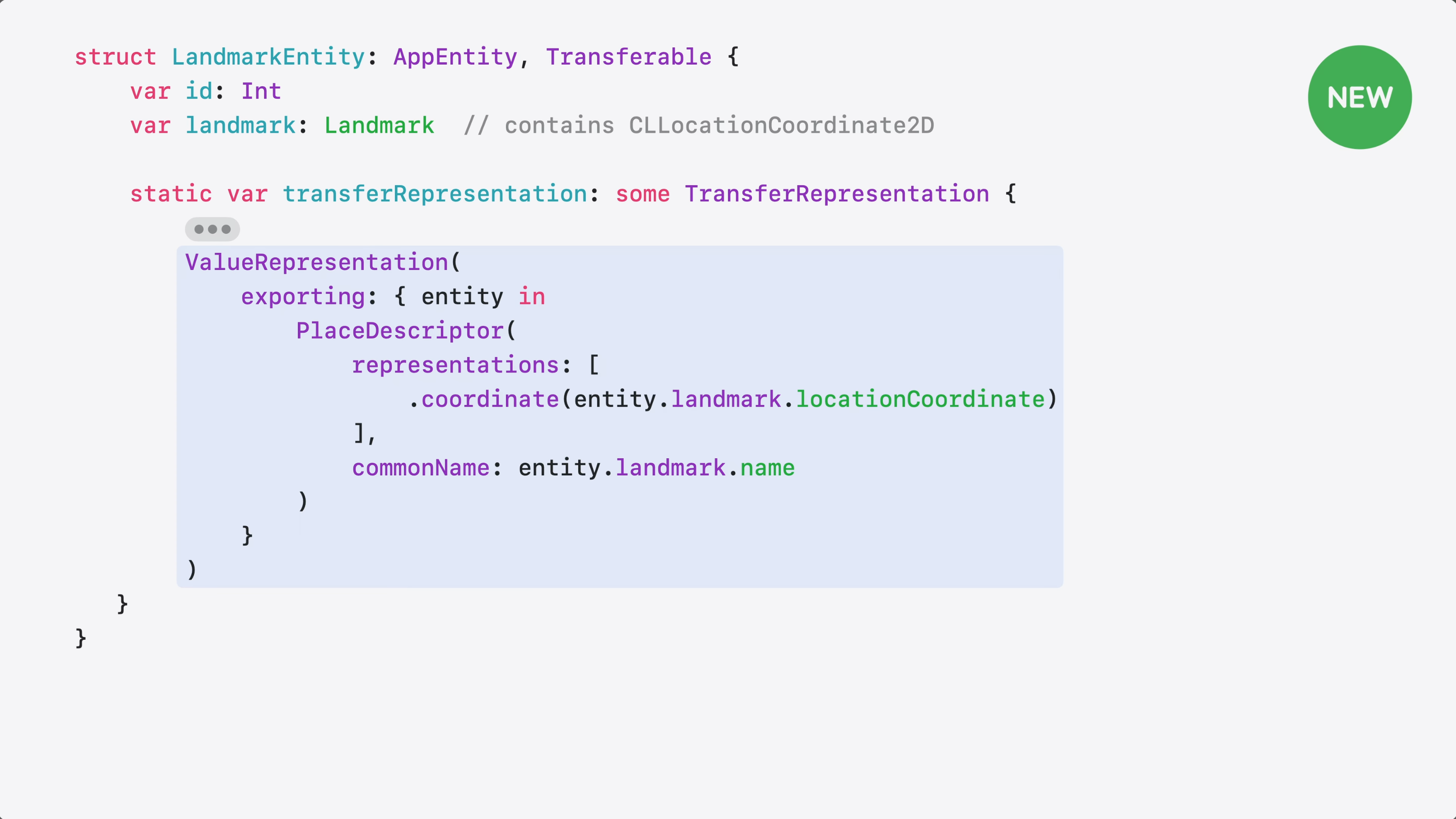
Inside my ValueRepresentation, I export my landmark’s coordinate and name as a PlaceDescriptor from the GeoToolbox framework. PlaceDescriptor carries coordinates and other metadata that Maps needs to navigate.
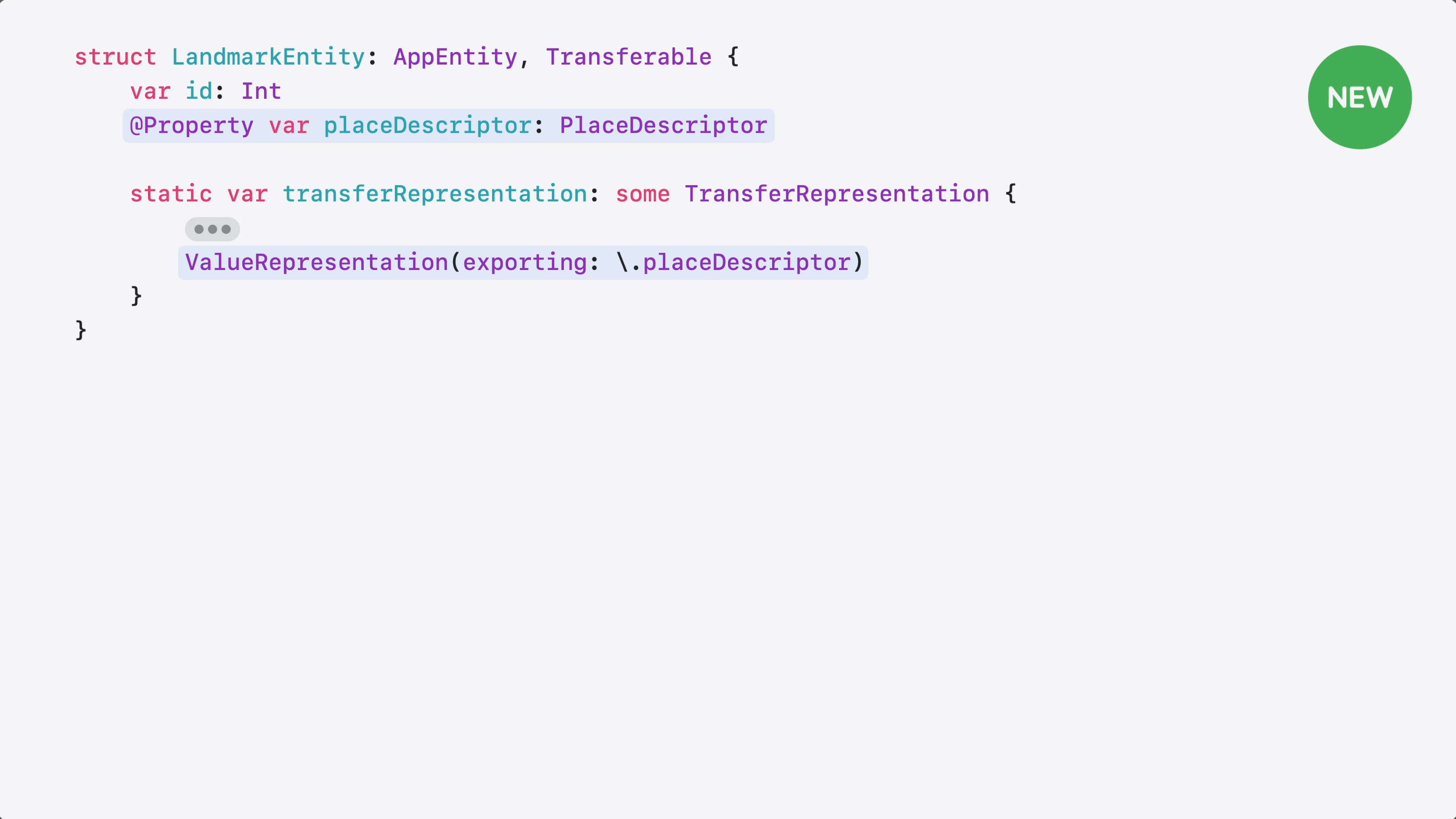
If my entity already has a PlaceDescriptor @Property, I can skip the closure entirely and use a key-path. Same result, much less code.
So, going back to my shortcut – I tap run, my landmark flows to Maps as a PlaceDescriptor, and Maps opens with directions to the landmark.
Your entities now have more ways to travel across apps.
The core experience here is making sure Siri AI can take your app and connect it with another app, without the content failing to transfer. It’s like Transferable, but for representing unique values rather than known types.
Given this, I’m super intrigued with the idea of apps specifically designed to share their unique types with other apps. What if there was a suite of apps that all knew about each others’ data? What kind of experiences could they create?
Everything we’ve covered so far makes your entities and parameters more expressive and efficient. Now, let’s talk about execution.
When your intent runs – from Siri, Shortcuts, or any system surface – it only has 30 seconds to finish. That works for most everyday actions, but not every intent is that quick.
Now that my app supports tagging and organizing photos…
…I wanted to let people share their travel photos – uploading them to a shared album without opening the app.
So I created an upload intent and added a button to my widget to trigger it.
But with large photos, the upload takes time – and the intent kept failing because it couldn’t finish within the 30-second limit.
LongRunningIntent fixes this. It lets your intent run beyond the 30-second limit – and manages the background task lifecycle of your app.
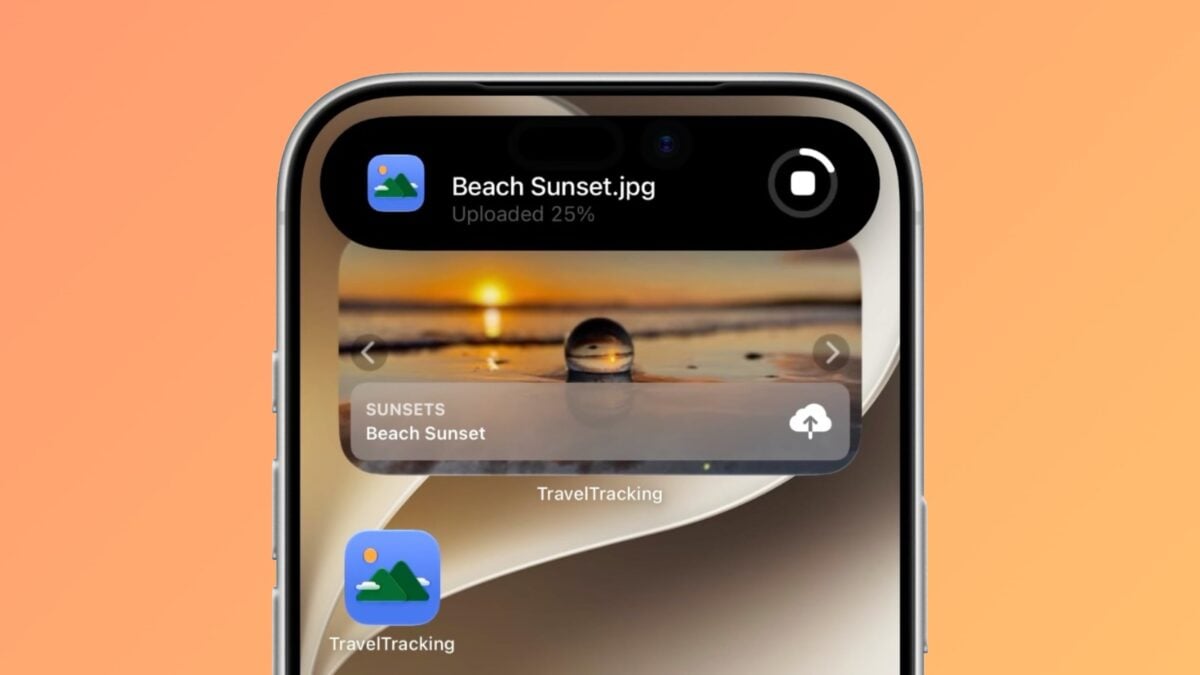
And as your intent runs, progress updates appear automatically as a Live Activity.
Now, let’s check out the code.
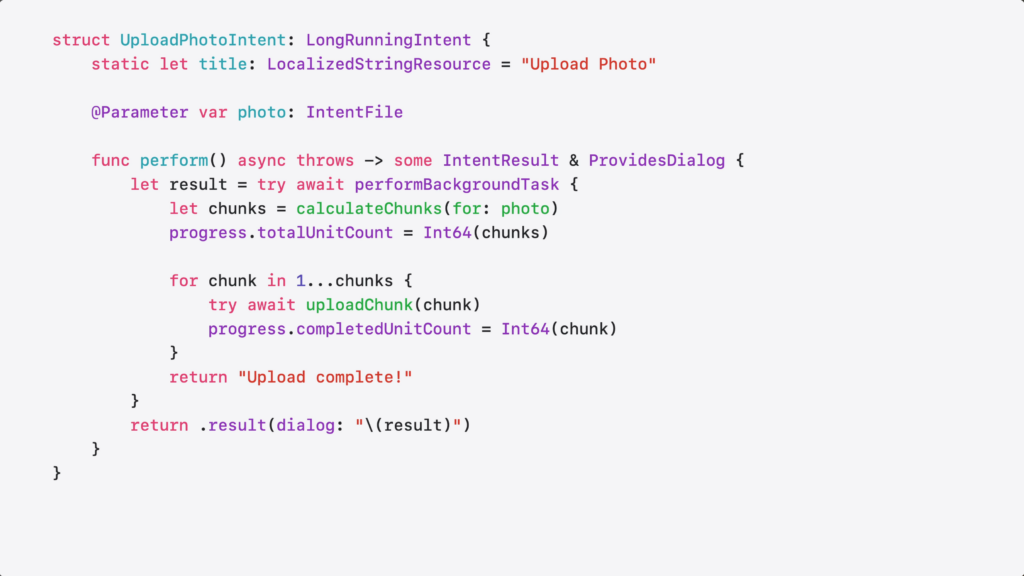
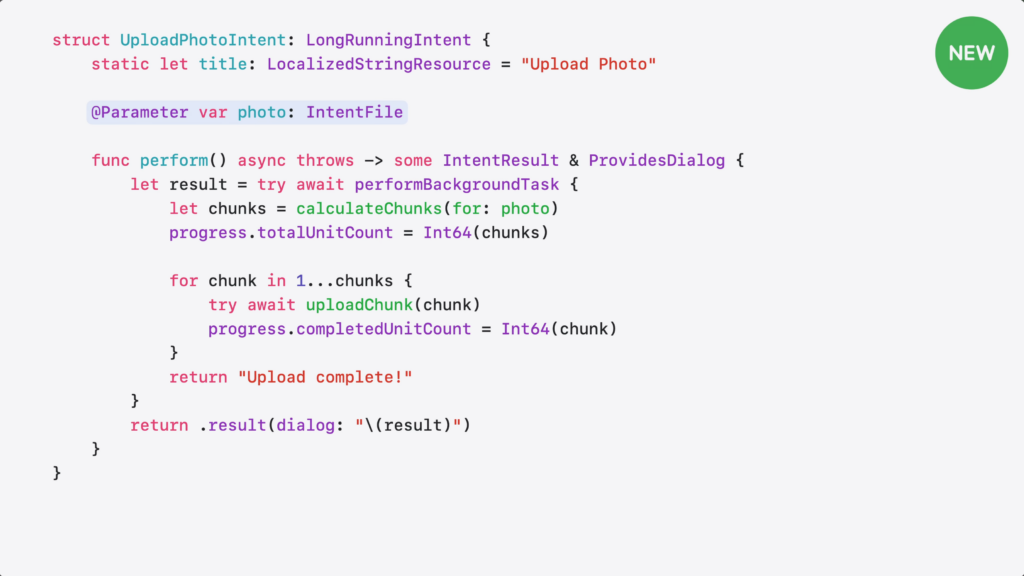
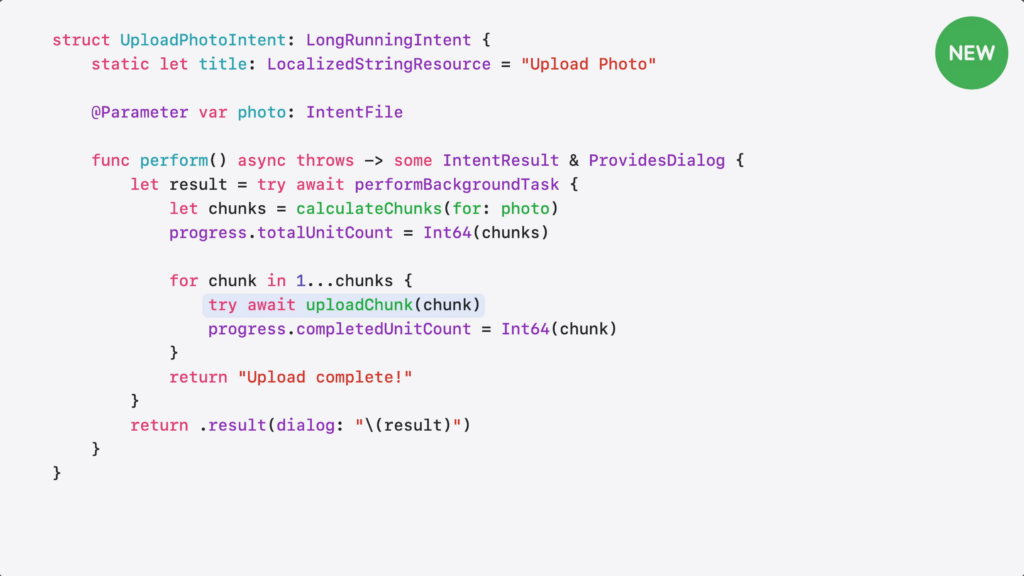
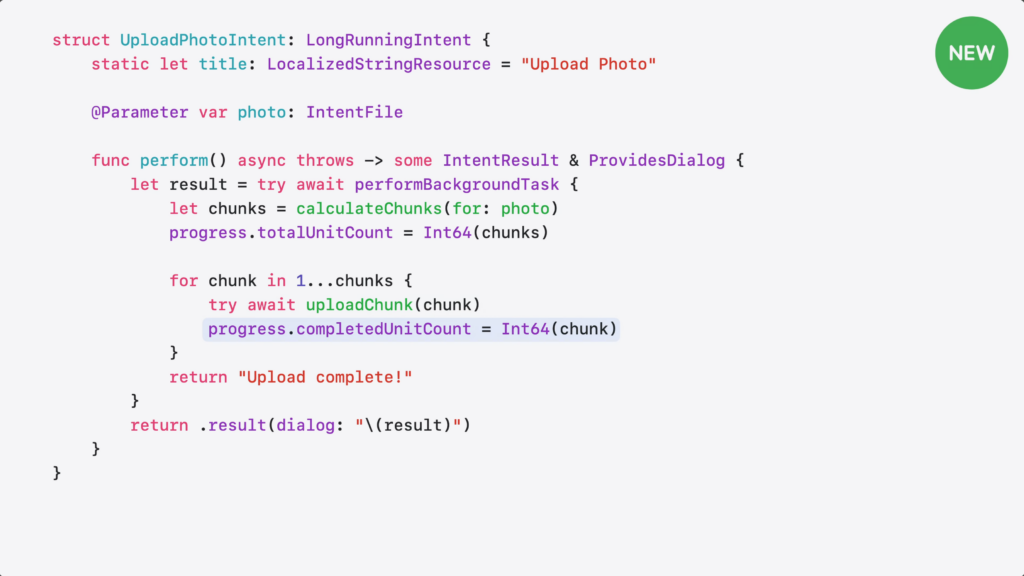
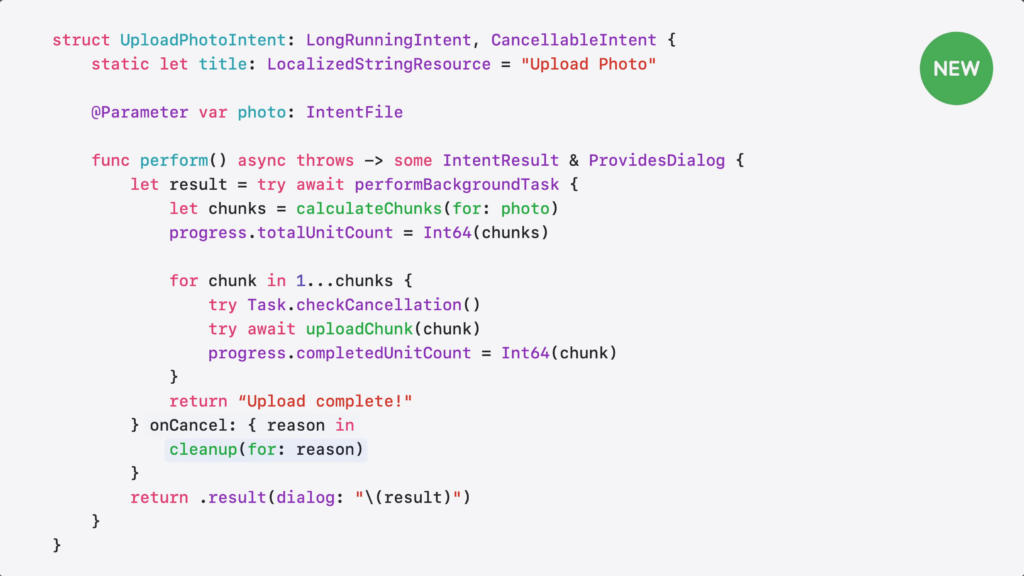
Here’s the intent I wrote to upload my photos.
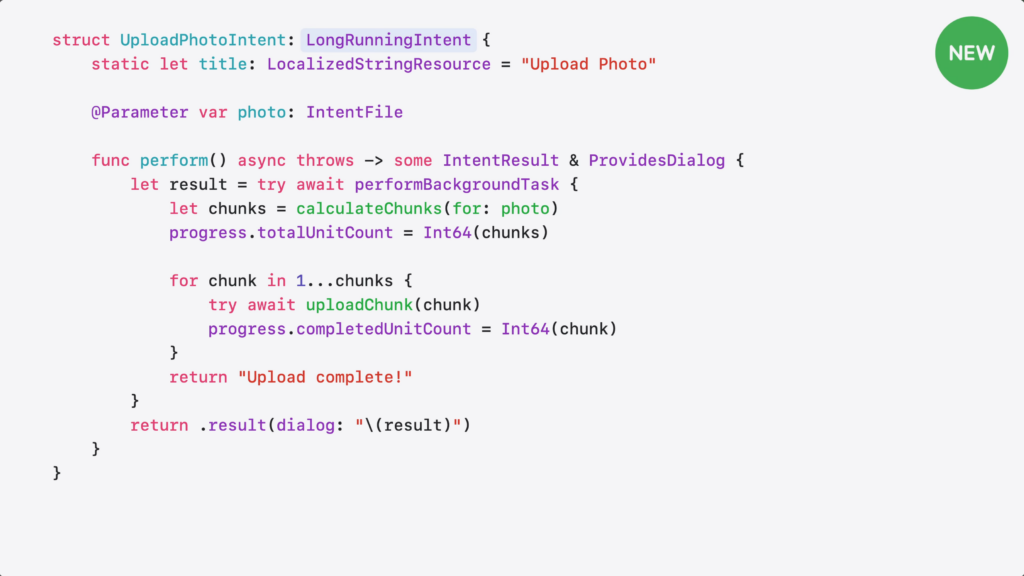
I’m conforming to LongRunningIntent.
I take a photo file as input.
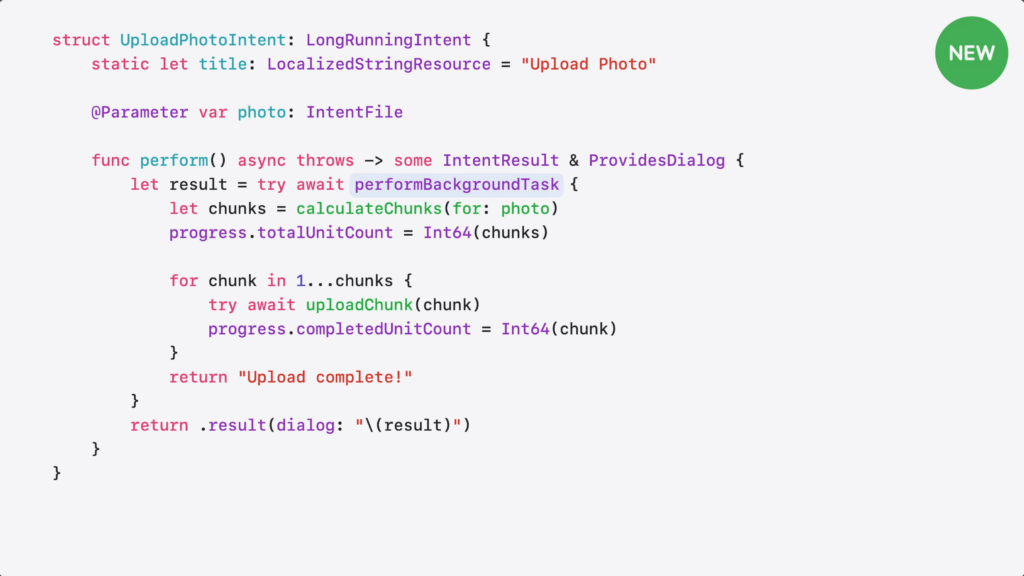
Then, I wrap my work in performBackgroundTask for extended execution.
LongRunnningIntent requires the intent to report progress, so the system knows it’s still working and hasn’t stalled. And because it builds on ProgressReportingIntent, I get a built-in progress object to track my work.
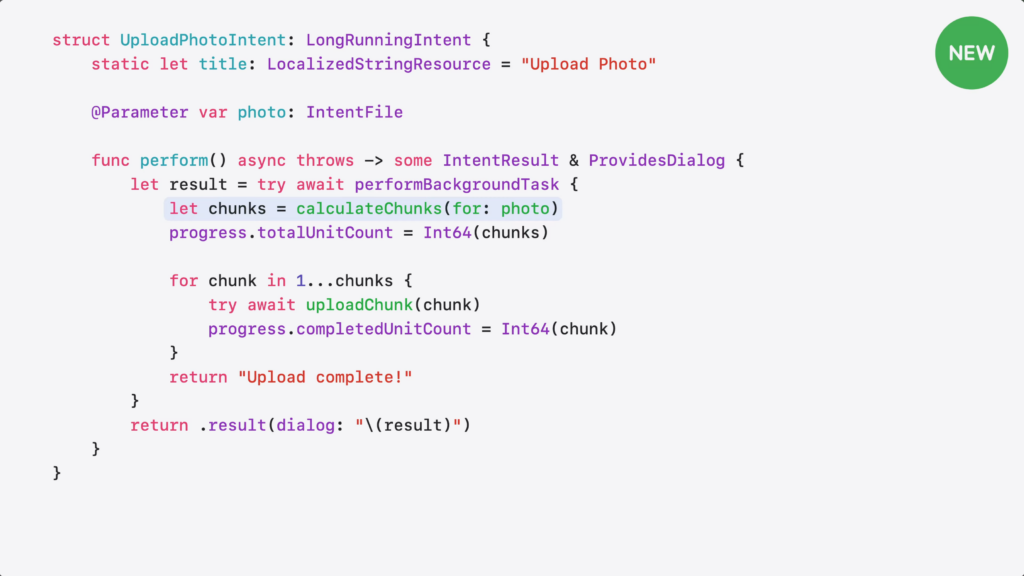
I calculate the number of chunks for the file…
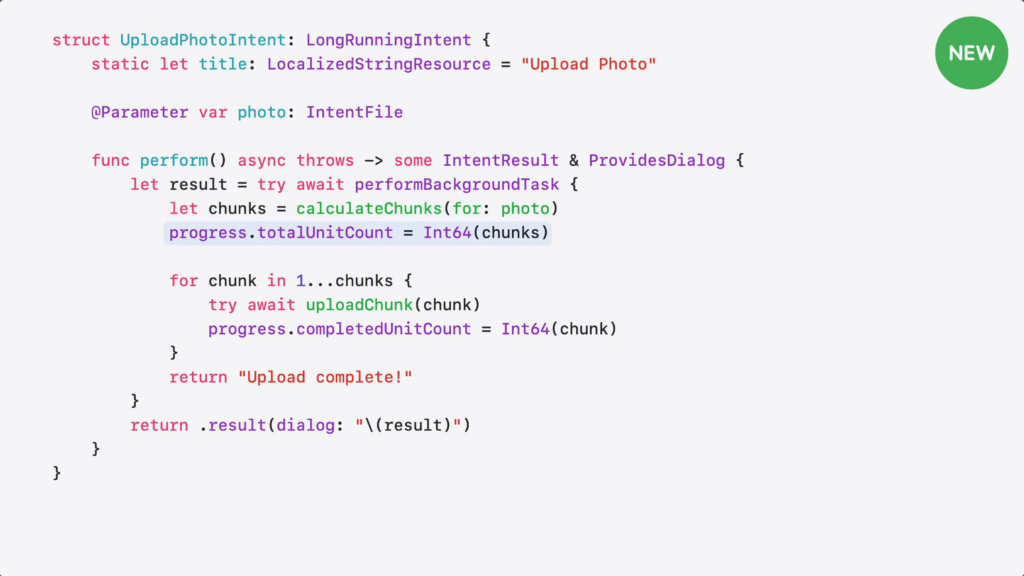
…and set the total count.
Then, upload each chunk…
…and update the progress as I go.
Here’s what happens when my intent runs. It can run longer and there’s a stop button right on the Live Activity, so the person can cancel it at anytime.
Though, it’d be great if my intent got a heads-up before being stopped.
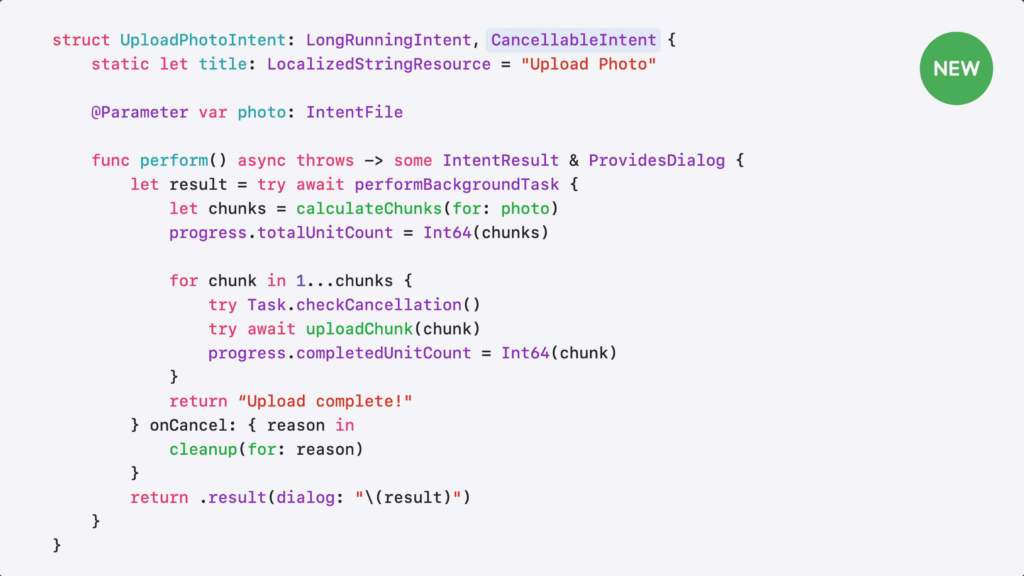
CancellableIntent lets your intent clean up gracefully when cancelled – whether the person tapped cancel, the system timed out, or needed to reclaim resources.
Here’s how I can add cancellation support.
I add CancellableIntent…
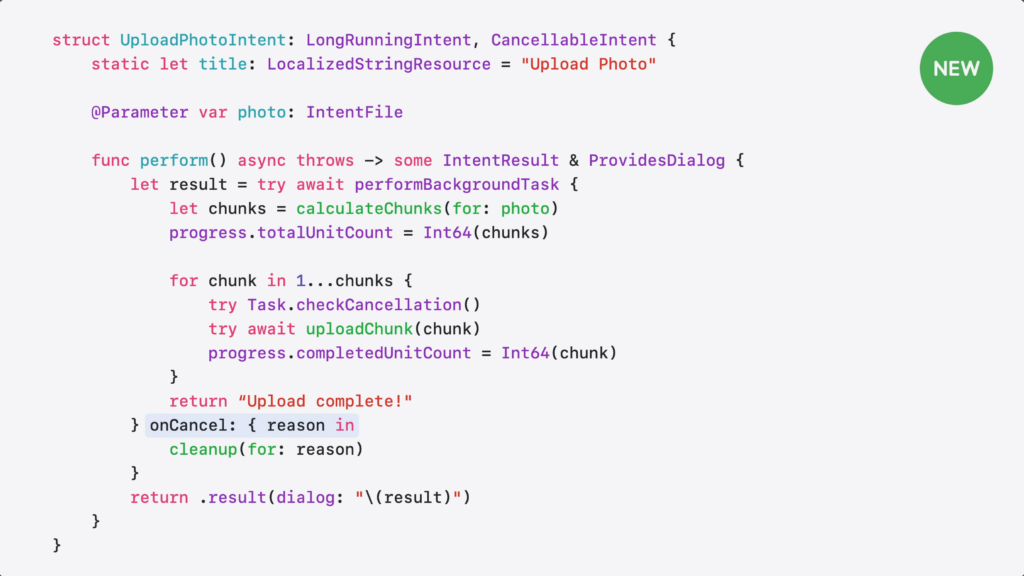
…and implement the onCancel handler. When cancellation reason happens, handler gives me the reason…
…and I can use it to clean up partial uploads or cancel in-flight requests.
LongRunningIntent also supports background GPU access on supported devices for tasks like photo processing or on-device inference. Just make sure to add GPU access to your app’s entitlement.
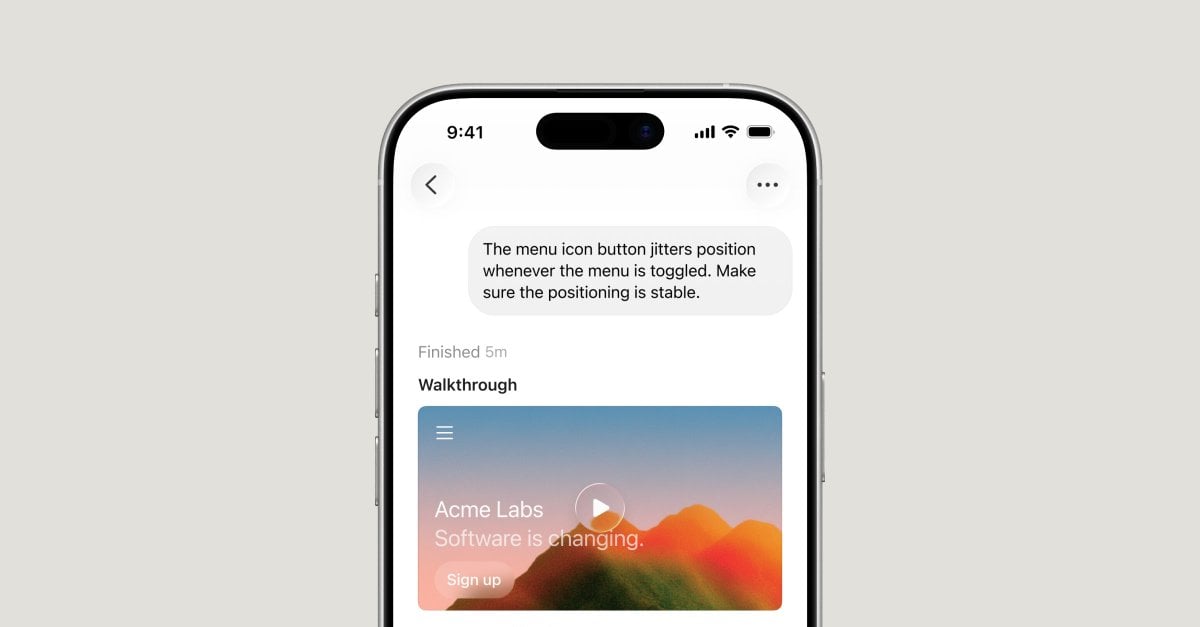
As tasks being handled by App Intents become more and more complex, LongRunningIntent will be helpful in making things run smoothly for developers and users. Plus, it’s especially helpful for agents to finish their responses – like Codex for iOS’ release today.
Cursor is now available as a native iOS app in public beta, so you can build from anywhere.
Until now, developers have worked around the limits of their local machines, keeping laptops half-open and caffeinated everywhere they go.
With Cursor for iOS, you can launch always-on agents in the cloud, or control agents running on your computer from your phone. Kick them off when ideas strike, get notified when work is ready for review, and merge PRs on the go.
Whether your agents are running on your machine or in the cloud, you can move work forward from wherever you are.
App Intents is a framework that lets you express your app’s actions and content to other parts of the system in ways that feels natural and deeply integrated.
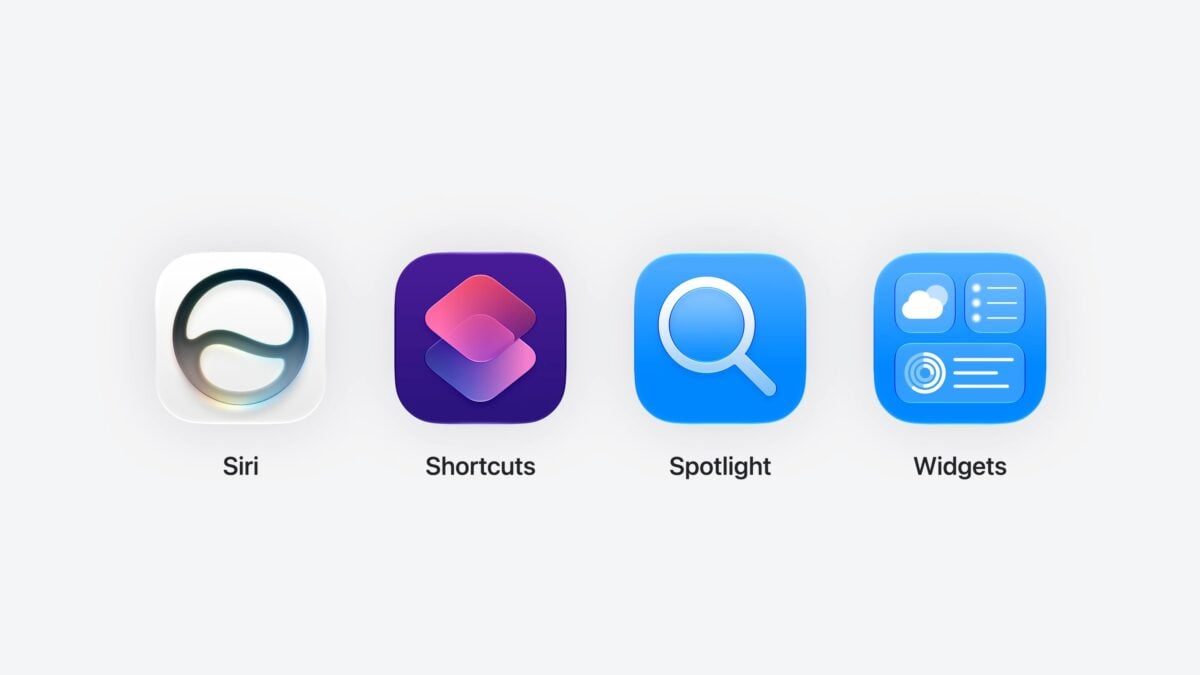
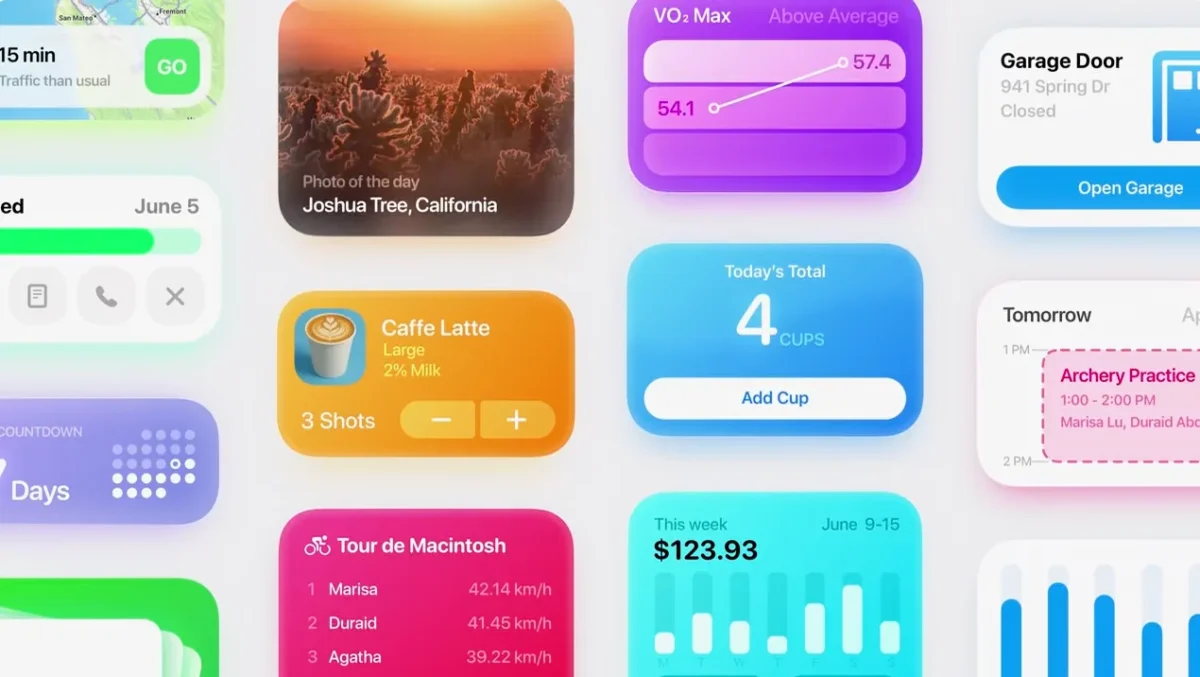
From Siri and the Shortcuts app, to Spotlight and Widget, App Intents is the engine behind some of the most delightful experiences on the Apple platform.
And, is now a key pillar of Apple Intelligence.
In our 2027 releases, driven by your feature requests, we’re bringing more control, more flexibility, and a significantly smoother developer experience.
Explaining what App Intents even is to potential clients has always been a challenge, because it’s much more than Shortcuts (which I’m more heavily associated with) – always helpful to have clear language from Apple to use.
Level up your App Intents adoption with advanced features to make it faster, more flexible, and more relevant. Find out how ValueRepresentation and RelevantEntities make your content more discoverable and allow it to travel across apps, EntityCollection improves performance, and SyncableEntity let you scale across devices. Explore richer parameter types including union values and long-running intents that handle cancellation gracefully.
0:00 – Introduction The 2027 App Intents updates — more control, flexibility, and a smoother developer experience across Siri, Shortcuts, Spotlight, Widgets, and Apple Intelligence. Three areas: entity enhancements, richer parameters, and intent execution, built on the Landmarks Travel Tracking sample.
2:40 – Share entities across apps with ValueRepresentation Beyond Transferable’s File and Data representations, the new ValueRepresentation shares structured types the system understands, for example exporting a landmark as a PlaceDescriptor (GeoToolbox) so it flows to Maps for directions. Use a key-path if the entity already has the property.
3:45 – Register relevant entities with RelevantEntities Spotlight indexing and interaction donation can’t surface never-seen, never-used content. RelevantEntities lets you suggest entities with a context (such as running playlists when a workout starts) via updateEntities, and remove them by context, by entity, or entirely.
7:05 – Handle entities efficiently with EntityCollection Resolving every entity before an intent runs is costly at scale (tagging thousands of photos). EntityCollection passes just identifiers to perform() without full resolution, a one-line parameter-type change that made tagging 1000 photos nearly instant.
8:55 – Use entities across devices with SyncableEntity Siri conversations now continue across devices, but local IDs differ per device. SyncableEntity declares a stable ID (server UUID or CloudKit record ID); when you only have local IDs, SyncableEntityIdentifier pairs a local and a stable ID so on-device code uses local and the system uses stable.
11:01 – Richer parameter types Declaring a @Parameter gives a native picker, Siri understanding, and localization for free, now extended to more native types like Duration (no custom time pickers) and PersonNameComponents, working across Siri, Shortcuts, and Widgets.
12:38 – Union value parameters A @UnionValue enum lets one parameter accept multiple types, for example a single widget showing photos from either a landmark collection or a photo album. The macro generates type info, case metadata, and picker support (typeDisplayRepresentation, caseDisplayRepresentations), and works everywhere including Shortcuts.
13:26 – Extend execution with LongRunningIntent Intents normally have 30 seconds; LongRunningIntent runs beyond it, manages the background task lifecycle, and shows progress as a Live Activity. Wrap work in performBackgroundTask and report progress (it builds on ProgressReportingIntent). Add CancellableIntent’s onCancel to clean up gracefully; it also supports background GPU access.
15:27 – Target the right process with ExecutionTargets When intents live in a shared package linked by the app and extensions, the system picks a process by heuristics, not always right (for example a widget favorite button needs the writing main app). ExecutionTargets overrides this to target the main app, an App Intents extension, a WidgetKit extension, or any combination.
17:14 – Next steps Add ValueRepresentation to carry structured data, register relevant content, adopt EntityCollection for large entity sets, and add LongRunningIntent for work over 30 seconds. See “Code-along: Make your app available to Siri” and “Validate your App Intents adoption with AppIntentsTesting.”
On my YouTube channel, I’ve added a new Playlist of WWDC26 videos featuring the Keynote, SOTU, Special Presentation, and sessions related to App Intents & Siri AI:
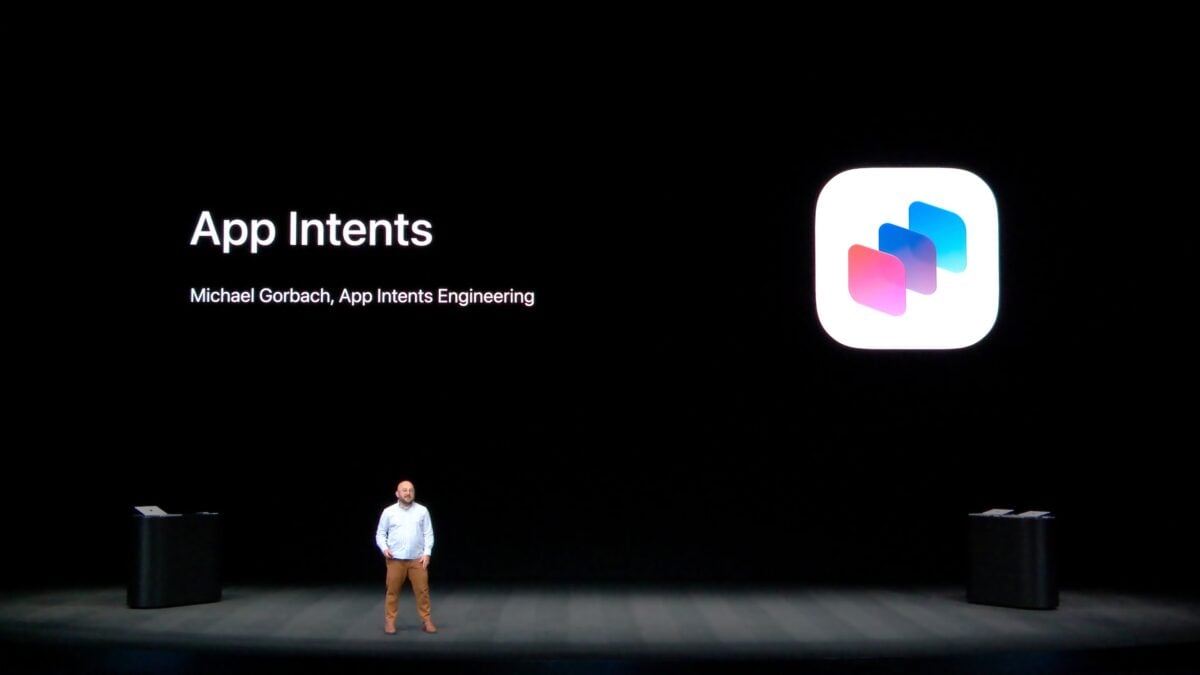
In a Special Presentation from WWDC26, App Intents Engineer Michael Gorbach said the following line: “App Intents is the foundation for integrating your app with Siri and Apple Intelligence.” He put it so succinctly, I wanted to quote it in full below to clarify to readers—both developers and Shortcuts users—App Intents’ role in the ecosystem.
The API has grown over the years from a focus on Shortcuts, the Action button, and widgets to a full-blown integration for Siri AI and Apple Intelligence – so much so that long-time developers and newcomers alike may not understand its role:
“App Intents is the foundation for integrating your app with Siri and Apple Intelligence. It provides a structured way to describe what your app can do and the content within it. By adopting these APIs, you’re really modeling your app’s data and capabilities so they become first-class citizens in the system. Once your app’s plugged in, Siri can handle the heavy lifting—finding content, taking action with natural language, and understanding with Personal Context—to let people do amazing things with your software and their devices.”
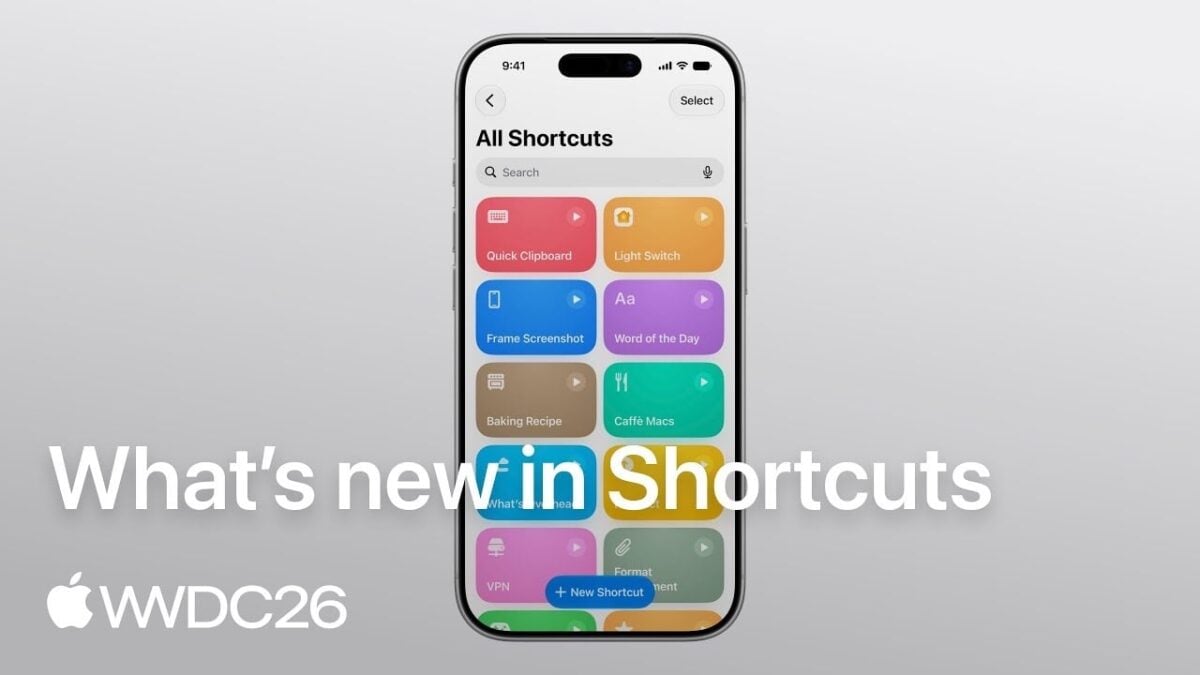
On Mastodon, Shortcuts team lead (and my former coworker) Ayaka Nonaka shared the “What’s New in Shortcuts” session from WWDC26 with the following:
Happy #WWDC26 to those who celebrate! Don’t miss the What’s new in Shortcuts session that covers our new automation types, additions to the Use Model action, and new Storage actions presented by @duraid 🥣
0:01 – Introduction Shortcuts lets people combine everyday app actions and surface them across the system – like through Siri, Control Center, and the Action Button. Explore three major enhancements to Shortcuts and how to leverage the content in your app to integrate with the system.
0:57 – Automations In iOS 26, Automations are easier to discover in the Shortcuts editor. There are three new automation types – screenshot, keyboard connection, and notification. The notification automation enables fine-grained, keyword-filtered triggers based on notification content. Learn techniques to build notifications that integrate well with automations.
3:25 – Use Model The Use Model action has access to the latest Apple Intelligence models with web retrieval. Use the model transcript inspector to evaluate the exact data that’s passed to the model from your app’s App Intent entities.
6:58 – Storage Storage lets shortcuts persist data between runs using Get, Set, and global storage values that sync across all of someone’s devices via iCloud. Use storage in powerful ways, like to give the Use Model action a “memory”. For App Intent entities, use a stable, device-consistent identifier to ensure correct recognition across devices.
Apple also has the same series of Playlists available on YouTube, including the AI & Machine Learning playlist most of these are featured on. Here’s each video inline so you can watch them here:
On Wednesday, June 17, Apple published a special presentation for developers from WWDC26 on YouTube titled Inside Apple Intelligence and Xcode, which covers Xcode, App Intents, Foundation Models, Custom Models, and MLX.
Since my focus is on App Intents, the API behind Siri AI and Shortcuts, I found the timestamp where App Intents Engineer Michael Gorbach began his section – starting at starting at 26:45 into the video and ending at 43:18 (for a total of 16 minutes & 33 seconds):
I’ll be working on a transcription and slides for members (and my clients), coming soon.
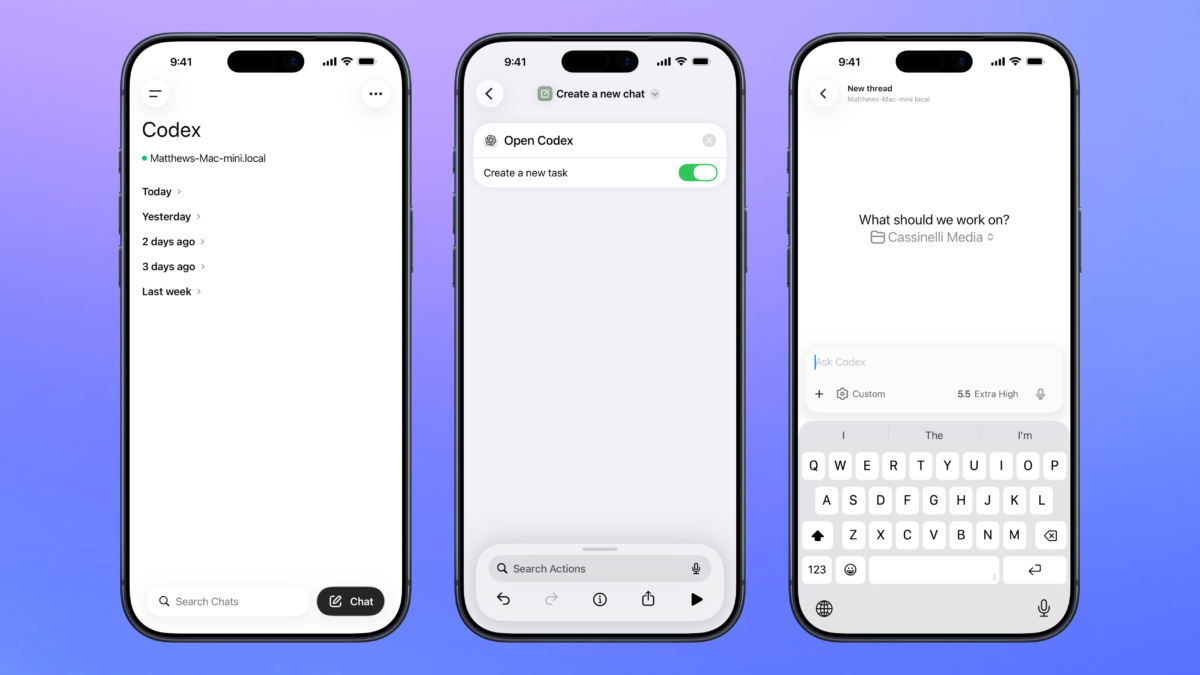
OpenAI has announced the addition of a Codex remote control feature to the ChatGPT app for iOS and iPadOS, enabling users to manage threads running on their Mac from their mobile devices.
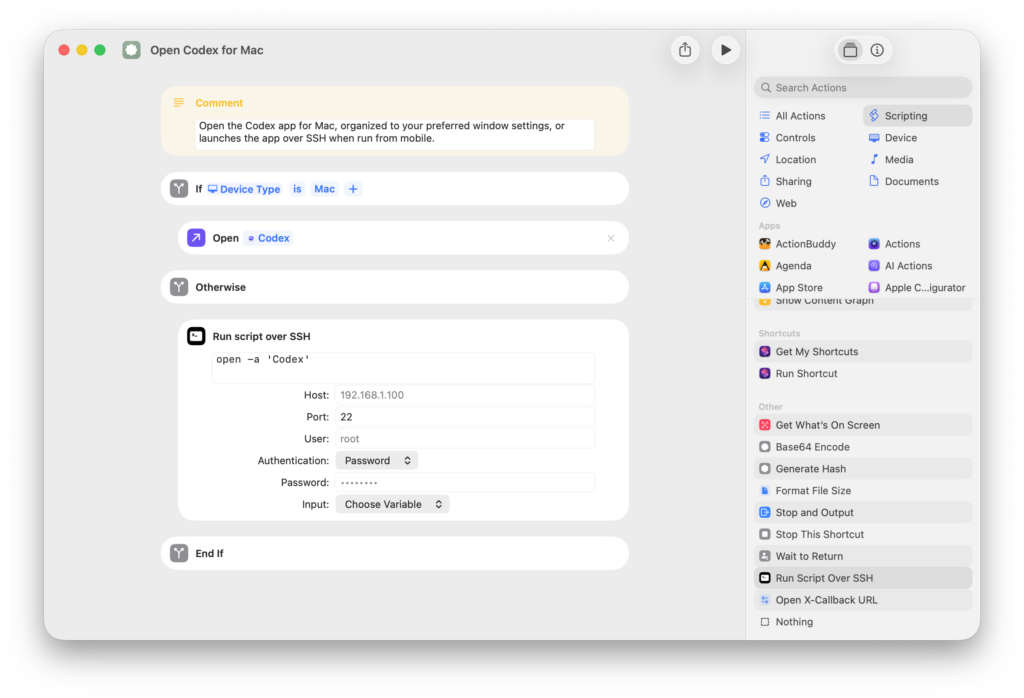
Along with it, the ChatGPT app was updated with a new action for Shortcuts called “Open Codex,” which includes a toggle for “Create new task.” By using the two permutations of Open Codex, users can either open to their list of threads or start a new chat.
I’ve created a set of simple shortcuts for both these options, plus an additional “Open Codex for Mac” while includes the Run Script over SSH action to remotely open the Codex app on your Mac (if it’s not already open). That way, you can ensure the app is always running and accessible from your mobile devices.
Makes sure to check out Codex in ChatGPT for iPad especially – the developer mentioned the keyboard support works well, which I love to see:
I’ve been working on bringing Codex to iOS and I am thrilled to finally be able to share it with you all! I happen to be OOO today for some personal stuff so I’ll post more thoughts later, but wanted to share this just to say it’s a great experience on an iPad with a keyboard 🙂 https://t.co/9uTmFcpzfQ
NEW: Apple’s long-in-the-works smart home display and speaker with facial recognition for showing your personal content is delayed again, waiting on Apple’s new Siri and AI features. Current plan: September.
PSA: You can pre-plan for this platform today using the session “Design Interactive Snippets.” No need to wait for WWDC.
Design Interactive Snippets walks through how to design for the interactive, context-aware surface this hardware will use — Snippets are part of the Actions portion the new Siri and the content is powered by personal-context patterns that will finally be available when the device ships.
As you watch the session, think about how your app’s content and intents could show up on a home display – you can be ready when the device ships in September.
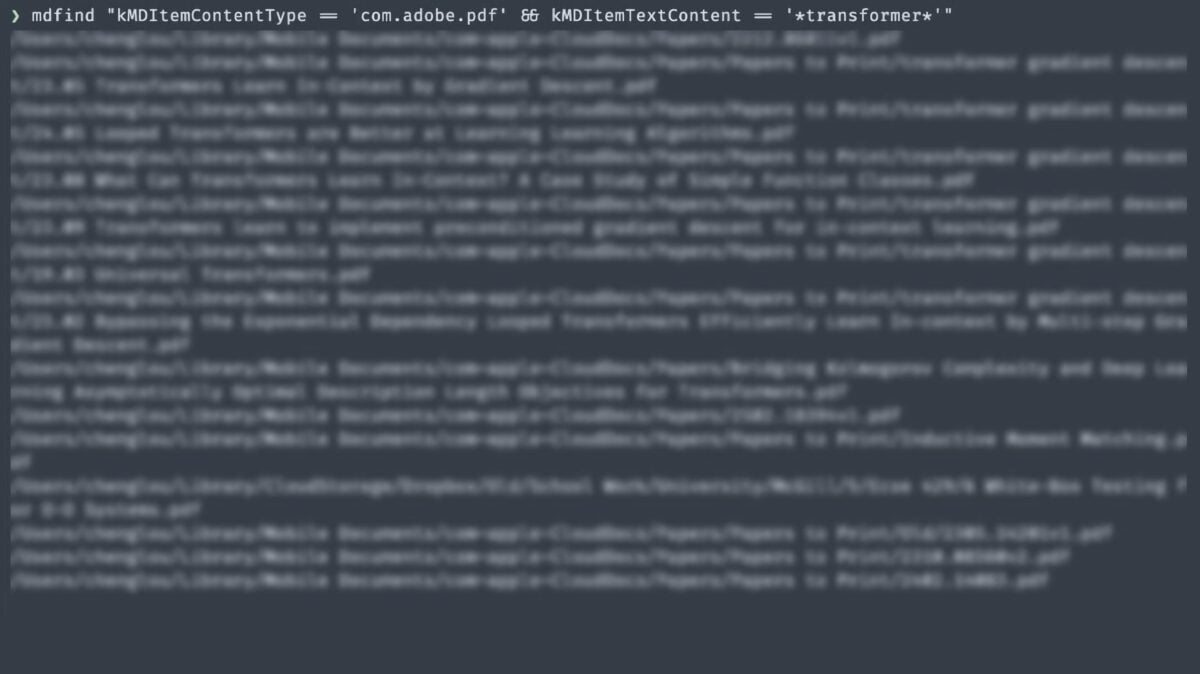
Public service announcement for all of you running Claude Code/Clawd: macOS’ Spotlight comes as a terminal tool, mdfind, that can fuzzy & exact query your entire computer in real time. Ask your bot to use it!
No RAG, no prescriptive structure, no external tool, super optimized
Super useful if you’re using something like OpenClaw (renamed from Clawd) for advanced AI access to your Mac.
From Greg Pierce, developer behind Agile Tortoise who makes Drafts and Tally:
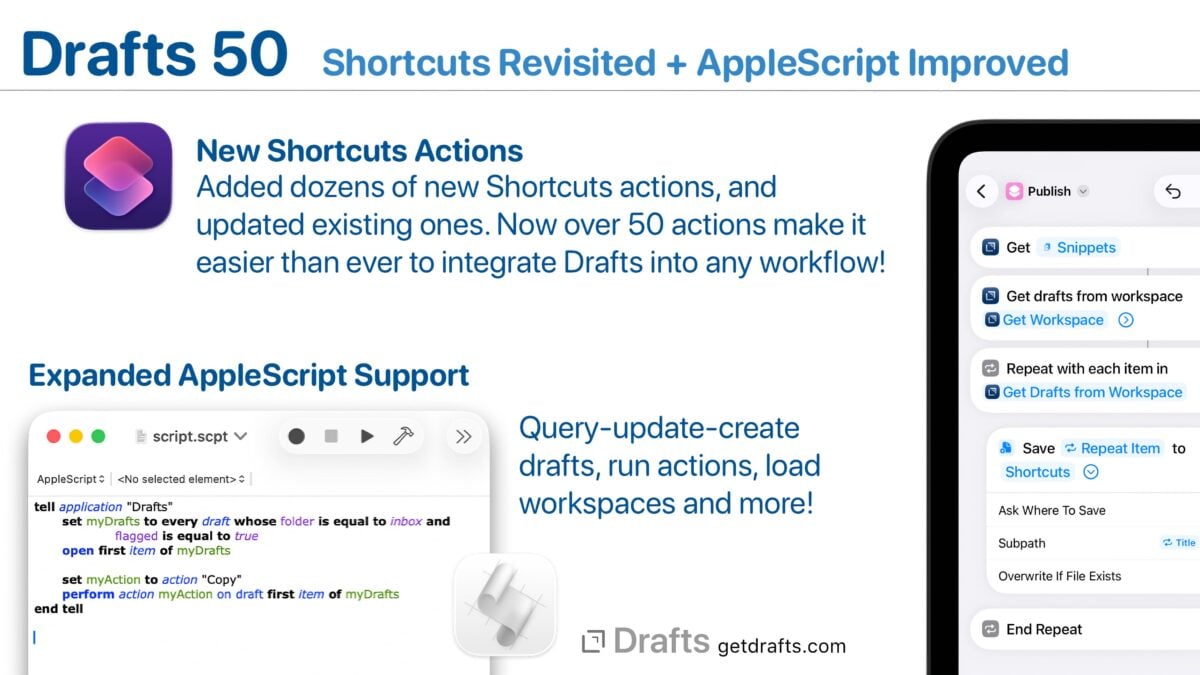
Enhanced Shortcuts Support
Drafts has always had good Shortcuts support, but we wanted it to be great! This build delivers on that with dozens of new actions (over 50 now!). We also did a complete review of existing actions and improved them with more flexible parameters, better descriptions, and more. A few highlights of the changes:
More extensive options in “Find Drafts” allow you to query by date ranges, location information and more.
Many more convenience actions to work with Drafts, making it less finicky to configure common actions, like “Append to Draft”, “Archive Draft”, etc.
Access draft version histories and action logs from Shortcuts.
Control of the Drafts interface – like hiding and showing side panels, toggling pinning and link more.
Easier to configure, granular commands for actions like appending, prepending to drafts, archiving, and editing individual draft properties.
This work was done with the help of Matthew Cassinelli, recognized Shortcuts expert, and we really appreciate his expertise and attention to detail bringing together these updates. We tried not to break any existing shortcuts in the process of making these updates, but it’s possible some minor behavior changes were made. Please get it touch if you have any issues and we can help direct you to solutions.
It was a very full-circle moment helping Greg with his App Intents/Shortcuts over 15 years after he invented the x-callback-url spec that enabled Workflow in the first place. Only makes sense that Drafts has the best implementation possible.
For the past week or so, I’ve been working with a digital assistant that knows my name, my preferences for my morning routine, how I like to use Notion and Todoist, but which also knows how to control Spotify and my Sonos speaker, my Philips Hue lights, as well as my Gmail. It runs on Anthropic’s Claude Opus 4.5 model, but I chat with it using Telegram. I called the assistant Navi (inspired by the fairy companion of Ocarina of Time, not the besieged alien race in James Cameron’s sci-fi film saga), and Navi can even receive audio messages from me and respond with other audio messages generated with the latest ElevenLabs text-to-speech model. Oh, and did I mention that Navi can improve itself with new features and that it’s running on my own M4 Mac mini server?
If this intro just gave you whiplash, imagine my reaction when I first started playing around with Clawdbot, the incredible open-source project by Peter Steinberger (a name that should be familiar to longtime MacStories readers) that’s become very popular in certain AI communities over the past few weeks.
If he Claude Code craze over winter break wasn’t enough, the project-formerly-known-as-Clawdbot has taken over timelines as the next level of AI interaction on our personal machines – Federico has a great rundown.
It’s the idea that there’s a personal data trove that you have. And then you’re asking the model to query the contents. […] You know about all this stuff, now do stuff with it.
And if you can do that on device, it’s really powerful. [I]t’s hard to do that in the cloud because you would actually need to upload it to Private Cloud Compute. And that’s a lot of data. So what you want is some parsing to happen on device.
But that’s the dream, right? Is that your phone knows about your stuff and then the LLM that’s running can make uh distinctions based on your stuff.
And ideally the model could potentially, and I know this is wild, I don’t think they’ve talked about it, but ideally the model could query your personal context, get a bunch of related data out, and then send that in a query to the private cloud and have it process it, right? You could have a kind of cherry picking your personal data model on device that then kicks it to the more powerful model to process it and intuit things about it.
There’s lots of ways you could do this. It’s a great idea. It was a great idea in 2024 when they showed it, but they got to do it – is the challenge there.
In reply to Jason, cohost Myke Hurley said the following:
So, I’m just going to make a little prediction. These[…] things that I’ve spoken about, we will see iOS 27 before [they] ship.
I believe they will have stuff – like, I believe they will have [releases] in the spring like it has been rumored, but I don’t think all of these things.
I think particularly the Personal Context thing… we may never see that.
For what it’s worth Apple has done this and named it Queries. Shortcuts users might better understand this as the Find actions, which allow actions to find and filter data from apps before using it in their shortcuts.
Introduced for developers alongside the App Intents API in 2022, Queries are how intents/actions retrieve entities/data from apps. In their most recent session “Get to know App Intents” from 2025, they explicitly say the following – a phrase that caught my attention in regards to the “new Siri” we’ve been waiting for:
Queries are the way the system can reason about my entities
Apple has also been building out their ability to index and query these entities through their Spotlight support, as well as now Visual Intelligence.