
Control Codex remotely
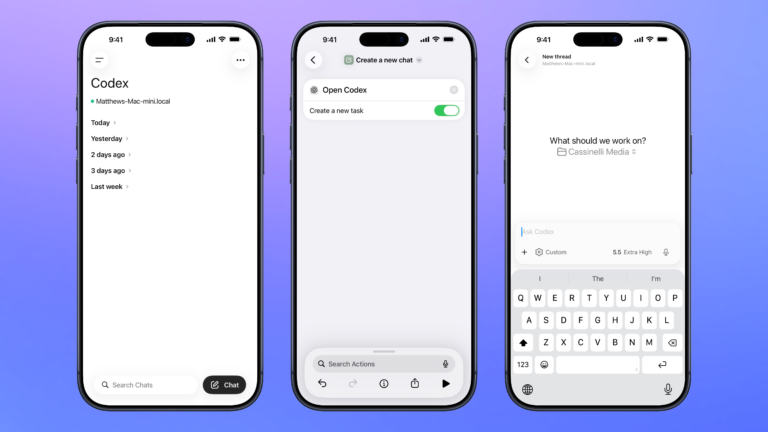
Open the Codex experience in the ChatGPT app so you can remotely manage threads running on your Mac, plus search, organize, or create a new chat.

Open the Codex experience in the ChatGPT app so you can remotely manage threads running on your Mac, plus search, organize, or create a new chat.

Opens the Codex experience in the ChatGPT app and create a new task where you can start a thread for any project.

Open the Codex app for Mac, organized to your preferred window settings, or launches the app over SSH when run from mobile.


Opens the Camera to take a photo, then adds it to your Parked Car location.

Opens the deep link into Settings > Accessibility > Hearing Devices where you can pair Made for iPhone hearing aids and sound processors, plus toggle Hearing Aid Compatibility to improve audio quality on some devi

Presents a menu of the six Lord of the Rings movies, with corresponding deep links into the TV app for each.


Enhance your experience with bonus shortcuts, folder bundles, and exclusive perks.
