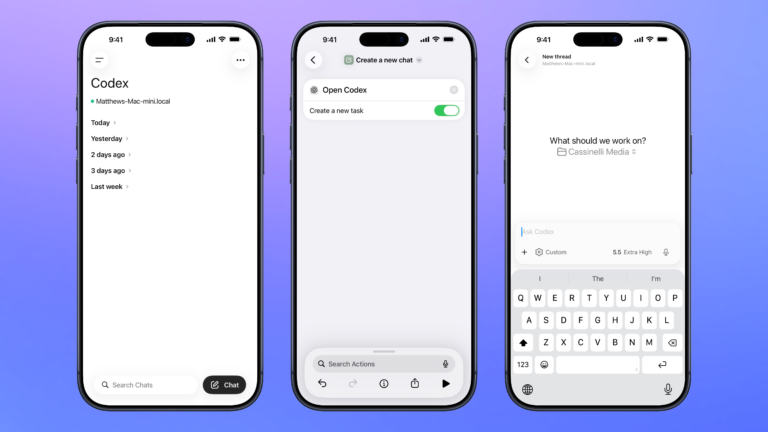


Create a new chat
Opens the Codex experience in the ChatGPT app and create a new task where you can start a thread for any project.

Open Codex for Mac
Open the Codex app for Mac, organized to your preferred window settings, or launches the app over SSH when run from mobile.

Show Apple Music Replay
Opens the website for Apple Music Replay where you can visualize your past year of music listening habits.

What did they just say?
Seeks backward for 30 seconds on the specified Apple TV, turns on captions, then waits 30 seconds and turns them off again.

Open the AI Image Generator from Meta AI
Opens the URL for the AI Image Generator from Meta AI where you change options like aspect ratio or aesthetics along with your prompt. Capabilities listed include “Create images,” “Create an image of yourself,” “Edit images,” “Restyle images,” “Animate images,” and “Analyze images.”

Log recovery time
Asks you to enter a total length, then logs the recovery time into Health as a Workout.

Play Jazz radio
Presents a list of Jazz radio stations on Apple Music, then opens the link to immediately start playing the station.

Show Kitchen Tools and Techniques
Opens the section for Kitchen Tools and Techniques in the new Food section for Apple News+ subscribers.

Automators Membership
Enhance your experience with bonus shortcuts, folder bundles, and exclusive perks.


Action Directory
Discover endless possibilities by combining the building blocks for Shortcuts.