What’s New in Shortcuts in iOS 27 Beta 5

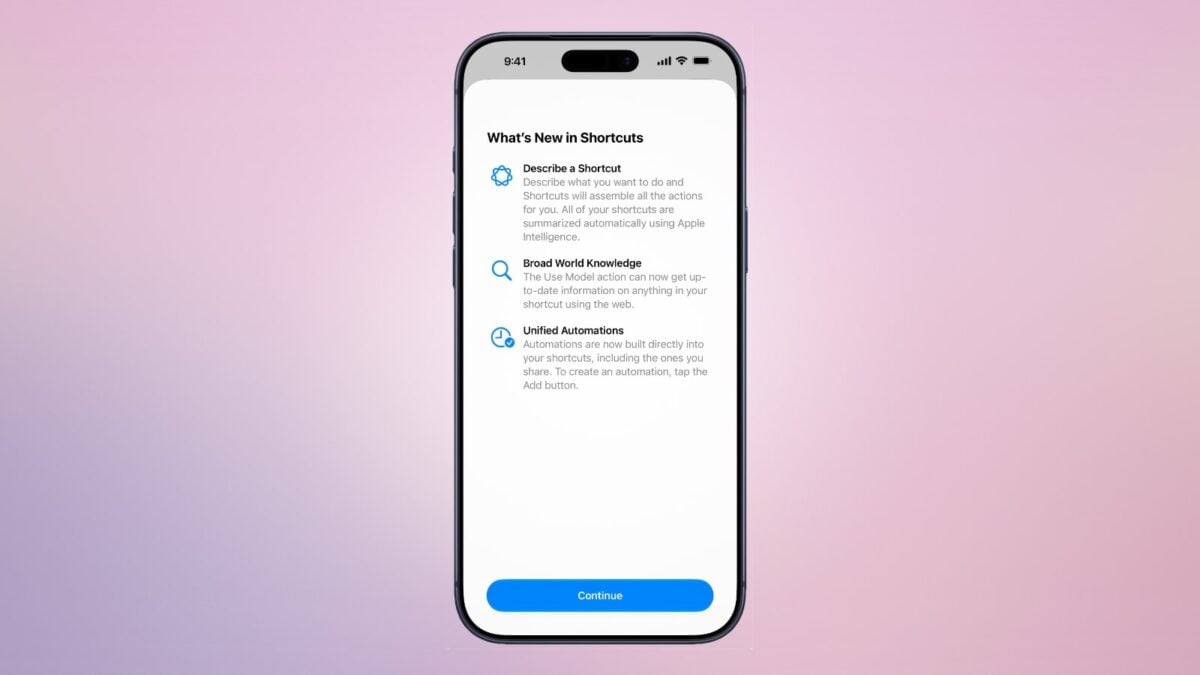
Apple has a new splash screen covering the three main features in iOS 27: Describe a Shortcut, Broad World Knowledge, and Unified Automations.

Apple has a new splash screen for Shortcuts in iOS 27 beta 5 that covers the three major updates to the app: Describe a Shortcut, Broad World Knowledge (in Use Model), and Unified Automations:

What’s New in Shortcuts

Describe a Shortcut

Describe what you want to do and Shortcuts will assemble all the actions for you. All of your shortcuts are summarized automatically using Apple Intelligence.

Broad World Knowledge

The Use Model action can now get up-to-date information on anything in your shortcut using the web.

Unified Automations

Automations are now built directly into your shortcuts, including the ones you share. To create an automation, tap the Add button.

I appreciate the extra clarity around Automations, which isn’t otherwise obvious inside the app – many people thought their automations disappeared.

Get the beta for iOS 27 beta 5.

Posts You Might Like

Apple Adds New Shortcuts Action For Camera Modes in iOS 17
New in iOS 17 – an "Open Camera" action that lets you immediately open to your preferred mode. Here's the list of modes – and a set of shortcuts to go with them.
» My piece on TechCrunch – and the Shortcuts app is here!
New in the Shortcuts Library: Groceries shortcuts
If you're looking for a better to manage your groceries in the Reminders app, check out my new folder of shortcuts for Groceries.
New in the Shortcuts Library: Apple Intelligence shortcuts
Now that Apple Intelligence is available in Shortcuts, I've built a set for the Use Model action, Writing Tools, Image Playground, and Photos Memories.