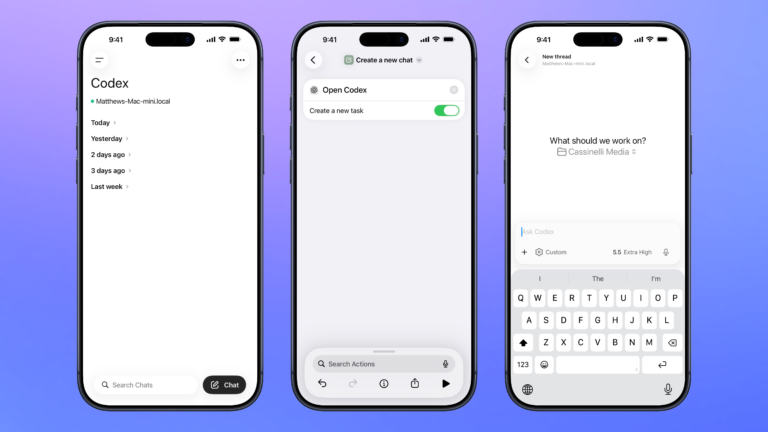


Open Codex for Mac
Open the Codex app for Mac, organized to your preferred window settings, or launches the app over SSH when run from mobile.

Create a new chat
Opens the Codex experience in the ChatGPT app and create a new task where you can start a thread for any project.

Turn on Adaptive mode
Connects to AirPods and activates the Adaptive Mode new to iOS 17.

Toggle Auto Sort Checked Items
Switch on or off Notes’ ability to sort your completed to-dos automatically or not.

Game Time
Sets the scene in my office where I play games that turns off the light direclt behind me to reduce monitor glare.

Screen saver
Starts the screen saver on your Mac. Choose from the Landscape, Cityscape, Underwater, Earth, or other options in System Settings and trigger it using this.

What’s the weather tomorrow?
Gets the daily forecast for the current location, looks at the second item for tomorrow, and gets basic details.

Open this song in Apple Music
Uses Shazam to identify the current song playing out loud, then opens the corresponding link into the Music app.

Automators Membership
Enhance your experience with bonus shortcuts, folder bundles, and exclusive perks.


Action Directory
Discover endless possibilities by combining the building blocks for Shortcuts.