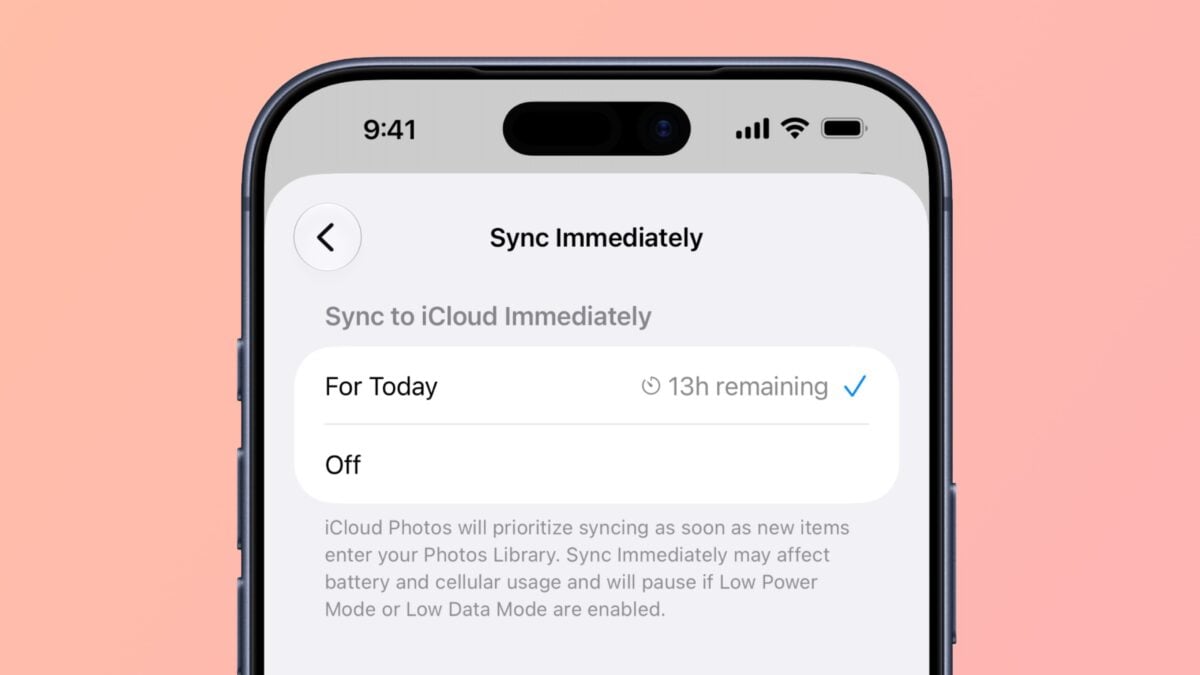
In iOS 27, Apple has added a new “Sync Immediately” option in the Photos app that allows you to bypass the normal process of waiting to sync layer on Wi-Fi or while charging – for the rest of the day.
New “Sync Immediately” button in Photos in iOS 27
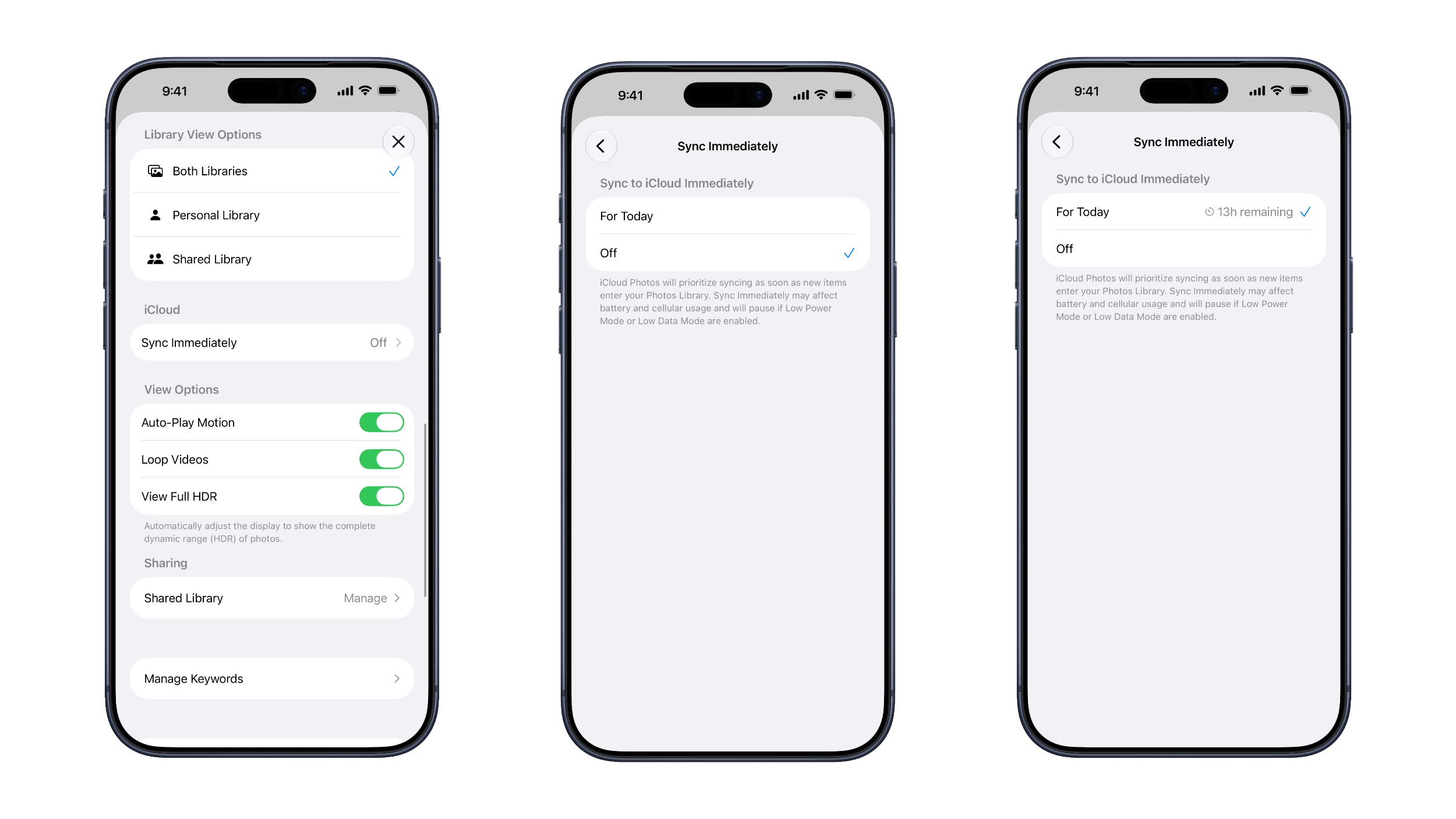
Located in Photos > Profile > iCloud, the setting label describes the feature as follows:
iCloud Photos will prioritize syncing as soon as new items enter your Photos Library. Sync Immediately may affect battery and cellular usage and will pause if Low Power Mode or Low Data Mode are enabled.
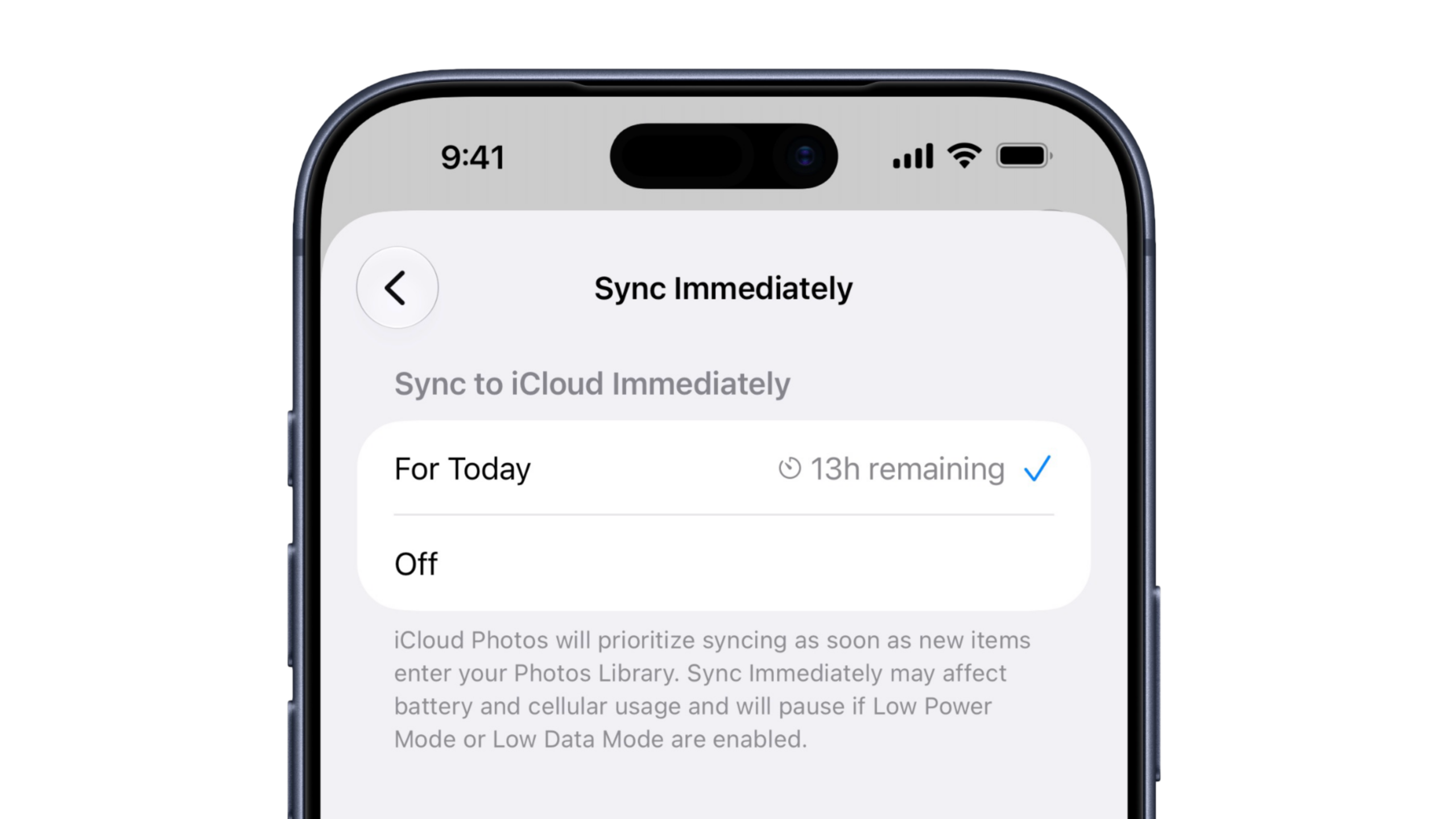
The option isn’t a toggle, however, but a selection between Off and For Today. When selected, the effect intentionally doesn’t last indefinitely – instead, Apple starts a countdown timer until midnight, showing “[Time] remaining” on the setting until it wears off.
Sync Immediately vs Reasons syncing with iCloud is Paused

In the Support article titled If your iCloud Photos aren’t syncing or syncing with iCloud is paused, Apple mentions that syncing may be paused for the following reasons, among others:
- Low Data Mode or Low Power Mode
- Optimizing Battery Power, Optimizing System Performance, or Poor Network Connection
- Low Battery
- [Device] Needs to Cool Down
This new Sync Immediately setting does appear to override these optimizations as well as low battery, but not overheating – which makes perfect sense (nor Low Data or Low Power modes, as mentioned above).
No More “iCloud Syncing is Paused”
Waiting for Photos to sync is a common complain for photographers, videographers, and bloggers taking screenshots – you’ll often find yourself capturing, then waiting for Photos to sync from your iPhone to your Mac so you can redownload there.
Often times you’d finish your work, get to your main computer, and be presented with “iCloud syncing is paused” and a Sync Now button – rather than having everything already ready to go.
Now, creators can turn on the Photos setting when they start working and make sure everything gets uploaded for the remainder of the current day.
Hey Siri, Sync Immediately
Sync Immediately is a welcome addition to the Photos setup and makes sense for a single-day excursion, so you don’t end up draining your device first thing the next morning or hammering your cell plan while traveling. Plus, when capturing photos, videos, or screenshots from my studio, I’ll set this up so everything syncs while I’m working instead of waiting for it all to move over after I’m already finished.
My last remaining wish would be for Apple to add a Shortcuts action for Photos to Sync Immediately with the For Today option – I’d love to Ask Siri to start syncing when I’m in creator mode, or set up Automations to sync immediately when I get back to my hotel, for example.