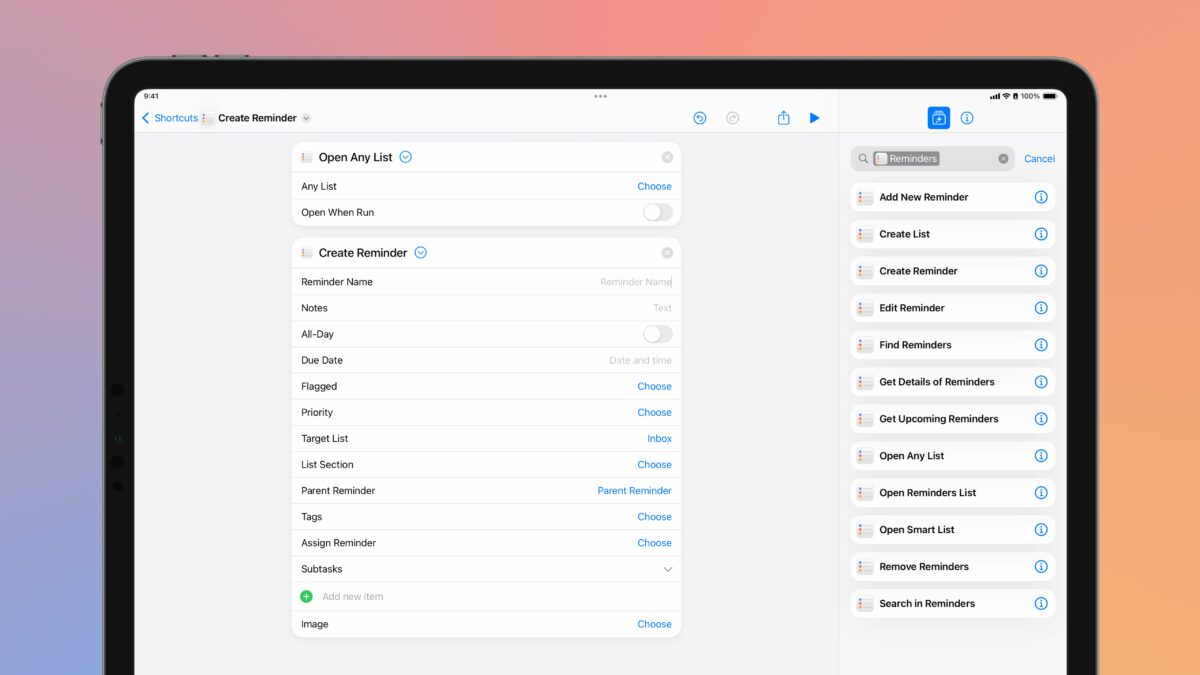
As discovered by Scotty Jackson, there are new Reminders actions in the Shortcuts app in iOS 18 developer beta 2. The new actions are “Create Reminder” and “Open Any List,” both of which still seem to be in testing.
Create Reminder and Open Any List are both updated versions—but distinct from—their respective counterparts “Add New Reminder” and “Open Reminders List” (and “Open Smart List).
New Reminders actions
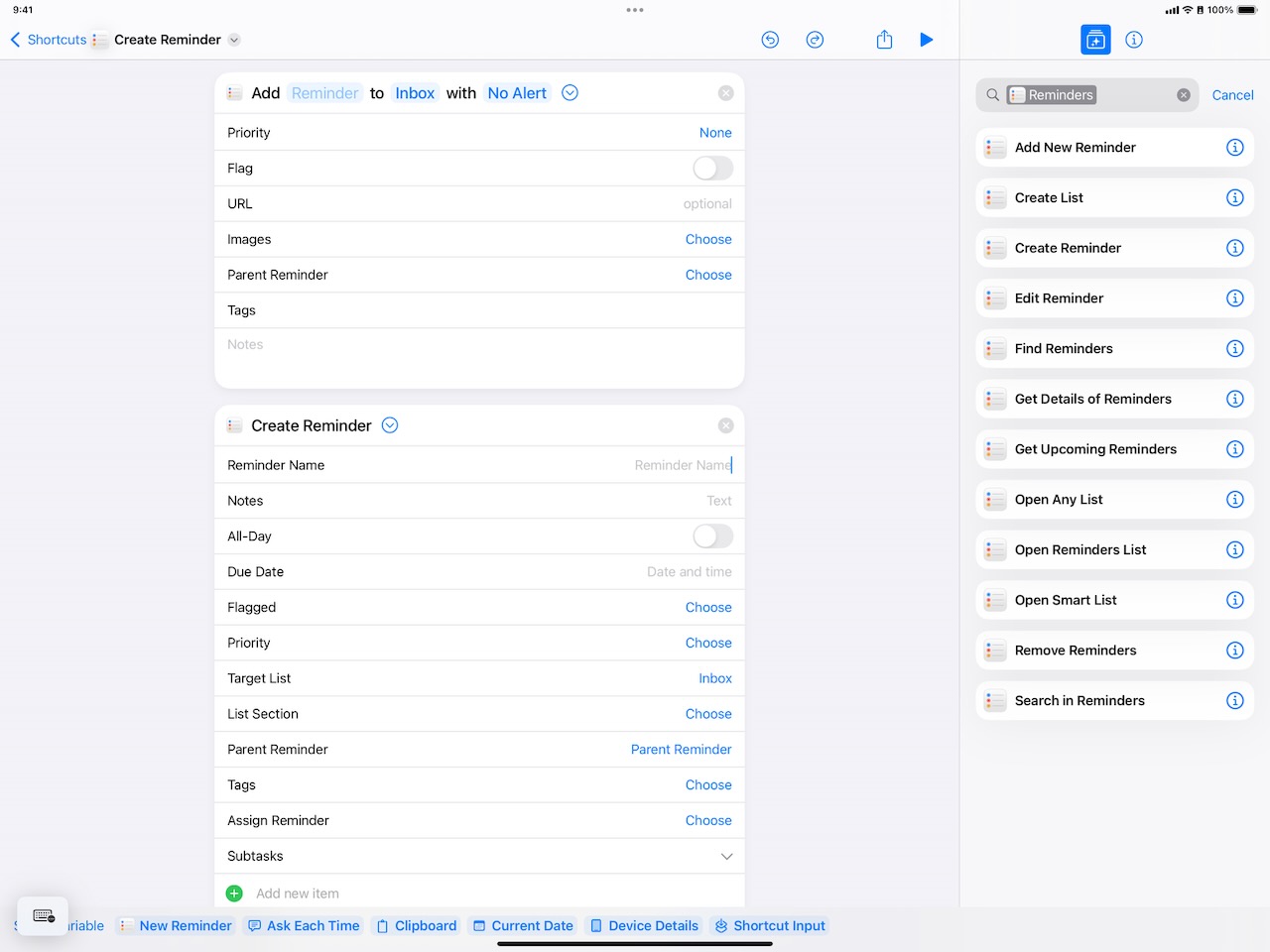
Create Reminder has more options than Add New Reminder, including new fields for List Section (within the Target List) and Subtasks. Plus, the action changes the Alert field to separate All-Day and Due Date fields, losing the “When Messaging,” “When I Leave,” and “When I Arrive” options in the process as well – it remains to be seen if these will be restored somehow. There’s also a new “Assign Reminder” field that does not current return any results in my testing.
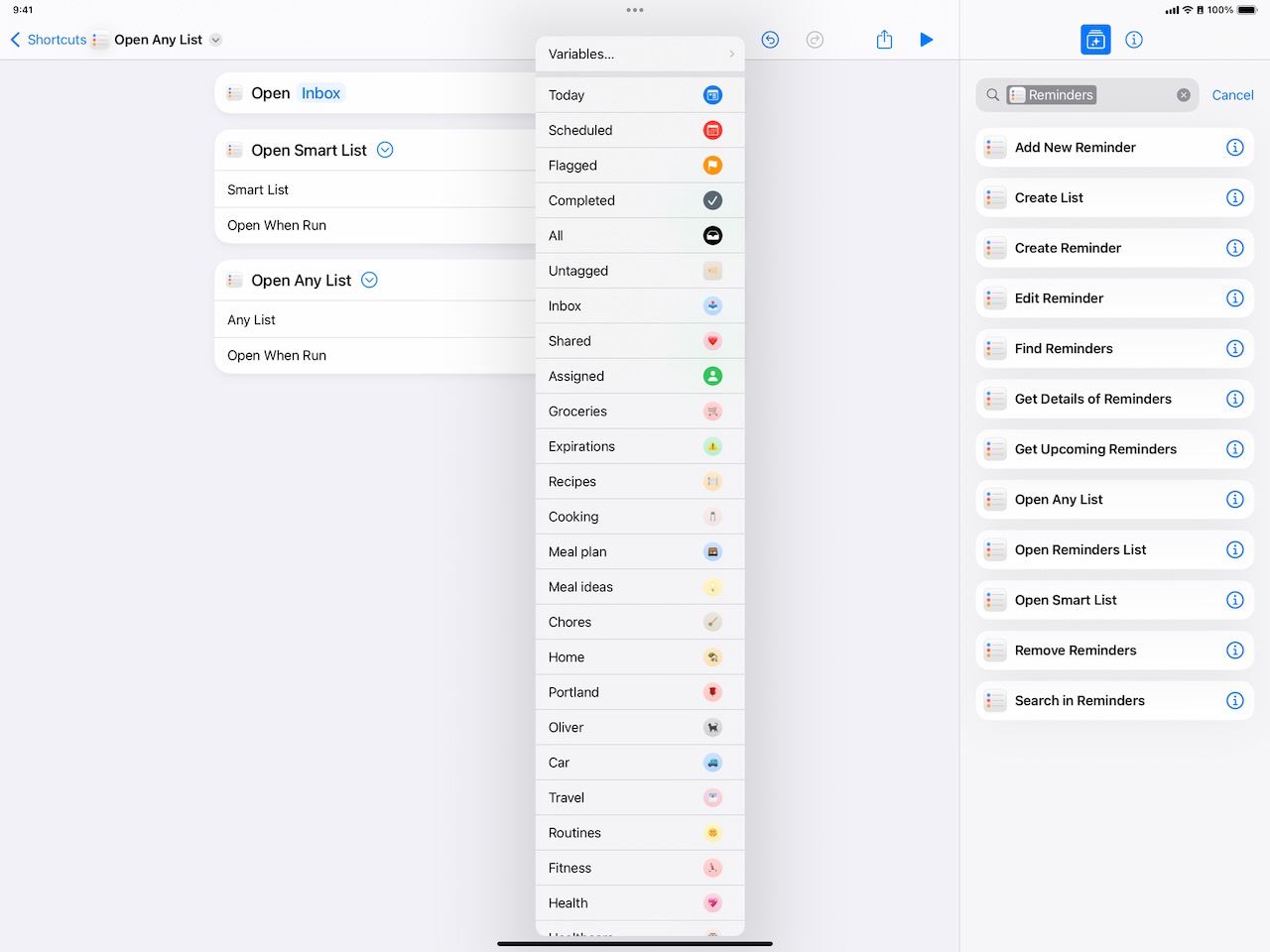
Open Any List provides a single variable for “Any List” which lets you pick a specific List from Reminders and, when run, open it – this appears to be a replacement for the separate “Open Reminders List” action (which came first) and the “Open Smart List” action (which came later), combining the two under a more-logical single action going forward. However, this action is also oddly-implemented in both its name and the fact that it includes an “Open When Run” toggle that’s not functional and should be built-in to the action, not available as a toggle.
Neither has the Parameter Summary feature implemented, so both actions do not read like a natural sentence with a parameter inline and instead hide it below the fold – this goes against Apple’s own recommendations, so it appears that both actions are an earlier implementation and hopefully will change in future betas.
App Intents for Apple teams too
Overall, seeing updates to these Reminders actions is a good sign for the Shortcuts ecosystem, as it’s the first signal that Apple is updating their native Shortcuts actions with App Intents-based replacements in iOS 18.
Since the inception of many of these actions in Workflow when Shortcuts was a third-party app, many actions have been built on longstanding external-facing developer APIs (hence actions like “Get Upcoming Reminders”) and then later custom intents from within teams at Apple – they either stayed the same as the Workflow actions, or got piece-by-piece updates for new features each year like Tags in Reminders.
However, as is the nature of intents development, Apple also has tried not to break anything or remove features that are being used in existing shortcuts – but rather than deprecating actions over time, they either have been updated-in-place, added as separate actions (like “Open Smart List”), or simply not implemented in Shortcuts at all.
Now, it appears that we’re seeing the first evidence of an Apple team seeding new actions in betas, hopefully testing and iterating on them, and then likely replacing the Workflow- and custom intents-era actions with modern App Intents actions that can be extended with new features more easily and updated going forward.
More to come
I hope Apple eventually replaces all the native Shortcuts actions from the Workflow days with full-featured, modern App Intents actions for all of their apps, as well as adopt their own recommendation that “Everything in your app should be an App Intent.”
That’s because developers will take absolutely notice when Apple leads the way, and, furthermore, many Shortcuts users have been waiting (somewhat) patiently for about 7 years for Apple to take the promise of Workflow and run with it for their own apps in a big way.
Apple Intelligence and App Intents for third-party developers will be fantastic, but Apple’s own teams need best-in-class integrations as well – hopefully these Reminders actions are a sign of more to come.
I’ll update this post if these Reminders get updates in future releases, and check back for more action coverage after each new developer beta this summer.