Hidde van der Ploeg on Mastodon:
I’m pretty sure it’s new that watchOS-only apps can now enable shortcuts to the shortcuts app without having an iOS companion app ?✨
I can indeed confirm this is new – Apple mentions it in their “Spotlight your app with App Shortcuts” developer session from WWDC’23. Here’s what they say in the video:
App Shortcuts now work on Apple Watch, but you should be aware of some limitations to get the best possible experience. App Shortcuts on Apple Watch must come from a watchOS app installed on the device itself. App Shortcuts from a paired iOS device cannot be run on the Watch. This means that if you have an iOS app installed on iPhone, but not the corresponding watchOS app, your App Shortcuts will not work from watchOS.
Flexible matching with Siri is not available on Apple Watch, so phrases must be spoken exactly. Apple Watch support was introduced in watchOS 9.2 and is available on all devices running that version or later.
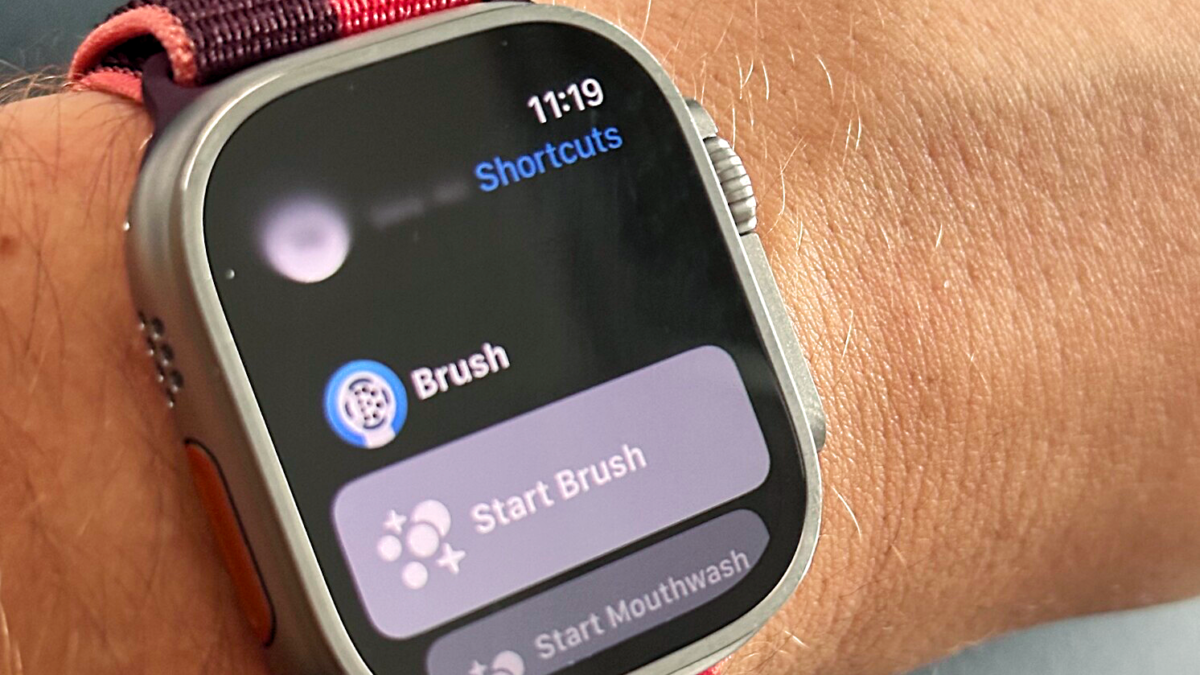
App Shortcuts are also now discoverable on Apple Watch. Just like on iOS, the Shortcuts app on watchOS prominently features App Shortcuts available on the device.
Just to be clear, App Shortcuts will work on both standalone watchOS apps and companion watchOS apps.
Plus, you will run into issues if you’re trying to run App Shortcuts from the watch and the corresponding iPhone app doesn’t have a Watch app – developers, get to building your watch apps!
View the post on Mastodon and watch the moment from the Apple developer session.