Automatically Trigger iPhone Low Power Mode Earlier (with Shortcuts) »

Tim Hardwick at MacRumors has a write-up for how to use the Low Power Mode automation in Shortcuts to set a custom value – which I use on iPad every day.

From Tim Hardwick at MacRumors:

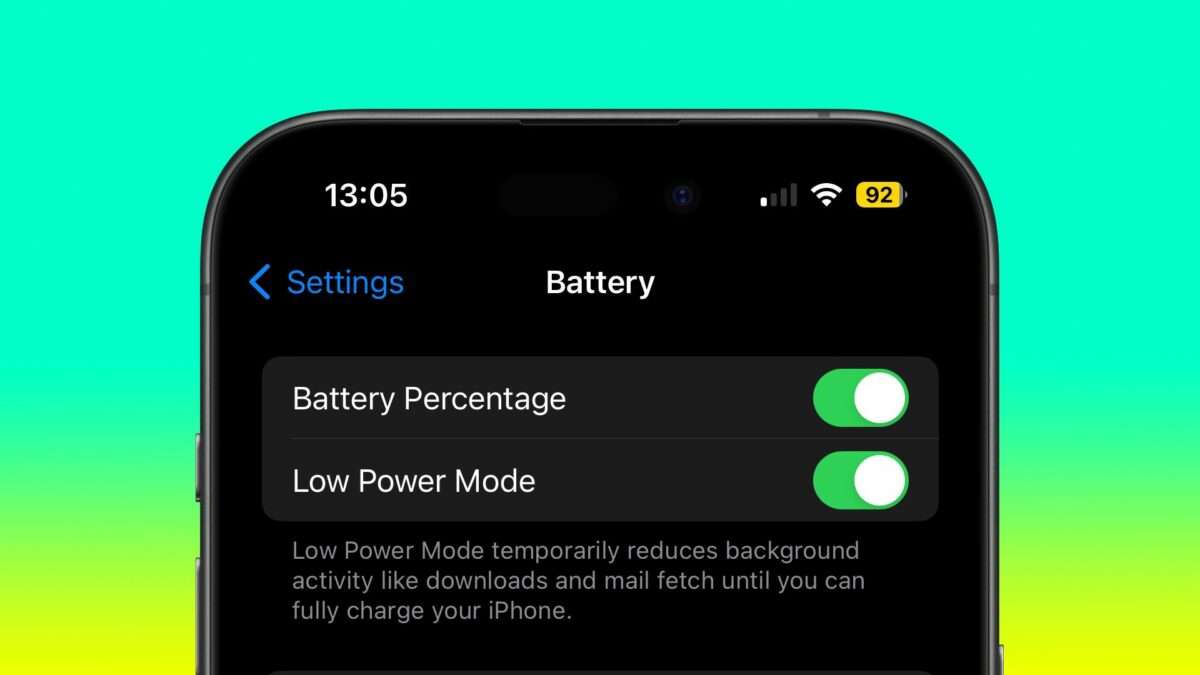
Most ‌iPhone‌ users are familiar with the way iOS throws up a prompt to turn on Low Power Mode when the battery reaches 20%. Low Power Mode can also be turned on manually at any time by going to Settings -> Battery and toggling on the switch next to Low Power Mode.

If you find yourself constantly having to turn on Low Power Mode late in the day, you can save some time by setting it up to run automatically when your battery is depleted to a specific custom level. This can be done in the Shortcuts app, as the following steps show.

Been doing this on my iPad for years – 30% is my trigger point.

View the original.

Posts You Might Like

Guest spot — Clockwise: I Can See All the Electrons in the Universe!
I had the pleasure of being a guest on Clockwise with Dan Moren & Mikah Sargent, plus fellow guest Kathy Campell. And yes, I talk about Shortcuts.
How Shortcuts changed one Redditor’s life
From manual labor to generating daily reports with a huge impact on his business' bottom-line, here's the story of how one Redditor's life change thanks to Shortcuts.
Siri to gain deep Shortcuts integration in iOS 18, Apple spending millions per day on conversational AI »
According to a report from The Information, Apple is investing heavily in some combination of language models and Shortcuts to augmenet Siri's capabilities – read the summary from 9to5Mac.
What’s New in Shortcuts – Issue 98
In between betas, we saw a new action come to Shortcuts, interesting rumors related to the future of Siri, stories sharing helpful tips, and more to do with Threads by Instagram.