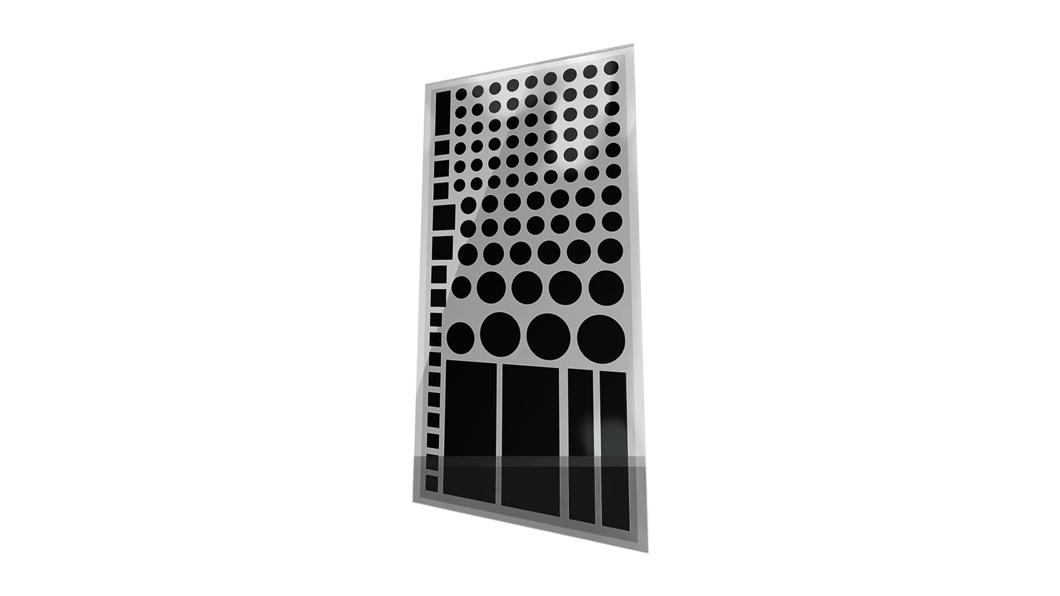
Everyone knows electronics manufacturers love their LEDs – why not slap a blue or red LED on the front so you know it’s turned on? The worst part is that they are often incredibly bright, casting light across the room, especially at night – and some can’t be turned off at all. Thankfully, my former cohost Mikah Sargent mentioned a solution1 I’ve been using for years – these LightsOut light blocking LED covers—stickers, basically—that come in a large sheet in different sizes:
The sheet is under $5, which both feels dumb to order online and also absolutely worth the peace of mind you get from the stickers – a single hour of lost sleep in a hotel room is worth the tradeoff. Plus, I ordered mine five years ago and have yet to use half, so $1/year so far is good enough for me.
I used one of these https://t.co/RqBWJmk6Gl
— Matthew Cassinelli (@mattcassinelli) November 22, 2025
I’ve primarily used mine on the Belkin MagSafe Stand that I use on my bedside table, plus on hotel TVs – I keep half the sheet in my travel bag, then just peel them off and put them back on when I leave.
Get the LightsOut LED covers on Amazon and check out the Belkin stand.
- Good god, that’s the kind of thumbnail you make as a joke one month into COVID and they actually use. ↩