From Apple Support:
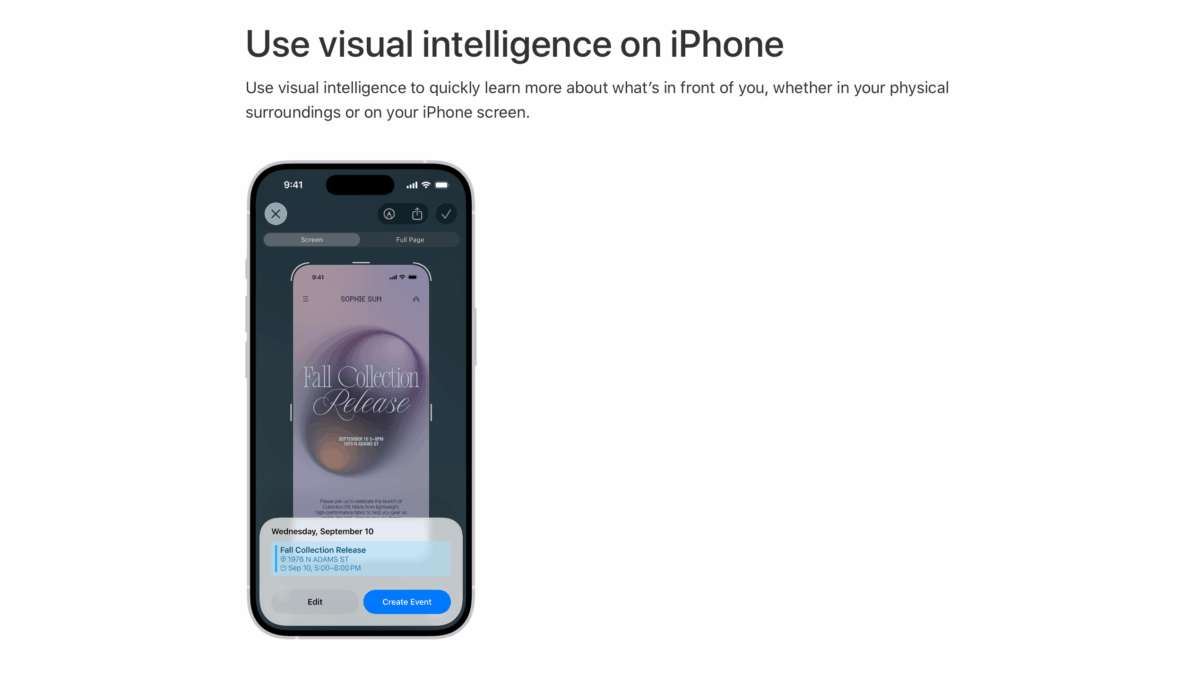
Use visual intelligence to quickly learn more about what’s in front of you, whether in your physical surroundings or on your iPhone screen.
To learn more about your physical surroundings using your iPhone camera on models that have the Camera Control, just click and hold it to do things like look up details about a restaurant or business; have text translated, summarized, or read aloud; identify plants and animals; search visually for objects around you; ask questions; and more. […You can also] access visual intelligence by customizing the Action button or Lock Screen, or opening Control Center. See Alternate options to using the Camera Control.
To learn more about the content on your iPhone screen across your apps, simply press the same buttons you use to take a screenshot. You can search visually, ask questions, and take action, like turning a flyer or invite into a calendar event.
I’ve been learning more about now that developers can integrate their app with Visual Intelligence.
View the full piece on the Apple Support site and read more about the Developer documentation.