If you’re looking to check for iPhone Duo availability at your local Apple Store, check out the dedicated shortcut available in the Apple Store app – or get it here from my Shortcuts Library.
Currently, Apple’s iPhone Duo has a delivery wait time until January 25 – three full months out. However, local Apple Stores are getting inventory on a rolling basis, meaning the best way to get an iPhone Duo is checking the Apple Store app regularly for new inventory.
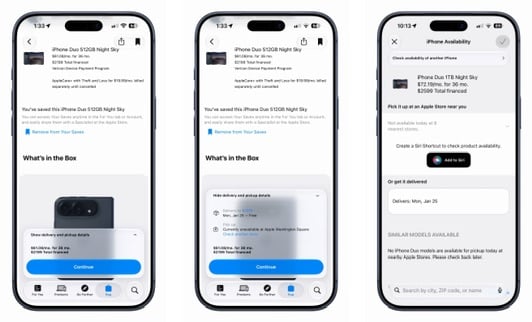
During the ordering process, once you’ve selected your model, upgrades, cell plan, and Apple Care, above Continue you’ll see the option to “Show delivery and pickup details.”
From there, you can see the next delivery options, or pick-up details. If there is no stock at your local store, you’ll see “Currently unavailable” and the option to “Check another store.”
Once you tap “Check another store,” you’ll be taken to an iPhone Availability screen where you check different models, different stores, or switch to deliver. In the middle, however, you’ll see “Create a Siri Shortcut to check product availability” with an “Add to Siri” button.
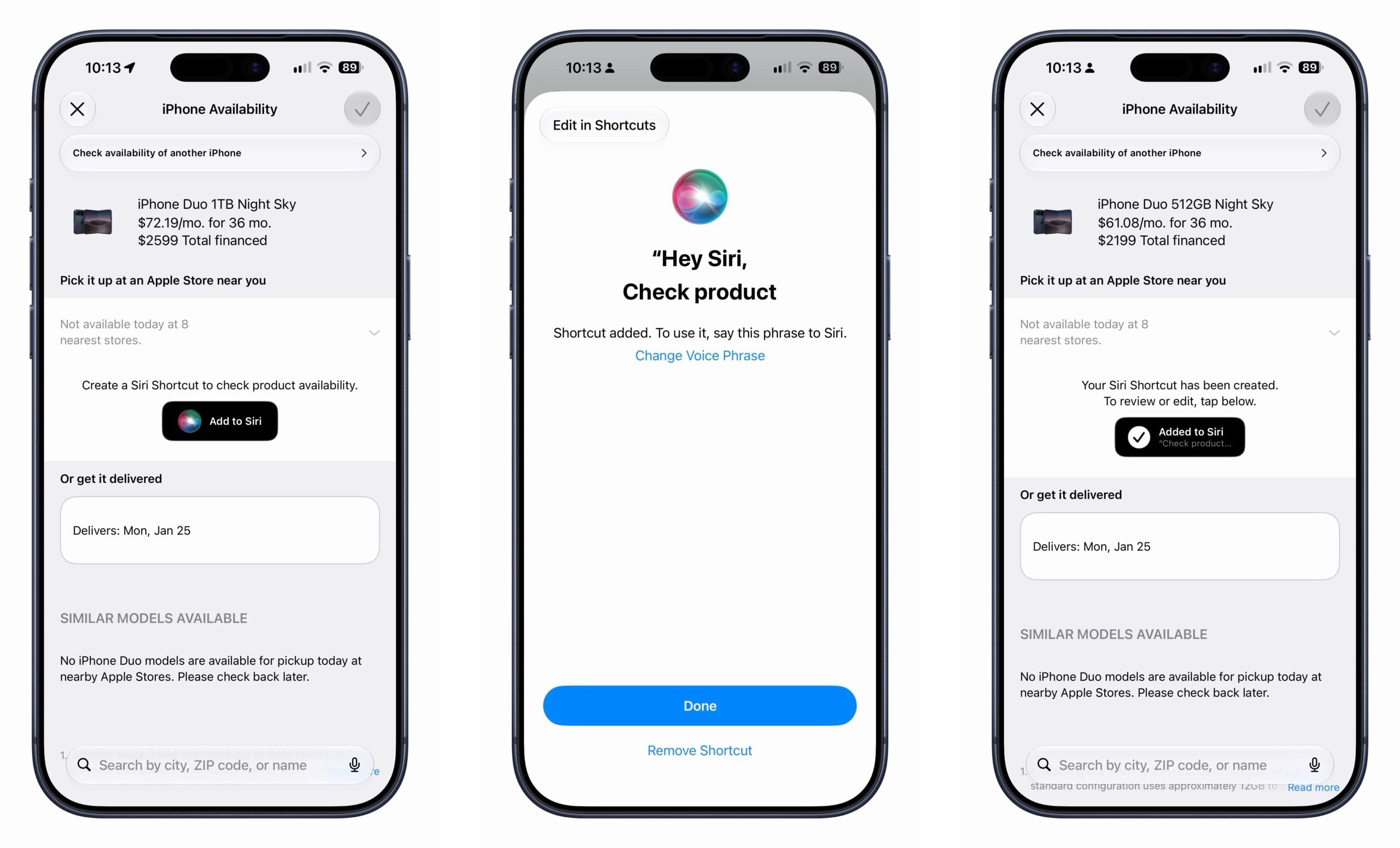
Tap that, then press Done to save the shortcut, or press Change Voice Phrase to switch from “Hey Siri, check to see the availability of this product” to your own custom phrase, or press “Edit in Shortcuts” to open it directly in the Shortcuts app.
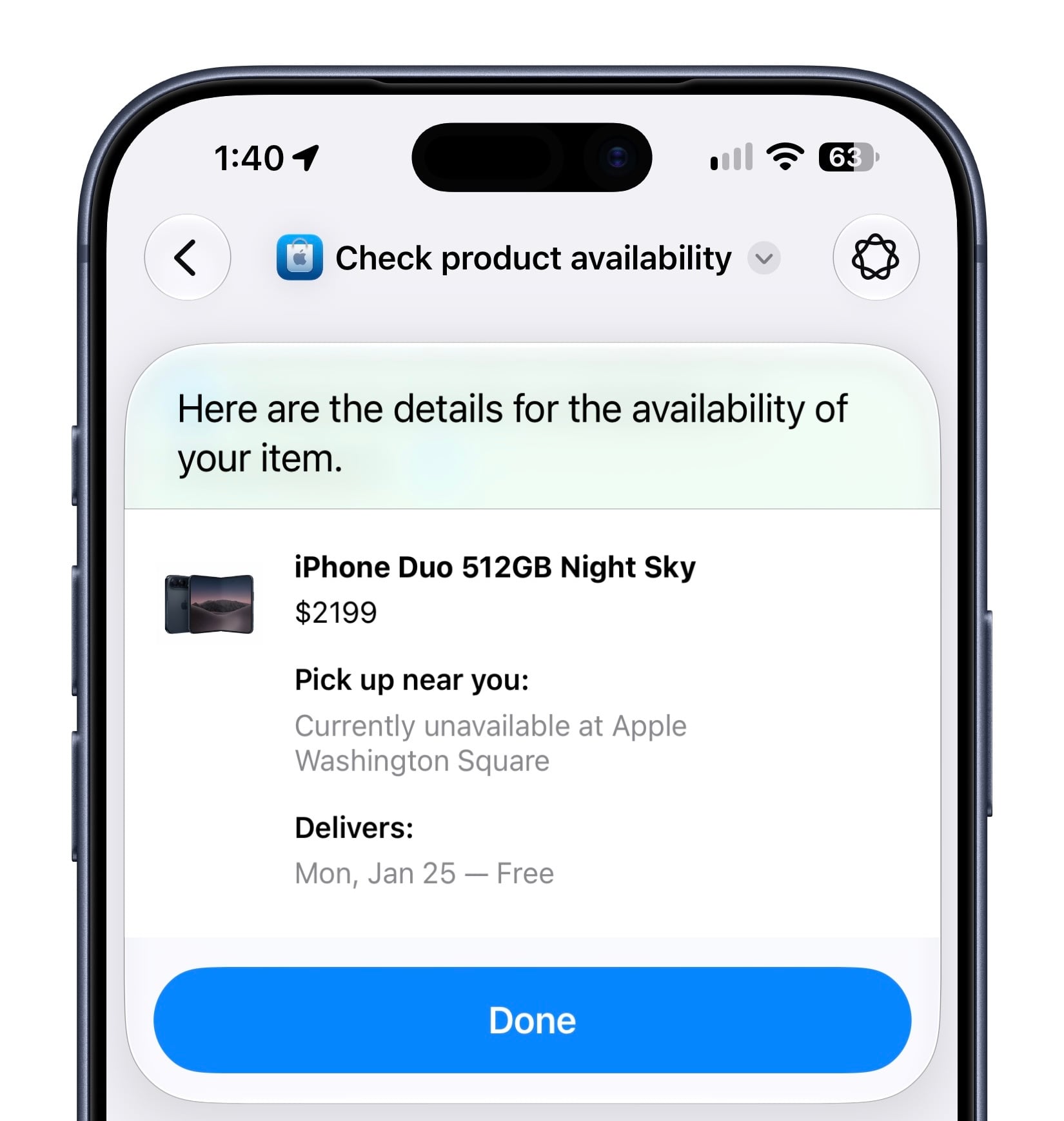
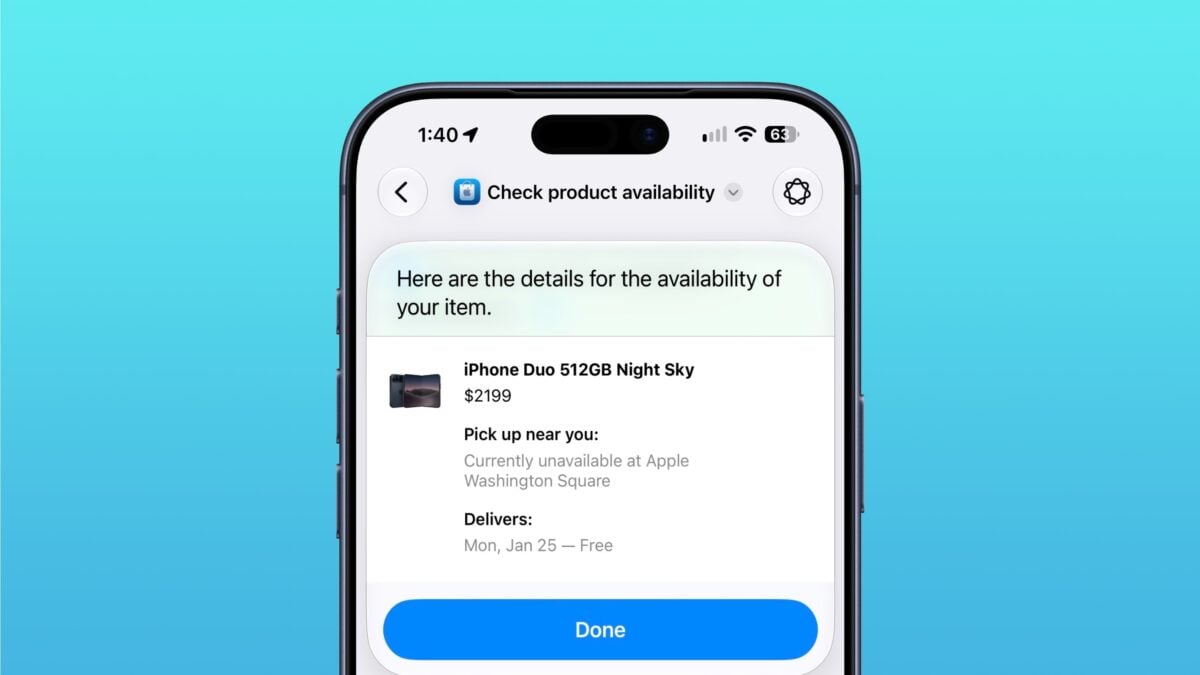
When run, the shortcut reads “Here are the details for the availability of your item,” plus shows a visual snippet of the device model, “pick up near you,” and delivery dates.
I recommend giving the shortcut a custom name like “Check iPhone Duo availability” and seeing whether your preferred choice is in stock a few times a day for a better chance at getting one – I’ll be doing the same.
If you get an iPhone Duo using this method, let me know!
Get the shortcut in the Apple Store folder in my Shortcuts Library.