New in the Shortcuts Library: Siri AI shortcuts

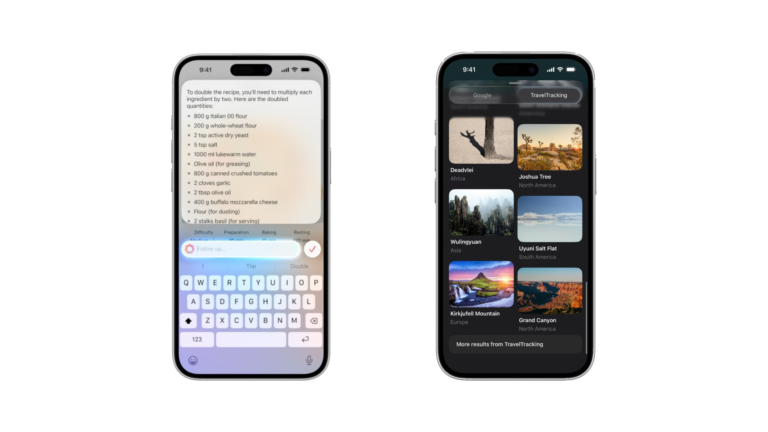
Shortcuts for the new Siri AI experience on iOS 27. Open the app, skip the waitlist, browse the subreddit, and learn more from Apple Support. Requires iOS 27 beta.

I’ve just added a new folder to the Shortcuts Library — my set of Siri AI shortcuts:

  • Open the Siri app: Opens the Siri app on iOS 27. On iPad, always opens on the left.
  • Skip the Siri AI Waitlist: Terminal command to flip the Feature Flag for the Siri AI waitlist so it begins downloading on your Mac. This will require your password and will immediately restart your computer.
  • Open the Siri subreddit: Opens the URL to r/Siri, the subreddit dedicated to Apple’s digital assistant.
  • Learn how to use Apple Intelligence with Siri: Opens the URL to Apple’s support article on “Use Apple Intelligence with Siri” that includes sections like “Type to Siri,” “Make requests to Siri that maintain context,” and “Ask Siri questions about your Apple products.”

Check out the folder of Siri AI shortcuts on the Shortcuts Library.

Featured Shortcuts

shortcut-open-the-siri-app-icon
Open the Siri app
Opens the Siri app on iOS 27. On iPad, always opens on the left.
shortcut-skip-the-siri-ai-waitlist-icon
Skip the Siri AI Waitlist
Terminal command to flip the Feature Flag for the Siri AI waitlist so it begins downloading on your Mac.

This will require your password and will immediately restart your computer.
shortcut-open-the-siri-subreddit-icon
Open the Siri subreddit
Opens the URL to r/Siri, the subreddit dedicated to Apple’s digital assistant.
shortcut-learn-how-to-use-apple-intelligence-with-siri-icon
Learn how to use Apple Intelligence with Siri
Opens the URL to Apple’s support article on “Use Apple Intelligence with Siri” that includes sections like “Type to Siri,” “Make requests to Siri that maintain context,” and “Ask Siri questions about your Apple products.”

Posts You Might Like

New in the Shortcuts Library: Journal shortcuts
Check out my folder of shortcuts for Apple's Journal app for iPhone, which has been updated with new actions in the iOS 18 betas.
New in the Shortcuts Library: Perplexity shortcuts
Check out my shortcuts for Perplexity AI – use these to ask questions in different modes, listen to Discover, and view your threads.
New in the Shortcuts Library: TBPN shortcuts
I've been watching clips and tuning into TBPN for a while now – here's a set of shortcuts for catching the show.
New in the Shortcuts Library: Camera app shortcuts
New in iOS 17 is the "Open Camera" action, which lets users select a specific camera mode to open each time – here's my set of shortcuts for each option available.