Twitter self-search

Self-search is a handy shortcut I built for Twitter users:

Using a Twitter username inputted on import and a keyword entered when the shortcut is run, this shortcut takes the info, URL-encodes it into a Twitter link, and opens into the app to show the results.
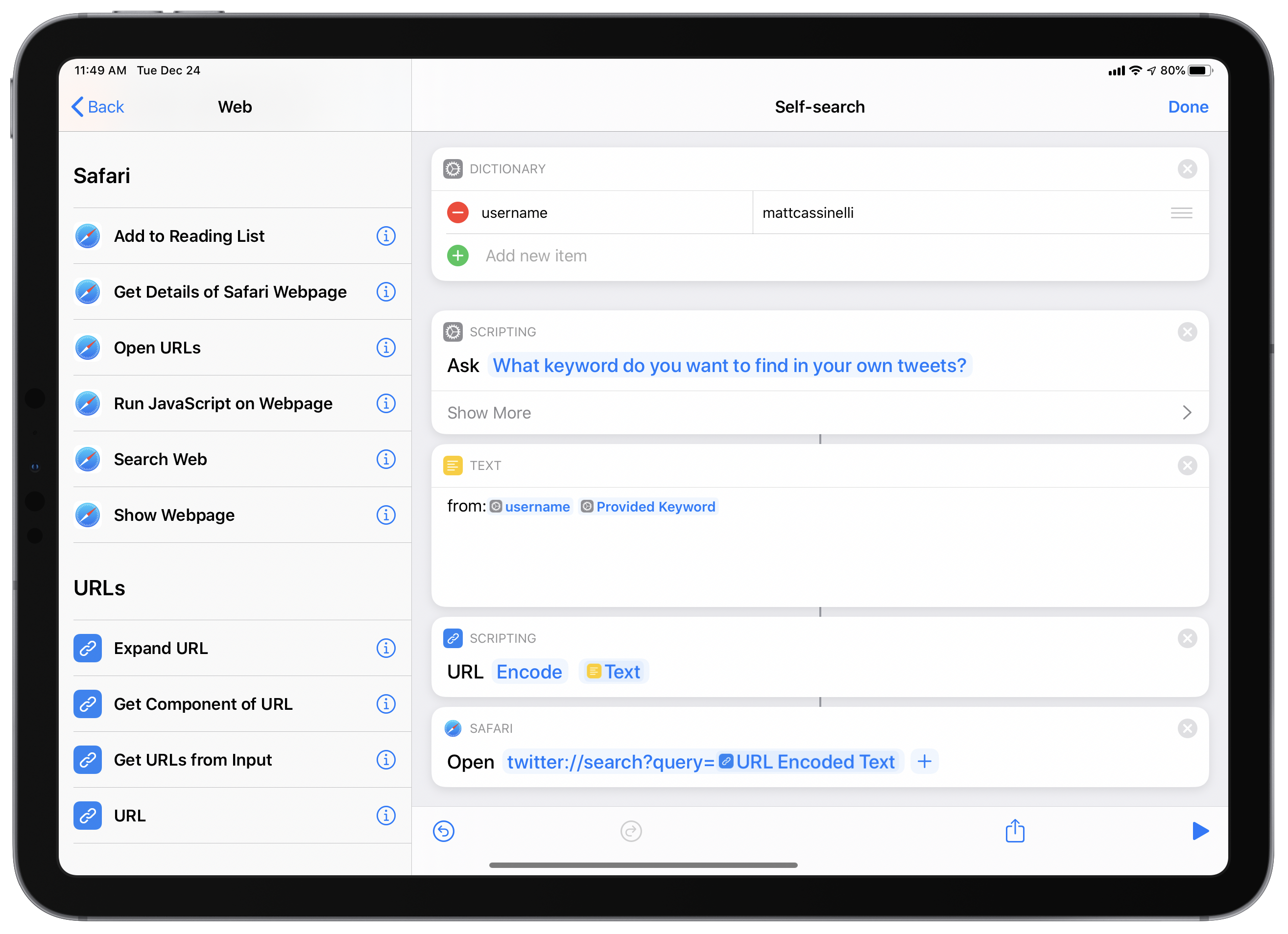
Use this to search your own tweets for something you’ve said in the past instead of scrolling through all the way through your own tweets or entering the fiddly search operators yourself.
Get the shortcut or view the full screenshot of .

Posts You Might Like

File a radar
Guides you through the process of filing Feedback to Apple (previously called Radar). This explains the process in a pop-up, has you type up the problem through a series of prompts before even starting a new ticket, then guides you again on how to easily fill out the form, before finally opening into Feedback.
New in the Shortcuts Library: Threads shortcuts
Threads by Instagram just released, and that means I'm building shortcuts – there's much to work off, even right at the start.
Skip the Siri AI Waitlist on Mac with this Shortcut (Patched)
If you're waiting for Siri AI, you can bypass the feature flag on macOS using a Terminal command – this shortcut allows you to run the script (and undo it, if you want).
How to use Mastodon’s API to open your Lists with Shortcuts
Building up your Lists in Mastodon is important – so is accessing them quickly when you need them. Using Apple's Shortcuts app, I built a tool that makes a web request to Mastodon's API and lets you return all your Lists to open from.