

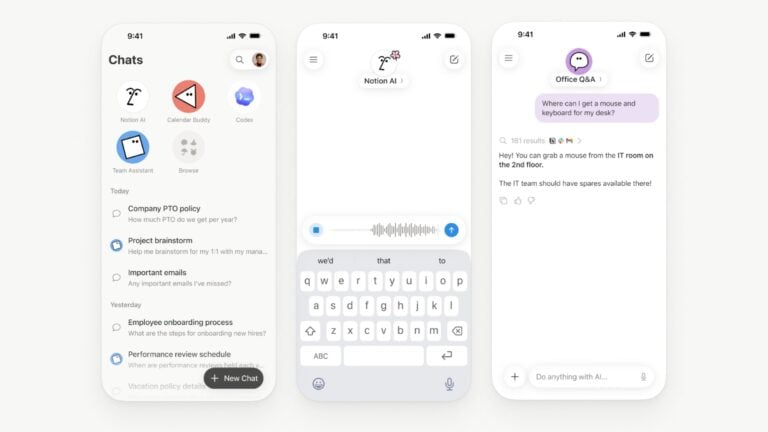


Open Notion AI
Opens Notion AI in the Notion Agents app, activating the keyboard so you can enter a prompt right away.
Add to Things from Reminders
Asks you to choose a Reminders list, then reminders from that list, then exports them into Things and deletes the originals.



Import transactions
Opens the page for importing transactions into QuickBooks Self-Employed (for anything that can’t be handleded directly through your bank).

Manage subscribed YouTube Channels
Opens the feed of channels you’ve subscribed to on YouTube – use this to directly access channels using Search, or clean up your subscriptions by removing some.


Automators Membership
Enhance your experience with bonus shortcuts, folder bundles, and exclusive perks.


Action Directory
Discover endless possibilities by combining the building blocks for Shortcuts.