Starfield game includes tribute to late Shortcuts developer Alex Hay

The latest big Xbox game Starfield includes a tribute to the late Shortcuts developer Alex Hay, a fan who has been memorialized forever in the game after his passing.

Today, September 6th, the much-anticipated Starfield for Xbox launches in full – and with it, the game includes a tribute to the late Alex Hay, a Starfield superfan and developer of Shortcuts apps.

Before his passing earlier this year, Alex had made waves on the Starfield subreddit by expressing his remorse that he wouldn’t be able to play the game due to his cancer diagnosis. And as the game neared launch the community continued to remember him in response to his passing, suggesting folks name their ships to honor Alex.

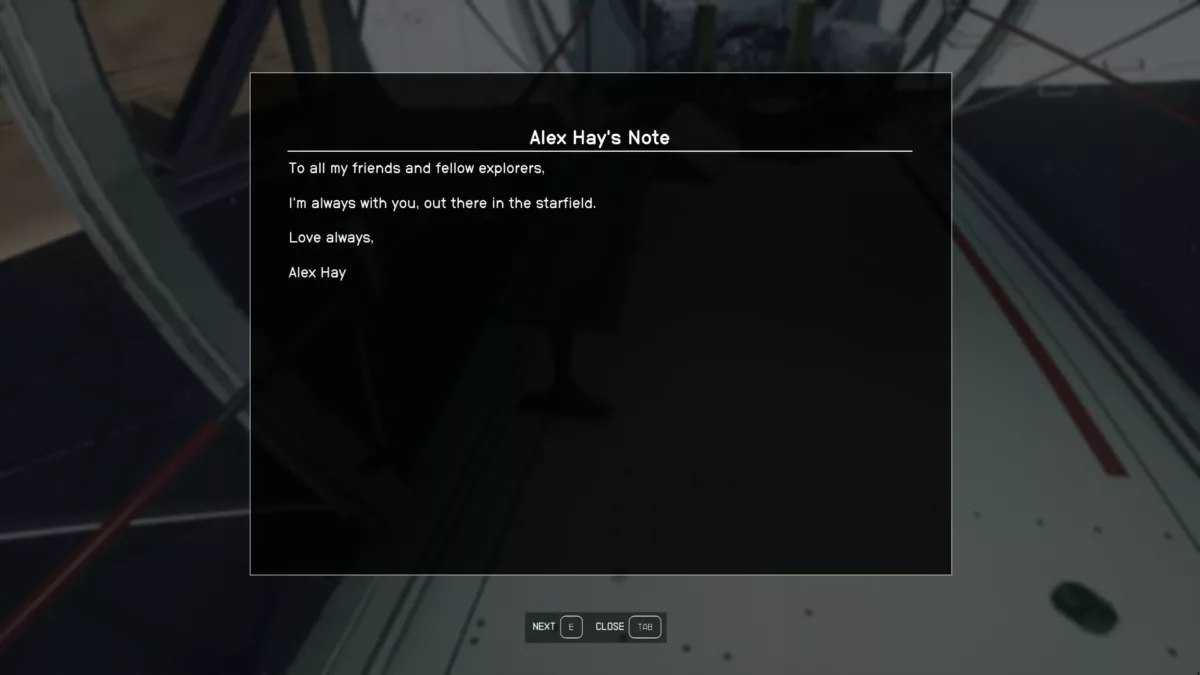
Over the weekend, during prerelease of the game, someone on Reddit discovered that the developers at Bethesda included a heartfelt note in the game from Alex with the following message:

To all my friends and fellow explorers,

I’m always with you, out there in the starfield.

Love always,

Alex Hay

It’s wonderful to see Alex’s legacy honored so well these last few weeks, and now he’s memorialized forever among the stars.

Update: For any players, apparently it’s “[f]ound on the Eye, on the right when you enter.”
View the post and read the article on IGN.

Posts You Might Like

Stephen Robles’ 15 NEW iPhone Shortcuts: Auto-Reply Texts, Wallpapers, and Transcribe Podcasts »
Stephen Robles shares 15 new workflows requested from the community in this massive 27-minute Shortcuts video.
How to Automate Your Life With Apple’s Shortcuts App »
Lance Whitney from PCMag covers all the basics of Shortcuts to get you started, including creating shortcuts/automations, adding them to the widget/Share Sheet/Apple Watch, and finding new shortcuts online.
How to transfer data from Google Maps to Apple Maps »
If you're looking to move from Google Maps to Apple Maps, this shortcut makes it easy to process your locations one-by-one.
The iPhone’s Today View Is The Most Convenient Place to Run Your Shortcuts »
In his iPhone setup video, Stephen Robles mentioned how he finds the Today view off to the left of your iPhone Home Screen is the best place to use Shortcuts – I agree.