You Can Now Trigger Any Action With A Dial On The Stream Deck + »

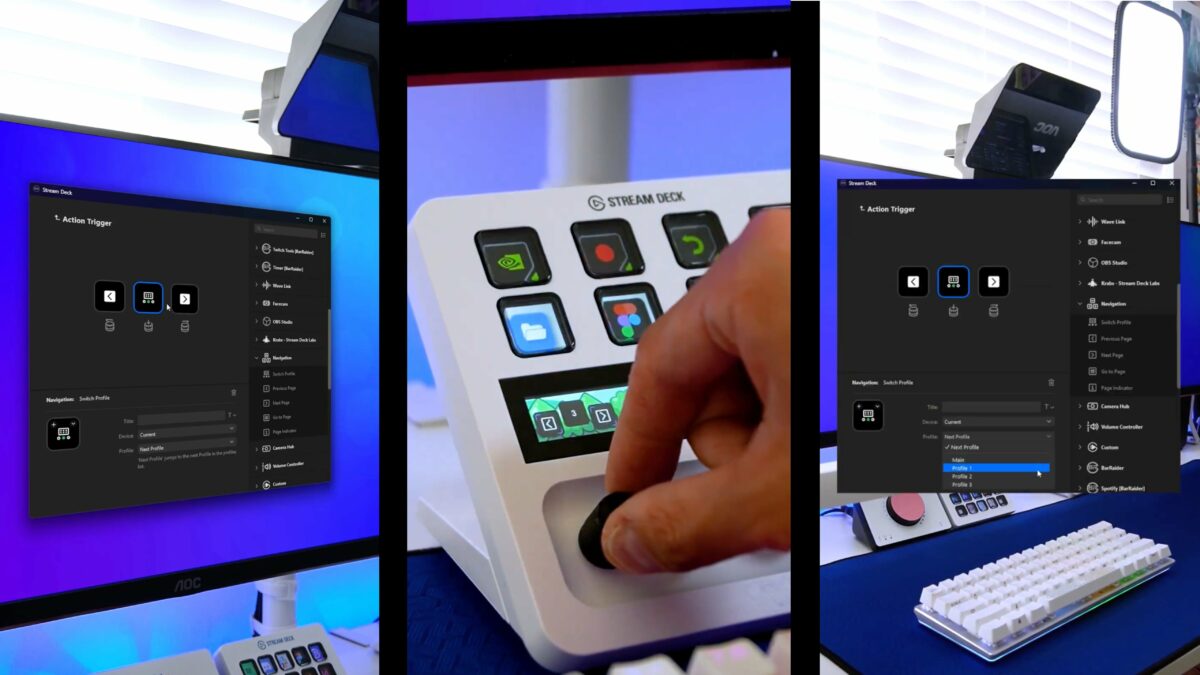
The Stream Deck application has been updated so the dials on the Stream Deck + can trigger any action (instead of only dial-specific).
You Can Now Trigger Any Action With A Dial On The Stream Deck + »

From @elgato:

You can now turn your Stream Deck + dials to activate any Stream Deck action.

Here’s how to add page switching actions to dials so you can turn between pages:

[Video]

This is welcome improvement for the Dial actions, which had seen limited developer adoption.

This will still take some consideration for some use cases, though, since there’s left, right, and click options for each Dial – plus thinking through what happens as you continue to spin.
View the post.

Posts You Might Like

Block Annoying LEDs with these LightDims Black Out Stickers
If you have a red, blue, or white LED that you cannot turn off, use these LightDims black out stickers to cover them.
iOS 17’s StandBy mode is great with this Belkin 2-in-1 MagSafe charging mount for iPhone and AirPods
StandBy mode brings ambient widgets to your iPhone lock screen – here's a great MagSafe stand you can use to mount your phone at your desk.
Smart Profiles Swap Your Stream Deck Layout Automatically When Switching Apps »
Smart Profiles are key for making your Stream Deck more dynamic – you can have custom layouts for every app that show when the app is opened.
You Can Scroll The Elgato Prompter With The Stream Deck + »
When you combine the dials on the Stream Deck + with the Prompter from Elgato, you get an extra special set of controls.