How to save Mastodon accounts to Lists using Shortcuts

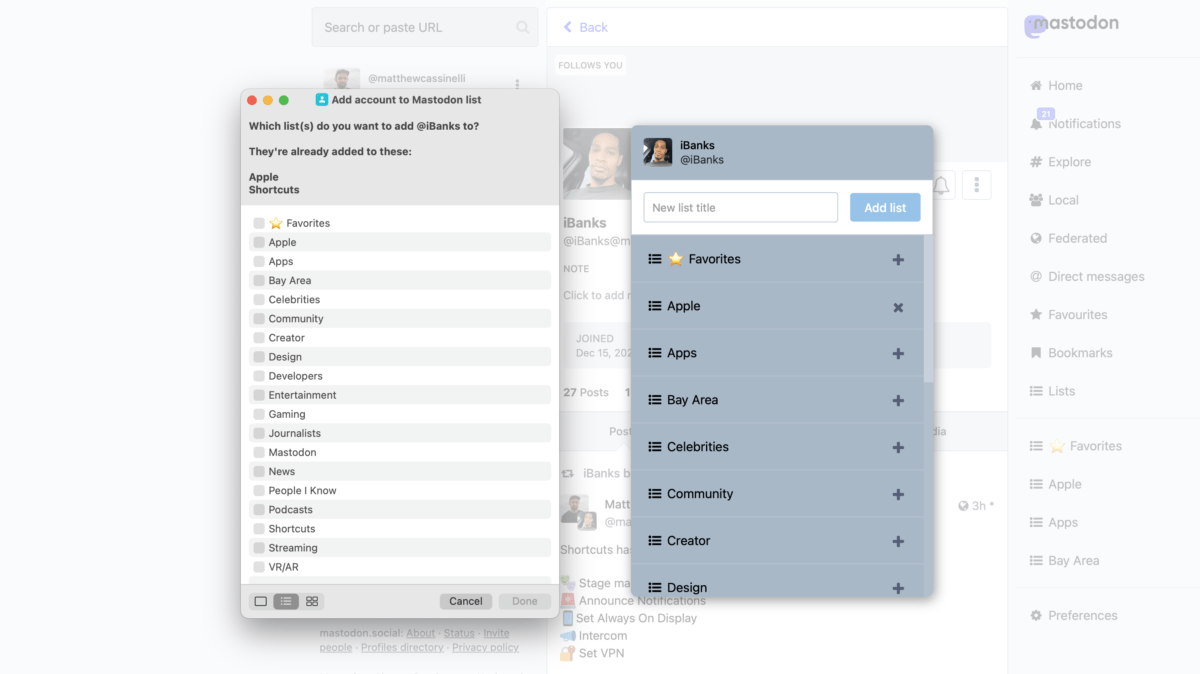
When working with Mastodon accounts, there's only one place to add them to a List — the profile. With Shortcuts, I've built a tool that lets you add someone to a list from your timeline, a status post, or any link.

As you’re building out your Lists experience on Mastodon, being diligent in adding new accounts or going through your following can make the process much easier.

The only downside is, when working with Mastodon posts and accounts across various interfaces on the web and in client apps, there is often an inconsistent experience in the ability to quickly add whoever you’re look at to a List.
As you’re building out your Lists experience on Mastodon, being diligent in adding new accounts or going through your following can make the process much easier.

The only downside is, when working with Mastodon posts and accounts across various interfaces on the web and in client apps, there is often an inconsistent experience in the ability to quickly add whoever you’re look at to a List.

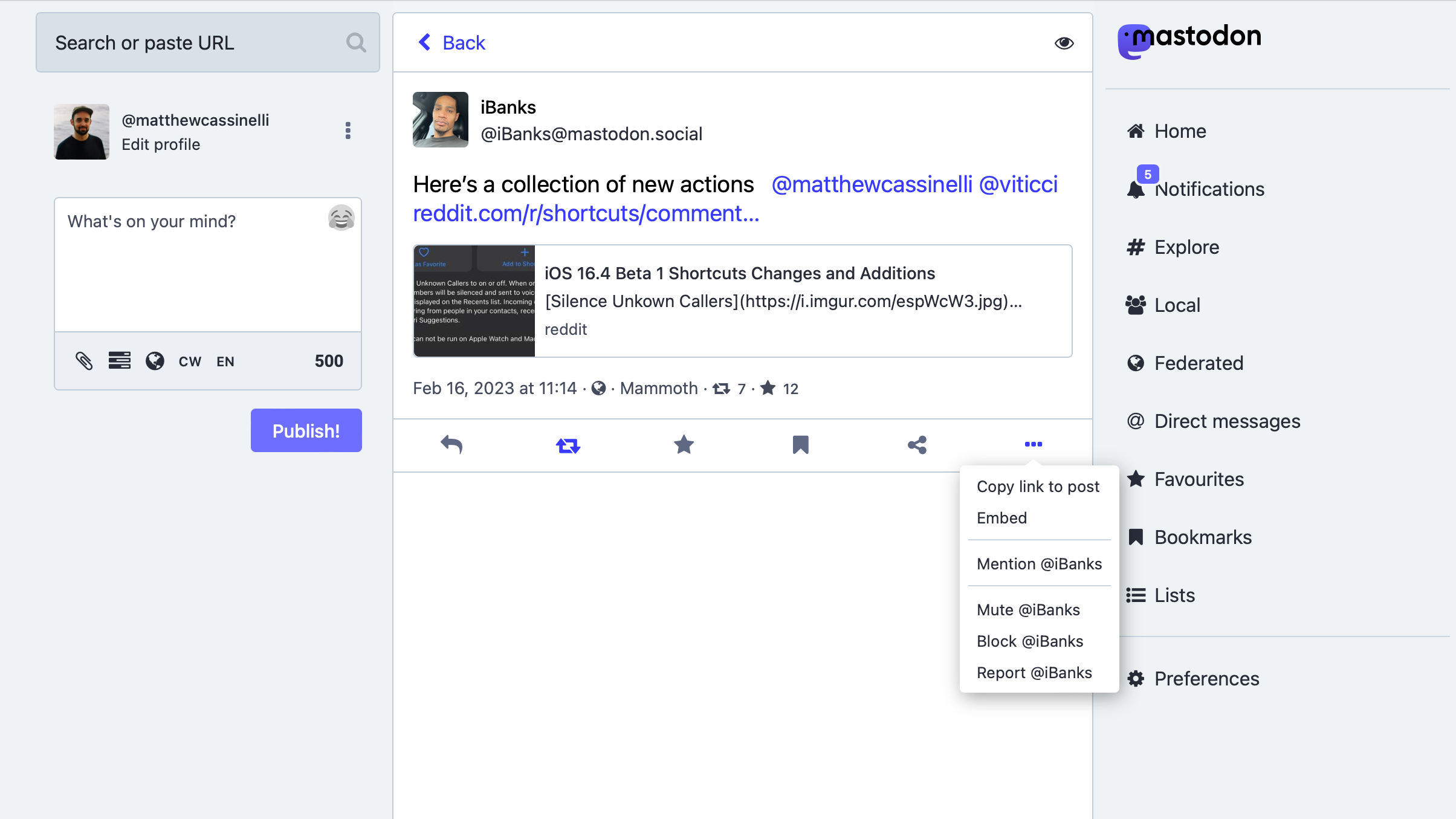
On the Mastodon web interface, for example, when looking at a your timeline or even a post, you can’t add the person to a List at all…
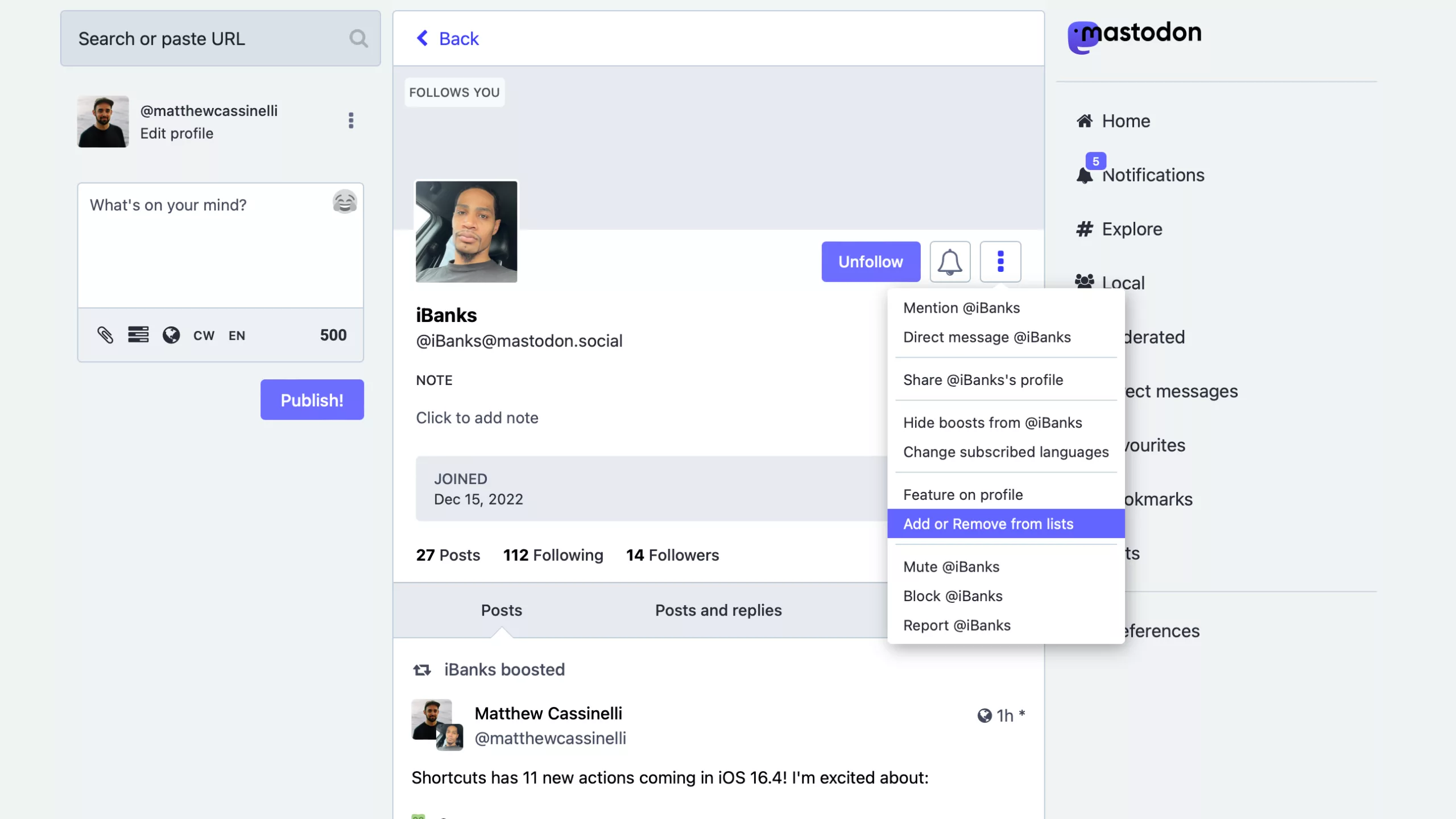
…when looking at their profile view, however, the option shows up – the only spot this option appears on Mastodon’s main web interface.
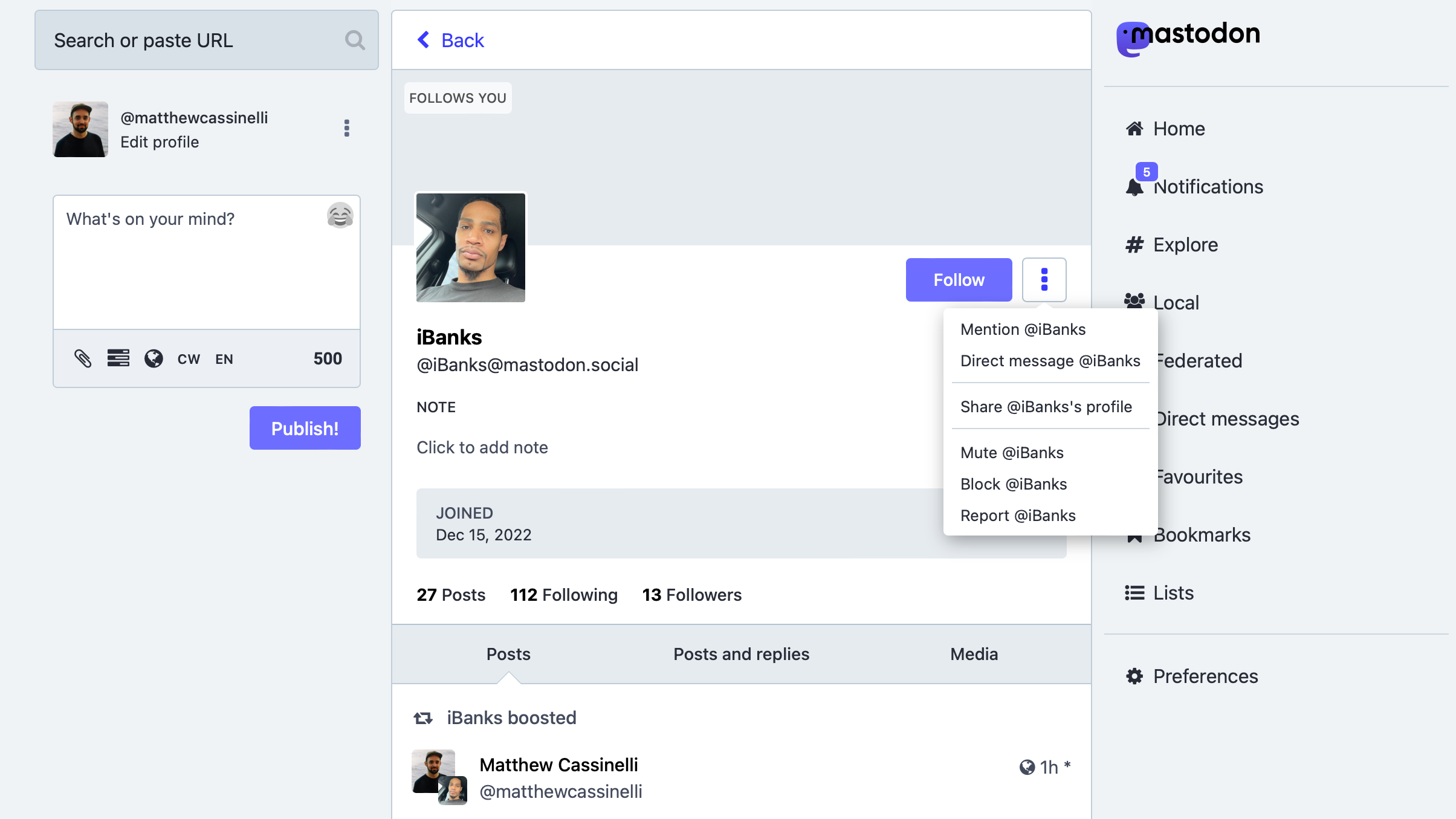
*Also of note: you must be following someone to add them to your list. So if you’re not seeing the menu option on a profile page, it’s likely because you’re not actually following the account yet.*

In order to make the process of adding someone to Lists easier from *any* fediverse link, I turned to Mastodon’s API and Shortcuts, of course – here’s what I built:

This post is marked as members-only. Become a member to access the full piece.

Posts You Might Like

» Grouping in HomeKit, Shortcuts Tweets, and Quick Links
Back Up Your Stream Deck Profiles (And Access Them With This Shortcut) »
Elgato shared a quick video on how to back up your Stream Deck profiles – and I linked to my shortcut for quickly accessing those backups.
How To Play A Headphones-Only Alarm On iPhone
Esther from Mastodon shared a great tip for using Personal Automations for psuedo-alarms when you don’t want to play alerts out loud – I built off her idea with a tip around Alarm automations.
How to jump between the audio and video of Supercomputer
When your podcast turns into a video podcast, what do listeners do if they want to watch along? For our show, I’ve build a custom Shortcut to turn Overcast links into YouTube deep links, so you can tune in regardless of the medium.