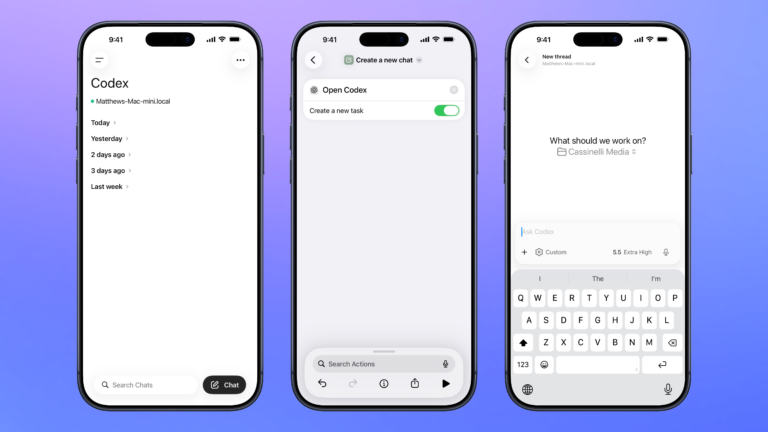


Control Codex remotely
Open the Codex experience in the ChatGPT app so you can remotely manage threads running on your Mac, plus search, organize, or create a new chat.

Create a new chat
Opens the Codex experience in the ChatGPT app and create a new task where you can start a thread for any project.

See stories from San Francisco Chronicle
Opens to the free stories shared by the San Francisco Chronicle for Apple News+.


Turn Stage Manager Off
Deactivates Stage Manager (which preserving your default settings).

Open Mastodon content filters
Prompts you to pick from the Blocks, Mutes, Domain Blocks, or Muted Words pages in Mastodon’s settings.

Get original link from Flipboard URL
Gets a URL from input, expands the short URL, and outputs the original link – works well for turning a Flipboard link into the source U

Show the Shortcuts tag on MacStories
Opens the tag page on the MacStories website for stories marked with “Shortcuts.”

Automators Membership
Enhance your experience with bonus shortcuts, folder bundles, and exclusive perks.


Action Directory
Discover endless possibilities by combining the building blocks for Shortcuts.