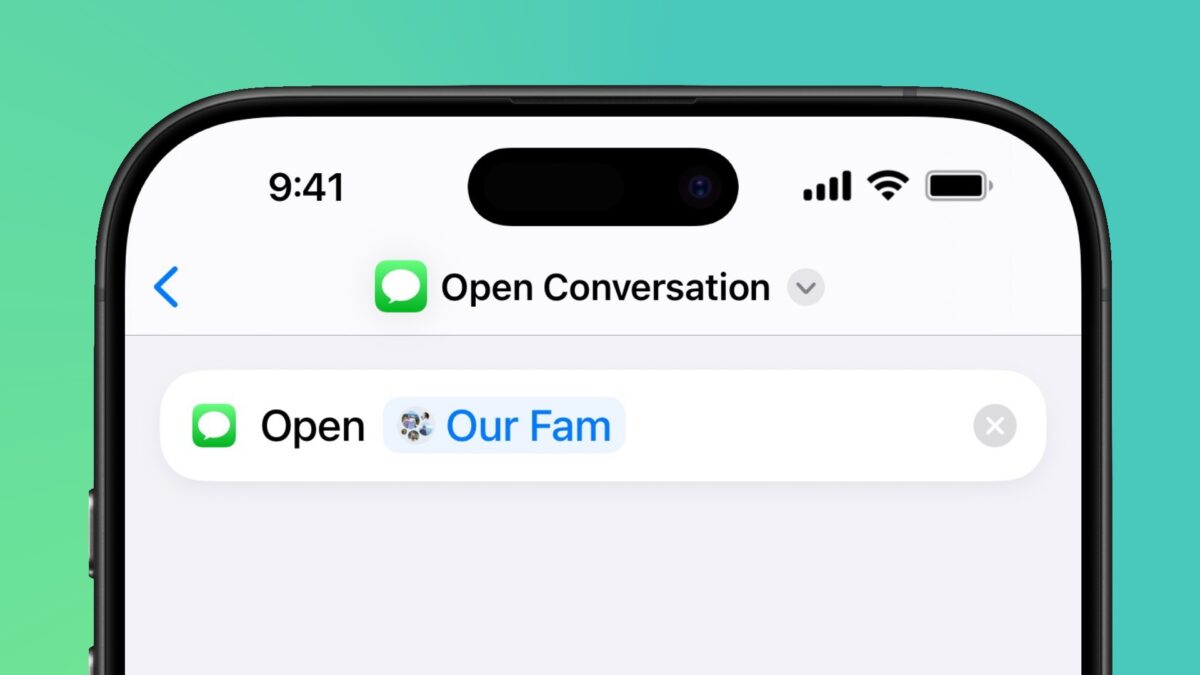
In the first developer beta of iOS 18.4, Apple has added a new “Open Conversation” action for the Messages app (as first spotted in r/iOSbeta). This allows Shortcuts users to design custom shortcuts and Siri commands to open specific conversations in the Messages app, including group chats.
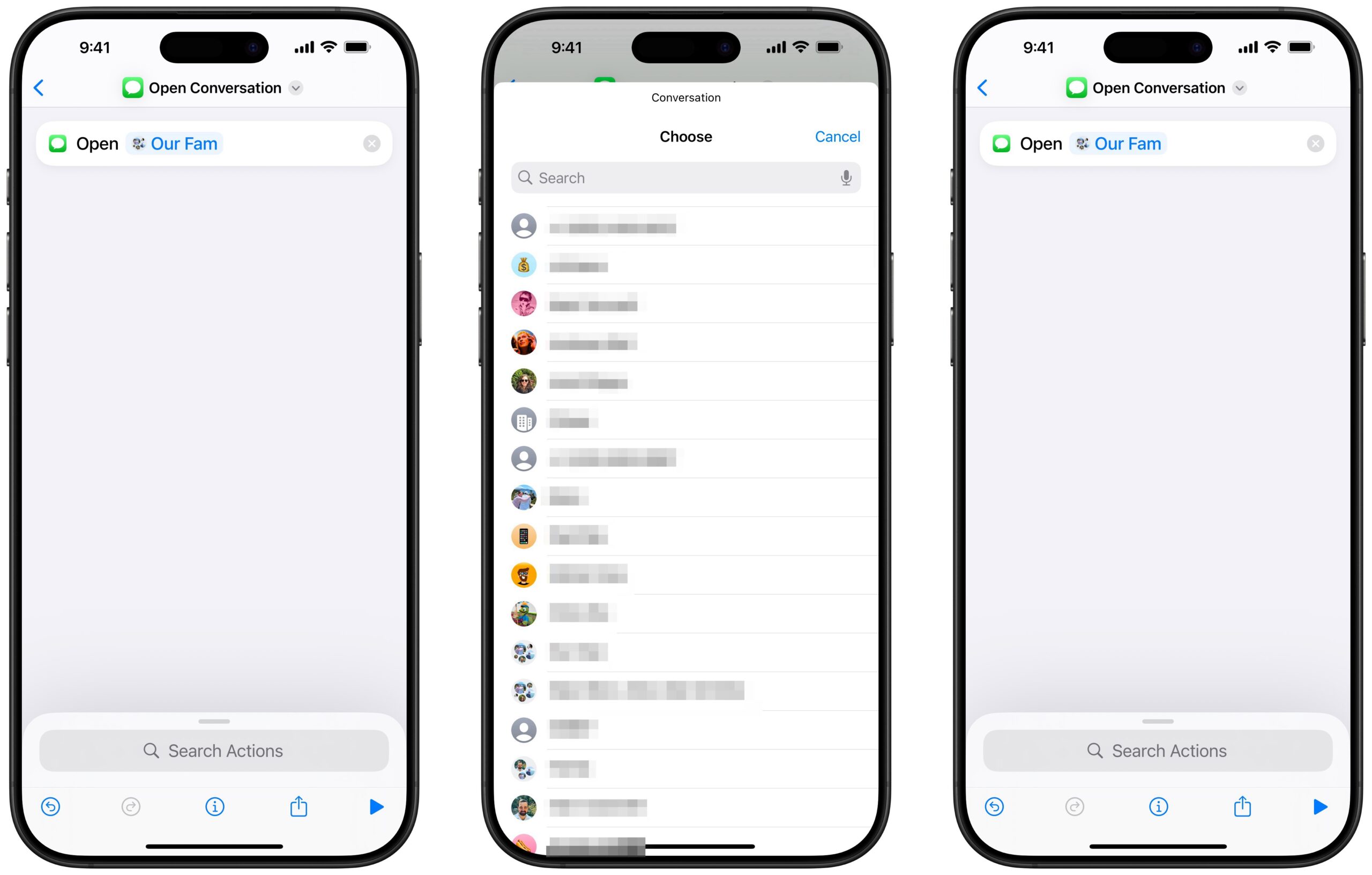
Found in the App list under Messages, “Open Conversation” contains a single option to choose which Conversation to open. When selected, you’ll be presented with a chronological list of all conversations from the Messages app, from your most recent text alert to your first conversation. Once selected, the Conversation title fills out the field, and, when run, the shortcut will open to that conversation in Messages – quite straightforward.
Currently, there are no additional actions like “Find Conversations,” “Mute Conversation,” “Trash Conversation,” “Rename Conversation,” or “Start Conversation,” which could be useful for filtering the list based on different parameters, managing or removing yourself from busy conversations, and updating group chats with new titles – all actions I hope Apple considers adding in the future.
I’d also like to see the Conversation action accept Contacts as input, so actions like Select Contact or Find Contacts could be used to find the correct people for a conversation, then their contacts data could populate the fields and have Messages open to the correct conversation (or disambiguate if there’s more than one).
Another addition I’d like to see is a toggle for “Open to Detail View” (or something similar) that brings up the extra contact information that you can see within a Messages conversation – having quick access to the locations, photos, and links from a conversation would be excellent and not require fundamental changes to the action.
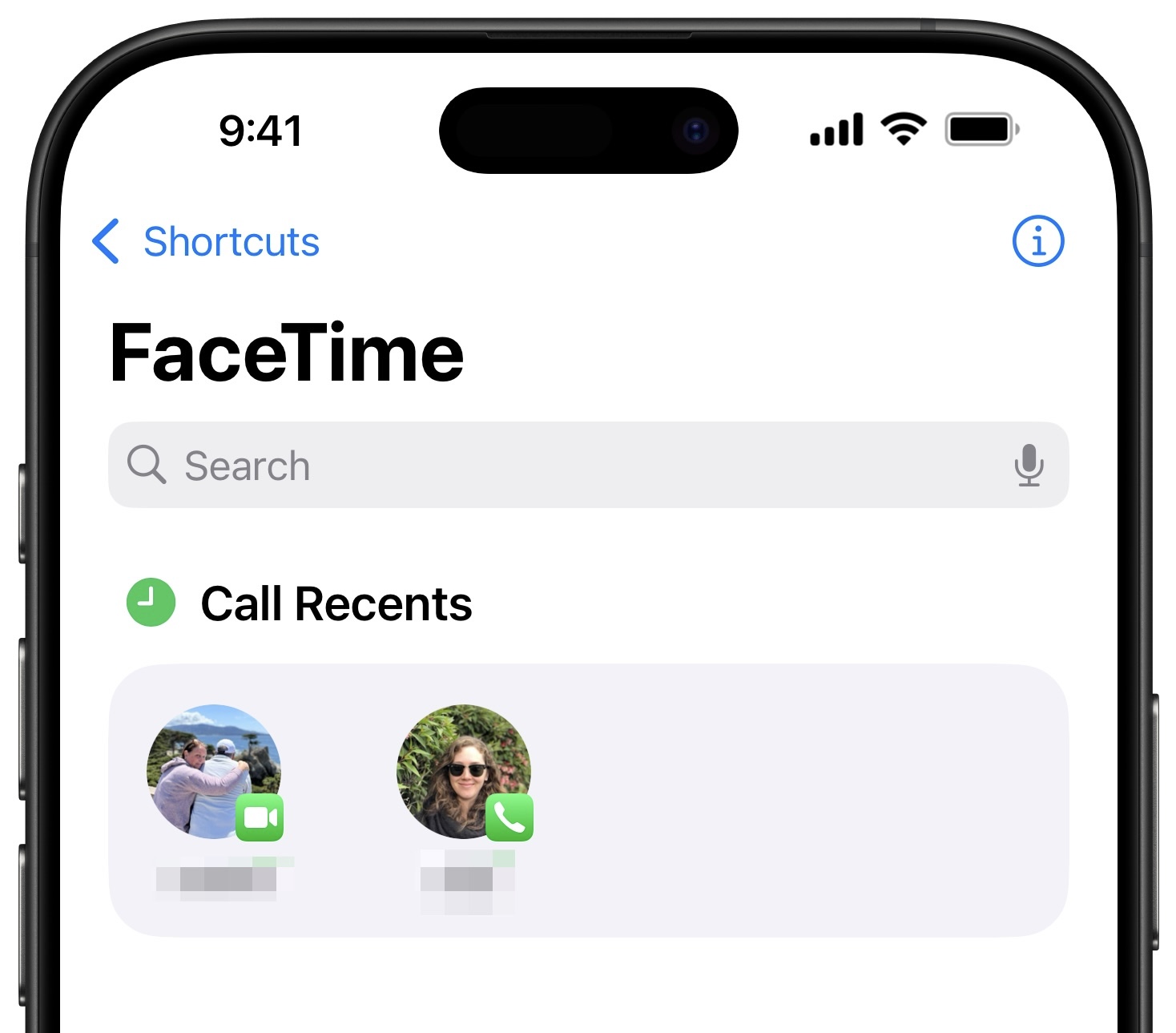
Further, I hope Apple adopts App Shortcuts support for the Messages conversations, like they’ve done for FaceTime – it’d be great to see your three most-recent conversations in Spotlight when searching for Messages, as well as quick links to conversations like Group Chats across search. Populating the Open Conversation action with app shortcuts to each conversation would also make the Shortcuts experience quicker to set up, as users would see their most-recent conversations already available to select as well.
I’ve set up a handful of demo shortcuts for folks to download, including one that simply prompts you to choose which conversation to open, a menu to open to your pinned conversations, a quick-access tool for your partner and your main group chat, and then containers for any siblings, parents, or family conversations – these work great from the Shortcuts widget, or as Siri commands.
Get the folder of Conversations shortcuts in my Shortcuts Library, and check out the new Open Conversation in Shortcuts once iOS 18.4 releases to the public.