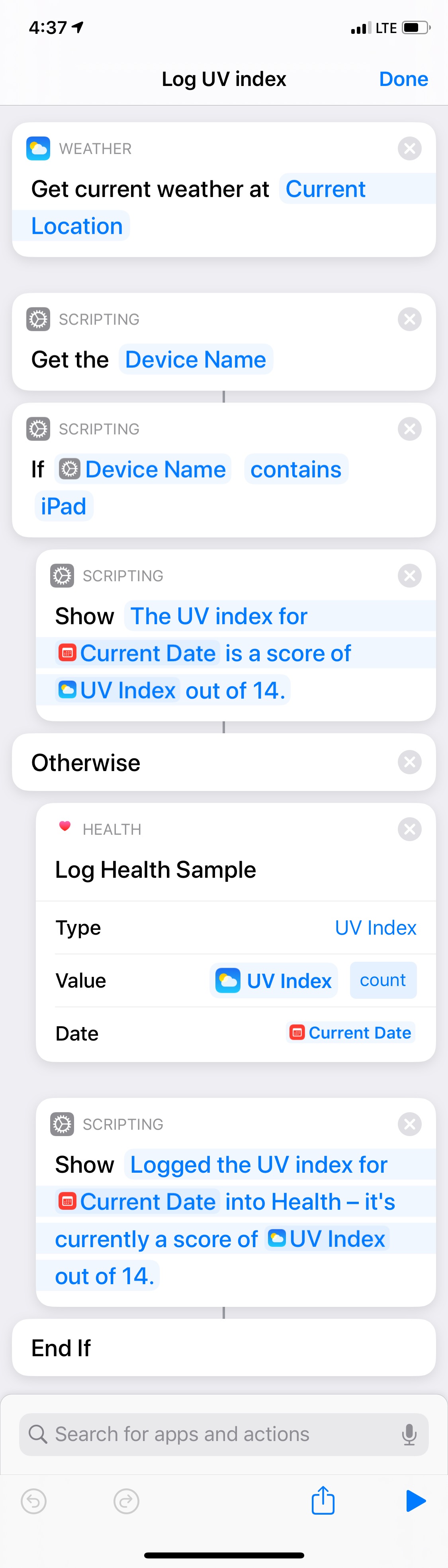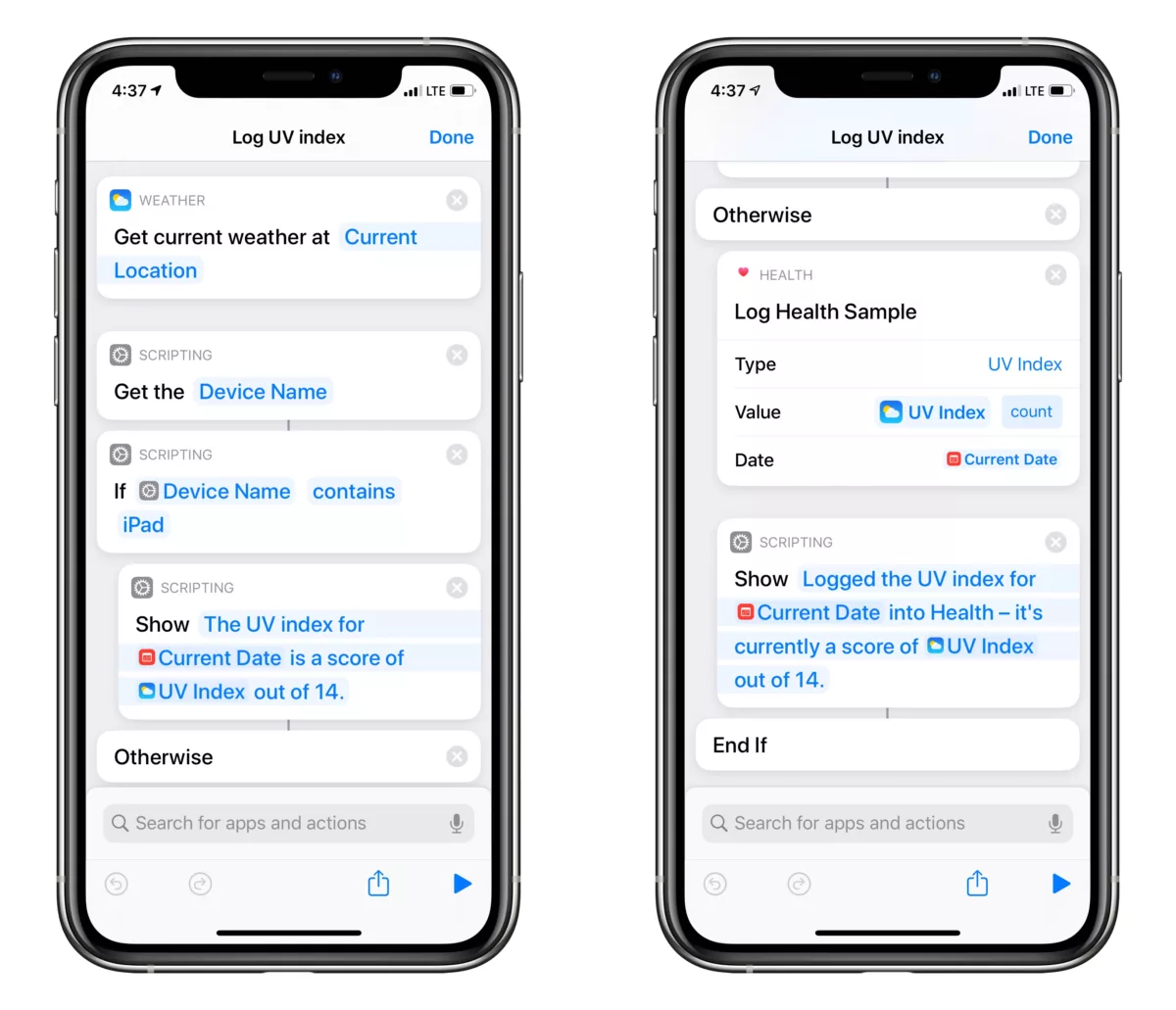
Here’s a Personal Automation for Apple Watch that I’m running automatically at the start of my Walking workouts – Log UV index:
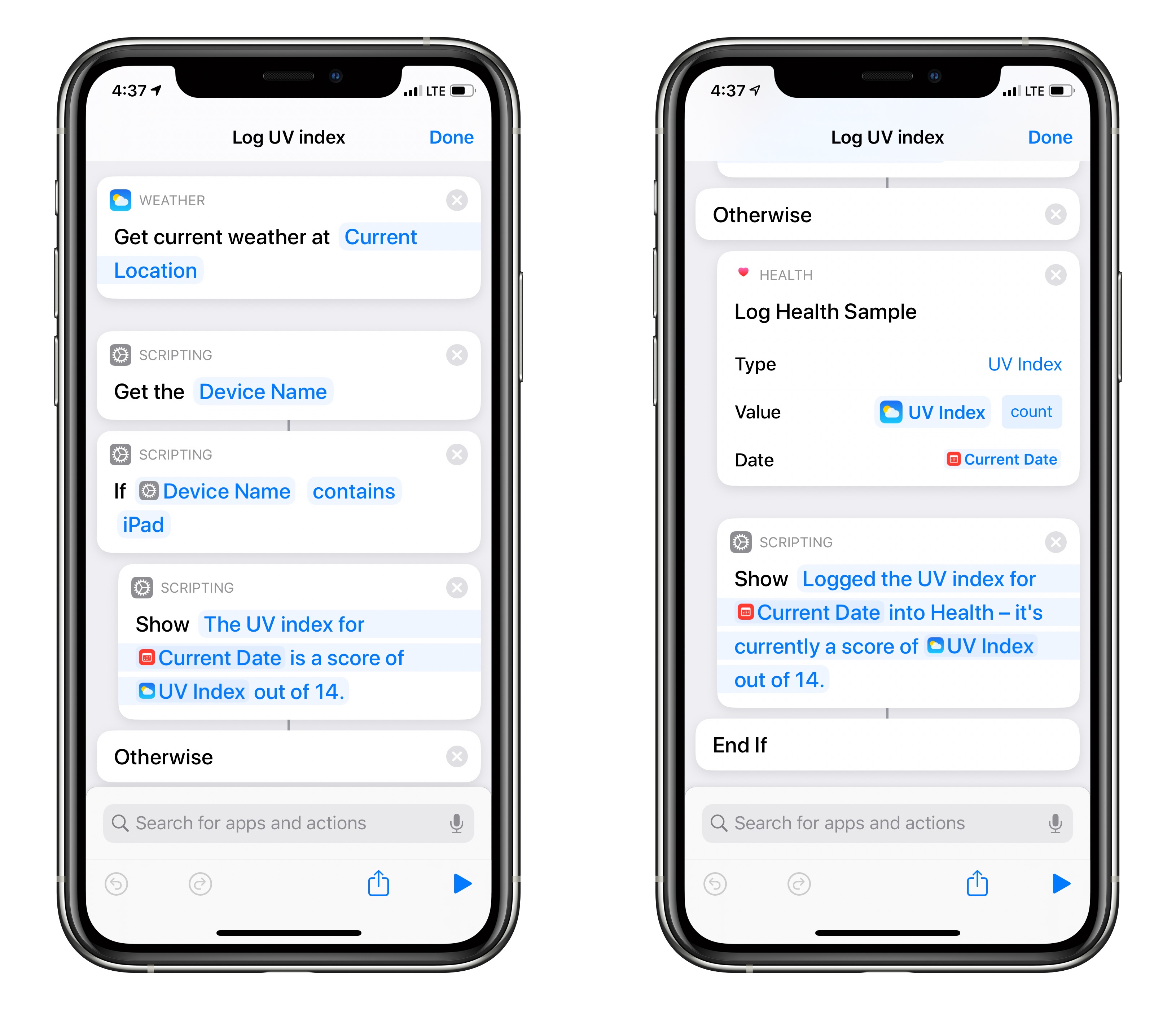
Gets the current weather at the current location and logs the UV index for the hour into the Health app, then displays it or speaks it back when run via Siri.
Includes “Get Device Name” and an “If” action to account for being run on the iPad, which does not have the Health app and would otherwise fail.
I built this because I wanted to track the UV levels I am being exposed to on a daily basis, whether it be too much during the summer or not enough during the winter.
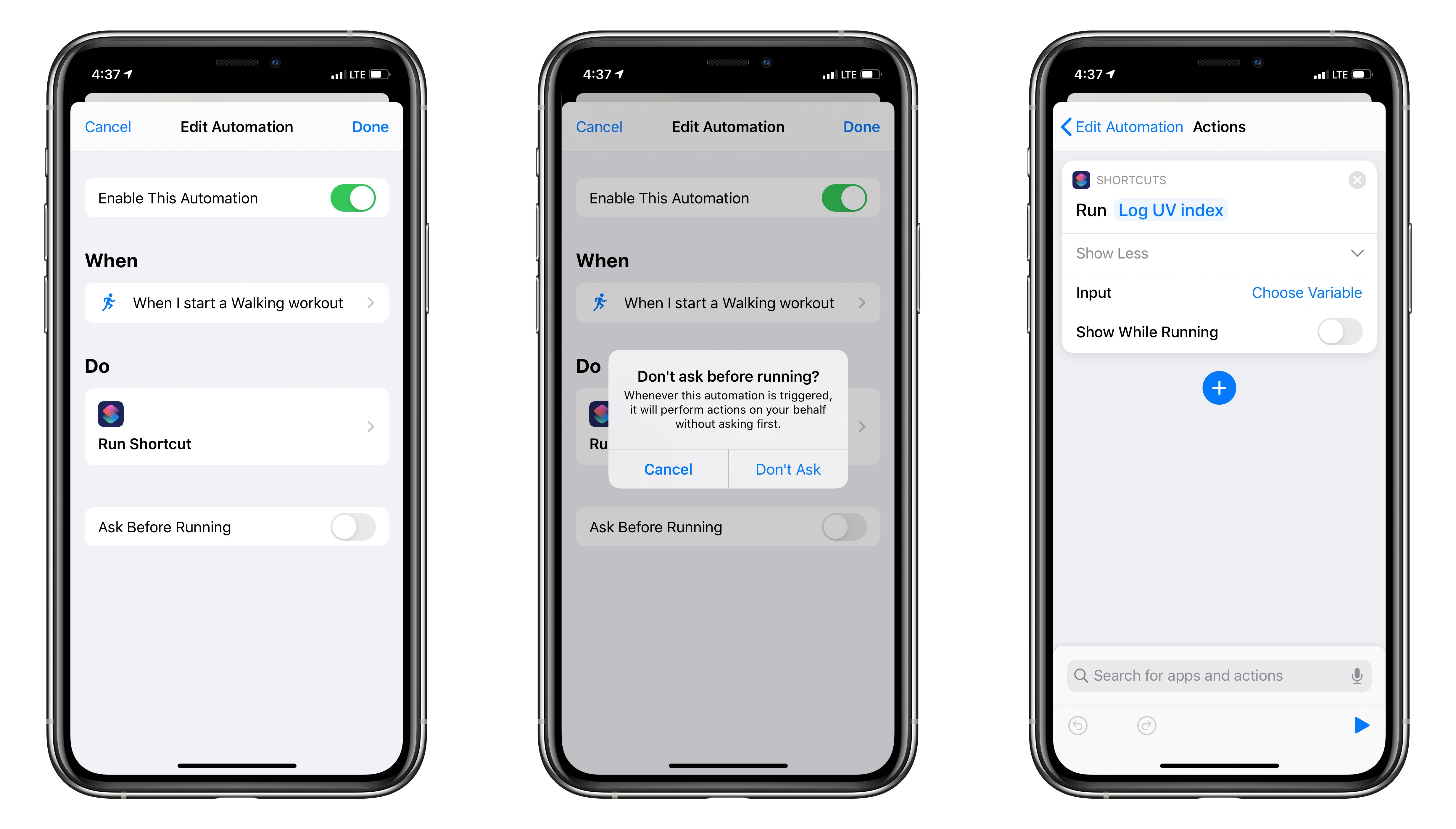
I use this inside a Personal Automation for Apple Watch set to the “Walking” workout type – the Run Shortcut action runs the Log UV Index when the trigger is met as my workout begins. That way, any time I go on an outdoor walk and I begin a Workout, this will log the sun exposure I’m getting into the Health app.
Since having an Apple Watch and seeing the UV index on my watch faces, I have realized just how strong the afternoon sun in California can be in and, conversely, how little I was actually getting outside during the winter. I also included the “X out of 14” bit to help with the context, since I doubt many people know the bounds of UV index scores ?
Since I already use the Outdoor Walk feature every day, it’s an easy and automatic way to trigger a shortcut reliably – why not log the UV index every time? Some day in the future I might be able to make an interesting insight from having the data saved.
Plus, I may stack on other shortcuts using the “Run Shortcut” action, treating my daily walks as a human-powered hamster wheel for all my Shortcuts Automation needs.
Get the shortcut or view a full screenshot.
Then, to set up the trigger, do the following 10-step process:
- Open the Automations tab.
- Create a new automation by tapping the
+in the top right. - Select “Personal Automation.”
- Choose “Apple Watch Workout” under the Event label.
- Choose “Walking” from the Workout Type menu, then tap “Next.”
- Add “Run Shortcut” from the actions list.
- Tap in the empty “Shortcut” field and then choose Log UV Index.
- Tap “Done,” then toggle “Ask Before Running” off.
- Confirm the “Don’t Ask” option so it will run without asking each time the workout starts.
- Tap “Done” to finish the Automation.
Then, go for a walk, start a Workout, and look for the notification!