Tasks to-do app gets major update with collaboration, more »

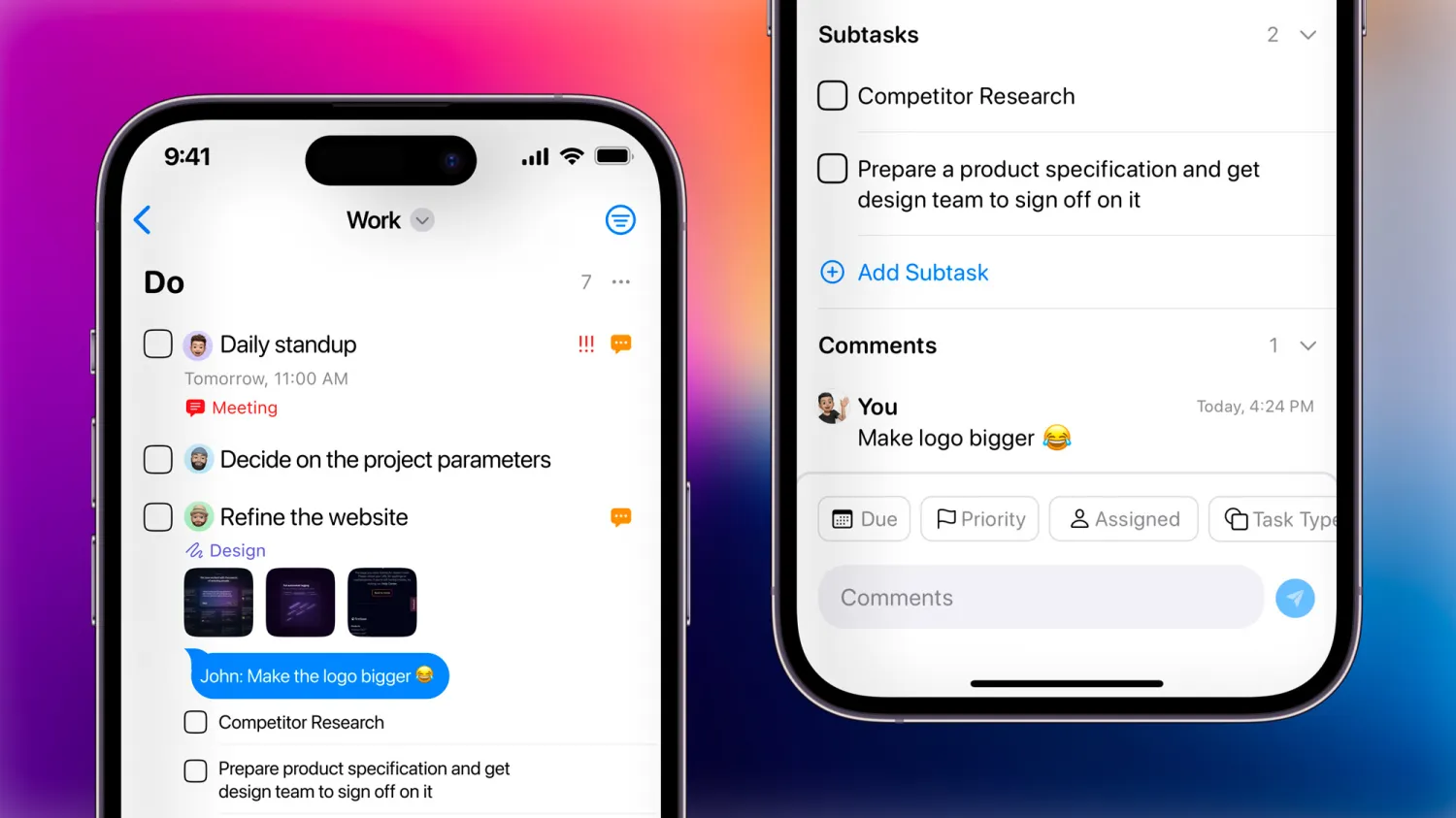
Developer Mustafa Yusuf has released a huge update to Tasks 3 – the folks at 9to5Mac have a write-up on everything that's new.

Felipe Esposito of 9to5Mac:

Tasks is one of my favorite to-do apps, and it has evolved a lot since I first wrote about it here on 9to5Mac. This week, Tasks was updated to version 3.0, which comes with a new design for the iOS app, a completely rebuilt macOS app, and new features like Tasks Cloud and collaboration

Plus, the goods:

Tasks has everything you expect from a great iOS and macOS app. It supports Dark Mode, drag-and-drop gestures, mouse and trackpad, multiple windows on iPad, and more. The app is even optimized for iPhone models with larger displays, featuring a two-column landscape layout. There’s also support for Siri Shortcuts, widgets, and Time Sensitive Notifications.

Congrats to developer Mustafa Yusuf on the big launch!

Get Tasks on the App Store and read about the update on 9to5Mac.
Posts You Might Like

How to use Mastodon’s API to open your Lists with Shortcuts
Building up your Lists in Mastodon is important – so is accessing them quickly when you need them. Using Apple's Shortcuts app, I built a tool that makes a web request to Mastodon's API and lets you return all your Lists to open from.
New shortcuts for the Phone app in the Shortcuts Library
Built for iPhone users, these Phone app shortcuts make it easy to access your voicemail, make calls, or copy your phone number to share with others.
All Automations Now Run Immediately In Shortcuts (Notifications Required)
Shortcuts automations now “Run Immediately” in iOS 17 – a new era for Apple devices. However, there’s a few limitations in the current betas – let’s see if those are fixed by the full release.
Here’s how to automate iPhone’s always-on display (with Shortcuts) »
9to5Mac has a quick guide on automating the Always On Display for iPhone using Focus modes, the Shortcuts action, and—my addition—Automations.