This afternoon, @kcjokes asked for a shortcut that can play a podcast based on the time of day:
@mattcassinelli Hey Matt! I’m creating a shortcut to add when connecting via Bluetooth. If time is before 8 pm, play podcast A, if after 8 pm, play podcast B. I’m stuck, can you help?
I’m here after 50 iterations. Thank You pic.twitter.com/WfSnEPYgnx— KC (@kcjokes) January 3, 2020
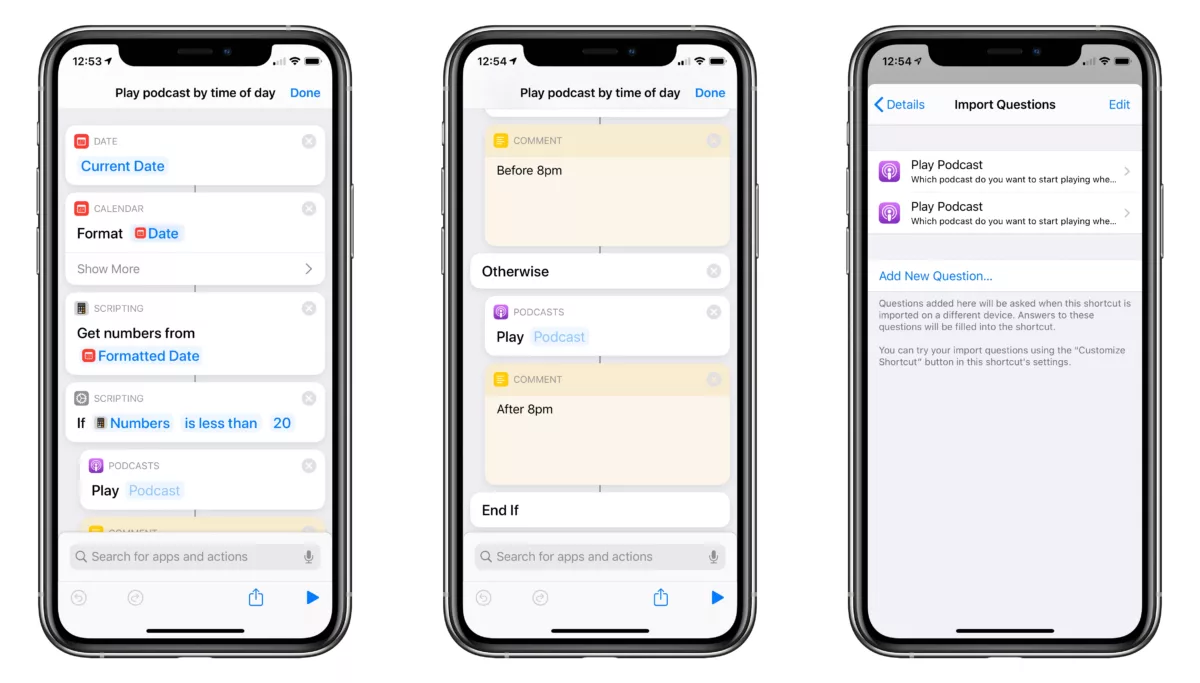
After thinking about it for a minute, I built this for him:
Takes the current time, converts it to 24-hour time, then grabs just the Number value and uses it in an “If” conditional – if before 8pm (or 20), play podcast “A”, otherwise if after 8pm play podcast “B.”
Includes Import Questions for pre-selecting the podcasts.
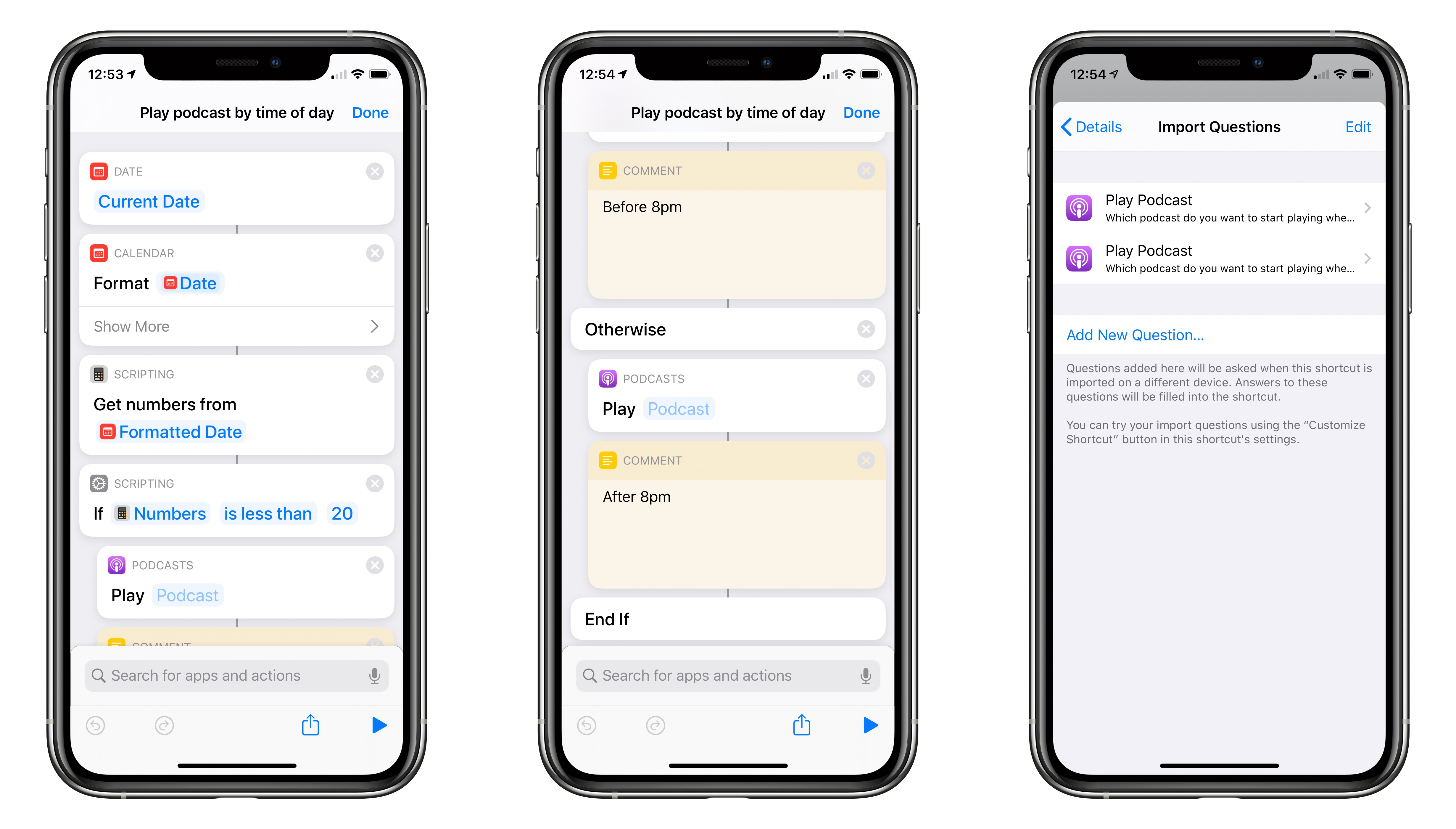
This is a helpful example of using the “If” action to create conditionals in your shortcuts, letting something different happen each time you run the shortcut depending on how the condition is met. In this, the shortcut uses the current Time values inside “If” conditionals so that something different happens depending whether the shortcut is run before or after a certain time of day.
To be more specific, formatting the Time into a single 24-hour value lets the “If” action’s conditions utilize “less than” or “equal to”-type math to check against the current hour – in iOS 13, the “If” action’s conditions change depending on the type of content used.
Feel free to give it a more creative name 🙂