When working with the fediverse and Mastodon links, one is regularly dealing with accounts from a variety of instances, each with its own set of URLs for every account.
That means, when using the Mastodon API, it’s especially important to identify each user by their unique ID rather than dealing with different handles and instance URLs, which would otherwise get very messy very quickly.
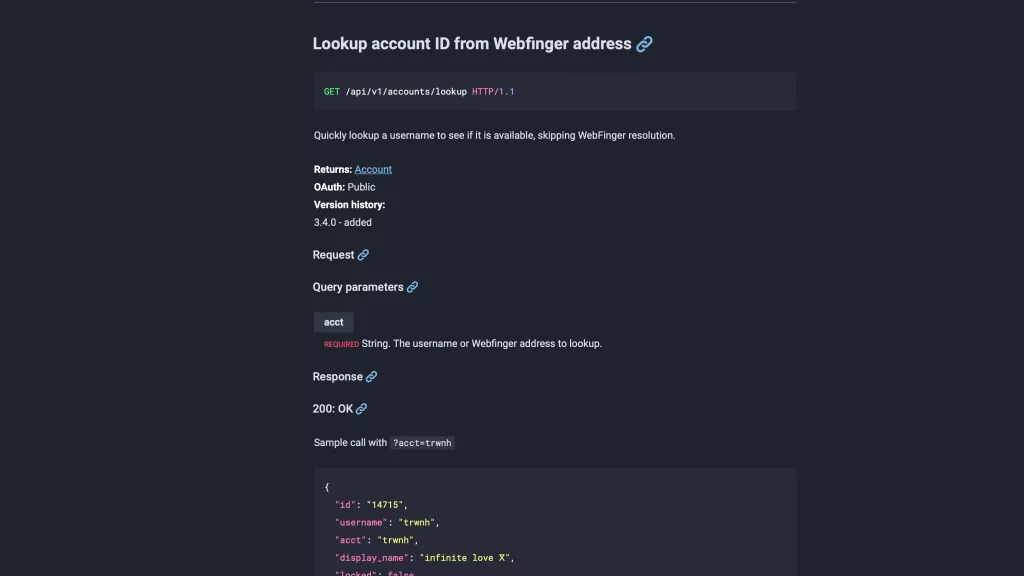
To solve this problem, Mastodon has implemented a Lookup account functionality, a public endpoint that allows anyone with a Mastodon link to send a web request and return the ID for that user.
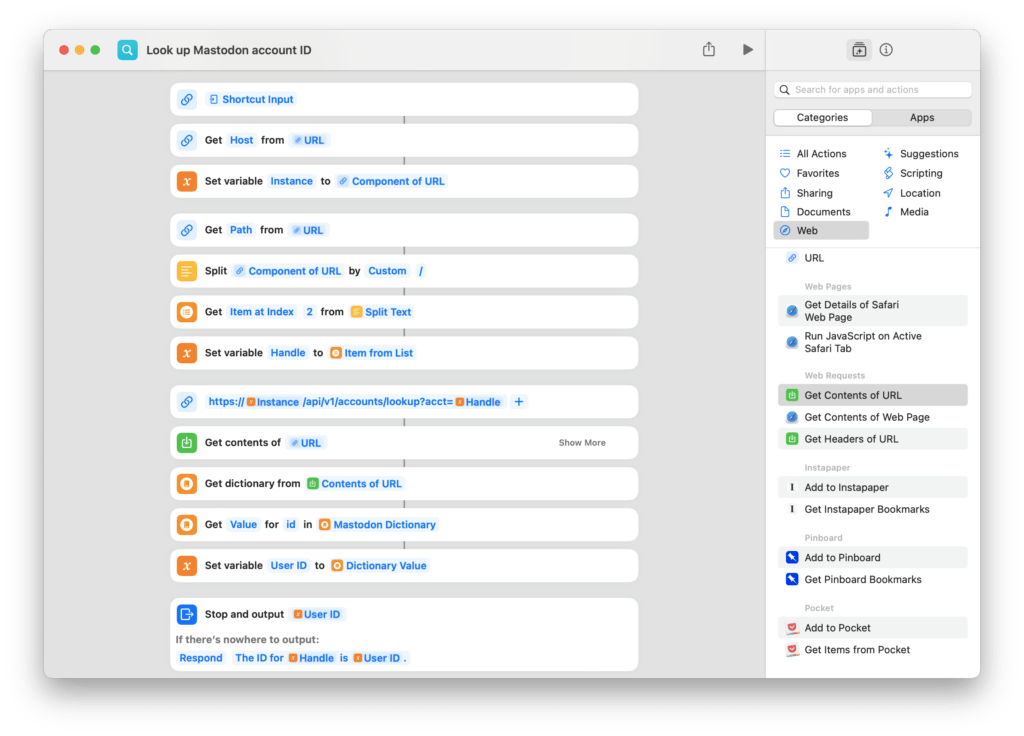
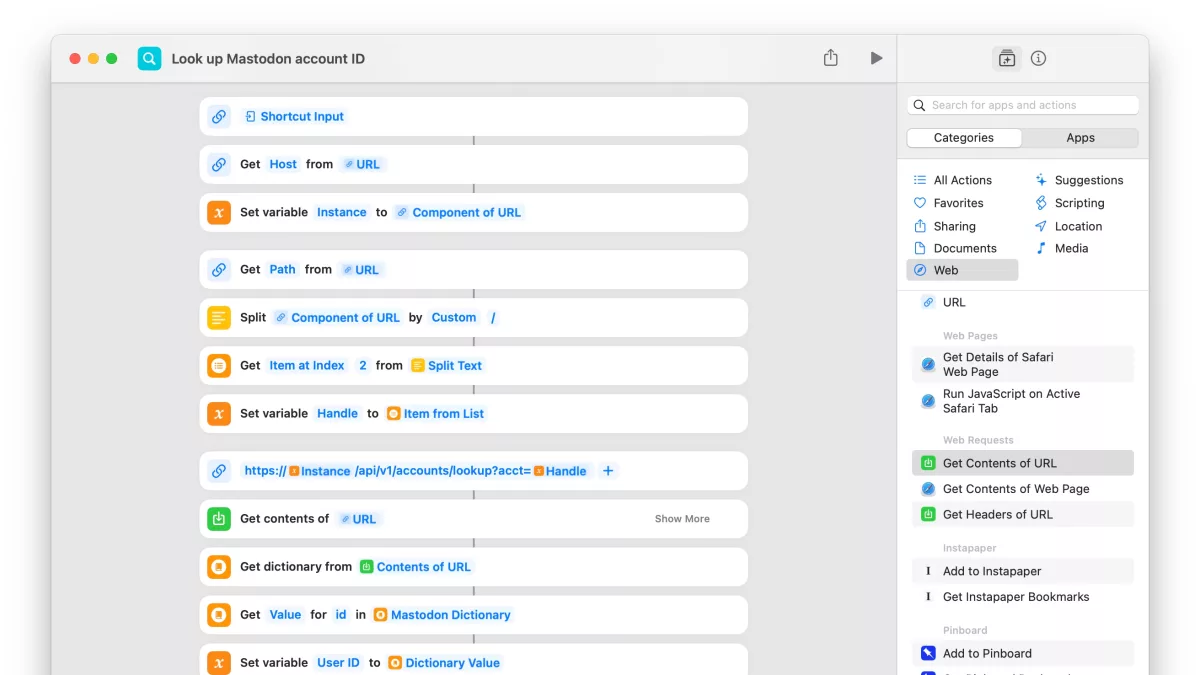
To take advantage of this in Shortcuts, I built Look up Mastodon account ID, one of my shortcuts that accepts any fediverse link as input (or gets one that’s been copied to your clipboard) and returns the account ID value – here’s how it works:
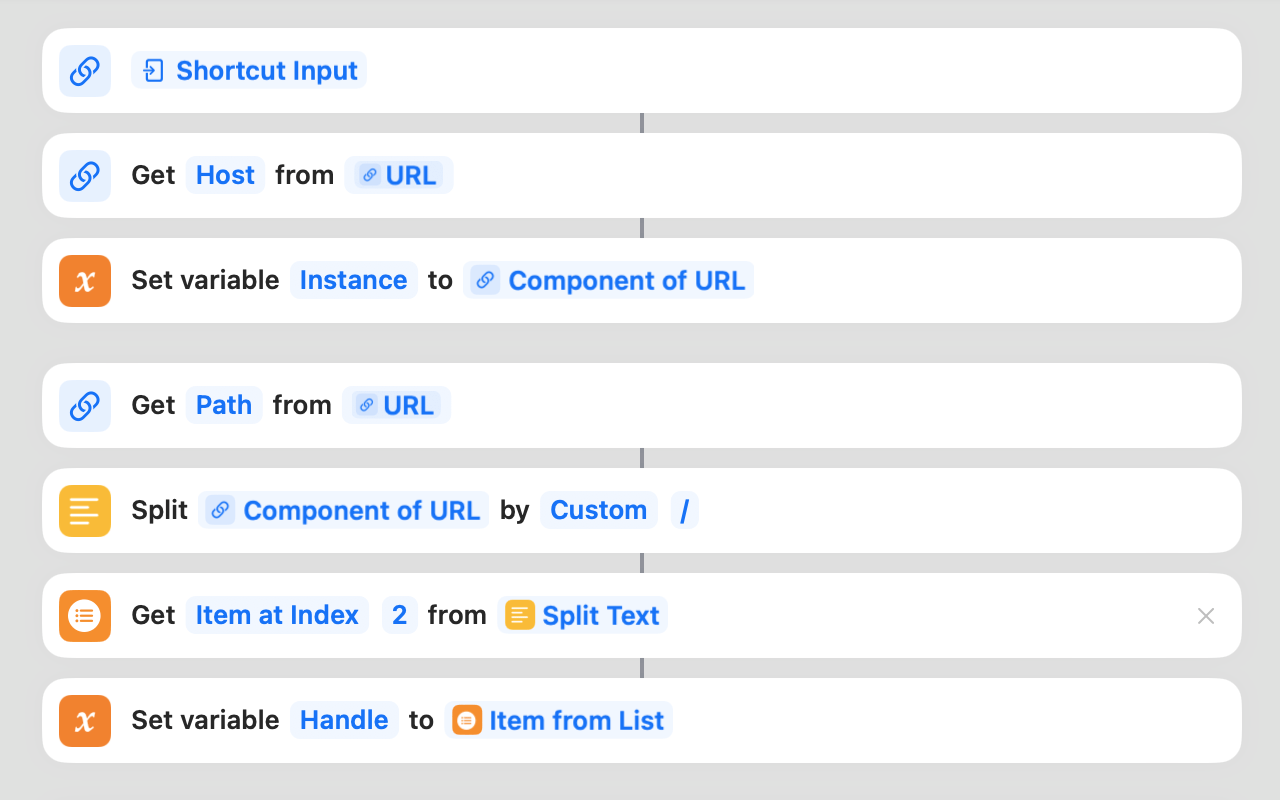
To start, my shortcut builds off the method I’ve developed for scraping Mastodon instance and handle data from fediverse links — you’ll be able to take a link from input and end up with variables for the Instance and Handle.
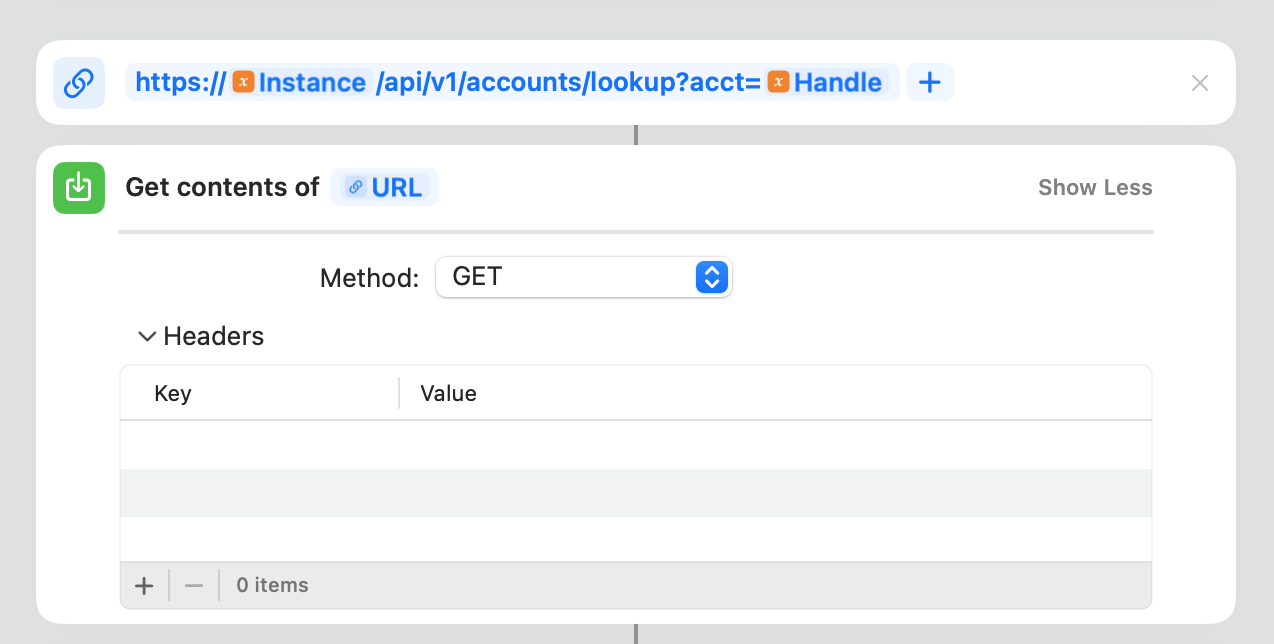
Then, create your request to the Lookup account endpoint by passing a URL for https://{Instance}/api/v1/accounts/lookup?acct={Handle}` into theGet Contents of URL` action – that will send a web request to Mastodon’s API and retrieve the data for you.
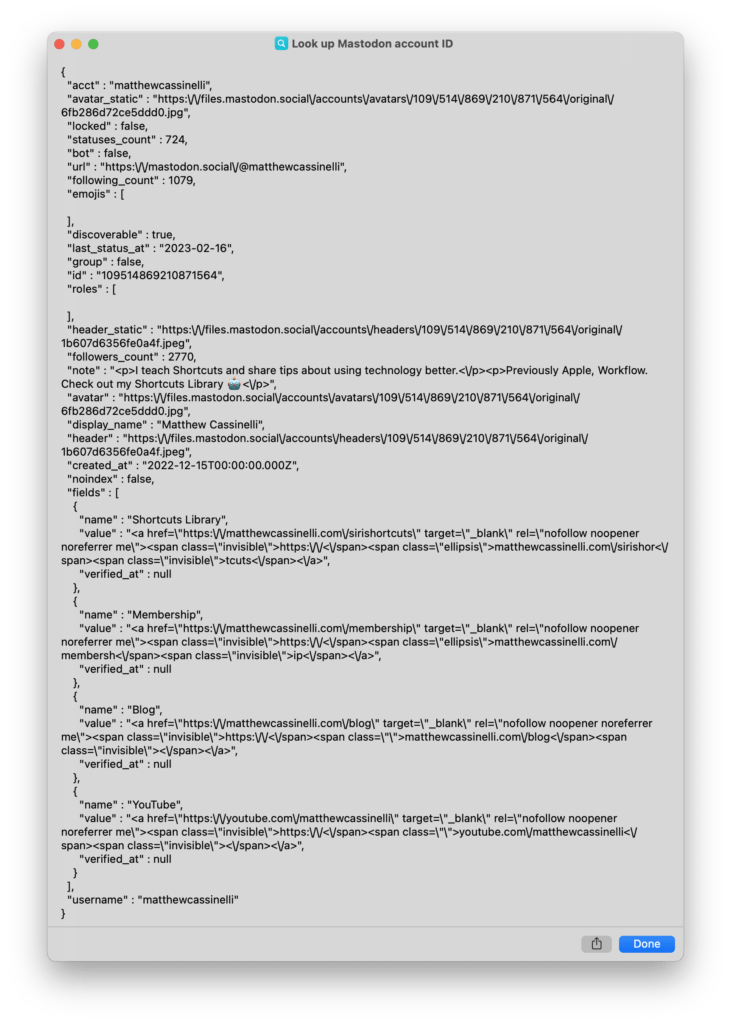
From that, the API will return a dictionary of data that includes values like id, username, acct, and display_name.
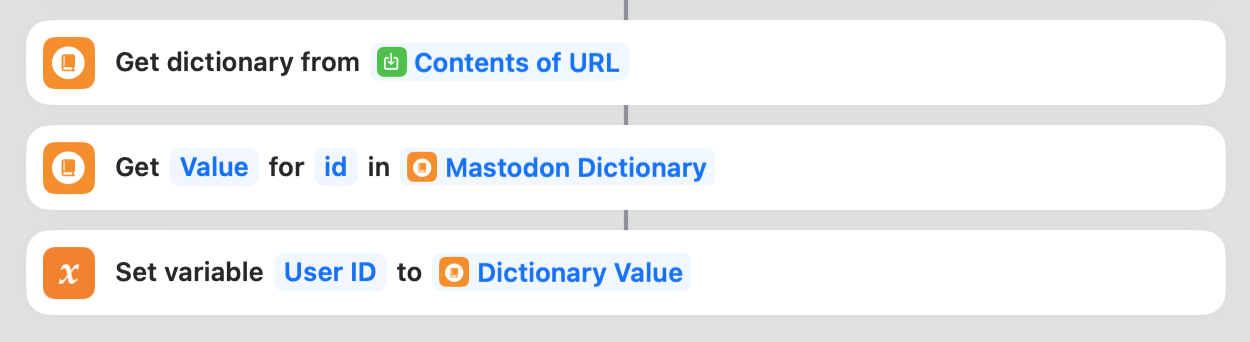
By using Get Dictionary Value to retrieve the id, we can output the value and end up with the unique identifier for that user that can be used elsewhere in the Mastodon API.

I’ve also included the Stop and Output action to show an alert when the shortcut is run standalone so you can see the name and ID for the account (when it’s not be used elsewhere).
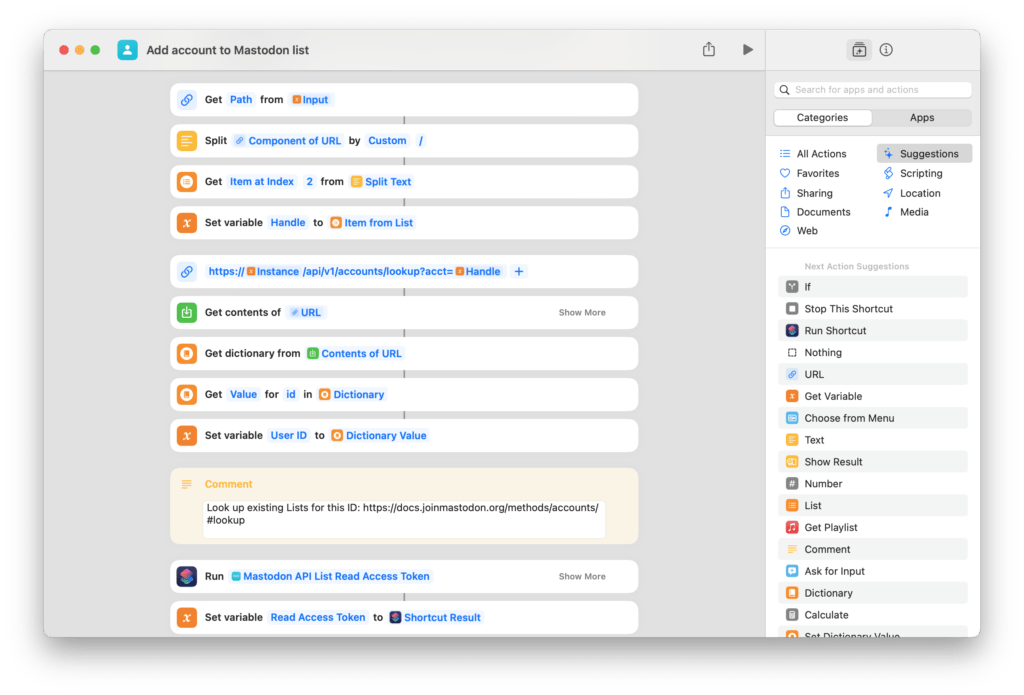
Originally, this function was built particularly for my shortcut to save Mastodon accounts to Lists — checking whether or not the account was already on a List required the Account ID, not just the handle.
However, this shortcut can be used in any Mastodon API shortcut when working with various instances — if you need to look up an account, use this shortcut as a function using Run Shortcut, set the link as the Input, and you can retrieve the account ID immediately.
Get the free Look up Mastodon account ID shortcut in the otherwise members-only Mastodon Lists folder of my Shortcuts Library.