Shortcut to search replies and quotes for a tweet »

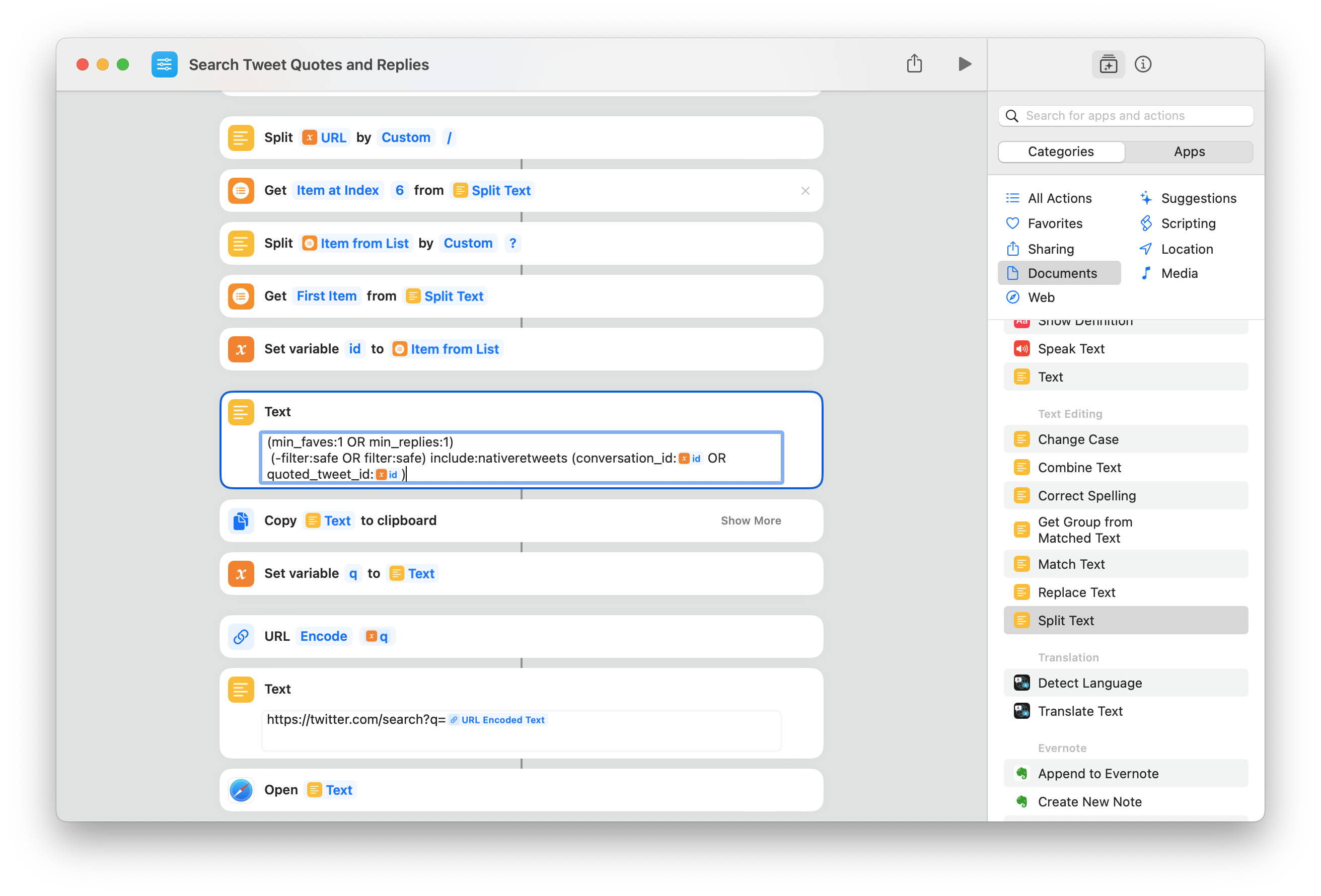
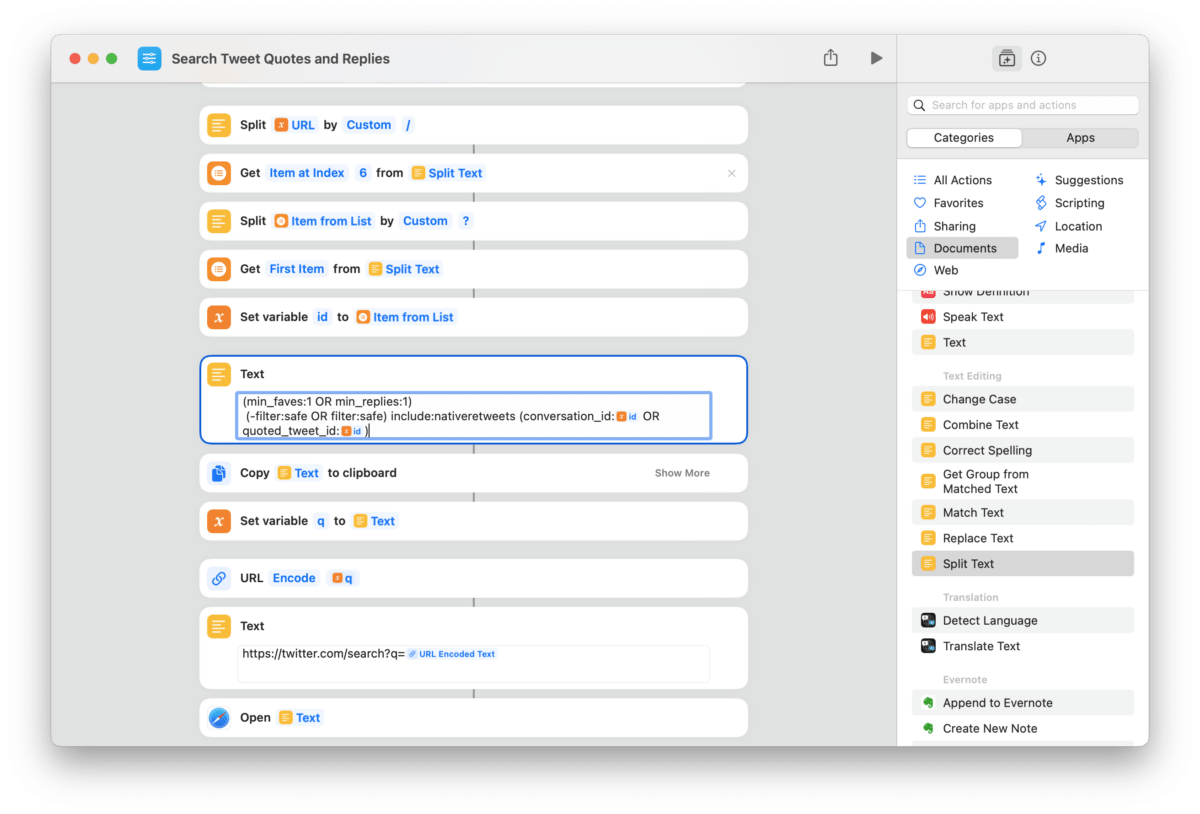
Search through a given tweet's Replies and Quotes using this shortcut from Twitter user @colleidoscope.
Shortcut to search replies and quotes for a tweet »

Twitter user @colleidoscope shared this shortcut for quickly searching replies and quotes to a specific tweet:

The shortcut scrapes the current tweet’s ID from the URL, then takes advantage of Twitter’s search operators to build an advanced query:

(min_faves:1 OR min_replies:1)
(-filter:safe OR filter:safe) include:nativeretweets (conversation_id:ID OR quoted_tweet_id:ID)

Twitter’s quality control issues notwithstanding, this is useful for finding that one quote tweet you swore you saw, or digging through a massive list of replies from popular accounts – what a clever use of Twitter Search.

Get the shortcut from @colleidoscope’s tweet.

Posts You Might Like

New in the Shortcuts Library: Perplexity shortcuts
Check out my shortcuts for Perplexity AI – use these to ask questions in different modes, listen to Discover, and view your threads.
Ulysses Adds Action Button & Control Center Shortcuts Alongside Table of Contents & Writing Tools »
In the latest release, Ulysses has expanded their Shortcuts support with new Action button and Control Center functions – plus a Table of Contents feature and support for Writing Tools from Apple Intelligence.
15 ways to use Shortcuts with Pages, Keynote, and Numbers
MacStories: iPadOS Lets You Automate Window Placement with Shortcuts »
From MacStories: In iPadOS’ Shortcuts app, the existing ‘Open App’ action was recently updated with the ability to launch an app with a specific window placement parameter.