One of the best music discoveries over the last few years is the fact that I love dance music and never really realized it before – that has led to many, many Singles being saved to my singles library from top playlists so I can keep track of all the songs and artists.
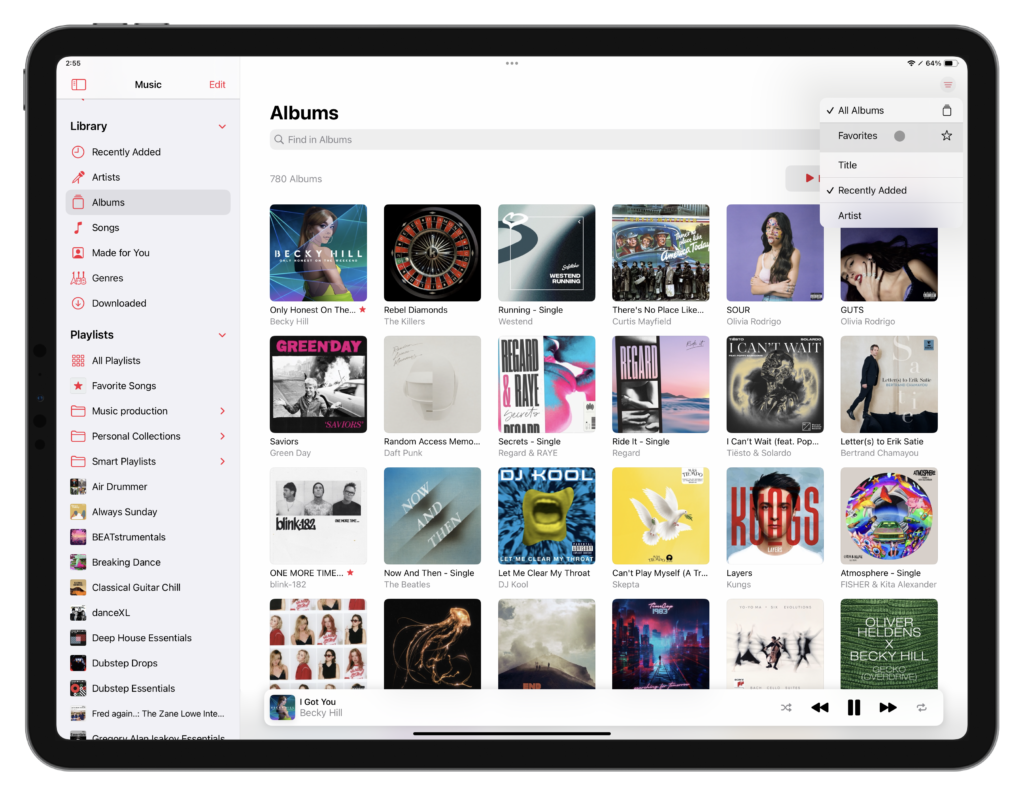
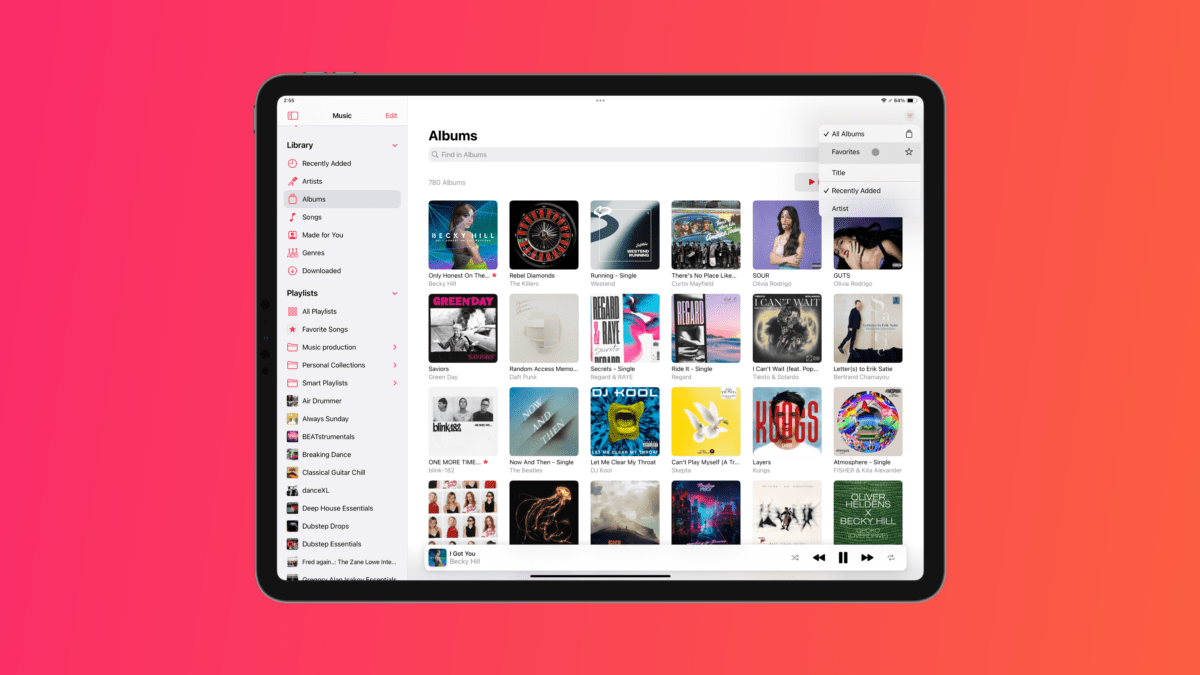
However, that’s led to an Albums view that’s hard for me to parse – often each album cover represents only one or two songs, and the sheer volume/variety compared to other genres means the list is now much busier and harder for me to parse when trying to find actual full-length albums that I’ve added.

With the update to iOS 17.2 to change Likes to Favorites, however, I discovered a new filter in the Albums view that lets you see only your Favorites.
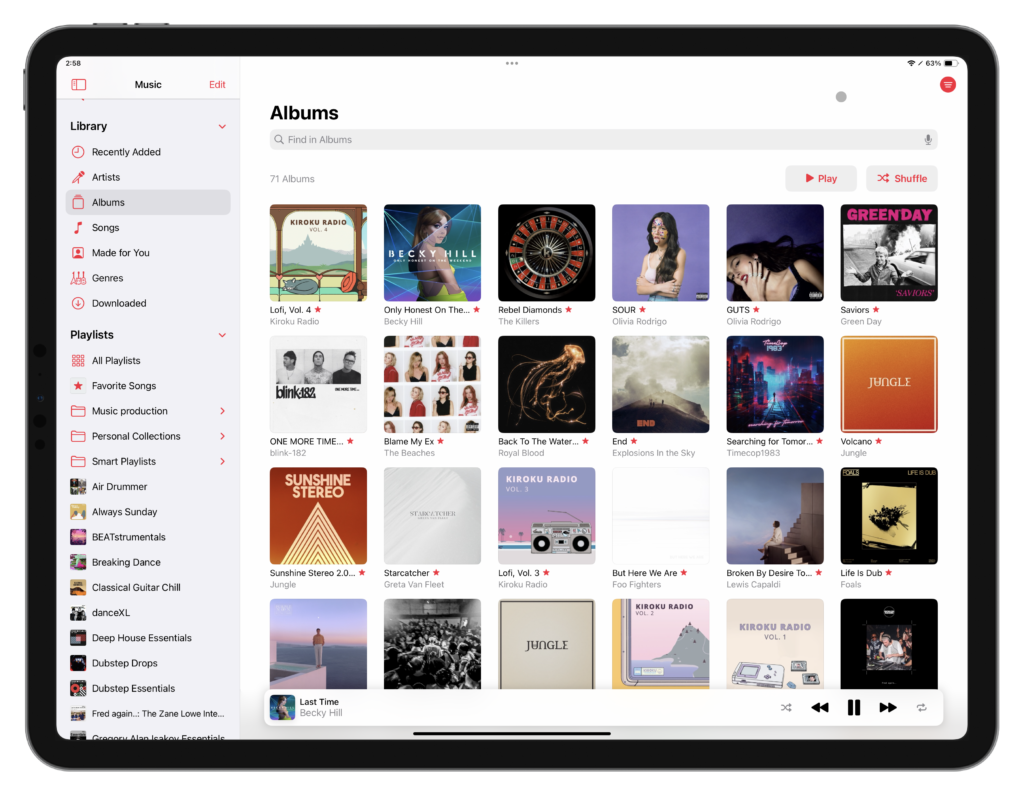
With this, I’ve gone through and added a bunch of full-length albums as favorites—leaving out all the singles—and now I can filter the list down to my “real” library.
Further, I can still favorite the individual track within a Single to add the track itself to my Favorites list like any other song, while still being able to effectively hide the artwork when I want to filter for full albums.
Overall, I think Favorites makes sense over Likes and enables some helpful quality-of-life features to the Apple Music experience – this Favorites filter for Albums is a nice touch.