Ulysses Adds Action Button & Control Center Shortcuts Alongside Table of Contents & Writing Tools »

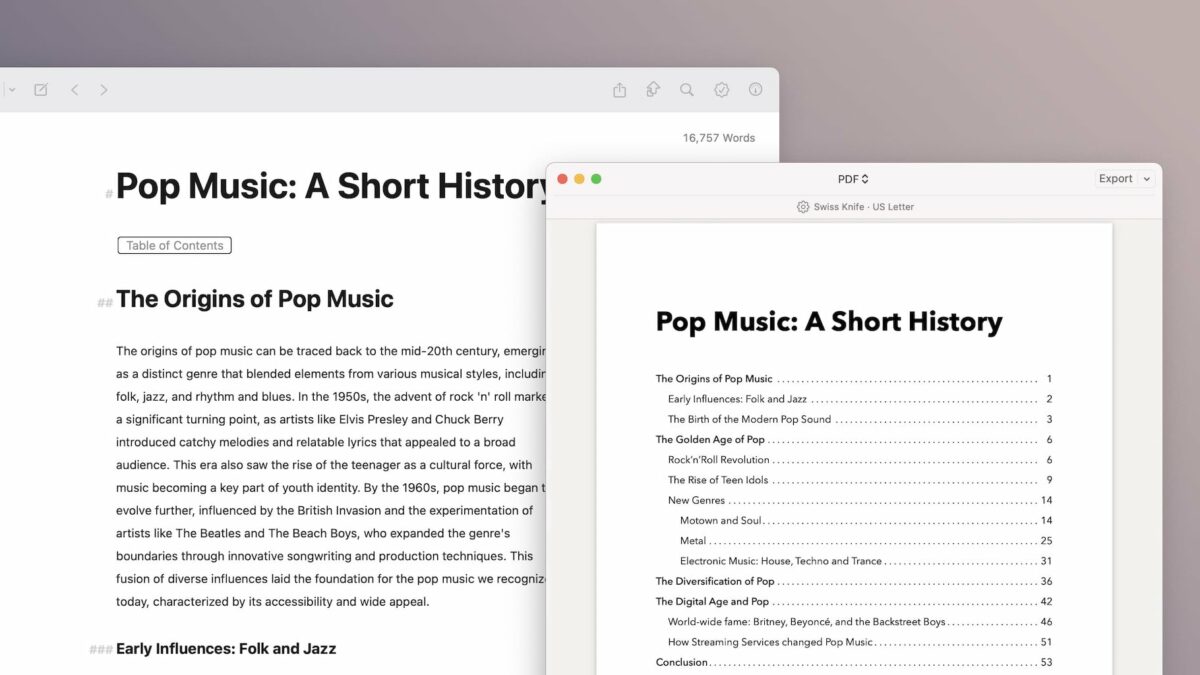
In the latest release, Ulysses has expanded their Shortcuts support with new Action button and Control Center functions – plus a Table of Contents feature and support for Writing Tools from Apple Intelligence.

From Ulysses’ v36 release notes:

  • You can now launch Ulysses from the Action button found on the latest iPhone models.
  • “New Sheet” will launch Ulysses into a new, empty sheet in your Inbox.
  • “Last sheet” will open the last edited sheet.
  • “Search” will launch Ulysses directly into Quick Open.
  • These actions are also available via Control Center on iOS 18.1.

Very excited to see these new actions – I got a chance to talk with the Ulysses team at NSSpain and have been eagerly anticipating these.

These actions join the new Table of Contents feature and updates to support Apple Intelligence Writing Tools.
View the Release Notes on Ulysses’s site.

Posts You Might Like

Automation Academy: Federico Viticci’s Collection of Advanced Shortcuts for Things »
MacStories editor Federico Viticci has shared his set of shortcuts and automations for interacting with your day's tasks in Things – check out the post from Club MacStories.
iOS 17.2 Includes 50 New URL Schemes You Can Use in Shortcuts on Your iPhone »
Justin Myers of GadgetHacks covers deep links for Journal, Contact Key Verification, and Accessibility settings new in iOS 17.2
Stephen Robles on the iPhone Action Button 5 Months Later… »
Stephen Robles shares his thoughts on how to best use the iPhone Action button, now that we’ve had it for multiple months.
5 WWDC features I’ll actually use more than Apple’s new Siri AI »
Graham Barlow at TechRadar talks about Describe a Shortcut and how it's coming to Shortcuts for Mac.