Stephen Robles’ 15 NEW iPhone Shortcuts: Auto-Reply Texts, Wallpapers, and Transcribe Podcasts »

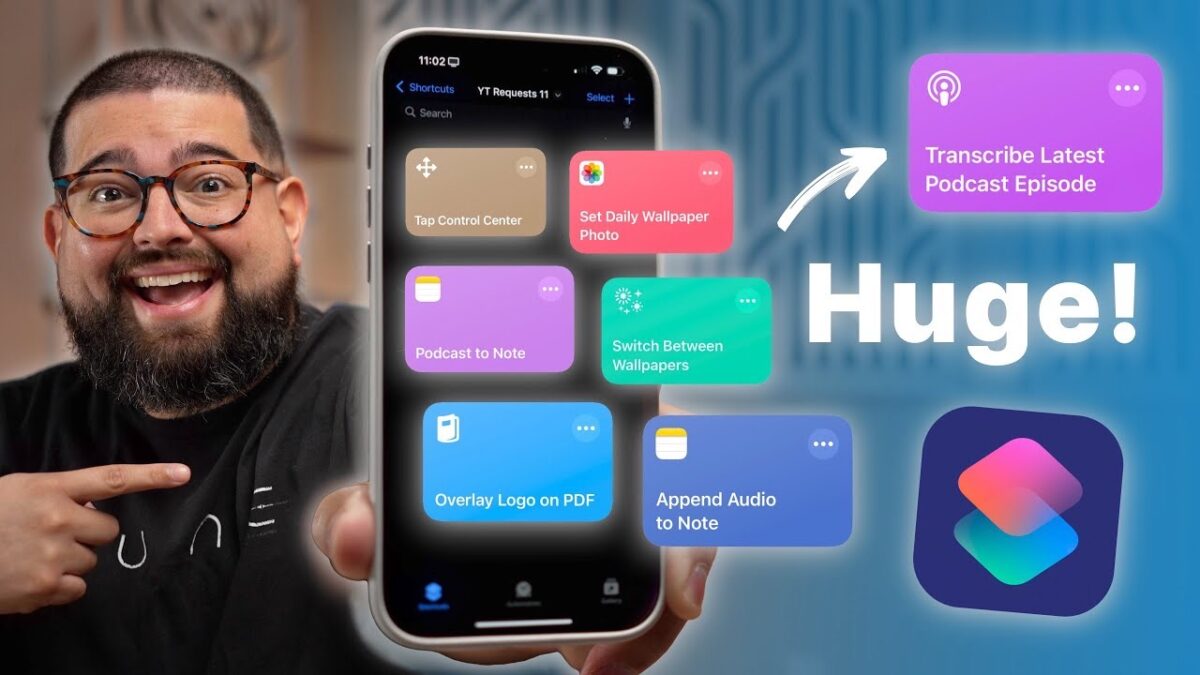
Stephen Robles shares 15 new workflows requested from the community in this massive 27-minute Shortcuts video.

From Stephen Robles on YouTube:

Unlock the power of automation with 15 new iPhone shortcuts! Learn how to automatically reply to texts, change wallpapers, and even transcribe podcasts with iOS 18. I’ll walk you through automating spam text replies, setting custom wallpapers based on Wi-Fi, and more.

? Get the Shortcuts

Download and Transcribe Podcast Episode

Photo Wallpaper from Album

Switch Wallpaper and Focus

Play Music Station

Overlay Logo on PDF

Open Folder

My Recording Video Process

Record Audio and Add to Note

Chapters ➡

00:00 Introduction

00:33 Auto-Text Replies

01:51 Auto Reply STOP to Spam Texts

02:59 Vacation Text Responder

04:58 Change Wallpaper on Wi-Fi

06:24 Random Photo Wallpaper

09:08 Open Files Folder

09:43 Toggle Control Center

10:24 Record Audio and Transcribe

11:55 Apple Music Stations

13:06 Overlay Logo on PDF

16:12 Recording Video Scene

16:49 Alert by Email Sender

18:10 Select Audio Device in Car

19:13 Toggle Alarms by Location

20:18 Download and Transcribe Podcast

24:27 HUGE Announcement!
View the video YouTube.

Posts You Might Like

13 Features of iOS 13: Shortcuts (Six Colors)
Skip the Siri AI Waitlist on Mac with this Shortcut
If you're waiting for Siri AI, you can bypass the feature flag on macOS using a Terminal command – this shortcut allows you to run the script (and undo it, if you want).
The Automators podcast: my Shortcuts deep dive!
Talking with MacSparky and Rosemary about two of my favorite shortcuts – subscribe to Automators if you haven’t yet!
How To Directly Access Threads Profiles Using Shortcuts
In learning about Threads' unique URL scheme, I've shared two shortcuts for accessing others' and your own profile directly in the app.