Smart Profiles Swap Your Stream Deck Layout Automatically When Switching Apps »

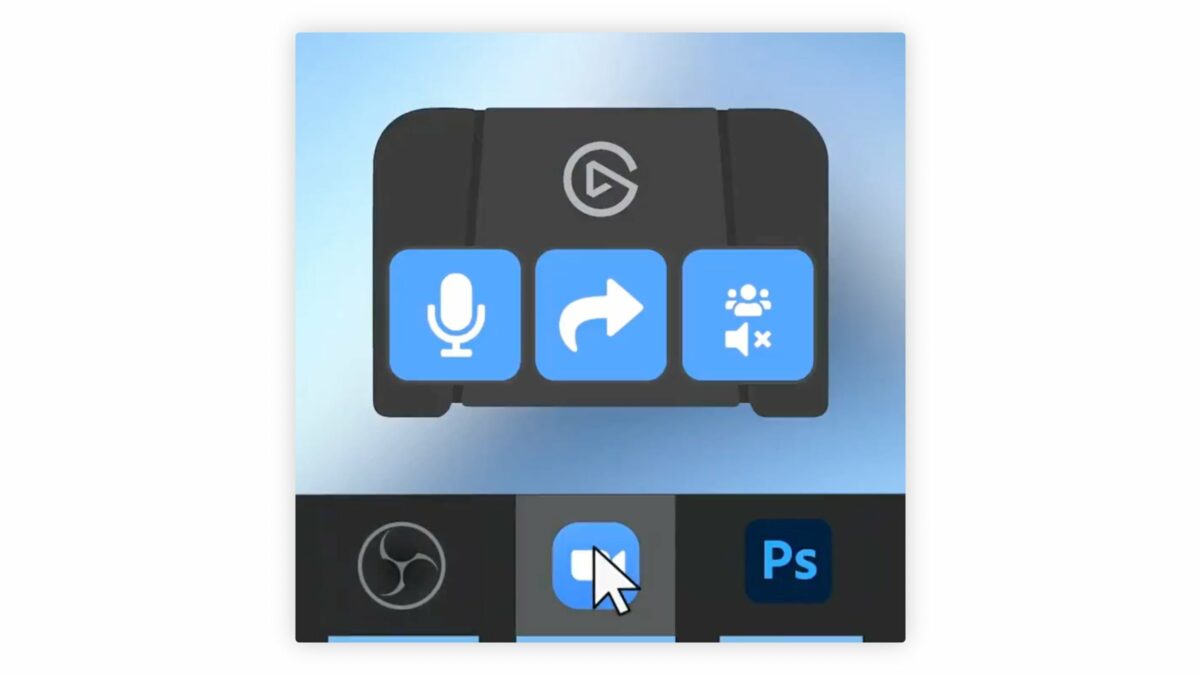
Smart Profiles are key for making your Stream Deck more dynamic – you can have custom layouts for every app that show when the app is opened.

From @elgato:

Switching between multiple apps? ?

Use Smart Profiles to load unique Stream Deck Pedal layouts automatically when switching apps.

[Video]

Smart Profiles are the key way I’m using Stream Deck with Shortcuts – with profiles for most of my apps, I can always access my shortcuts when I open the app on my Mac.

Smart Profiles work on all Stream Decks, but I also use them for the Pedal as they show in the video – when Safari is open, I can tap the left or right bumpers with my foot to switch tabs. ?

View the post and get the Stream Deck Pedal from Elgato.

P.S. You can use my Elgato Partner code ZZ-CASSINELLI for 5% off at checkout.

 

Posts You Might Like

Block Annoying LEDs with these LightDims Black Out Stickers
If you have a red, blue, or white LED that you cannot turn off, use these LightDims black out stickers to cover them.
Automating Devices with Elgato Stream Deck via Apple Shortcuts »
Daniel Raffel shares his experience setting up HomeKit devices as a single-press toggle in Shortcuts – so he can control his lights via Stream Deck.
Personal Link App Plinky Launches To Help You Enjoy The Vast Internet
Developer Joe Fabisevich has launched his new app Plinky for saving and organizing personal links for later – check out his launch thread and get the app.
Elgato’s Prompter Lets You Look Right Into The Camera »
I just got my hands on Elgato's Prompter for recording videos and streaming after it was released in October of last year.