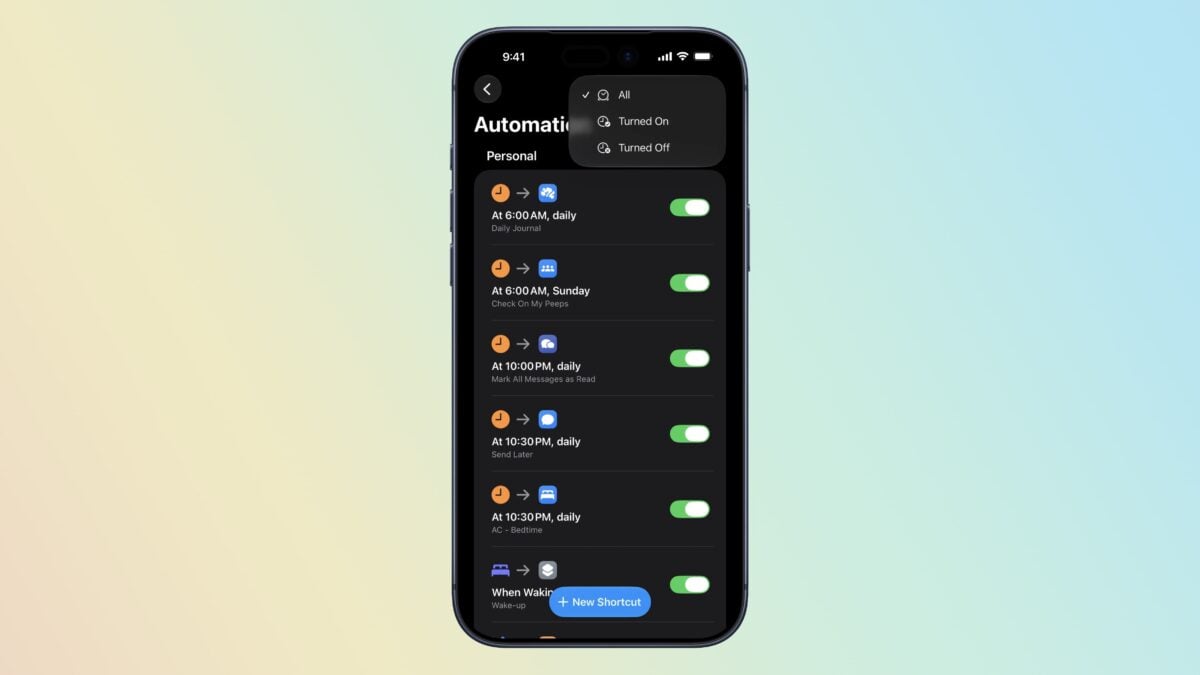
As first discovered by u/iBanks3 on Reddit, Apple has added a new filter to the Automations group in Shortcuts that allows you to choose between All, Turned On, or Turned Off. As Banks noted, this makes it easier to toggle your automations off and back on in bulk, plus filter to see which are currently active versus which are disabled.
How to filter your Automations to see which are Turned On or Turned Off
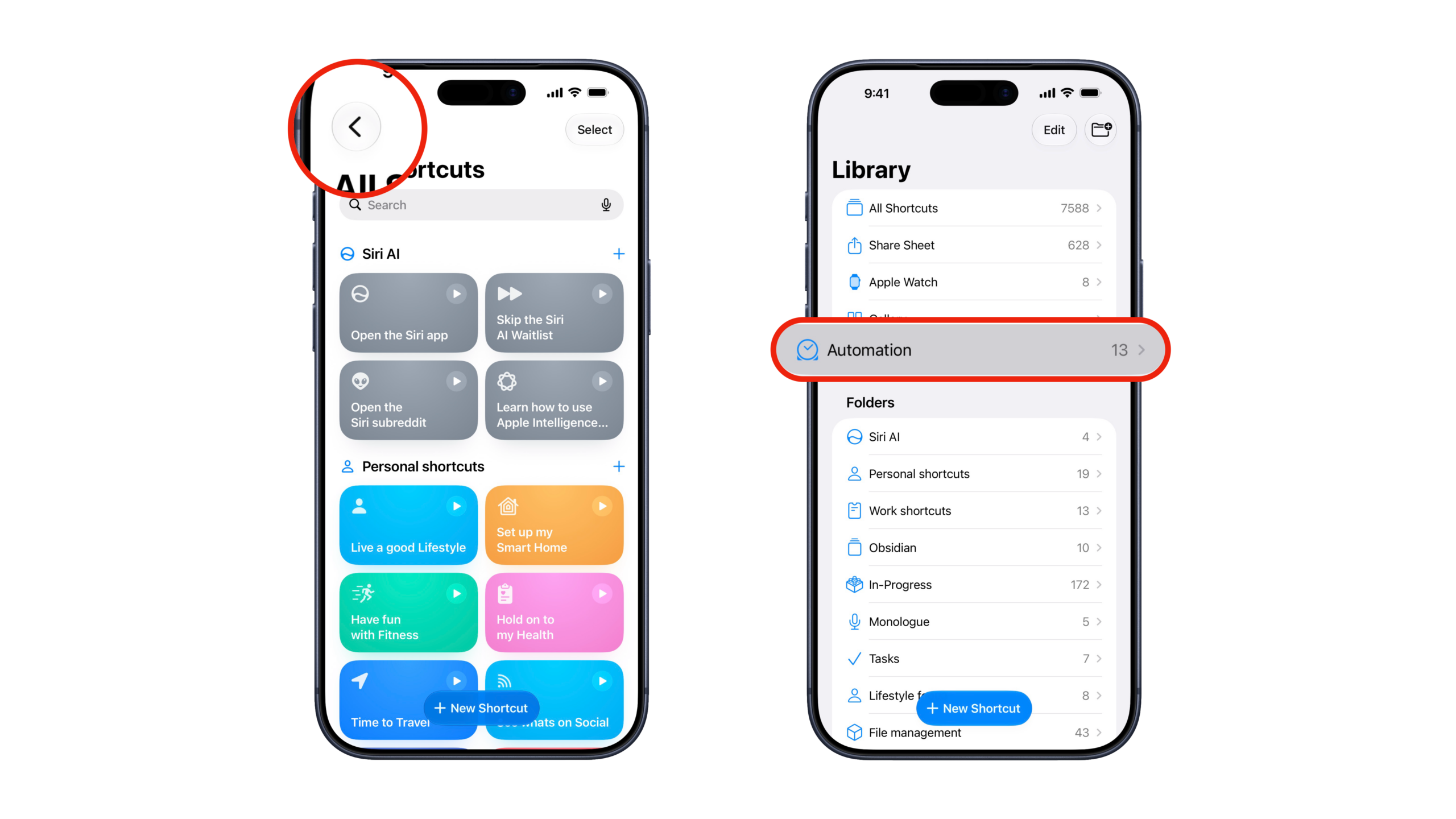
To find the filter, open the Shortcuts app and navigate out of the All Shortcuts view to the Library, where you’ll see collections, your folders, and App Shortcuts – tap Automation.
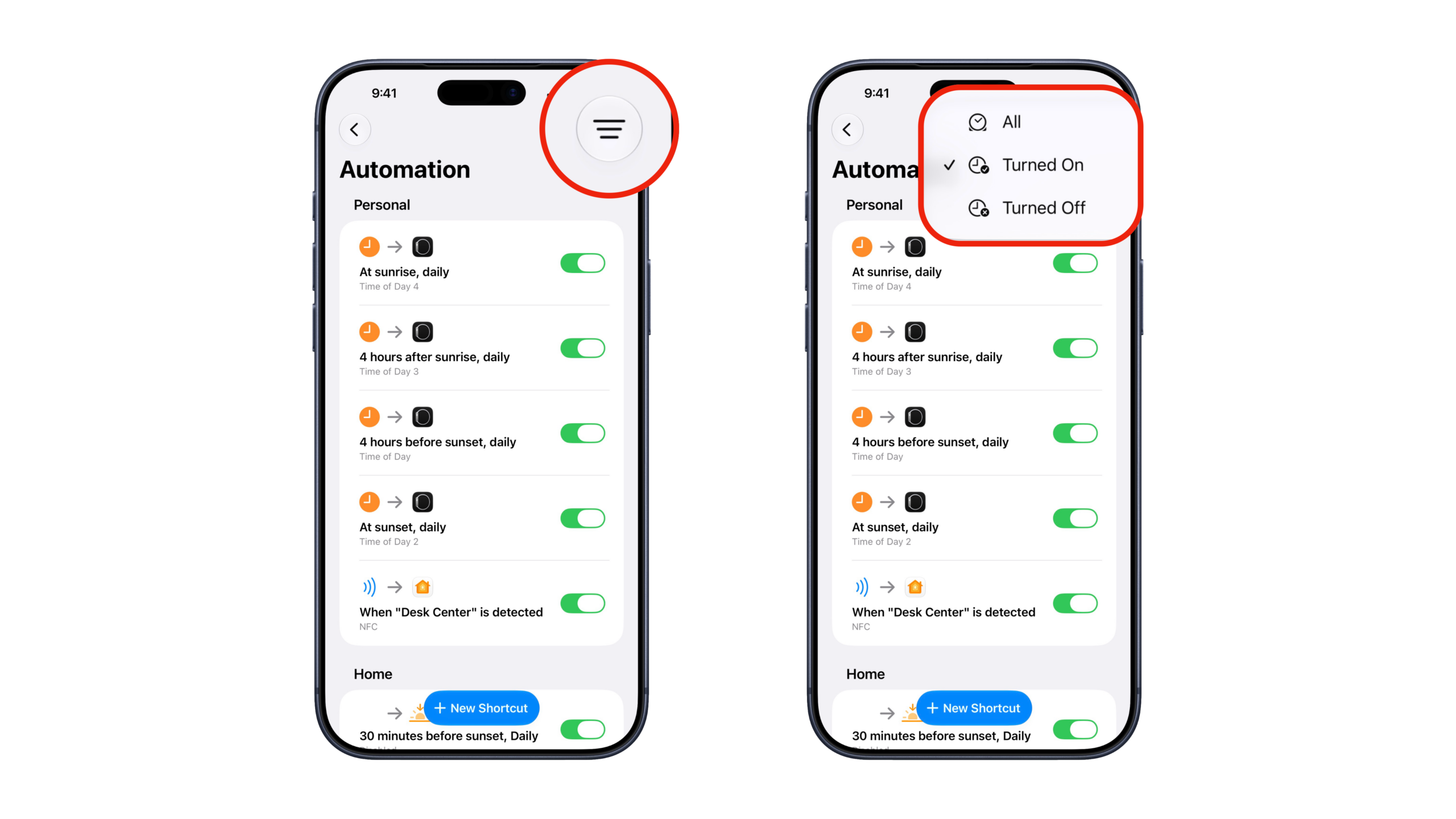
In the Automation view, press the button with the three stacked horizontal lines, after which you’ll see All, Turned On, and Turned Off, with All selected by default.
Tap either Turned On or Turned Off to filter your list of Personal and Home automates accordingly, which you can then quickly toggle off/back on as needed or tap to edit its steps.
It’s an Automator’s World
This is a small but important change, especially as Automations are significantly easier to create thanks to Describe a Shortcut (as well the ability to share automations inside individual shortcuts) – users will have a lot more in their Library and may have many from others disabled until they’re ready to be put into practice.
Automations are continuing to grow in importance and usage, so adding quicker controls for understanding what’s running and what’s otherwise available will help users manage that growth on an individual level.