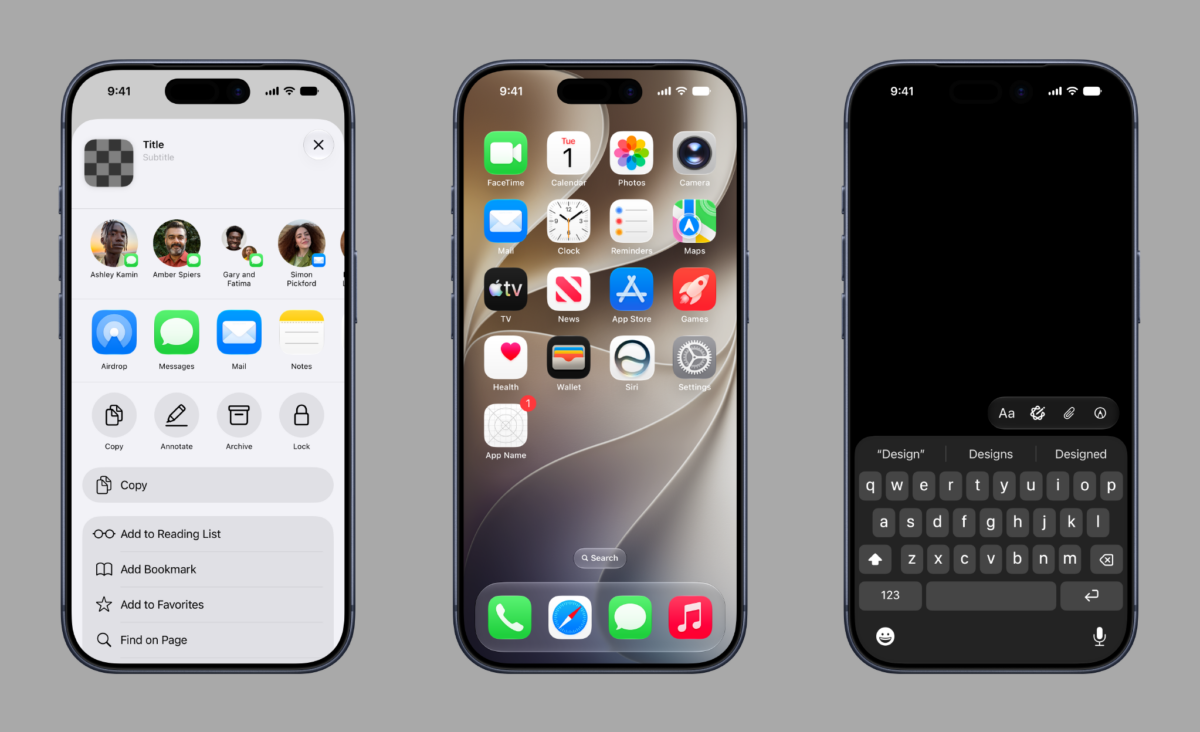
From Apple Design Resources:
iOS and iPadOS
iOS 27 and iPadOS 27:
UI Kit:
App Icon Template:
macOS
macOS 27
UI Kit:
Here’s Apple Design Evangelist Linda Dong:
📣 Just in time for Config – here's the brand new @Figma Apple Design Kits for iOS, iPadOS, and macOS 27.https://t.co/vhgEetVn6L pic.twitter.com/zqvKwh1tjQ
— Linda Dong 🍉 (@lindadong) June 24, 2026
For convenience, I’ve resorted the design links by tool rather than Apple platform:
Figma resources for iOS, iPadOS, and macOS 27
- Figma UI Kit for iOS 27 and iPadOS 27
- Figma App Icon Template for iOS, iPadOS, and watchOS 27
- Figma UI Kit for macOS 27
Sketch resources for iOS, iPadOS, and macOS 27
- Sketch UI Kit for iOS 27 and iPadOS 27
- Sketch App Icon Template for iOS, iPadOS, and watchOS 27
- Sketch UI Kit for macOS 27
Photoshop and Illustrator resources for iOS, iPadOS, and macOS 27
- Photoshop and Illustrator App Icon Template (download)
Check out Apple’s Design Resources page and see Linda Dong’s post on X.