With the sharing feature that was in Workflow not being available in Shortcuts1, many people are resorting to sharing screenshots to show people how their shortcuts work.
Oddly, this has had a great benefit for the fledgling community – shortcuts are very visual, and a bunch of hyperlinks links on Twitter might not have had the same effect as a good photoset2:
BRB, making Harry Potter spells into Siri Shortcuts. pic.twitter.com/ceK3bBuyEh
— Ben Markowitz (@bpmarkowitz) July 6, 2018
But longer shortcuts with more than a handful of actions can’t fit onto one screen, so users have to resort to more creative options.
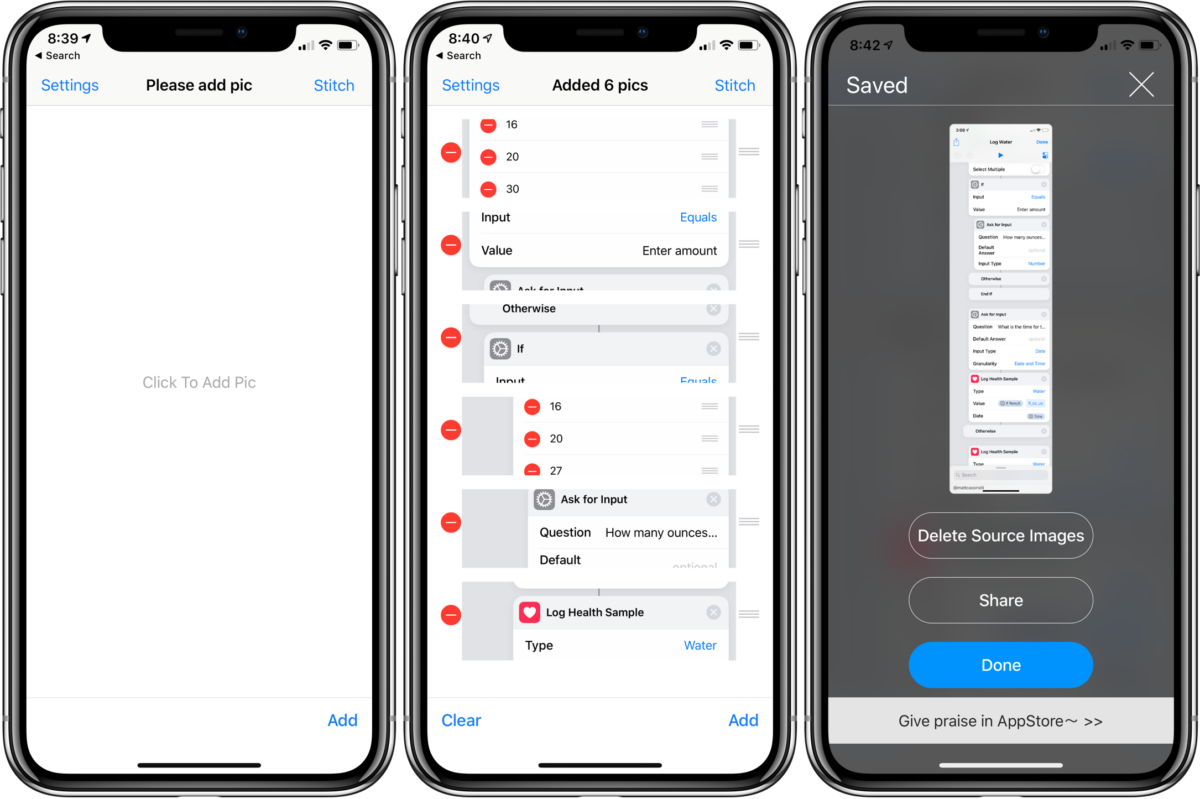
StitchPics
My recommendation is StitchPics, a simple but very functional app to combine photos that’s free with a $1.99 in-app purchase to add more than 8 images3.
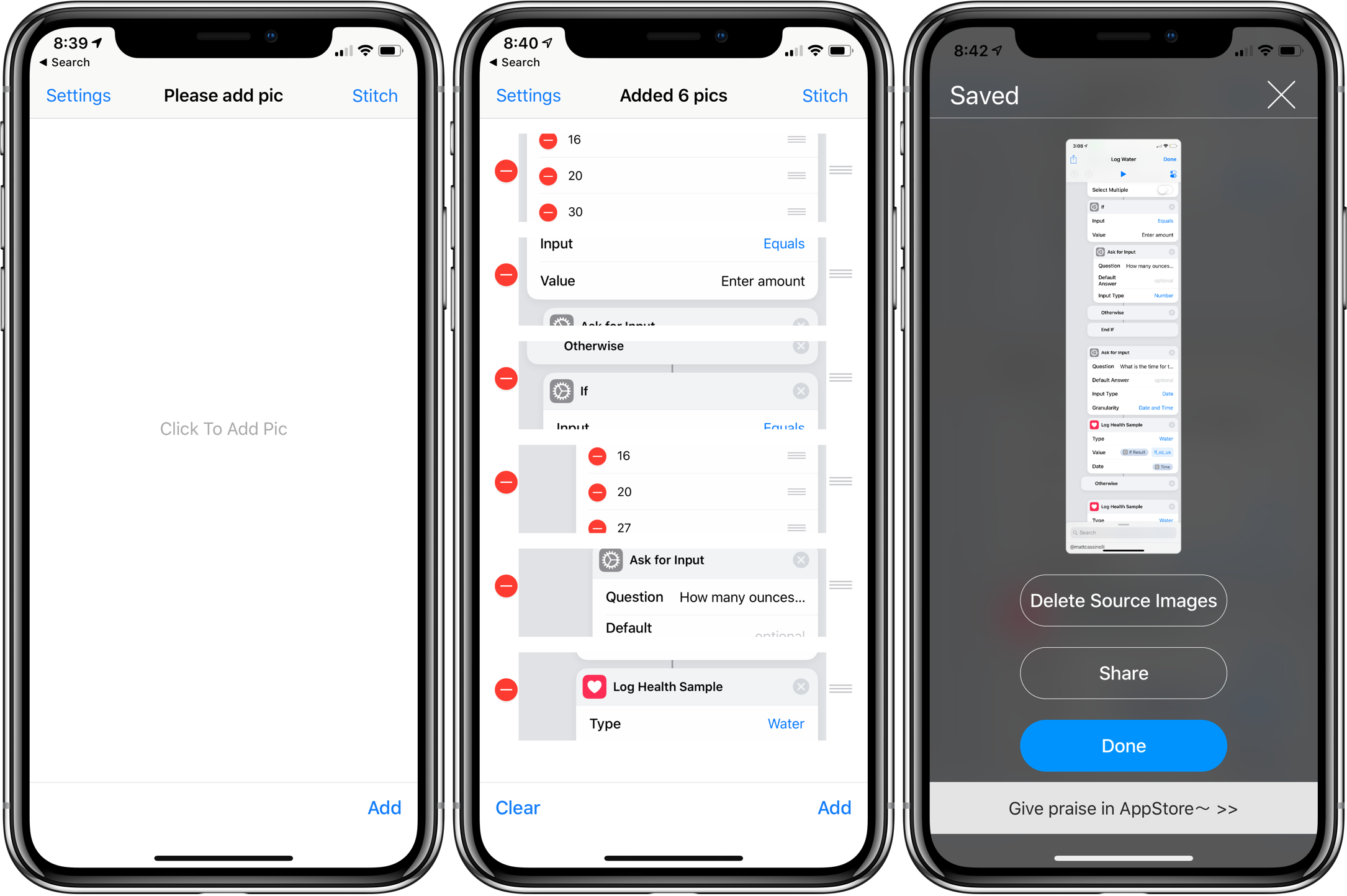
Made by a Chinese developer, the app isn’t fully translated, the logo is somewhat inexplicably an L, and on iPad it only works in portrait orientation.
That being said, I’m definitely glad I bought it. That’s because, beyond basic auto-stitching, StitchPics has a fantastic pinch-based method of combing images that’s super reliable for getting things exactly right.
Here’s a quick example:
[videopress 6TEyzPrb]
Once it takes a guess at how to put your images together, you can slide either image up or down behind the crossover point and collapse parts you want to be hidden.
Especially with longer shortcuts where you may need to take many screenshots, it makes aligning the different actions much easier.
StitchPics is also great for getting images of complete webpages on mobile – just take screenshots as you scroll and stitch them together in the app.
Tailor
A popular alternative is Tailor, but historically I’ve found it is unreliable at parsing multiple screenshots from Workflow (and the same is true for Shortcuts). The actions just look too similar across many images and it doesn’t know how to handle it.
Tailor is also free (but with a watermark removable by in-app purchase) and should work fine for simpler shortcuts. However, it is only available for iPhone.
That’s why I’ve been using StitchPics – it ain’t pretty, but it gets the job done, and a bit better, on both my devices.
Get StitchPics on the App Store.
Click here to check out more Tips & Tricks posts
Links in this post
- StitchPics for iPhone and iPad (Free on the App Store)
- Tailor for iPhone (Free on the App Store)
- Ben Markowitz on Twitter
- I don’t know if it’s temporarily removed or gone for good, but boy am I hoping for the former not the latter. ↩
- Awesome work Ben! And also wow, almost 7,000 people liked a good automation joke (even if it’s mostly for the Harry Potter). ↩
- Plus you can add your own watermarks, change it to a custom size, cut off the top or bottom, leave blank spaces, or change the color of the fonts in the app. ↩