From Jordan Morgan, Developer Advocate at Superwall:
Since the announcement of Apple Intelligence, developers have been in a bit of holding pattern with iOS 18. Many of the marquee APIs to hook into Siri and Apple Intelligence weren’t available with its initial release. For example, hooking into onscreen content (here’s an example).
The ability to have Siri perform tasks from your app, or shuttle data from it to another one, based on your personal context is a game-changer. We’ve always been able to ask Siri to perform tasks in our apps, but Siri couldn’t understand the specifics of what you were currently looking at.
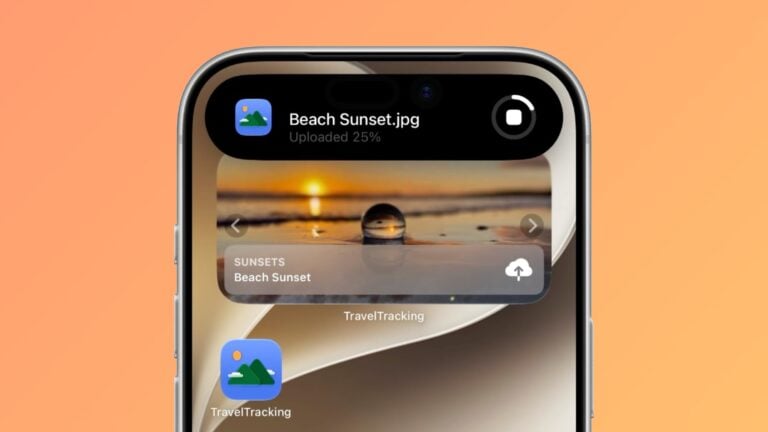
Take the example I linked to above, from Apple’s W.W.D.C. session, “Bring your app to Siri.” In it, the presenter asks Siri to favorite a photo. Apple Intelligence makes this flow better starting with iOS 18.2, since we can expose our app’s onscreen content. Basically, this opens up two things for developers:
- Primarily, you can create entities that Siri can understand, simply from them being visible on screen. The entity from the example above was a photo, and it was recognized when the presenter said “Hey Siri, move this photo to the California album.”
- And, you can create intents that Siri can use with that content, or from content coming to your app from somewhere else. Moving the photo to another album from the example would be the intent at play.
What’s key to understand here is that the photo is an entity Siri can use and moving it to an album was an intent. And, as a bonus – you can shuttle the data around easier with Transferable. This isn’t new but is important. Again, from the example, this is how Siri took the photo and sent it in an email.
Today, I’ll show you how it works and break down the key parts you’ll need. However, there’s an important catch: Siri can’t actually perform these tasks yet. While the APIs are available to developers, the personal context features aren’t live. Once they are, everything will ‘just work.’ For now, Apple seems to be giving us the tools today so we can be ready for tomorrow.
Friend of the site Jordan Morgan is back with yet another excellent guide around App Intents – this time preparing us for the real Apple Intelligence experience.