How to Use ChatGPT With Siri on Your iPhone »

Nelson Aguilar from CNET shares how to take advantage of all that ChatGPT has to offer – using today's tech, like Shortcuts.
How to Use ChatGPT With Siri on Your iPhone »

From Nelson Aguilar at CNET:

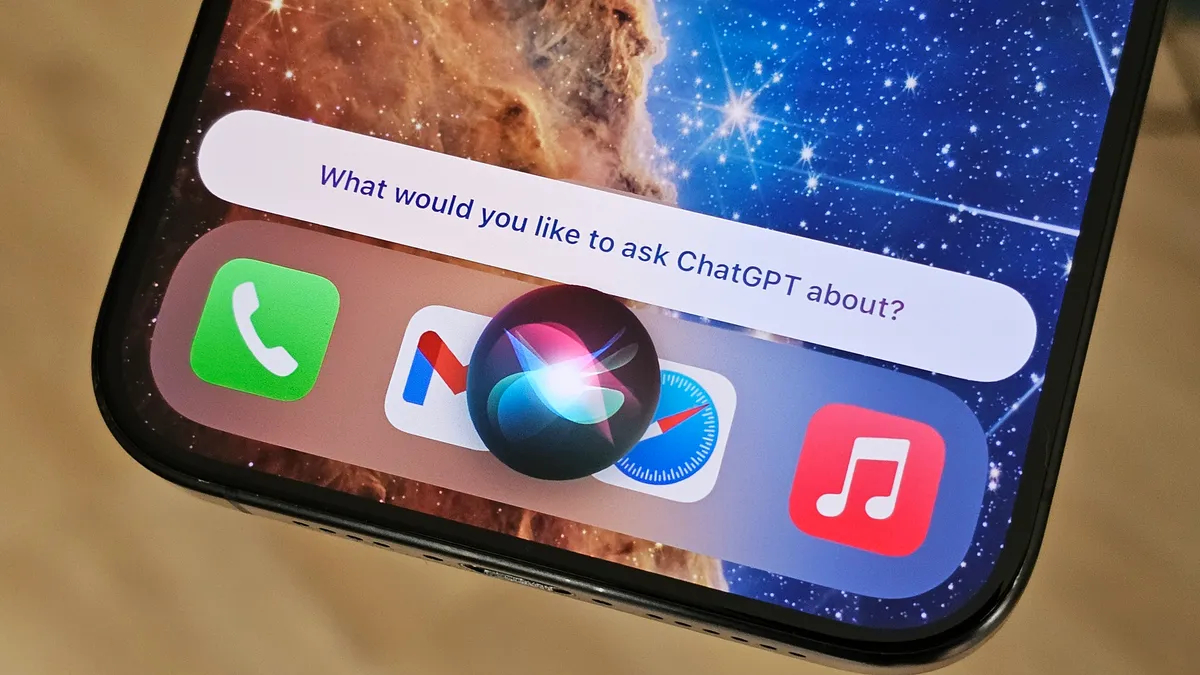
You don’t have to wait to start using ChatGPT with Siri on your iPhone.

If the rumors are true, Apple will be integrating Open AI’s ChatGPT into iOS 18 in one way or another. This and other AI announcements could be on tap at Apple’s Worldwide Developers Conference, which you can watch live next week on June 10. But even if the ChatGPT integration with Siri is announced, we most likely won’t see iOS 18 released broadly until later this year.

Still, if you have the ChatGPT app on your iPhone, you can integrate it with Siri right now. Here’s what you need and how to do it.

Don’t forget to try my ChatGPT shortcuts too.
View the original.

Posts You Might Like

Build from anywhere with Cursor for iOS »
Curor has released their iOS app, bringing the agentic coding platform to iOS with remote sessions or cloud agents.
New in the Shortcuts Library: Notion shortcuts
I've just added four (!) new sets of shortcuts for Notion, in an exploration of their URL patterns. Check out the shortcuts for the Notion app, your favorite Pages, and both Notion Mail & Calendar.
New in the Shortcuts Library: Amazon app shortcuts
Amazon updated their iOS and iPadOS apps with App Shortcuts support – I made the set available online so you can add any of them to your widget.
Automatically Trigger iPhone Low Power Mode Earlier (with Shortcuts) »
Tim Hardwick at MacRumors has a write-up for how to use the Low Power Mode automation in Shortcuts to set a custom value – which I use on iPad every day.