Hello friends – I am hosting a free Siri AI Automators meetup this Thursday in Portland, Oregon, and you’re invited!
First Siri AI Automators meetup in Portland

Join us to discuss new Siri updates, improvements to Apple Intelligence, and how App Intents—the API that powers Shortcuts—is an integral connection between your app and the Apple ecosystem. Since this will be a smaller meetup, I’ll have materials to cover, but I mostly want to talk with you.
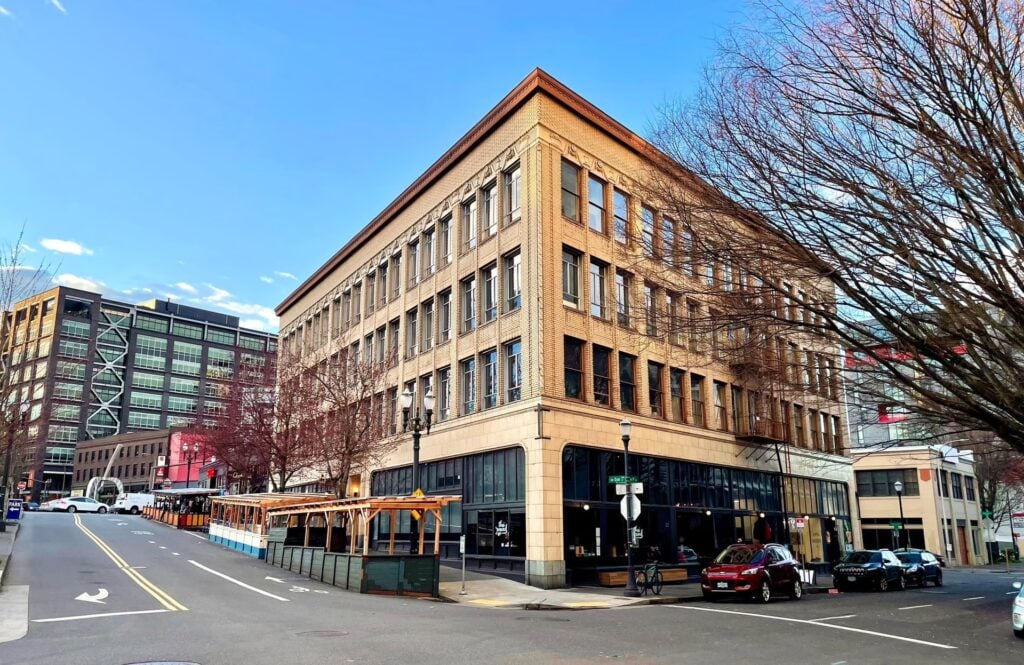
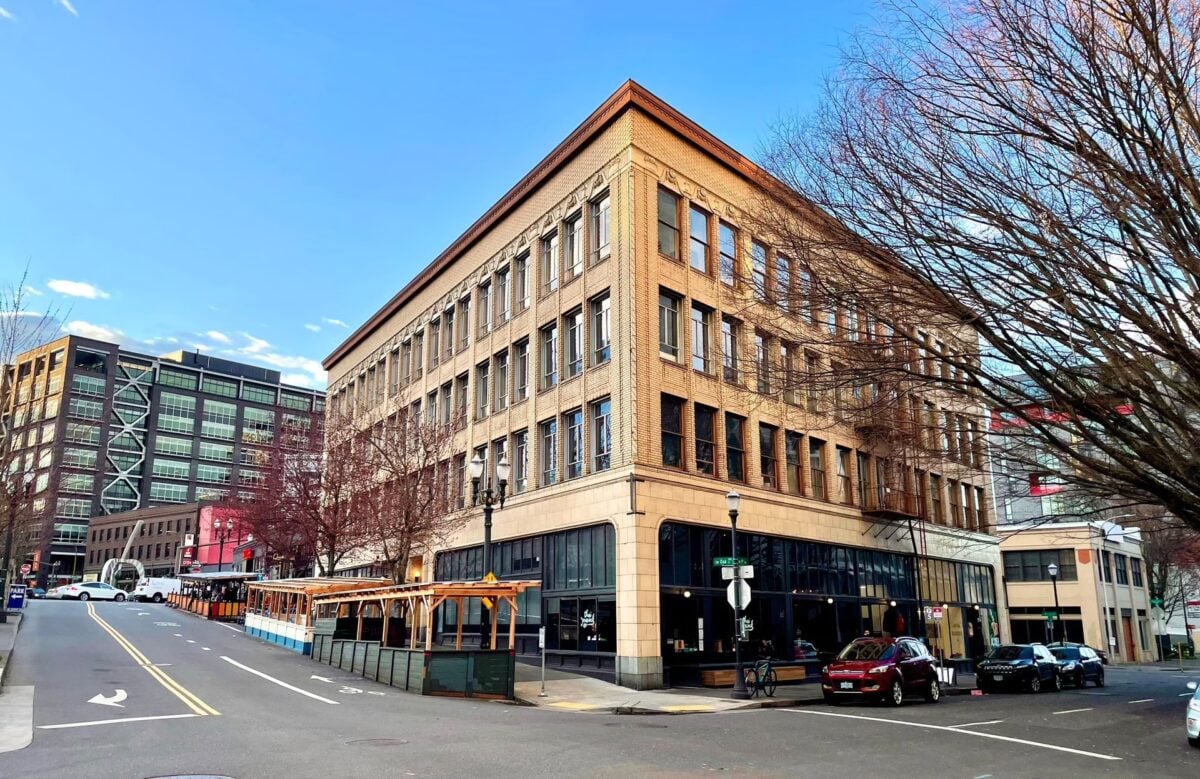
We’ll be gathering Thursday, June 18th from 7-9pm in the North Pacific Building where I have an office, across the street from Powell’s – right in the heart of downtown Portland. Plus, parking is free after 7!
Anyone interested in AI, Siri, Apple Intelligence, App Intents, and Shortcuts near Portland, Oregon is welcome to join us. If you’re out of town, you’re welcome too; but please don’t drive too far for this first, smaller meetup – sign up for the July event.
Register for Attendance
Please register with enough information so I can understand who you are and I’ll approve you, after which the door code will be revealed on Luma.
If you can’t attend but would otherwise come to a future Portland meetup in-person, please apply and then mark “Can’t Go” – that way, we can still connect and you can still recieve updates about the event. Please sign up for the July event now too if you can’t make this first event.
However, please don’t sign up if you are remote and just interested – I want to keep registrations to people who would actually attend at some point.
See you on Thursday
Check out the event invite on Luma and sign up for free – I hope you to see you there (or next time in July)!
Plus, subscribe to the Siri AI Automators meetup calendar to get notified about future events.
P.S. If you’re looking to sponsor this event, check out the Siri Automators meetup calendar for details and rates – companies can also email me to send swag for attendees.
If you’d like to see a Siri AI Automators meetup in your city, I will travel there once I can secure a key sponsorship and an ideally-free venue.